How to Set Shareholder Equity Value Visibility?
A company’s equity value is the total value that is attributable to shareholders. It represents the amount shareholders would receive if the company is sold. It is also known as the market value of equity or market capitalization.
Equity Value Formula: Sum of Equity Value of Common + Preferred + Options + Warrants + Convertible Notes
Set Shareholder Equity Value Visibility
Eqvista provides an option to set shareholder equity value visibility under the company profile settings.
Here are the steps to follow:
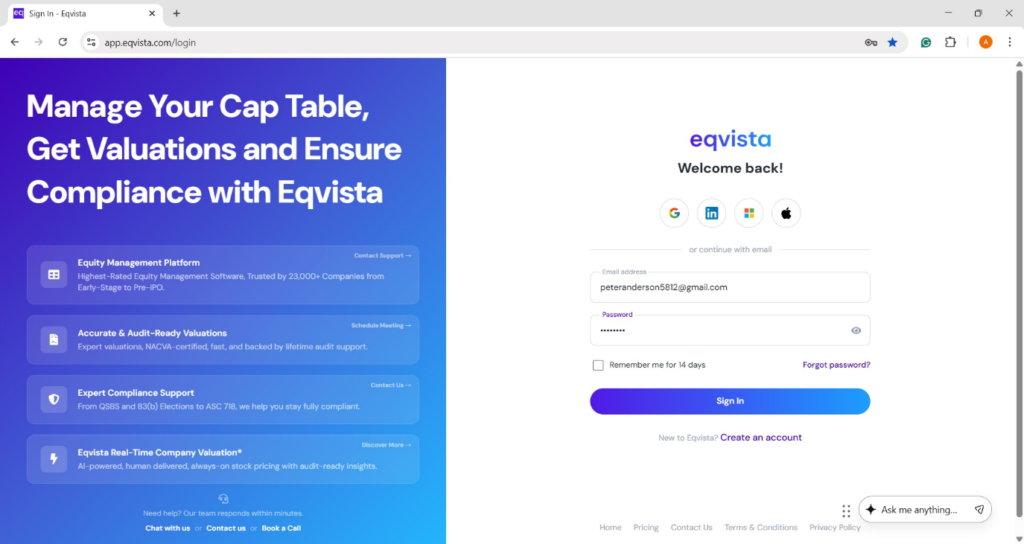
Step 1: Log into Eqvista account and select your company.
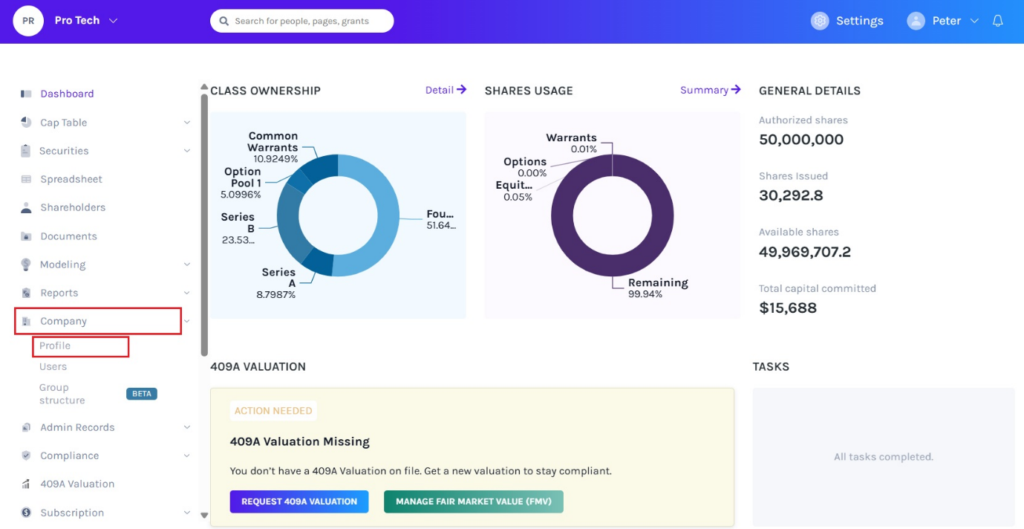
On the dashboard, click on “Company” on the left side to get a drop-down menu and select “Profile”.
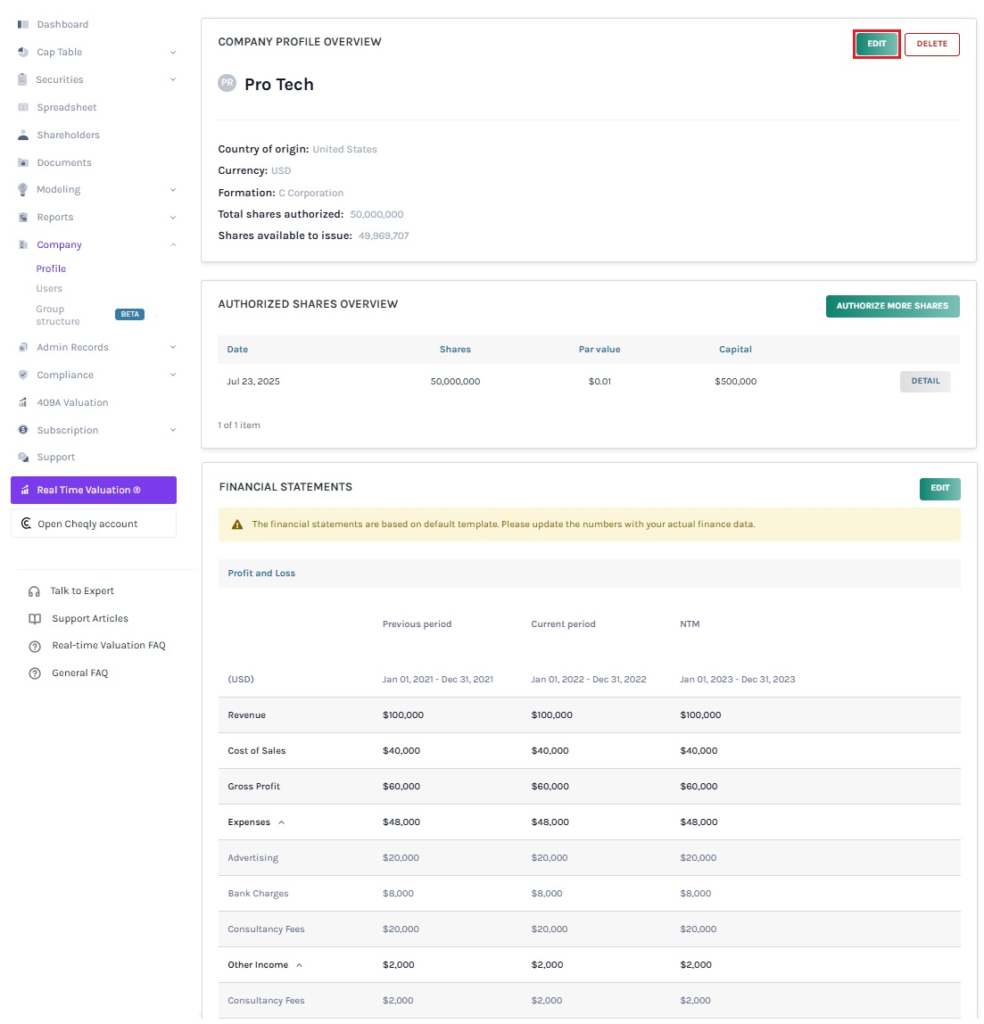
Step 2: Once you click, you will be directed to the page that shows the details of your company. On the top right of the page, click “Edit” to edit the details of the company.
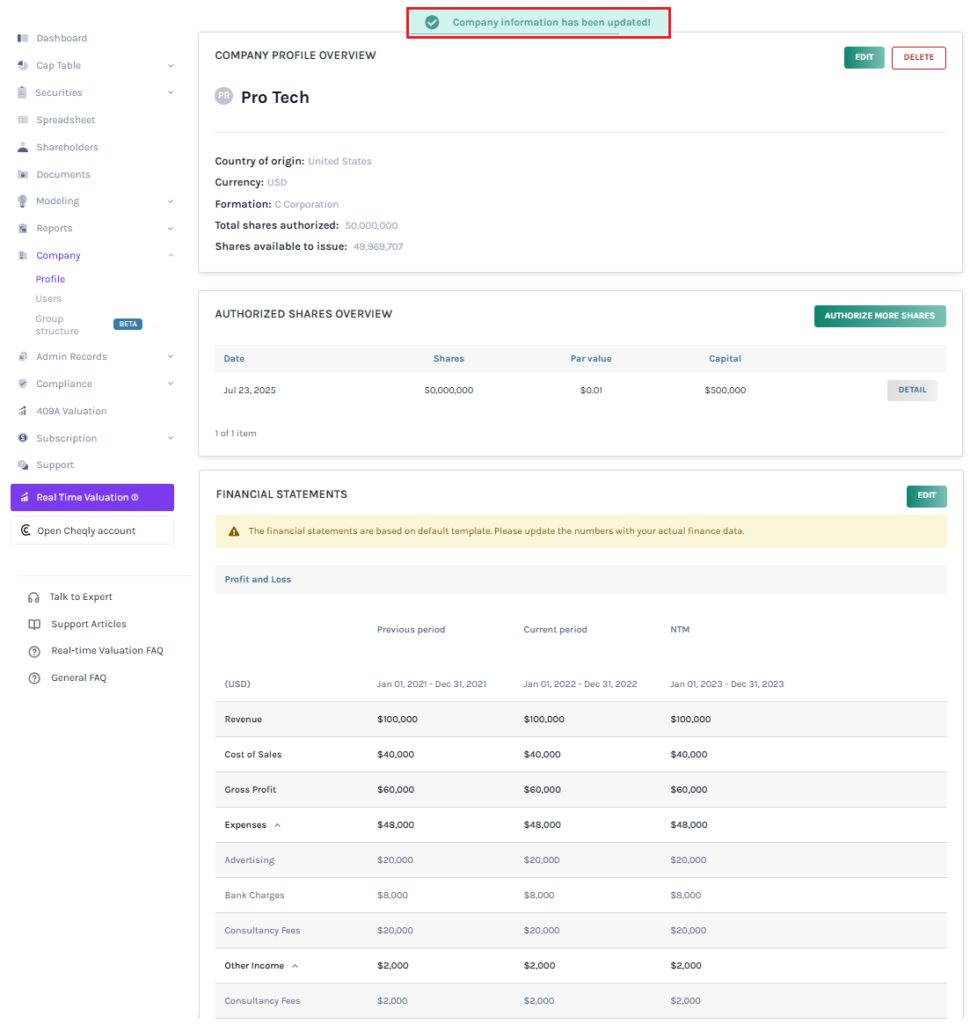
Note: There are three sections – Company Profile Overview, Authorized Shares Overview, and Financial Statements. To further understand the sections in detail, check out the support article here!
Step 3: There are two sections in the panel – Basic and Advanced. You must click on “Advanced” to change the shareholder equity value visibility. A pop-up panel will appear, and you can choose the shareholder equity value visibility from two options: Yes or No.
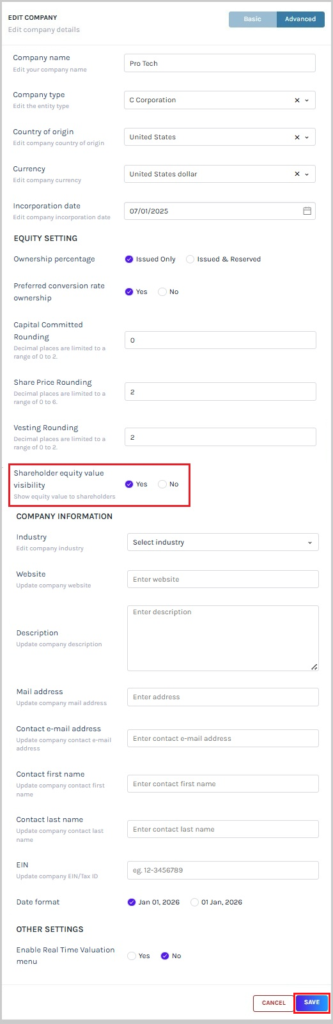
Once done, click on “Save”.
Step 4: With this done, the shareholder equity value visibility settings would be updated as shown below.
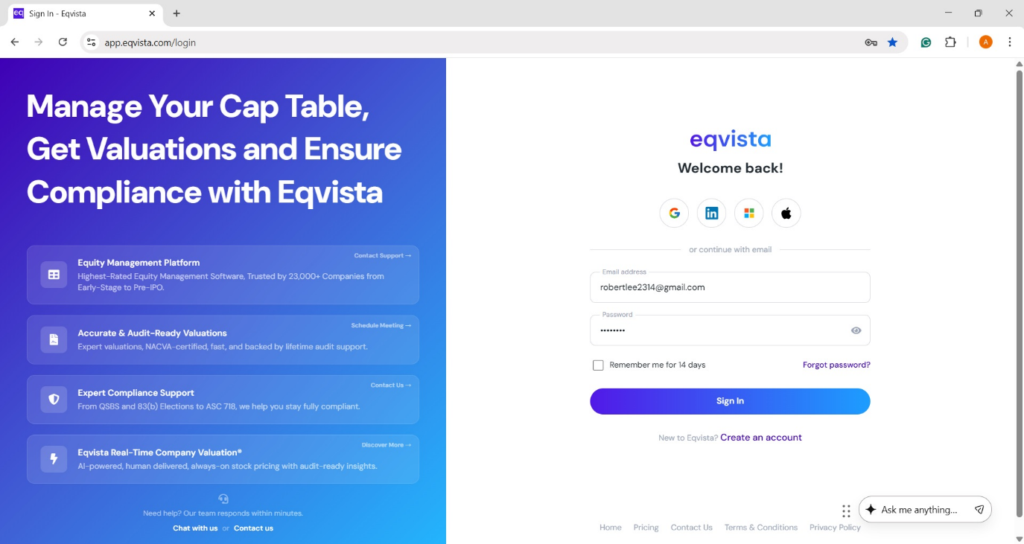
Step 5: The shareholder can view the equity value by logging into their shareholder account or creating an account if they don’t have an account on Eqvista.
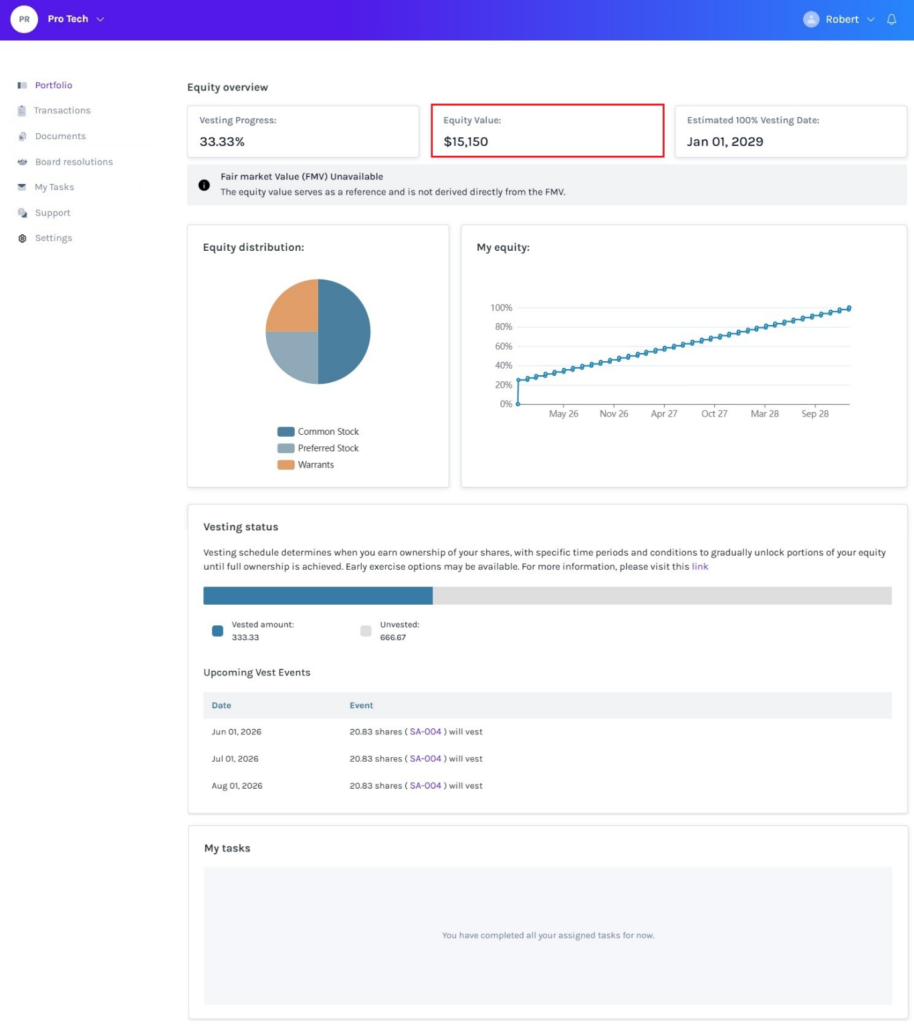
Step 6: Once clicked, it redirects to the shareholder access view dashboard, and the shareholder can view the equity value based on the shareholder equity value visibility settings.
Scenario 1 – Yes
The shareholder can view the equity value if the option “Yes” has been selected for shareholder equity value visibility settings.
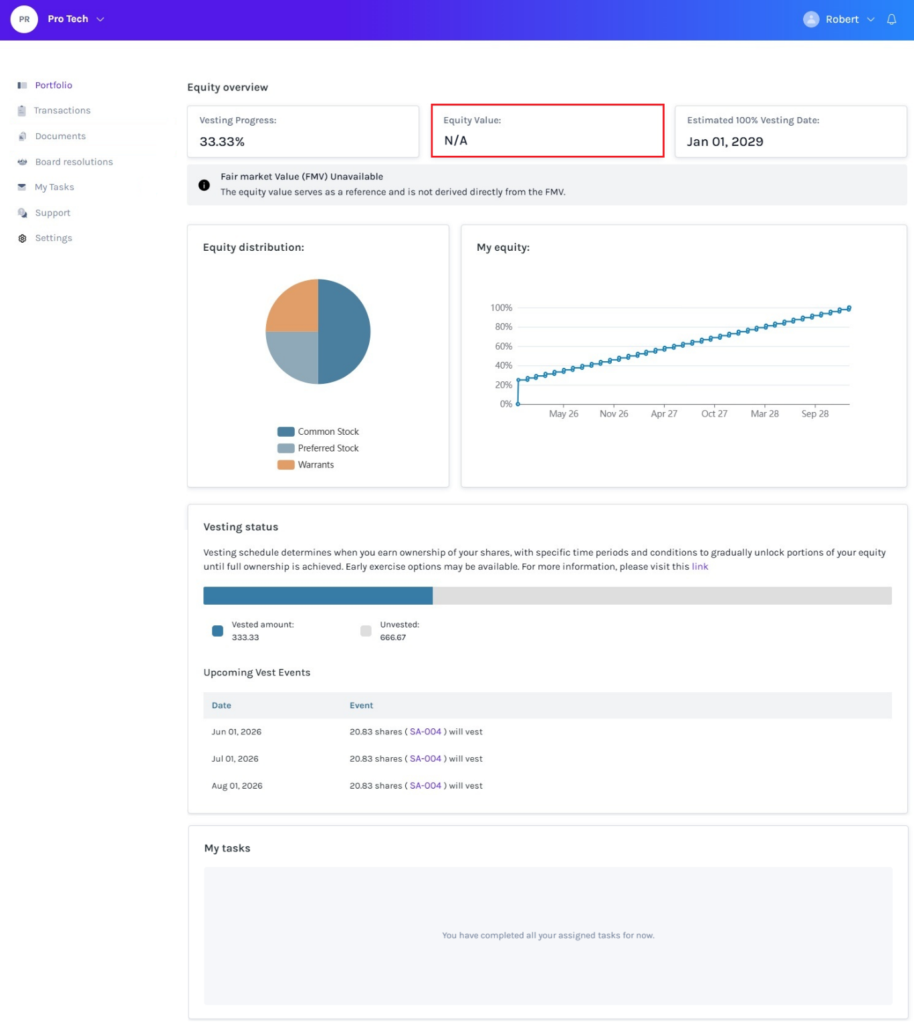
Scenario 2 – No
The shareholder can view “N/A” if the option “No” has been selected for shareholder equity value visibility settings.
For more information on Eqvista, check out our support articles or get in touch with us today!
