How to Enable Preferred Conversion Rate Ownership?
Once you have added the conversion rate for preferred shares, you can enable preferred conversion rate ownership. Eqvista offers two options for preferred conversion rate ownership in the company settings.
- Yes: The conversion rate of preferred shares is included in the calculation of fully diluted shares and total shares issued.
- No: Does not include the conversion rate of preferred shares in the calculation of fully diluted shares and total shares issued.
Let’s understand the difference between the two options with an example:
| Common Shares Issued | 15,000 |
| Preferred Shares Issued | 10,000 |
| Conversion Rate of Preferred Shares | 2 |
| Fully Diluted Shares / Total Shares Issued | |
| Conversion Rate Ownership “Yes” | 15,000 + 20,000 (Conversion Rate @2.00) = 35,000 |
| Conversion Rate Ownership “No” | 15,000 + 10,000 (Preferred Shares Issued) = 25,000 |
| Peter Anderson’s Preferred Shares | 1,000 |
| Ownership % | |
| Conversion Rate Ownership “Yes” | 2,000 / 35,000 * 100 = 5.71% |
| Conversion Rate Ownership “No” | 1,000 / 25,000 * 100 = 4.00% |
Enable preferred conversion rate ownership
On Eqvista, you can enable preferred conversion rate ownership in the company settings in simple steps.
Here are the steps to follow:
Step 1: Log into Eqvista and select your company.

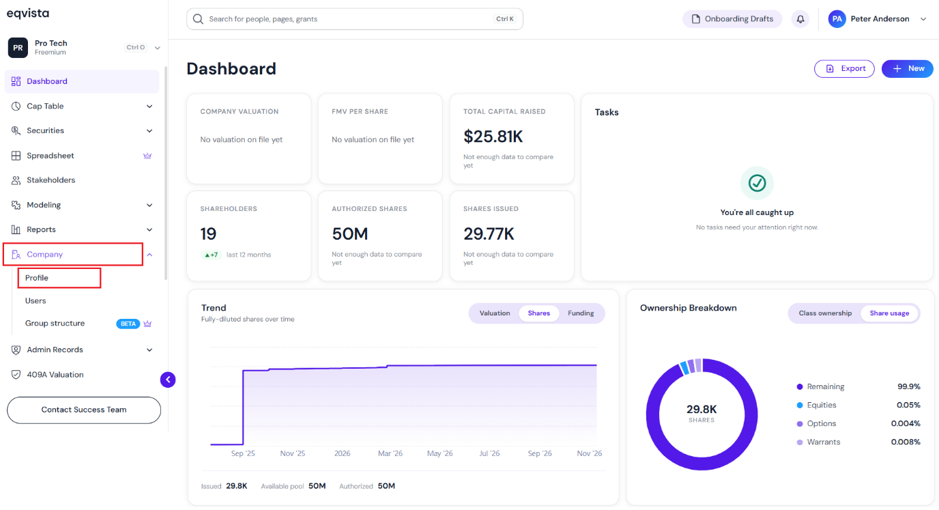
On the dashboard, click “Company” on the left to get a drop-down menu and then select “Profile”.
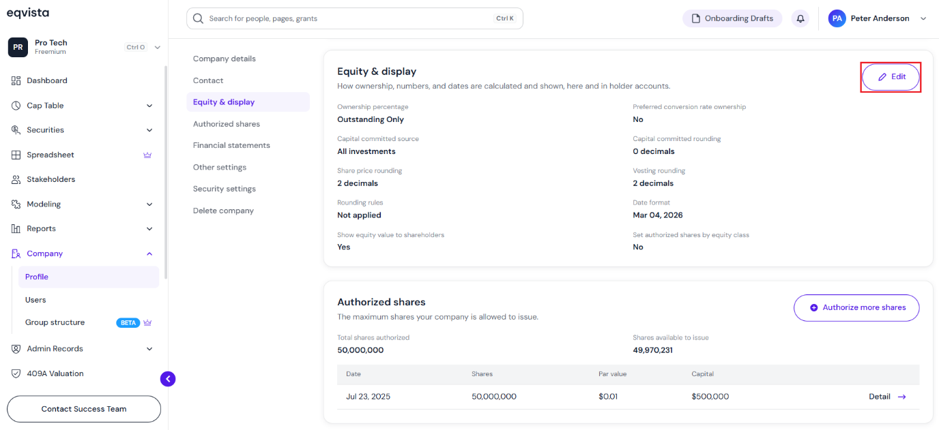
Step 2: Once you click, you will be directed to the page that shows the details of your company. Under the Equity & Display section, click “Edit” at the top right of the page.
Note: On this page, you can view Company Details, Contact, Equity & display, Authorized Shares, Financial Statements, and Other Settings. To further understand the sections in detail, check out the support article here!
Step 3: A panel will appear, and you can choose the preferred conversion rate ownership from two options: Yes or No.
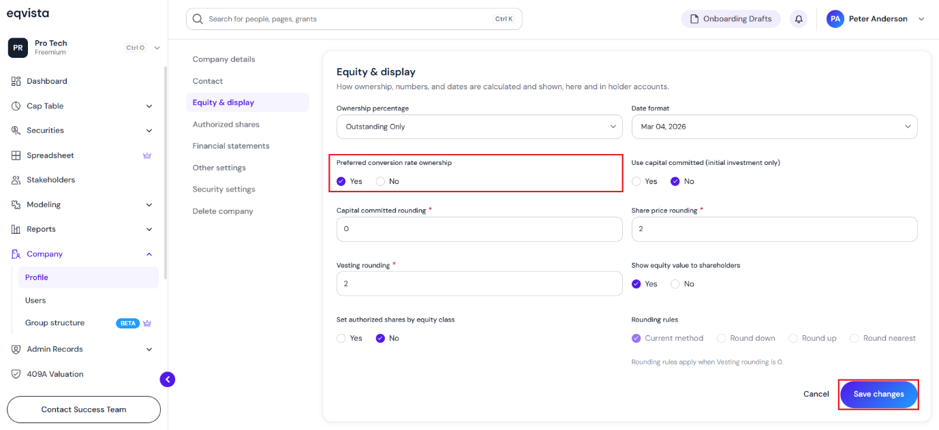
Once done, click on “Save Changes”.
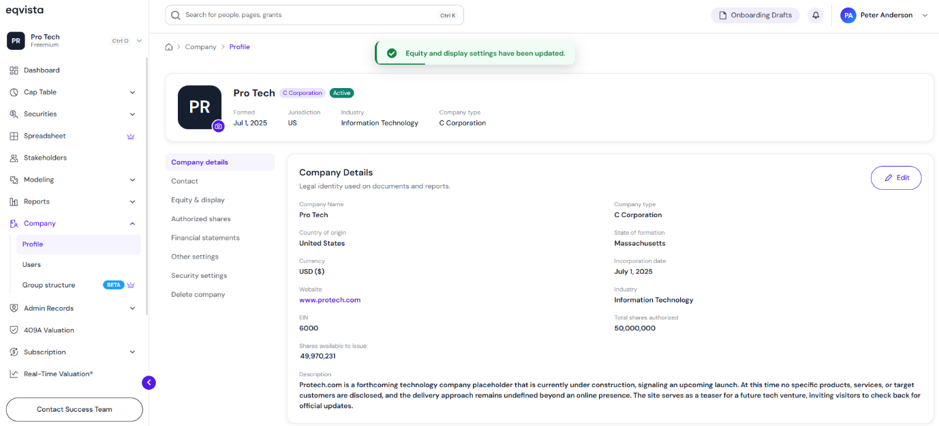
Step 4: With this done, the preferred conversion rate ownership would be updated as shown below.
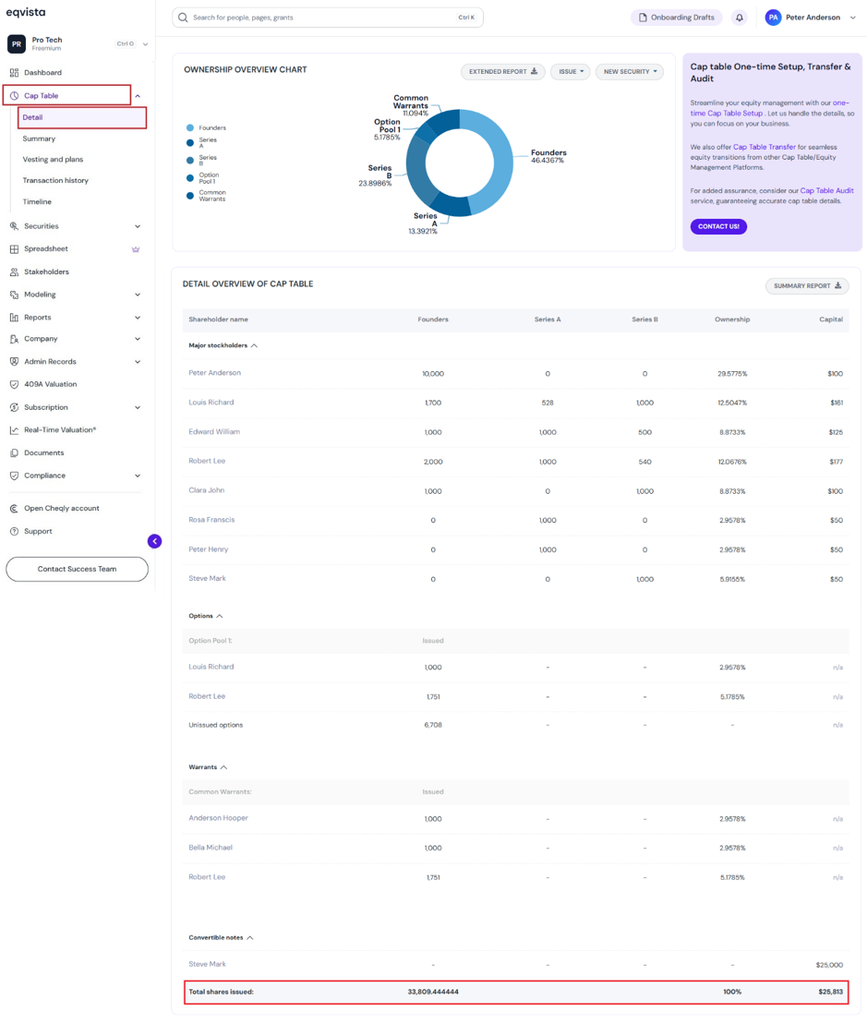
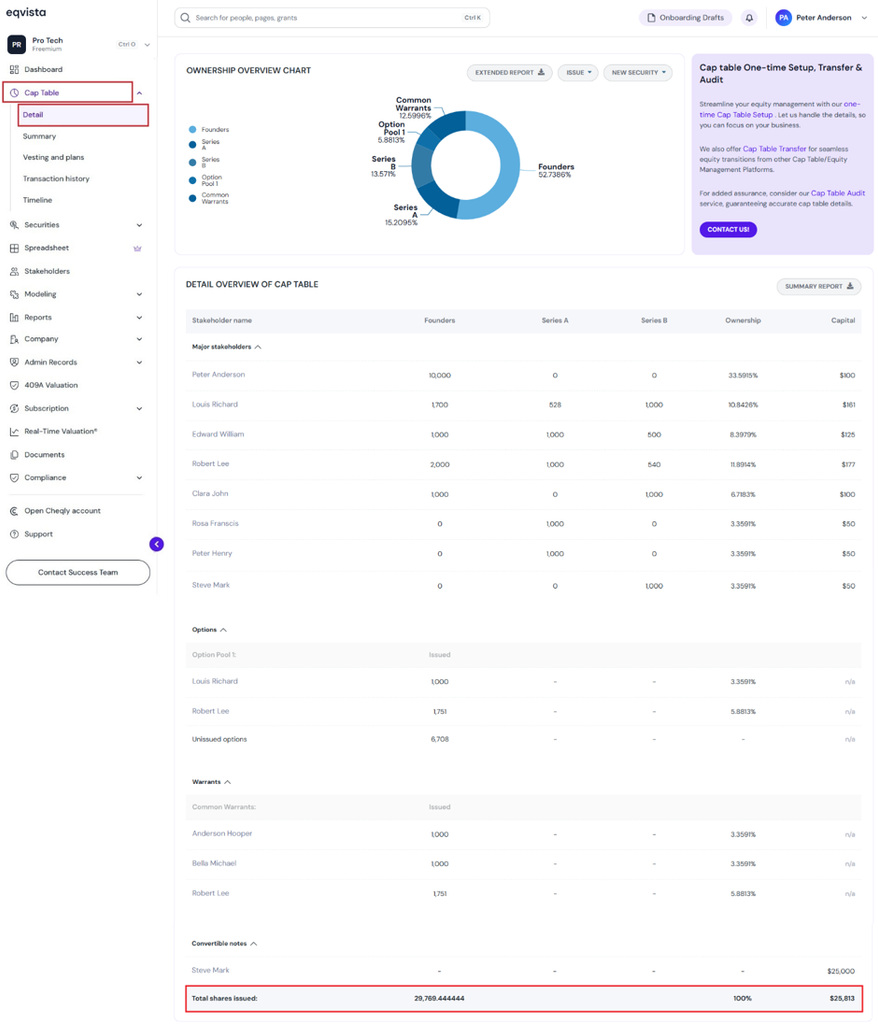
Step 5: You can view the preferred conversion rate ownership by clicking Cap Table to get a drop-down, and selecting “Detail”.
Scenario 1 – Preferred Conversion On
The conversion rate of preferred shares is included in the calculation of total shares issued.
Scenario 2 – Preferred Conversion Off
Does not include the conversion rate of preferred shares in the calculation of total shares issued.
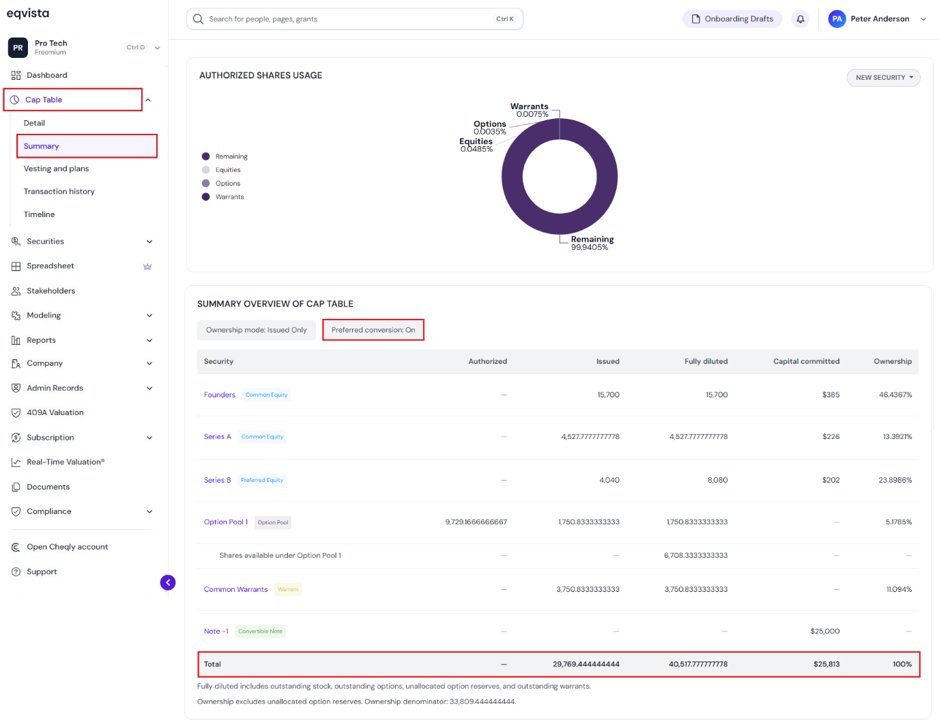
Step 6: The converted preferred shares can also be viewed by clicking Cap Table to get a drop-down, and selecting Summary.
Scenario – Preferred Conversion On
The summary page displays the following details:
- At the top of the page, it displays the preferred conversion “On”.
- Fully Diluted includes outstanding stock (converted preferred shares), outstanding options, unallocated option reserves, and outstanding warrants.
- Ownership includes converted preferred shares.
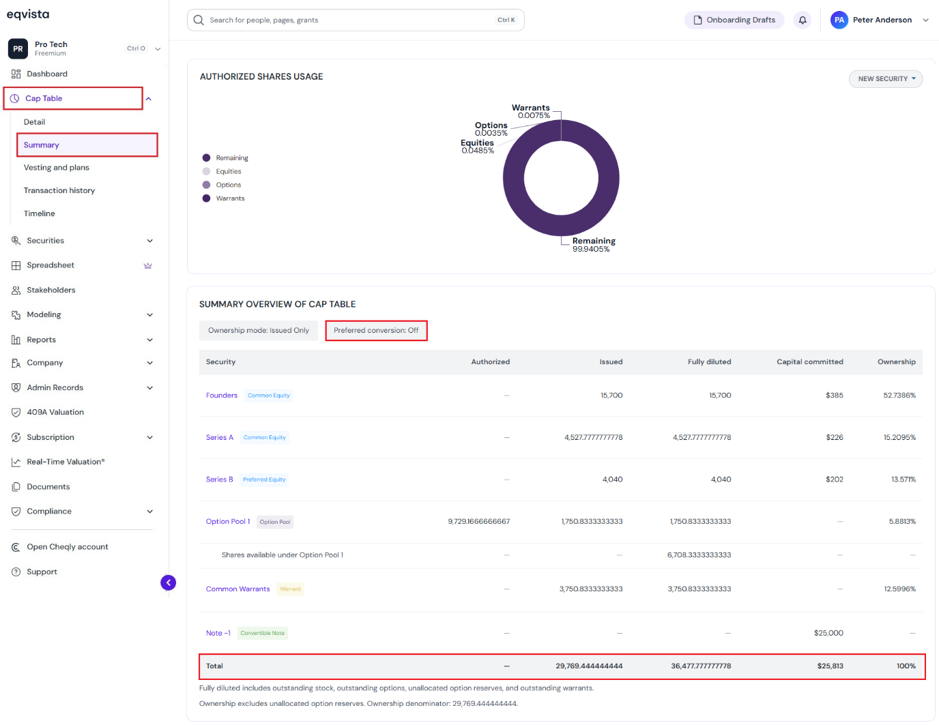
Scenario – Preferred Conversion Off
The summary page displays the following details:
- At the top of the page, it displays the preferred conversion “Off”.
- Fully Diluted includes outstanding stock, outstanding options, unallocated option reserves, and outstanding warrants.
- Ownership excludes converted preferred shares.
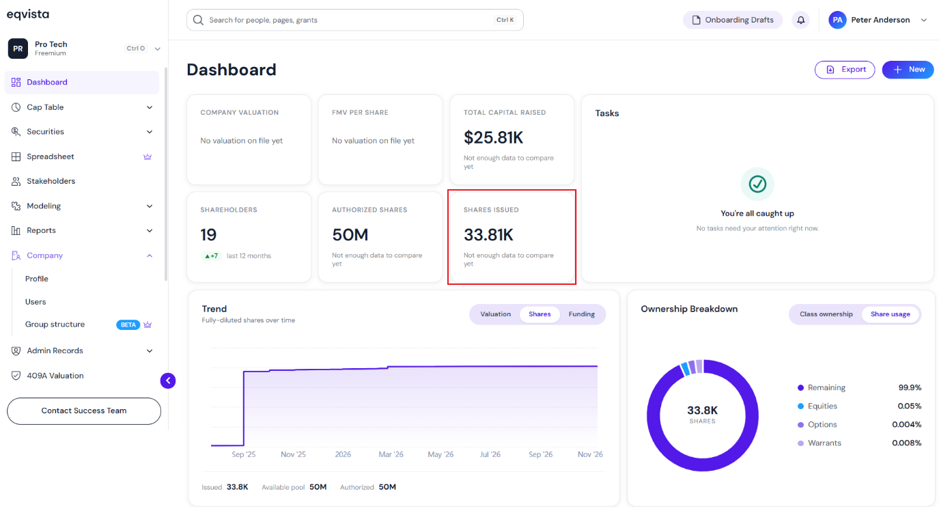
Step 7: The total shares issued, including converted preferred shares, can also be viewed on the dashboard.
To know more about Eqvista, check out our support articles and knowledge base. For further queries, get in touch with us today!
