How to Enable Real-time Valuation Menu?
Eqvista’s real-time valuation provides a quick, cost-effective valuation in just a few hours. It offers real, audit-ready valuations backed by experts, delivered at the speed of business.
Note: The real-time valuation feature is only available for 409A account holders. Kindly upgrade your account to unlock the feature.
Enable Real Time Valuation Menu
On Eqvista, you can enable the real time valuation menu under the company profile settings in just a few clicks.
Here are the steps to follow:
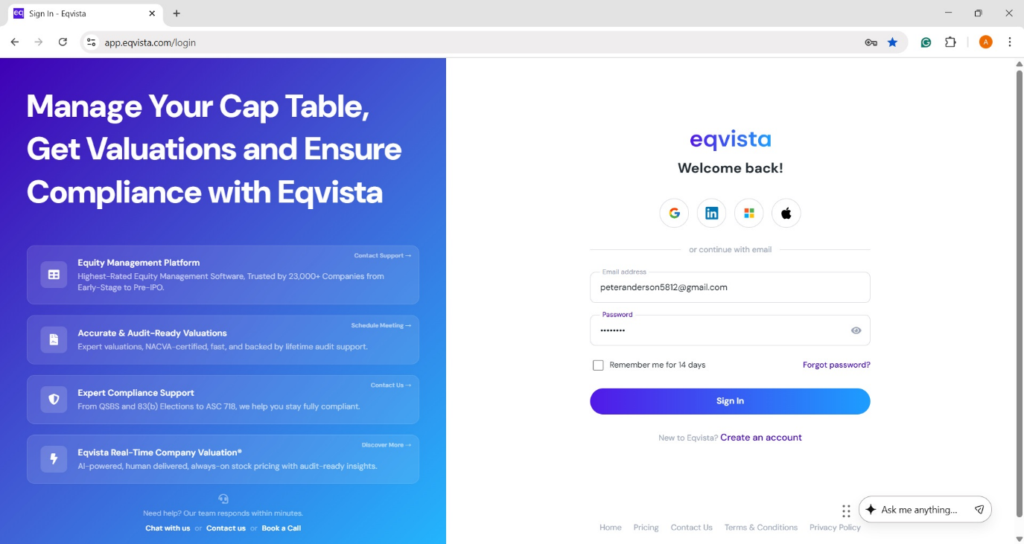
Step 1: Log into Eqvista account and select your company.
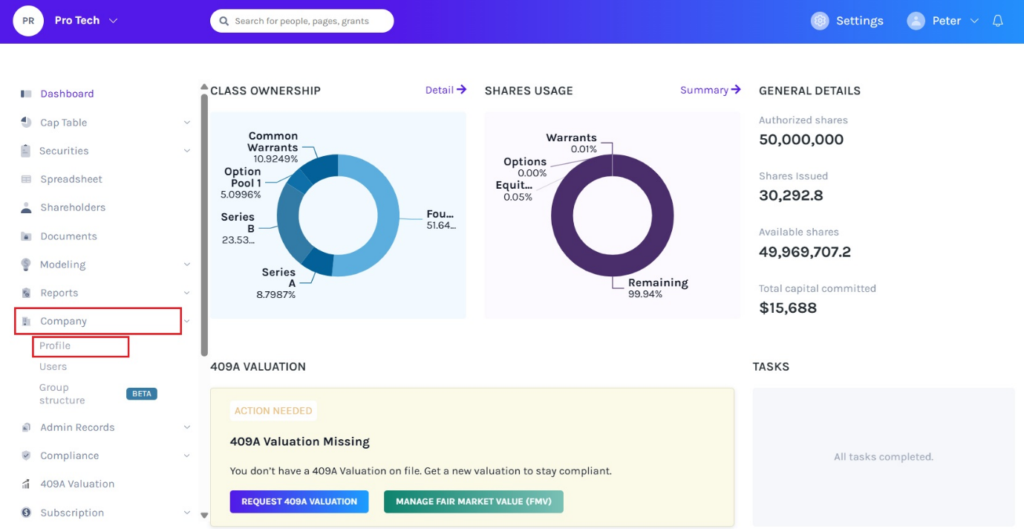
On the dashboard, click on “Company” on the left side to get a drop-down menu and select “Profile”.
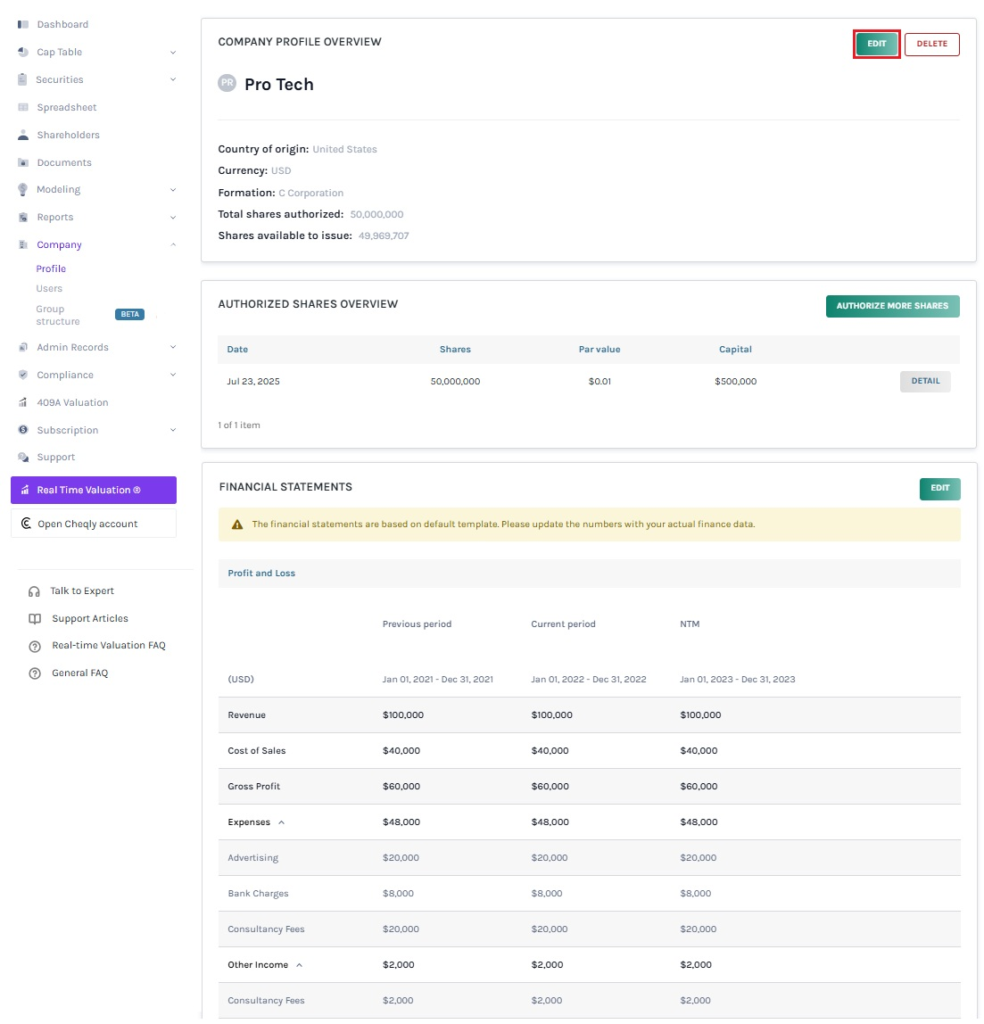
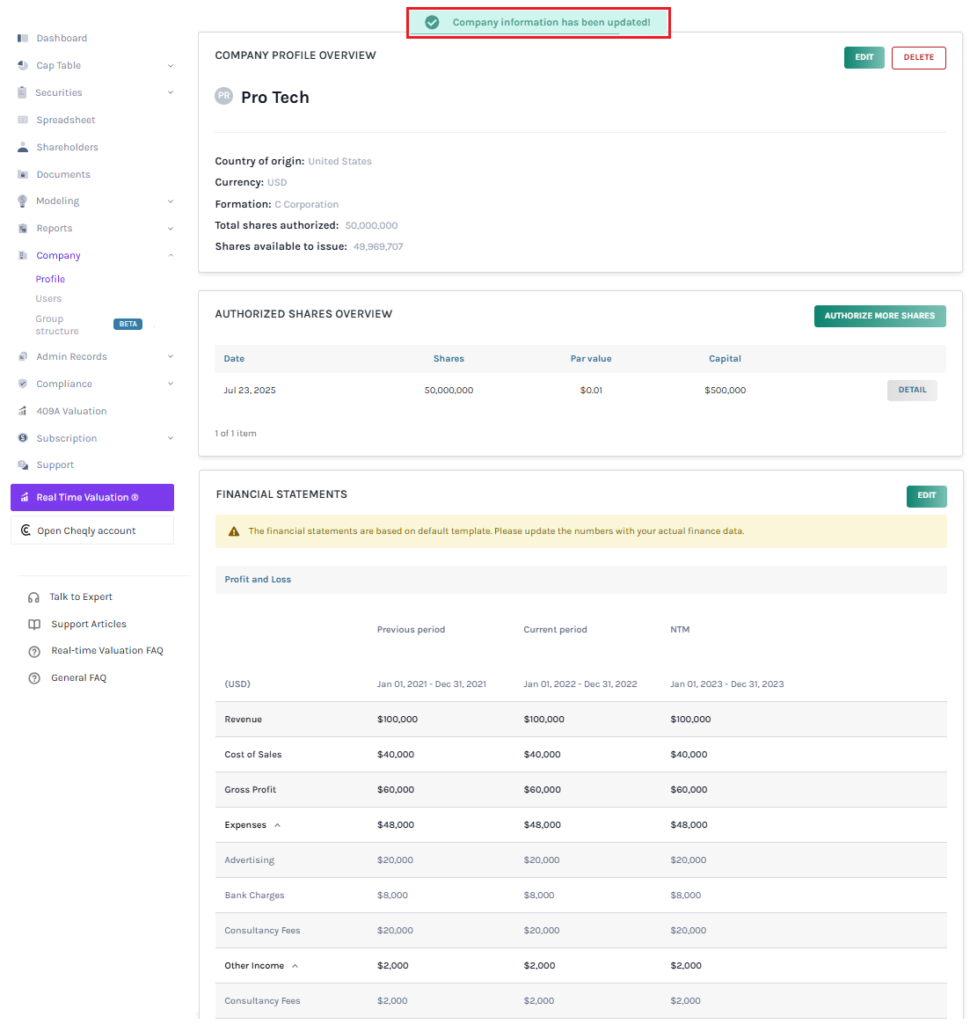
Step 2: Once you click, you will be directed to the page that shows the details of your company. On the top right of the page, click “Edit” to edit the details of the company.
Note: There are three sections – Company Profile Overview, Authorized Shares Overview, and Financial Statements. To further understand the sections in detail, check out the support article here!
Step 3: There are two sections in the panel – Basic and Advanced. You must click on “Advanced” to change the shareholder equity value visibility. A pop-up panel will appear, and you can choose to enable real time valuation menu from two options: Yes or No.
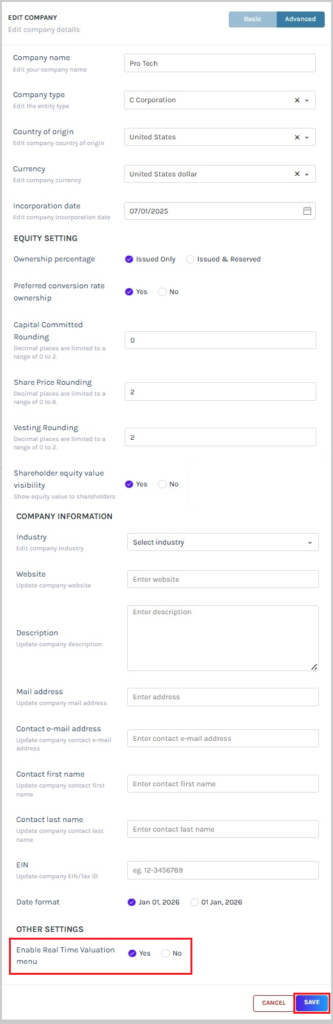
Once done, click on “Save”.
Step 4: With this done, the real time valuation menu settings would be updated as shown below.
Step 5: The real time valuation menu can be viewed based on the option selected to enable real time valuation menu under the company profile settings.
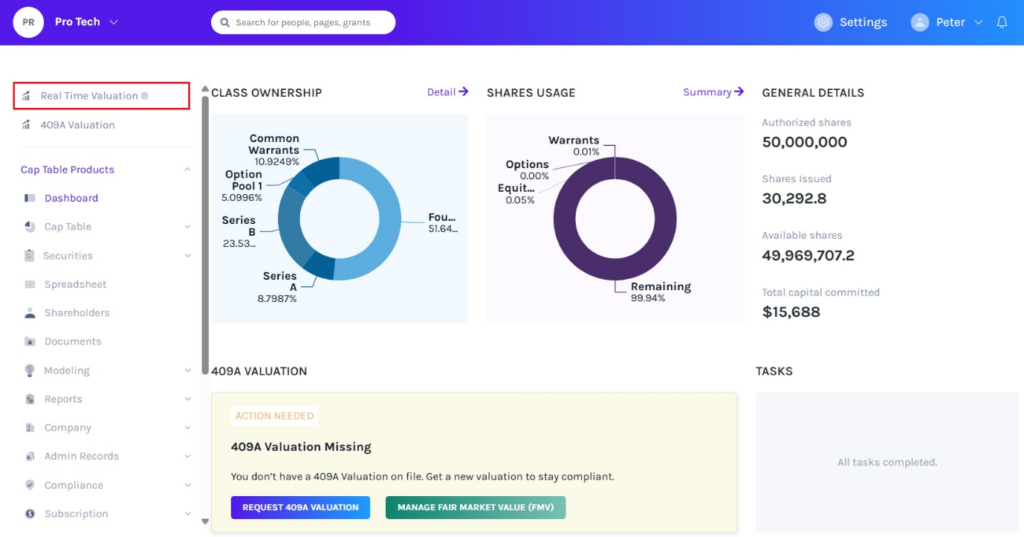
Scenario 1 – Yes
The real time valuation option appears on the top left-hand side of the dashboard if you have selected “Yes” for enable real time valuation menu.
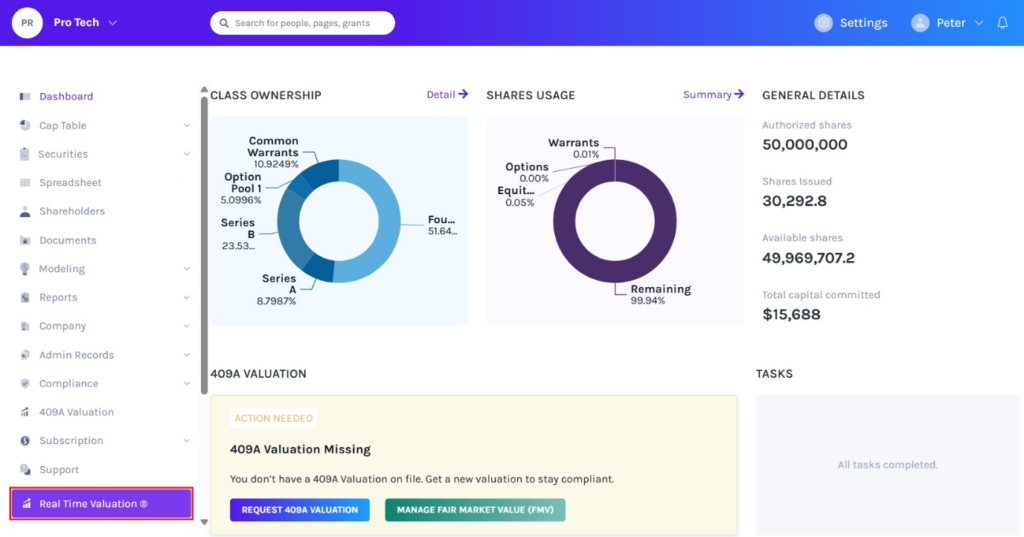
Scenario 2 – No
The real time valuation option appears at the bottom left-hand side of the dashboard if you have selected “No” for enable real time valuation menu.
To learn more about Eqvista, check out our support articles and knowledge base. For queries, get in touch with us!
