Create Warrant Agreement Template
Generate agreements and enable automatic agreement generation for issued warrants using an agreement template.
Note: The agreement template feature is only available for premium account holders. To unlock this feature, kindly upgrade your account.
How to Create a Warrant Agreement Template?
On Eqvista, you can customize template elements to create a warrant agreement template in simple steps. Here are the steps to follow:
Open My Templates
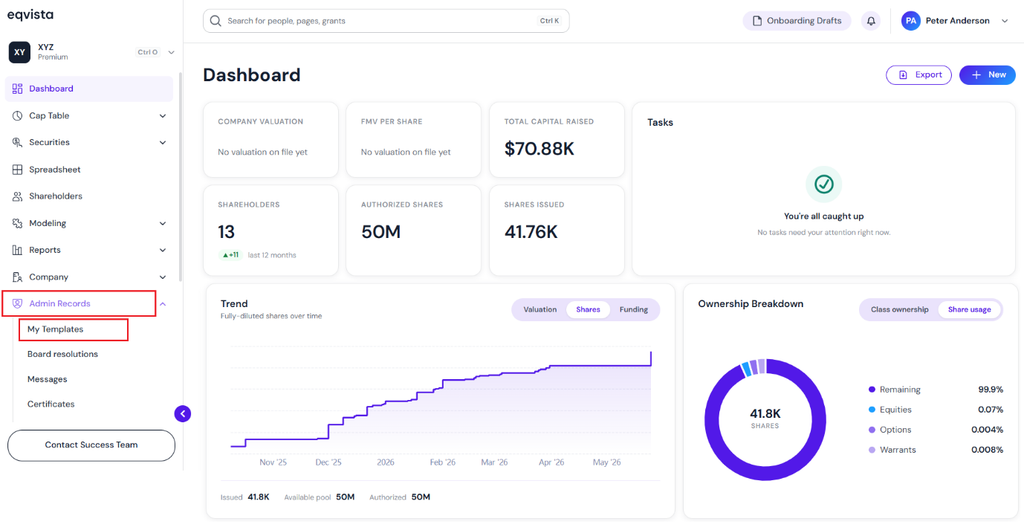
Step 1: Log into Eqvista and select your company.
On the dashboard, click “Admin Records” from the left to get a drop-down menu and select “My Templates”.
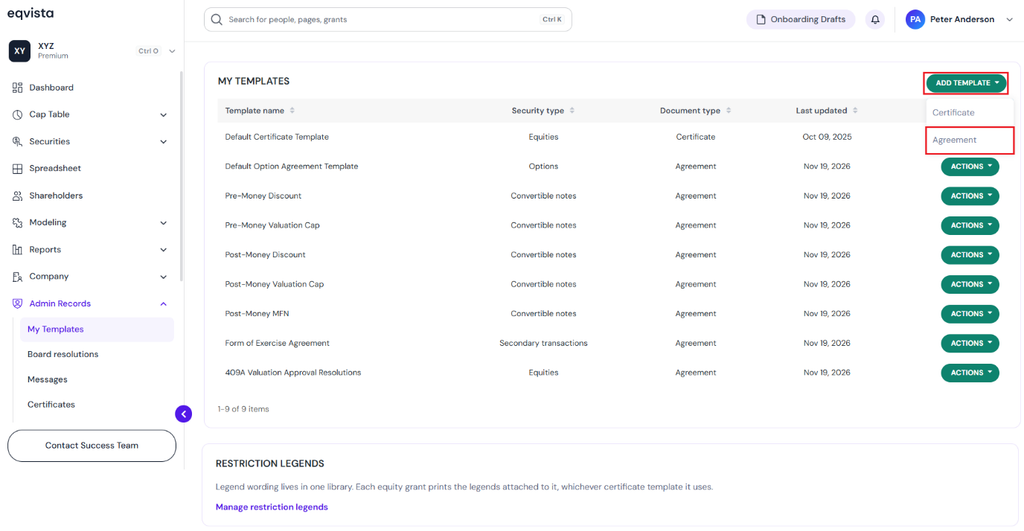
Click Add Template to Create a Template
Step 2:
On this page, you can view all the templates created in the company. To create a new warrant agreement template, click “Add Template” to get a drop-down menu and select “Agreement”.
Note: A certificate template can be created by clicking on “Add Template” to get a drop-down menu and select “Certificate”. Manage restriction legends by clicking on “Manage Restriction Legends”. Check out the respective support articles to learn more about it.
Enter Name of the Template
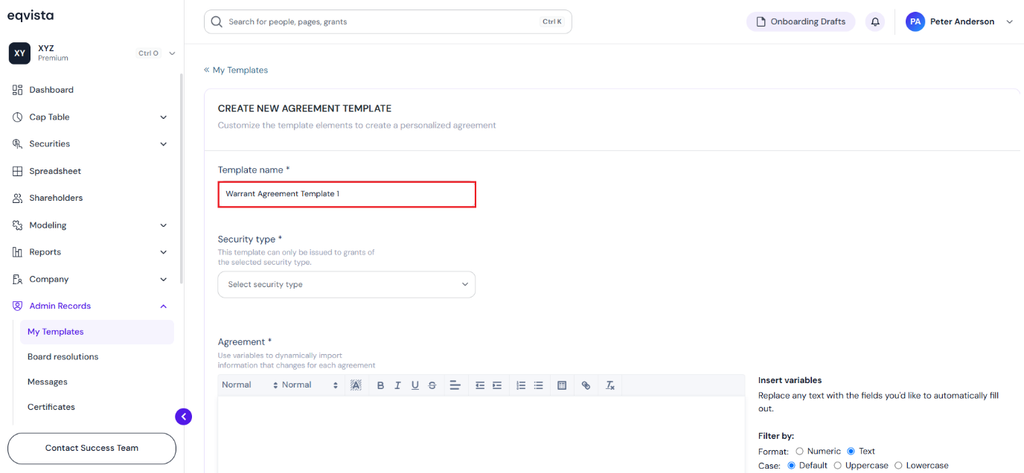
Step 3: You can customize the template elements to create a personalized warrant agreement. First, enter the template’s name in the space shown below.
Select Security Type
Step 4:
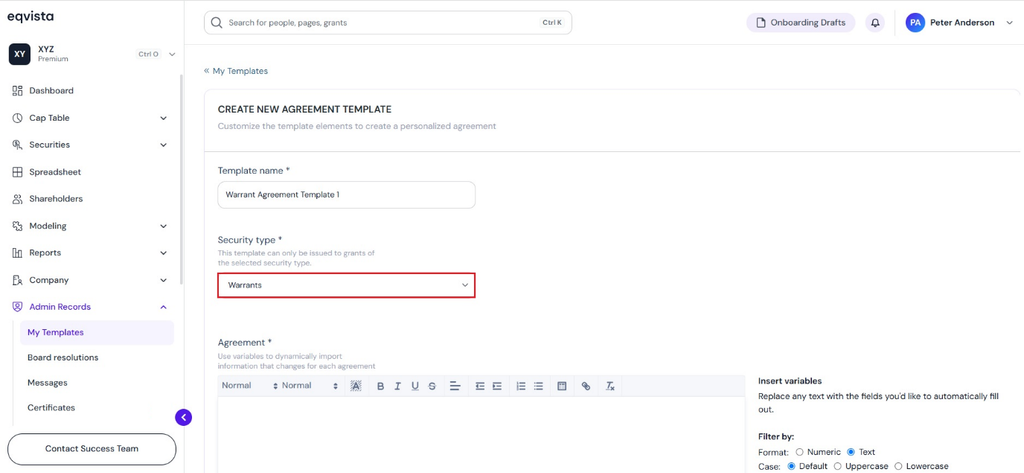
Select the security type from the drop-down menu. The template can only be issued to grants of the selected security type. In this case, select “Warrants” to create a warrant agreement template.
Note: Templates can be created for security types such as Equities, Options, Convertible Notes, and Secondary Transactions. Check out the respective support articles to learn more about them.
Customize the Agreement Using Variables
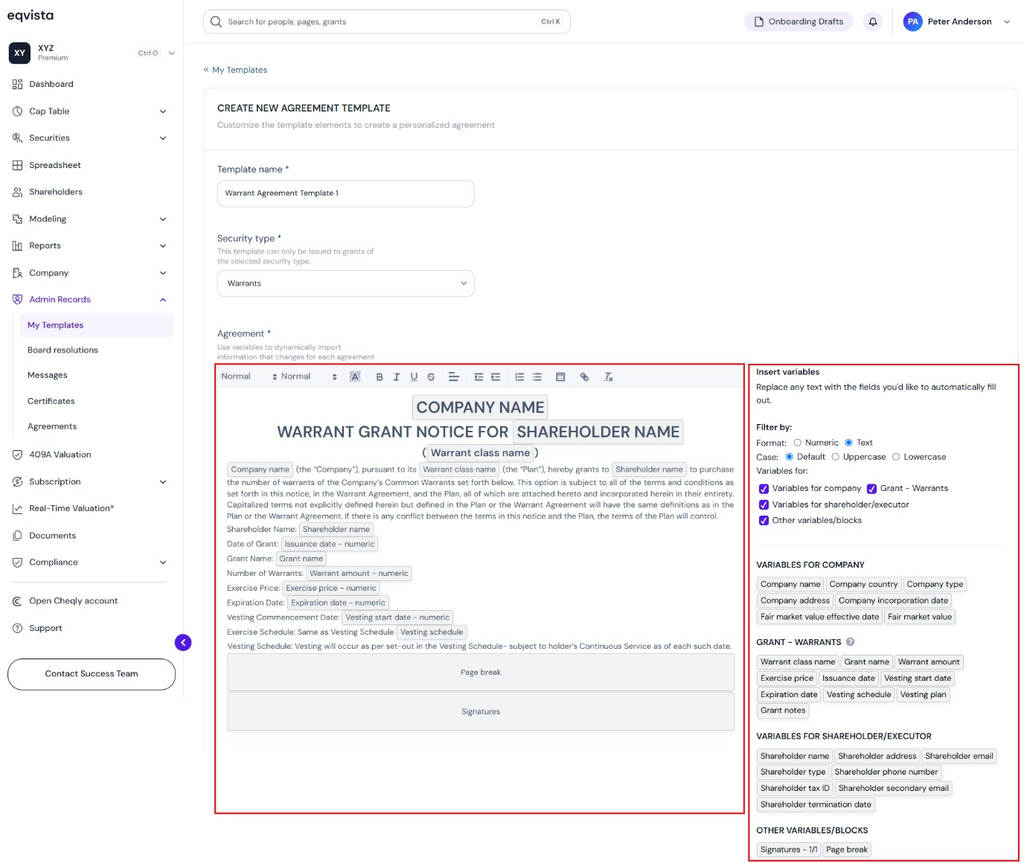
Step 5: Add the various details or information to be included in the warrant agreement. Use variables from the left to insert information that can be customized for each warrant agreement. The variables can be filtered by:
- Format – Numeric and Text
- Case – Default, Uppercase, and Lowercase
- Variables for – Company, Grant – Warrants, Shareholder/executor, and Other variables/blocks
Select the format, case, and variables for, place the cursor where you want to add a variable, and click on it to insert.
Download Preview
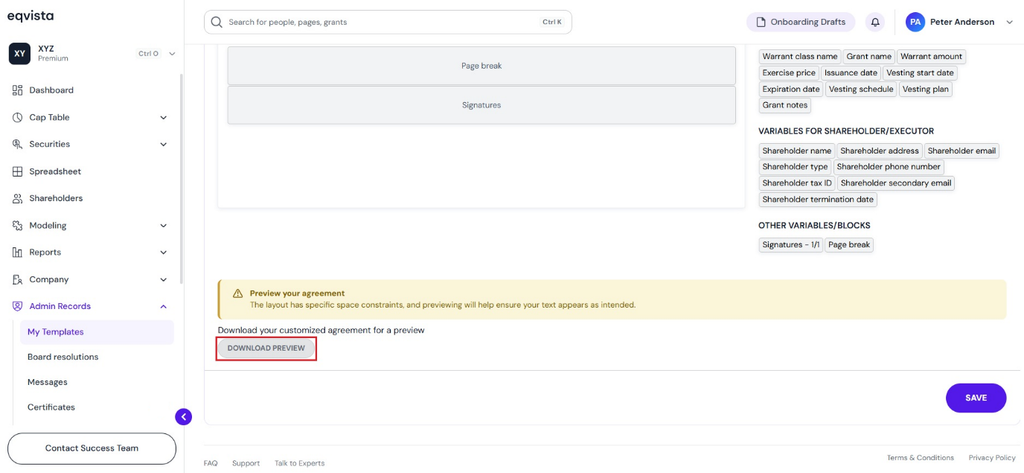
Step 6: The warrant agreement template can be downloaded for preview by clicking on “Download Preview”.
View Downloaded Warrant Agreement Template
Step 7: The template gets downloaded as a PDF in your Downloads.
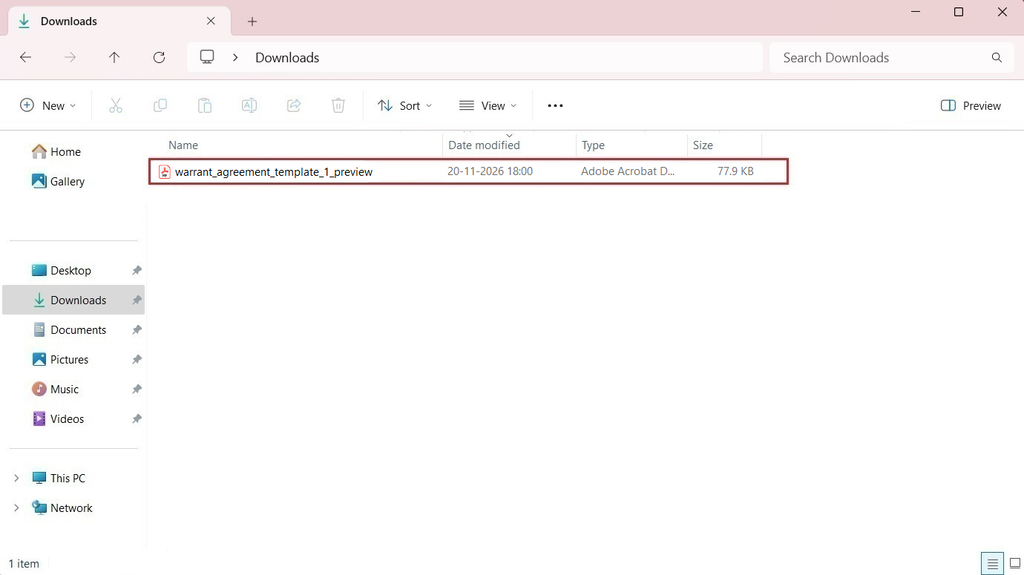
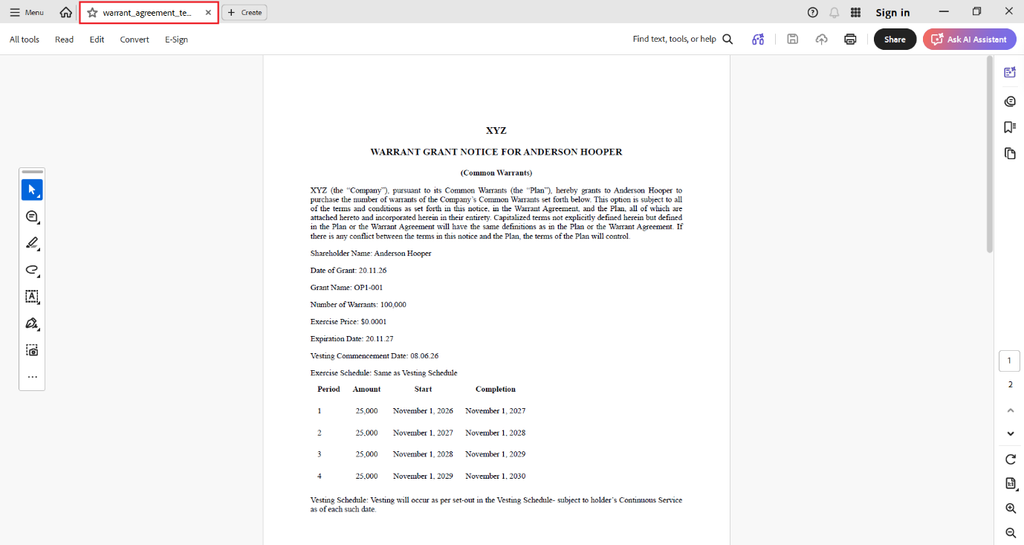
Double-click the PDF to open the preview of the downloaded warrant agreement template.
Save the Warrant Agreement Template
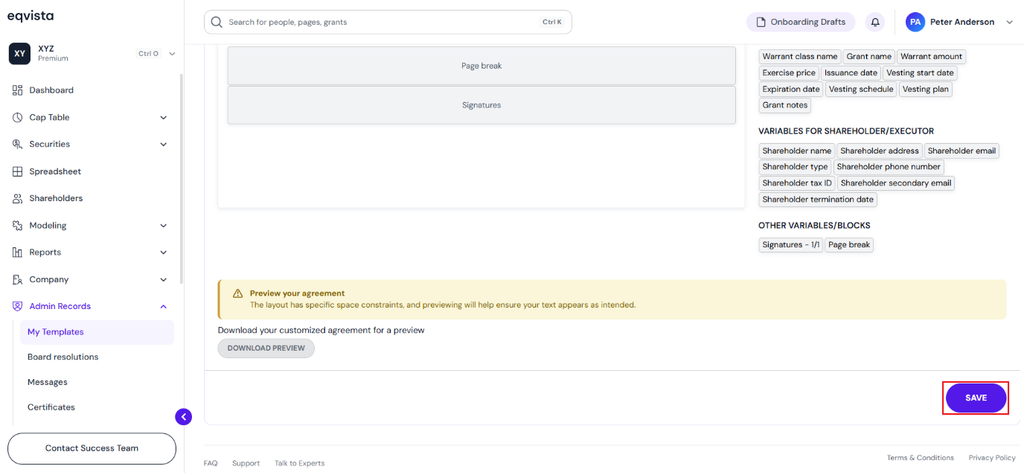
Step 8: After you have reviewed the downloaded preview and added all information, click on “Save”.
Warrant Agreement Template Created
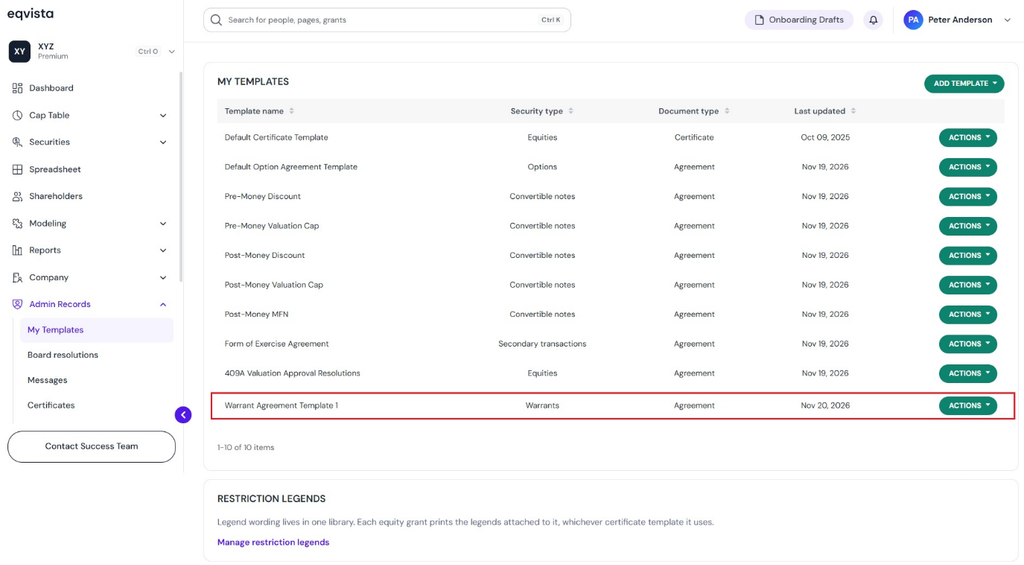
Step 9: Once you click “Save”, the warrant agreement template will be added to the other templates.
Note: On this page, click on “Actions” and you will be able to perform many functions. To know more about it, check out the support article!
Usage of Created Warrant Agreement Template
Step 10: The created warrant agreement template can be used to enable automatic agreement generation and create agreements for warrants.
Automatic Agreement Generation
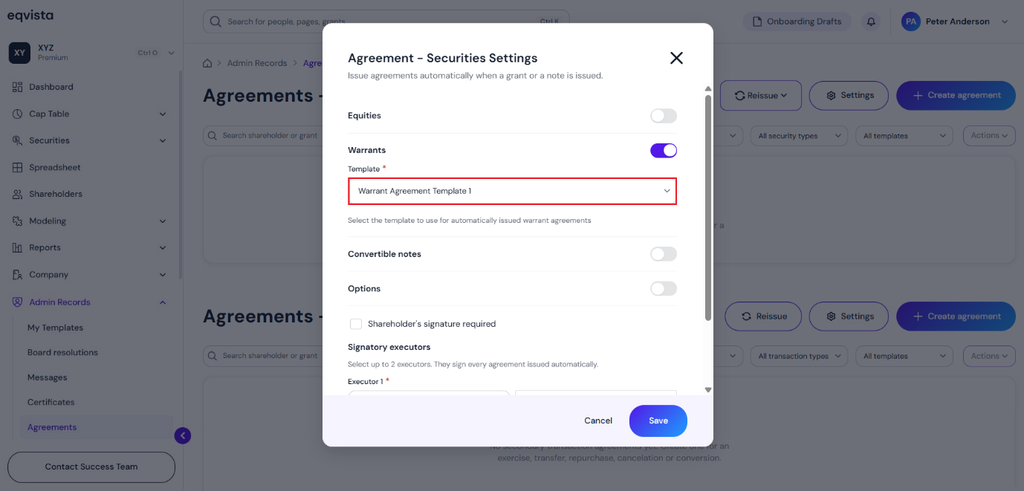
When enabling automatic agreement generation for warrants, by clicking on “Admin Records” to get a drop-down menu and select “Agreements”. Then, click on “Settings” to get to enable automatic agreement generation.
Enable the “Warrants” option and select the created warrant agreement template from the drop-down menu.
Create Agreements
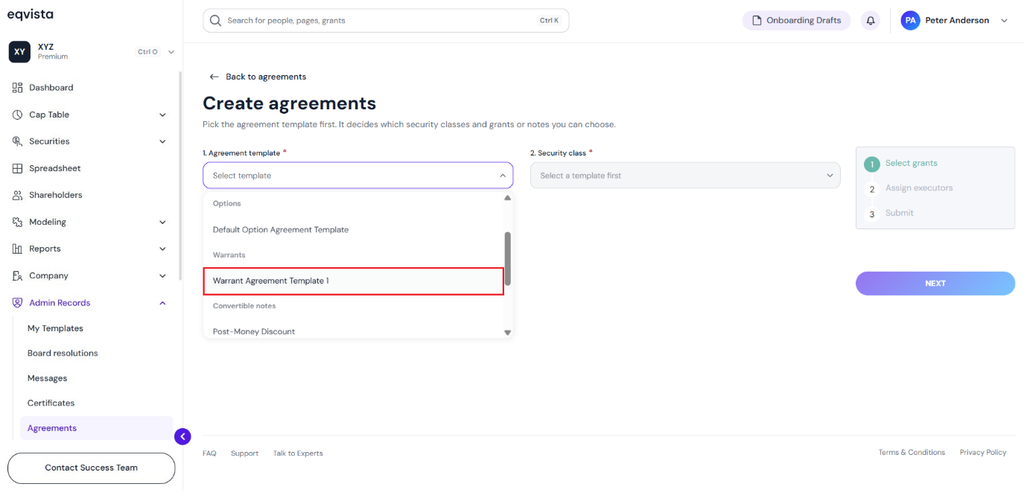
The template can be used when creating agreements for issued warrants by clicking on “Admin Records” to open the drop-down menu and select “Agreements”.
Then, click on “Agreement” to create one. On this page, select the created warrant template from the drop-down menu.
If you want to understand Eqvista, check out our support articles or contact us today!