How to Reissue Option Agreements?
On Eqvista, you can easily complete the reissue of option agreements for your issued options in a few simple steps.
Reissue Option Agreements
Option agreements can be reissued when you have edited grant details, making the existing ones inaccurate or outdated. The new agreement will automatically void the previous version.
The reissue of agreements is only applicable to options.
Note: The agreement feature is only available for premium account holders. Kindly upgrade your account to unlock the feature.
Here are the steps to follow:
Step 1: Log into Eqvista and select your company account.
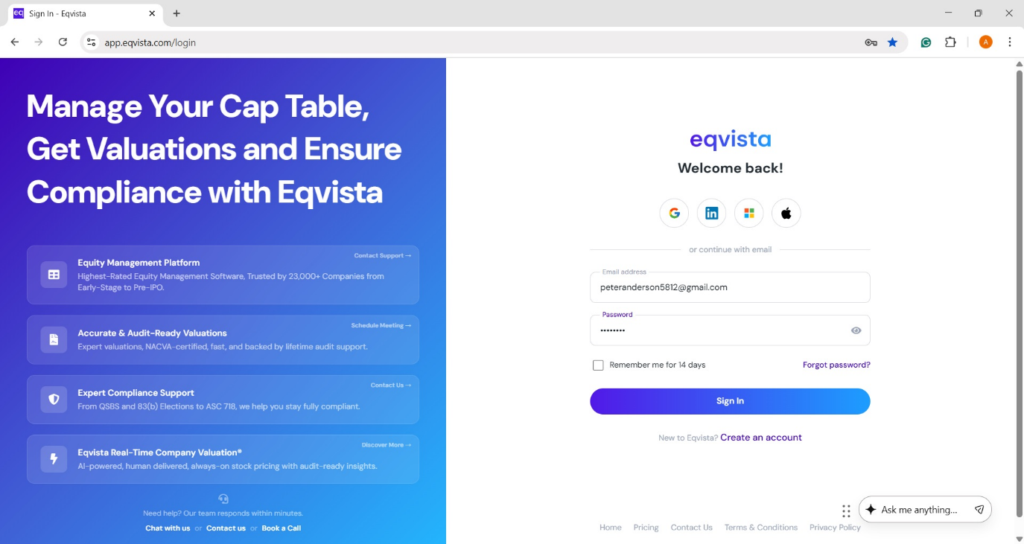
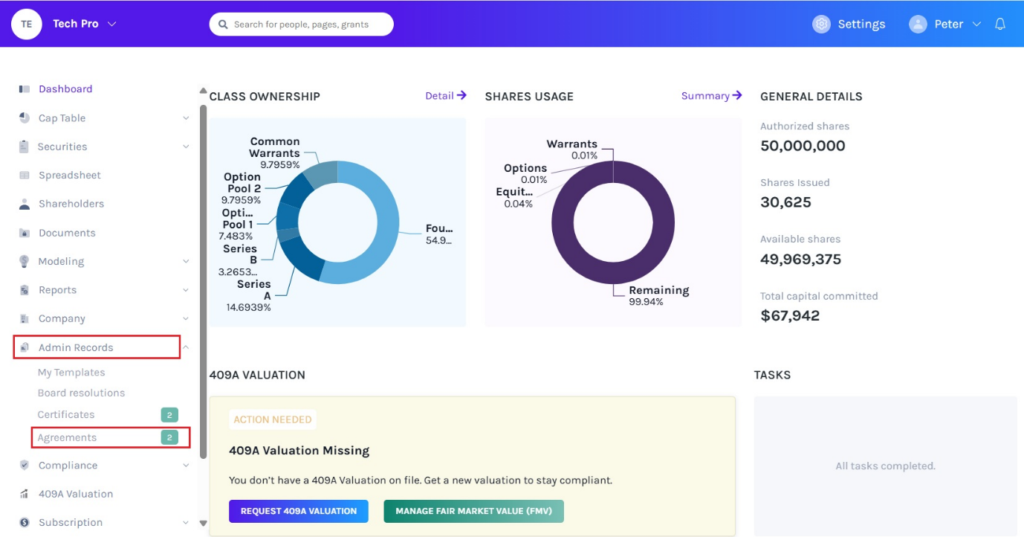
On the dashboard, click on “Admin Records” on the left side to get a drop-down menu and select “Agreements”.
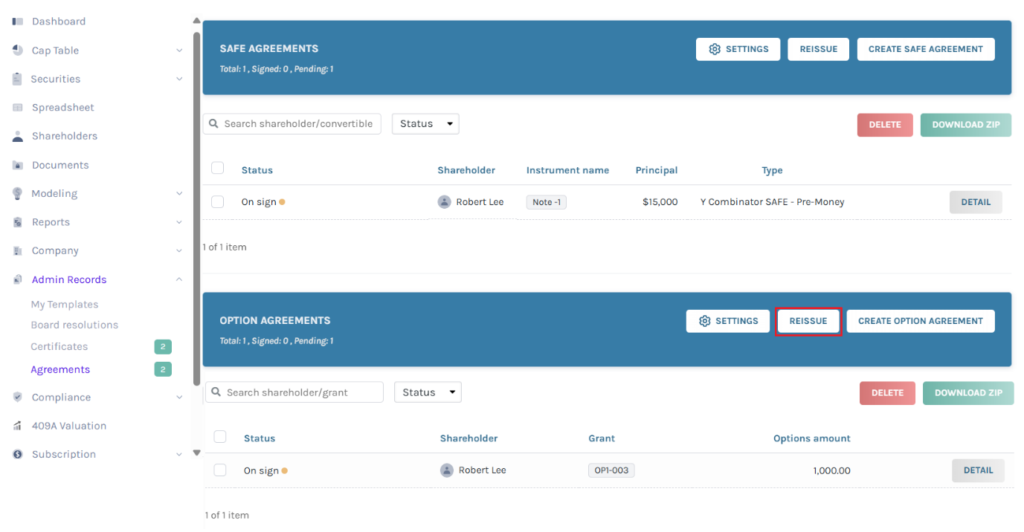
Step 2: Once you do this, you will be directed to the following page. You can reissue option agreements by clicking on “Reissue” as shown below.
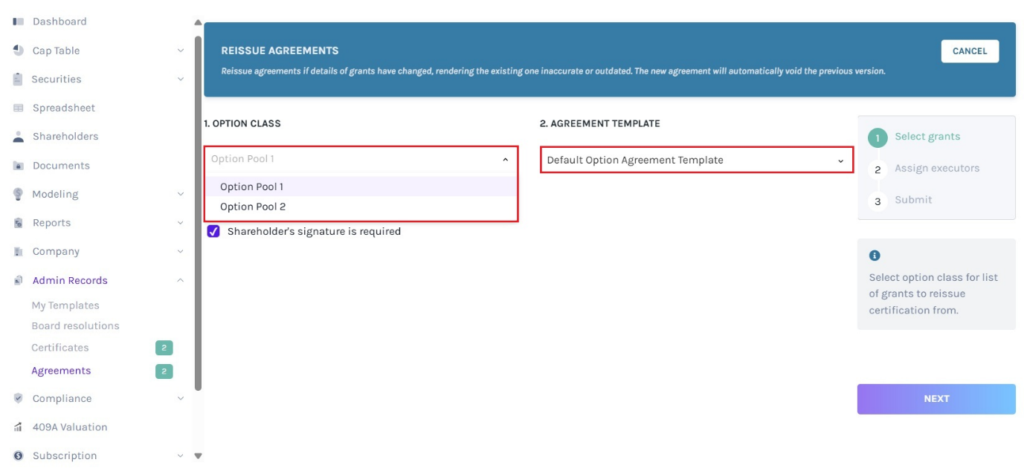
Step 3: A new panel will appear as shown below. Select the option class and option agreement template from the drop-down menu, and tick the box if the shareholder’s signature is required.
Step 4: A list of options from the selected option class with agreement to reissue will appear.
Note: Before reissuing option agreements, ensure you have issued option agreements. Check out the support article to learn how to issue option agreements.
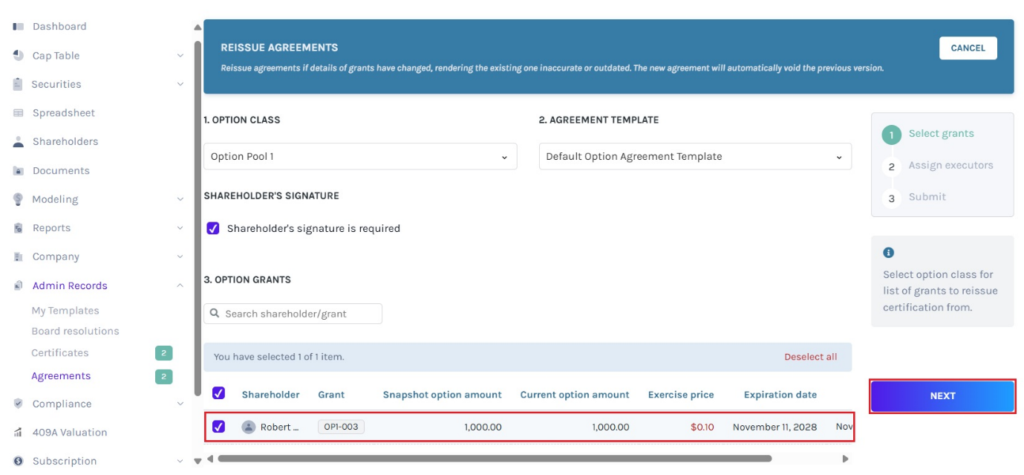
Note: The list for reissuing displays all grants that have an original agreement, have been updated, and have not been reissued with new agreement.
In this case, the amount highlighted in “Red” is the updated amount.
The moment you select the shareholder, you can see the number of shareholders selected. You can select more than one shareholder. In short, you can select all if you want to reissue option agreements for all of them at the same time.
Once done, click on “Next”.
Step 5: The next step takes you to add the executor who would be signing the agreement. Select up to two executors and the role of the executor from the drop-down menu.
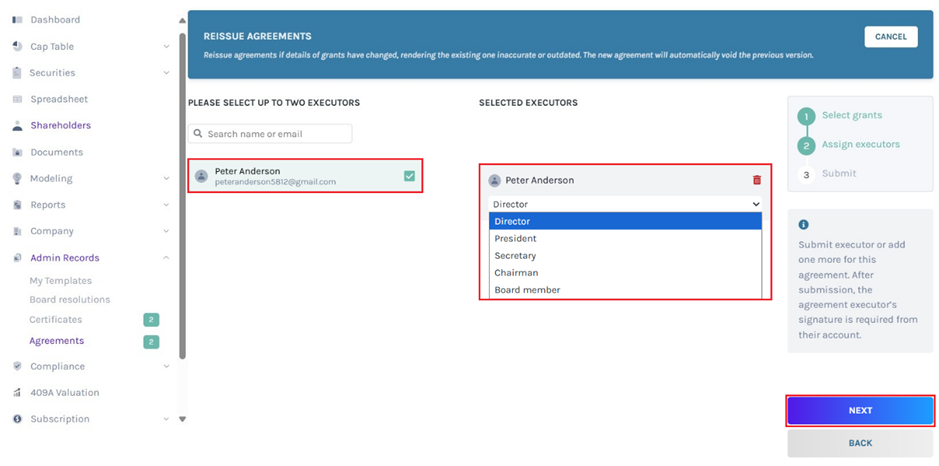
Note: The person who is selected to execute and sign the agreement should be either the director, the secretary, the president, the chairman, or the board member. Company users can only be assigned as executors. To know how to add a company user read this support article.
Once done, click on “Next”.
Step 6: The last step involves you checking the information, including the shareholder’s agreement you want to reissue and the executor who would be signing the agreement.
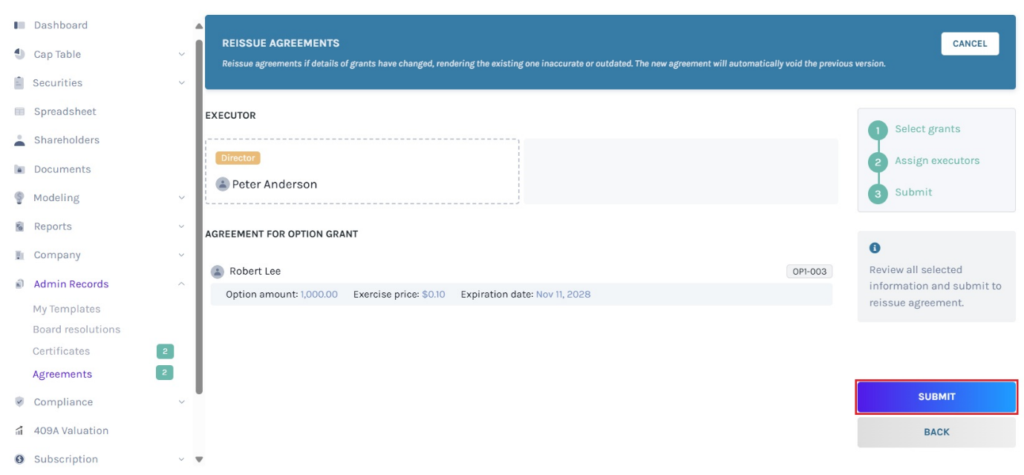
Once done, click on “Submit”.
Note: If the original agreement is signed by both the company and the shareholder, then the system will prompt a message asking you to request the shareholder’s consent to void the original agreement. Check out the support article to understand more about it.
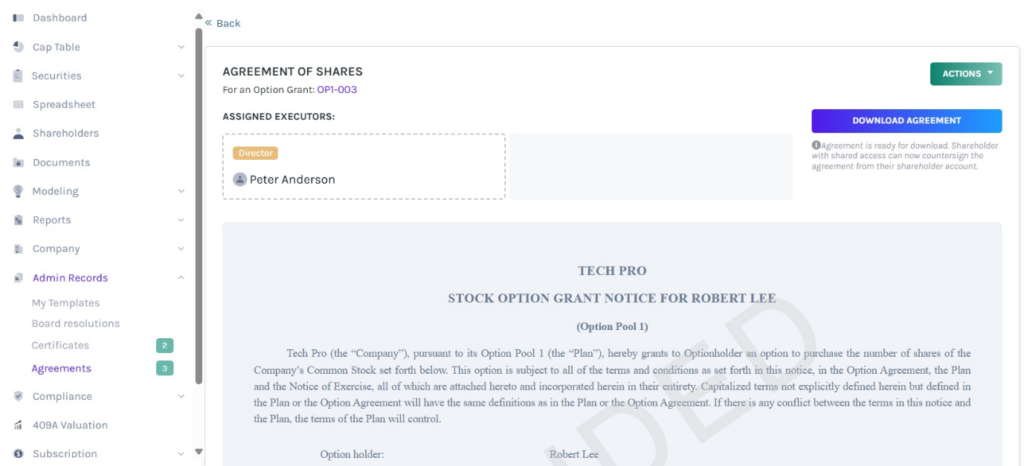
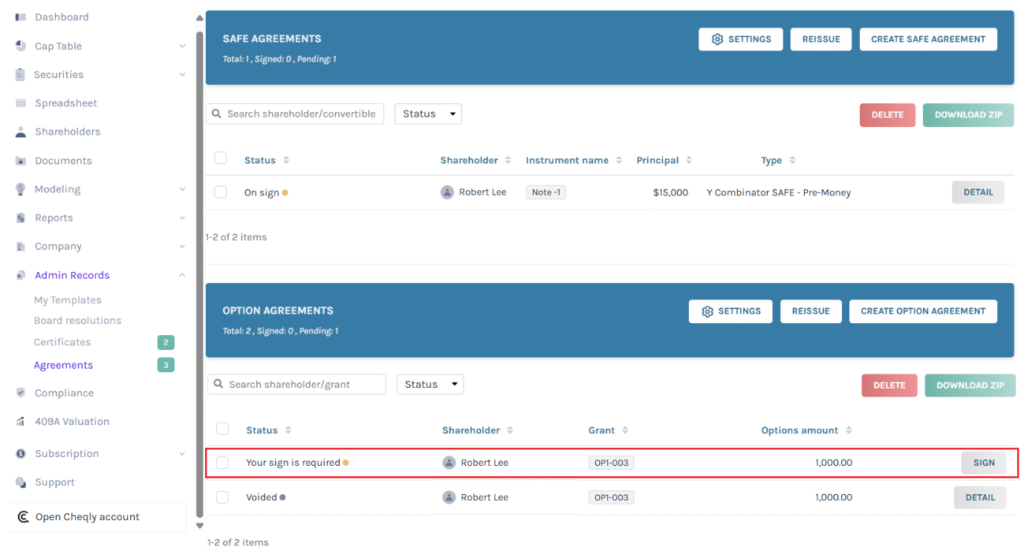
Step 7: Then, you will be directed to the following page, where the new option agreement will automatically void the previous version. The previous version of the agreement will display the status “Voided”.
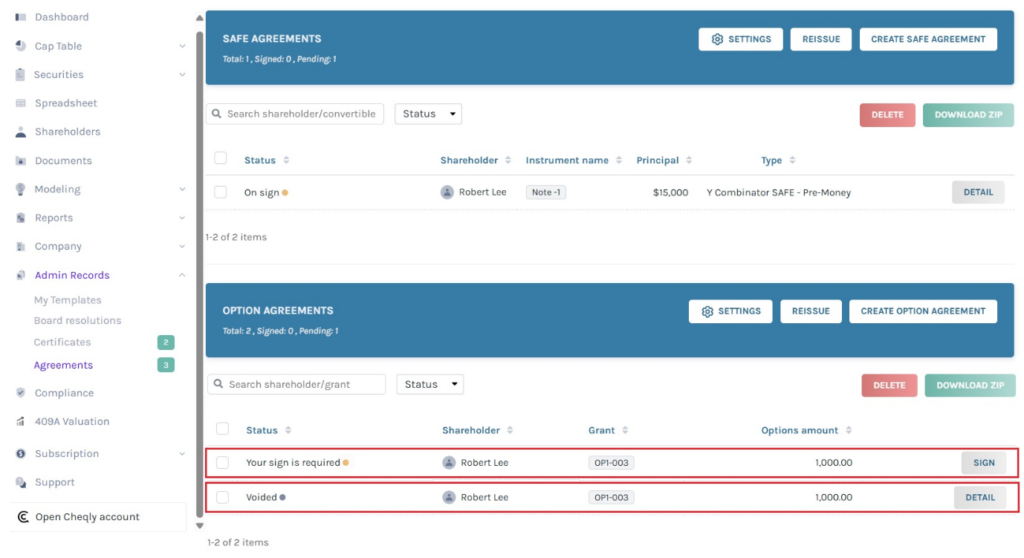
The previous version of the agreement can be viewed by clicking on “Detail”. The reissued agreement will automatically void the previous version.
Step 8: You can see the option “Your sign is required”, which appears for the executor. To sign the agreement, click on “Sign”.
Note: From here, you will be able to perform many functions. To know more about it, check out the support article!
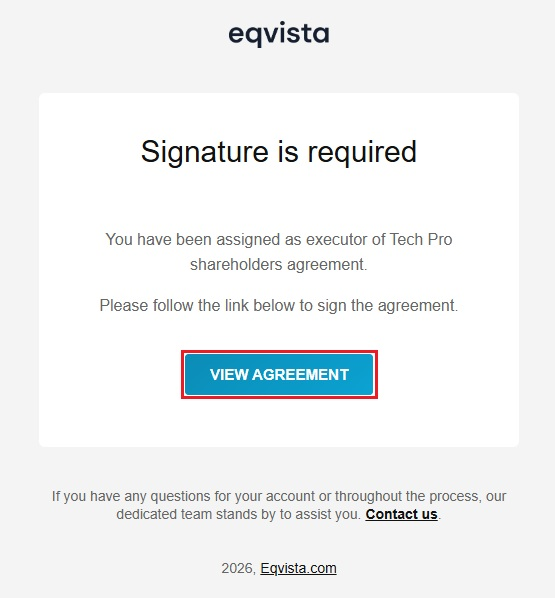
If you are the executor, you will also receive an email to sign the agreement and click on “View Agreement”.
Note: Once you click, you will reach the page where you can view the option agreement and sign it. Check out the support article to understand how to sign an option agreement.
For more information on Eqvista, check out our support articles or get in touch with us today!
