My Templates
Create a template for issuing certificates to stakeholders. The feature allows to customize the template elements to create a personalized certificate. Similarly, an option agreement template can be used when creating option agreements. It allows you to personalize the various details of the agreement.
Note: The template feature is only available for premium account holders. Kindly upgrade your account to unlock this feature.
Create certificate and option agreement templates
On Eqvista, you can customize the template elements to create certificate templates and option agreement templates.
Here are the steps to follow:
Step 1: Log into Eqvista and select your company account.
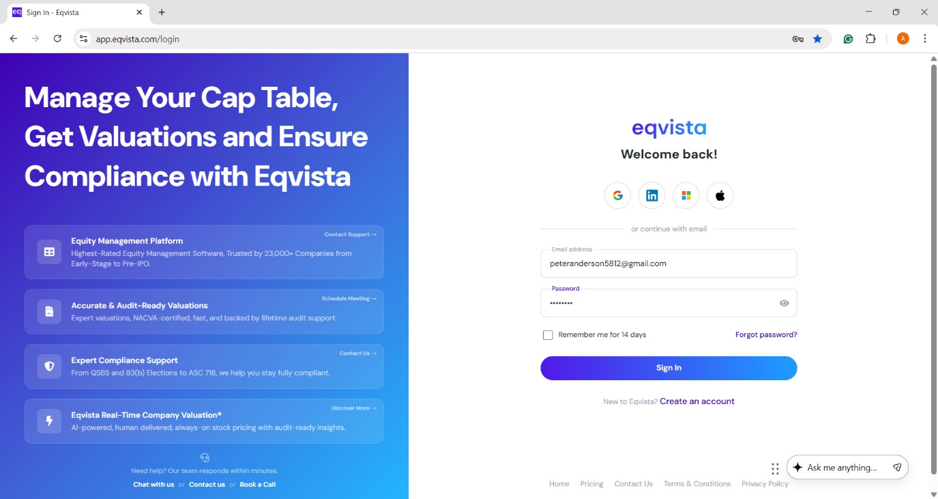
On the dashboard, click “Admin Records” from the left side to get a drop-down menu and select “My Templates”.
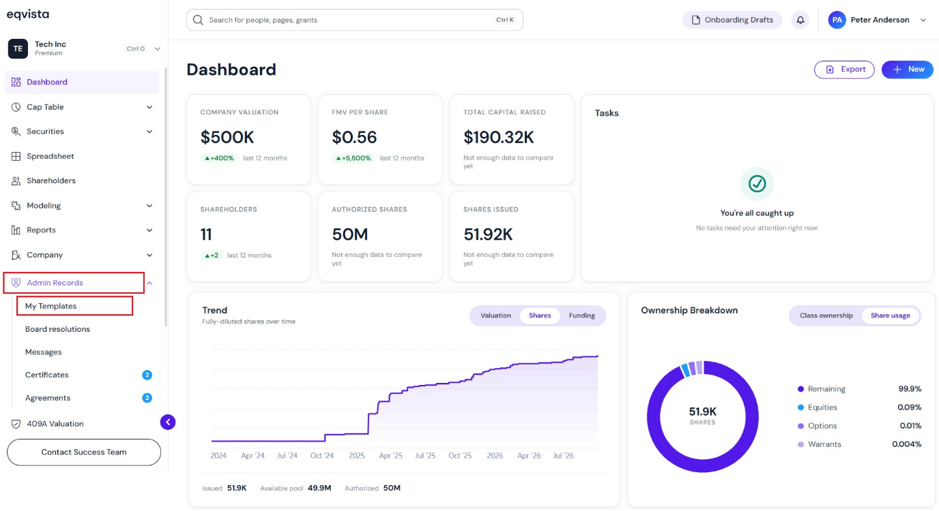
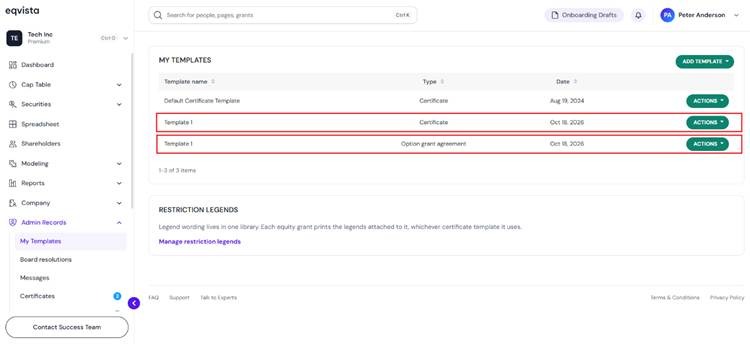
Step 2: When you create a certificate template and an option agreement template, it will be displayed.
Manage Restriction Legends
To manage restriction legends, click on “Manage Restriction Legends”.
Note: Manage restriction legends by clicking on “Manage Restriction Legends”. Check out the support article to learn more about managing restriction legends.
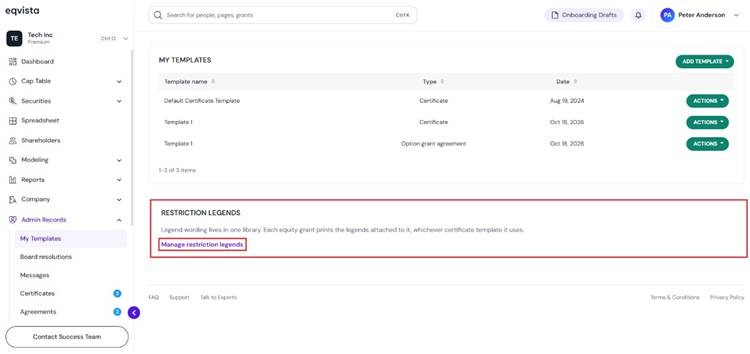
On this page, you can view the list of restriction legends available.
Note: On this page, you can create legends by clicking on “Add Legend” and manage restriction legends. To know more about it, check out the respective support articles!
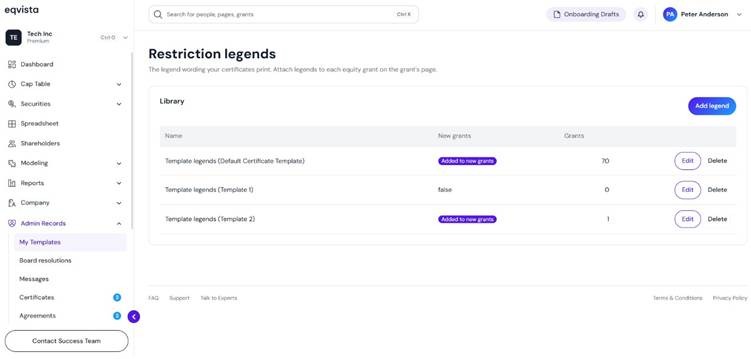
By default, two restriction legends — Template legends (Default Certificate Template) and Template legends (Template 1) have been created. It displays the following details of the legend:
- Name of the legend
- Displays whether the legend has been added to new grants. If not, it displays “false”.
- The number of grants in which the restriction legend has been added.
My Templates
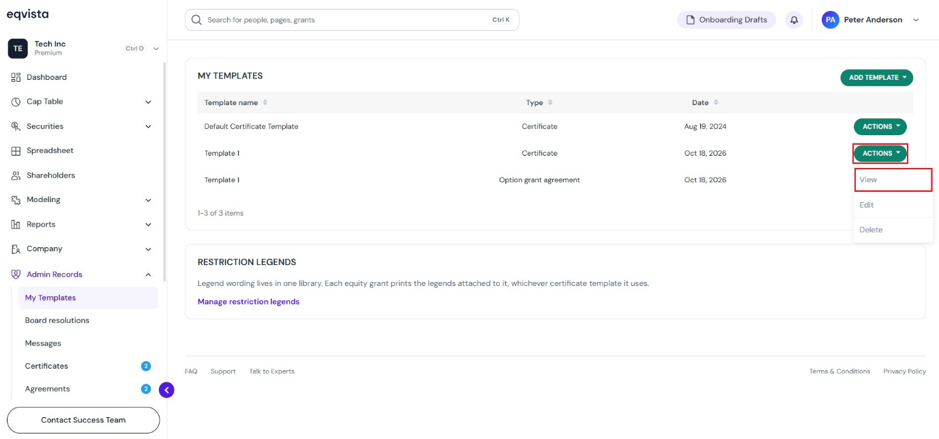
From here, click on “Actions” and you will be able to perform the following functions:
#1 View
To view the created template, click on “View”.
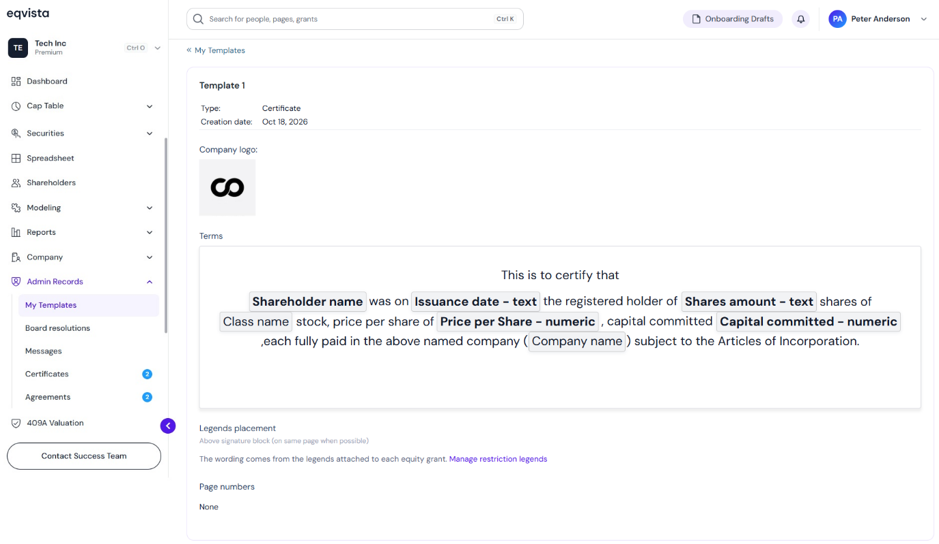
Once you click, it redirects to the details of the template as shown below.
Similarly, to view the created option agreement template, click on “View”.
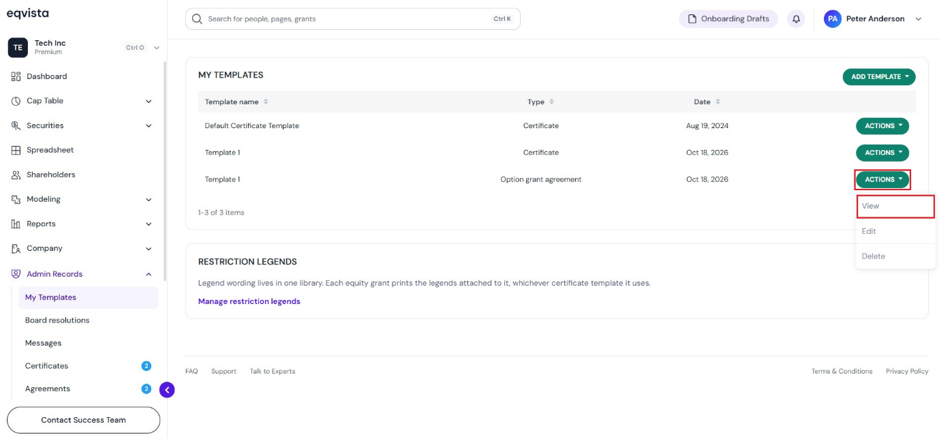
When you click, it redirects to the details of the template as shown below.
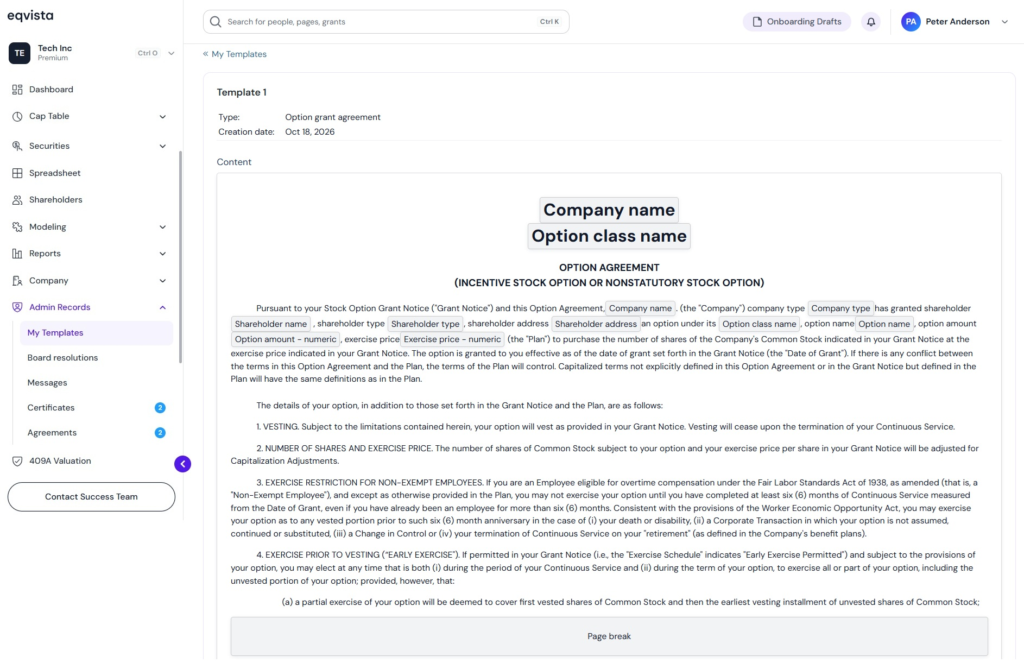
#2 Edit
The name of the template can be edited by clicking on:
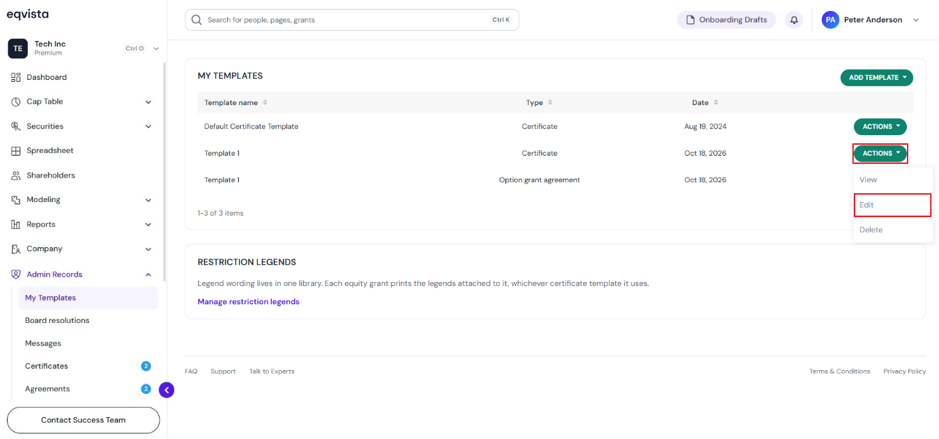
When you click, a pop-up panel appears to edit the template name.
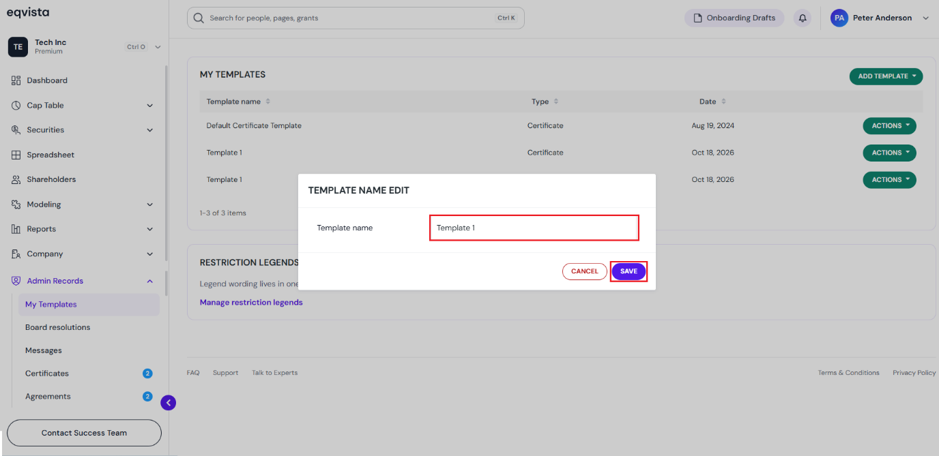
Once done, click on “Save”.
The name of the option agreement template can be edited by clicking on:
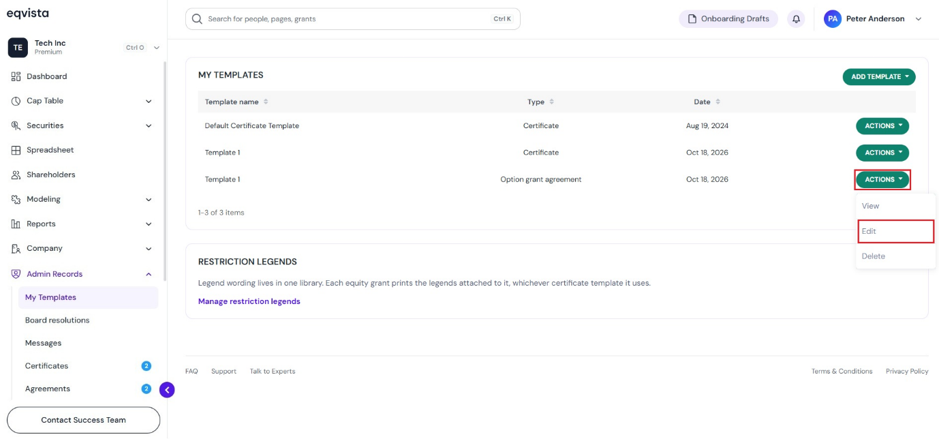
Once you click, a pop-up panel appears to edit the template name.
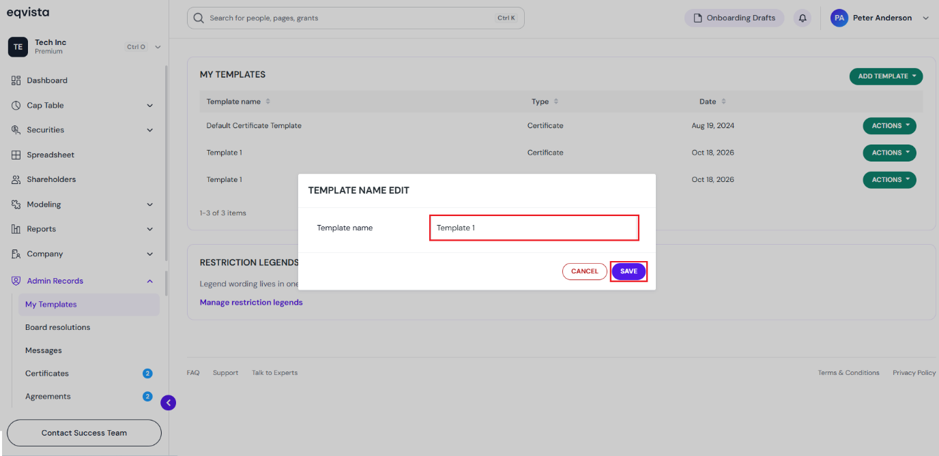
Once done, click on “Save”.
#3 Delete
If you want to delete the template, then click on:
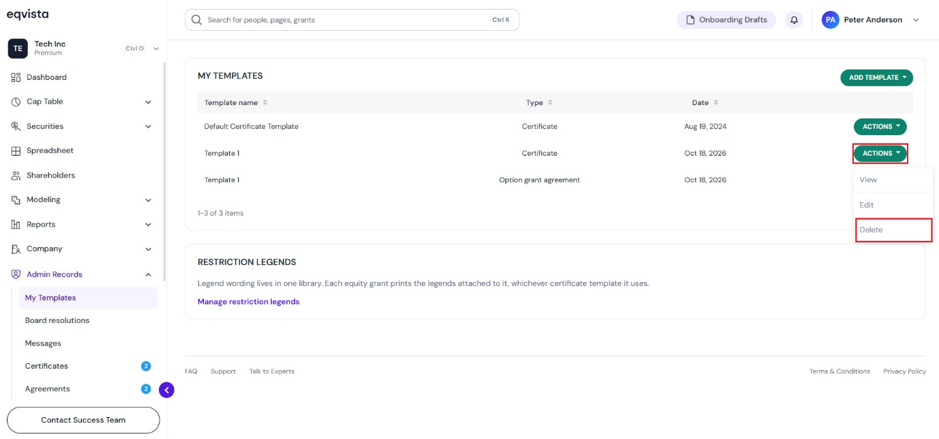
The template will be removed from the list as shown below.
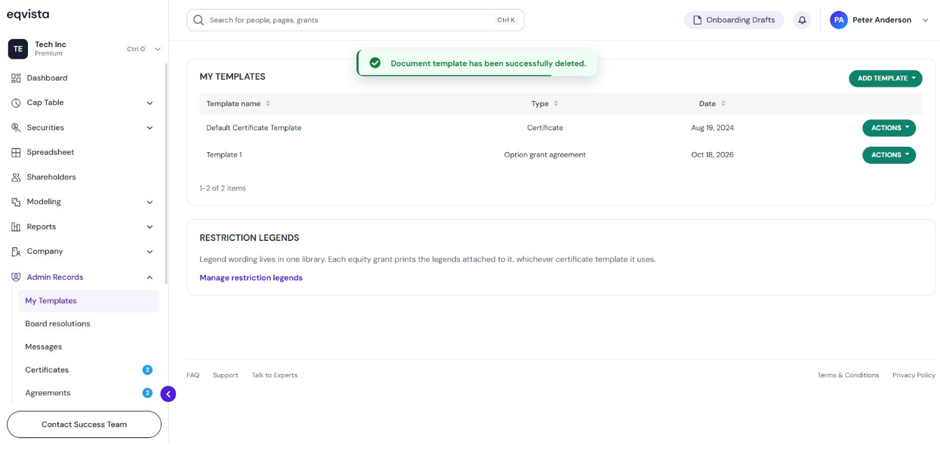
Suppose you want to delete the option agreement template, then click on:
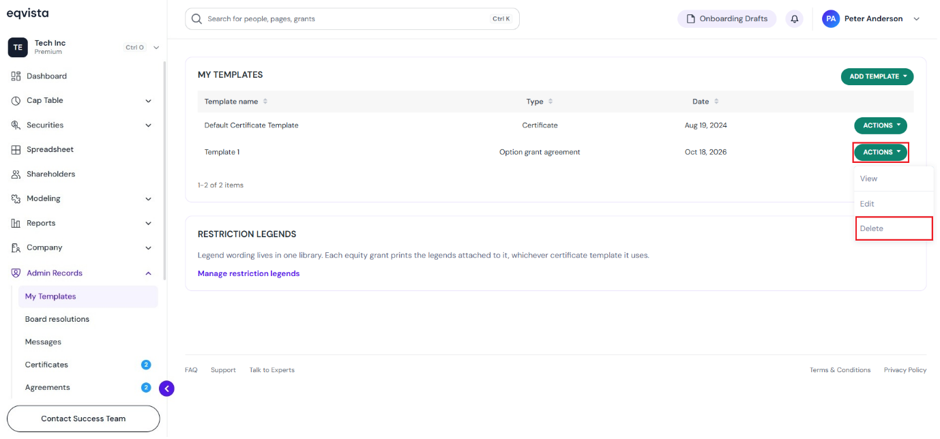
The template will be removed from the list as shown below.
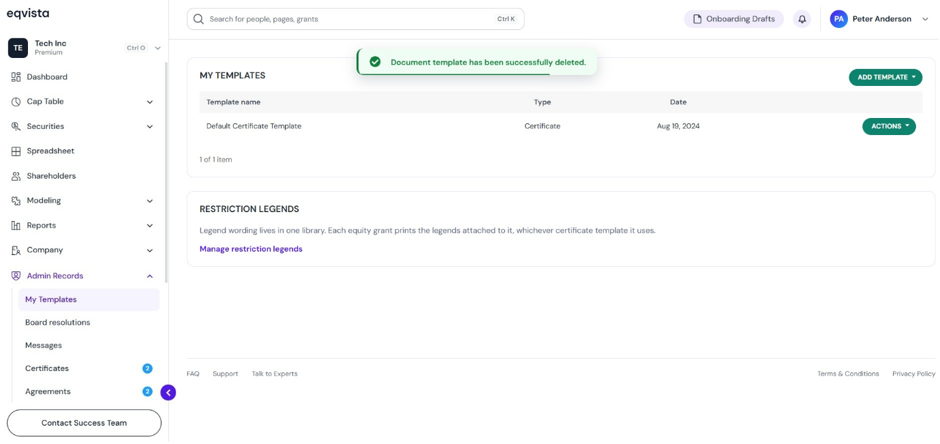
Certificate Template
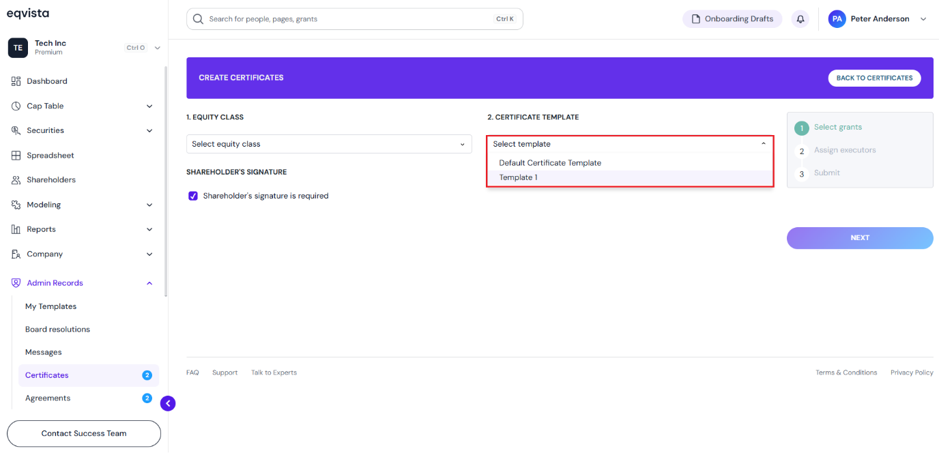
The certificate template can be used when creating certificates for grants by clicking on “Admin Records” to get a drop-down menu and select “Certificates”. Then, click on “Create Certificate” to create one.
Once you do this, a panel will appear on the page to select a template from the drop-down menu as shown below.
Option Grant Agreement Template
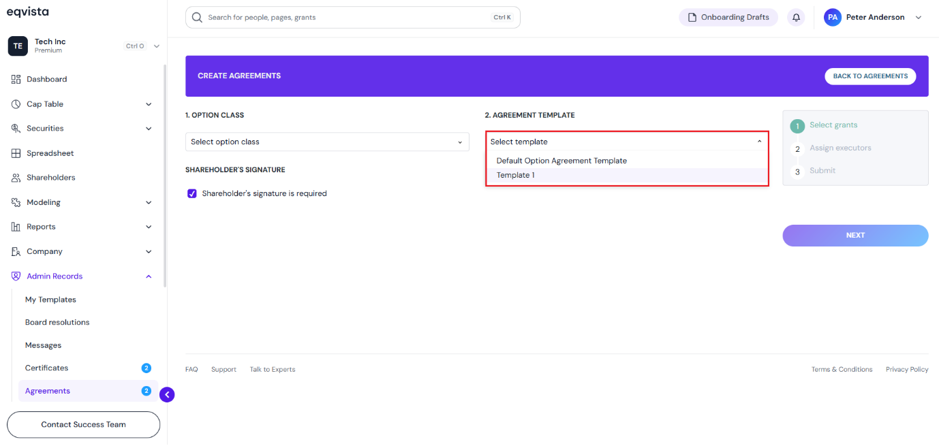
The option agreement template can be used when creating option agreements for options by clicking on “Admin Records” to get a drop-down menu and select “Agreements”.
Then, click on “Create Option Agreement” to create one. On this page, select a template from the drop-down menu, as shown below.
If you want to further understand how to use the Eqvista application, check out our support articles or contact us today!