Create New Shareholder Type
On Eqvista, creating a new shareholder type is a straightforward process that can be completed in just a few simple steps.
What is shareholder type?
The shareholder type refers to the role that the shareholder holds in the company. A few examples are founder, director, board member, investor, employee, secretary, and advisor.
There are two methods or ways in which you can create a new shareholder type on Eqvista. You can create a new shareholder type when adding shareholder or issuing shares and securities.
Here are the steps to follow:
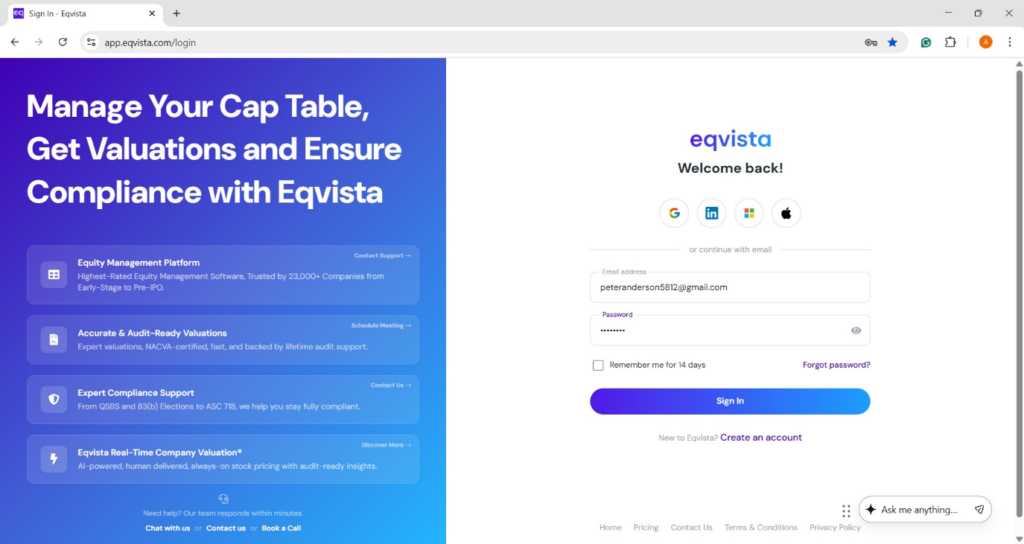
Step 1: Log into Eqvista and select your company account.
Method -1
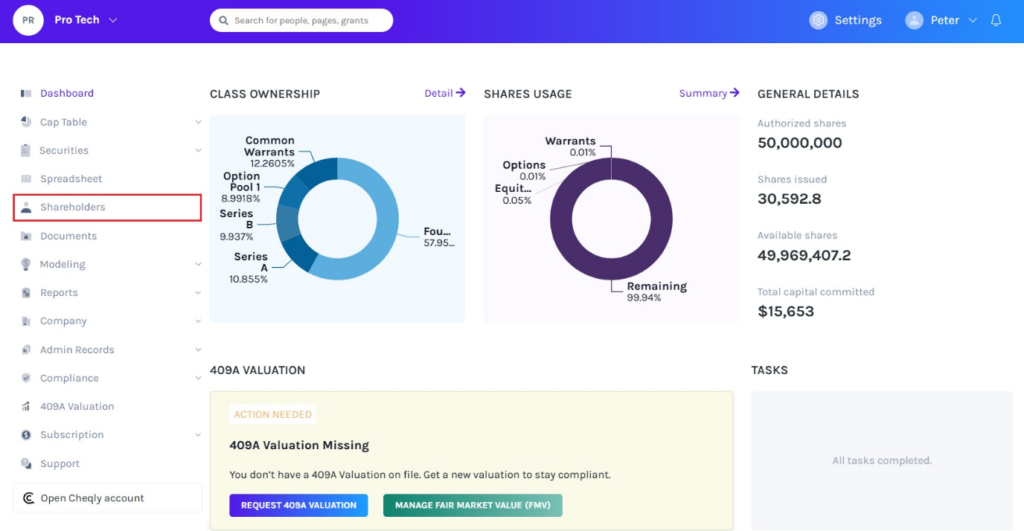
On the dashboard, click on “Shareholders” on the left side, as shown below.
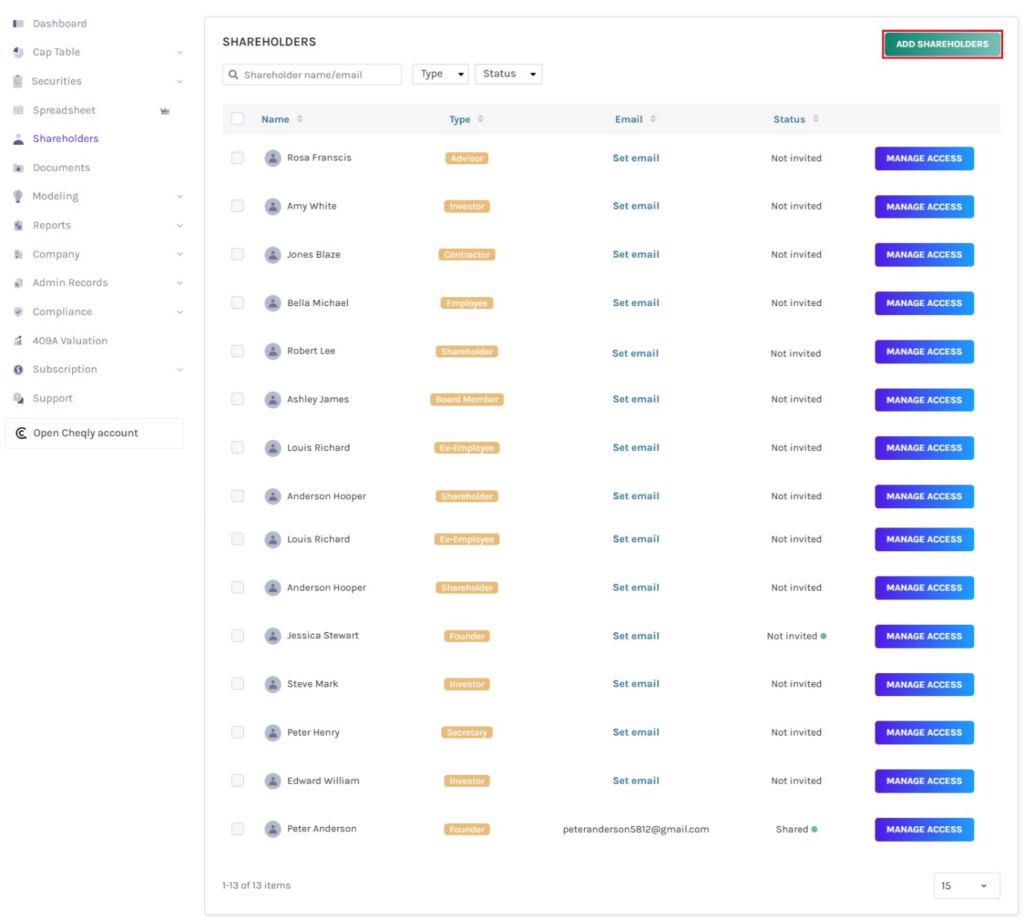
Step 2: Then, you will be directed to the page showing all the shareholders of the company. On this page, click on the “Add Shareholders” on the top right side of the page to create a new shareholder type.
Note: If you already have 20 shareholders in your company account and you want to add more, you will need to subscribe to the premium.
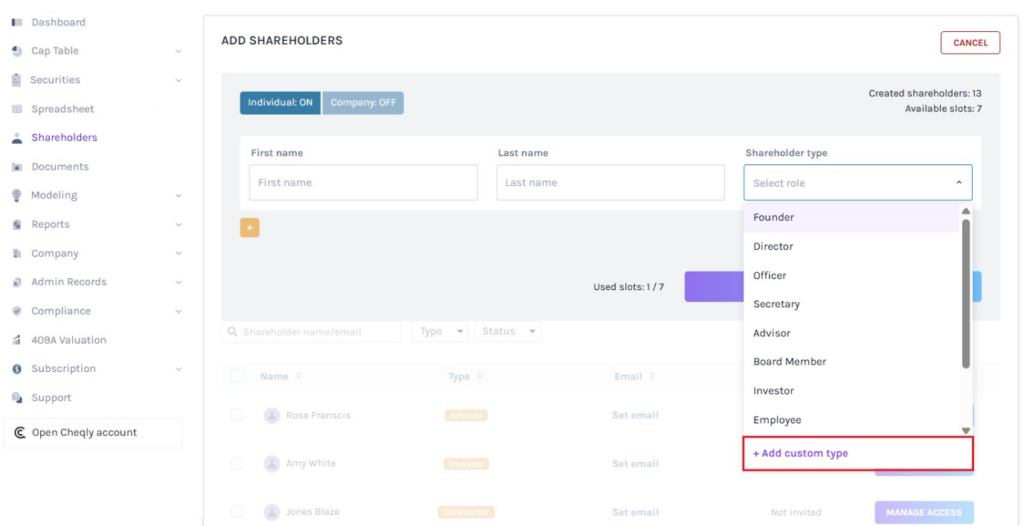
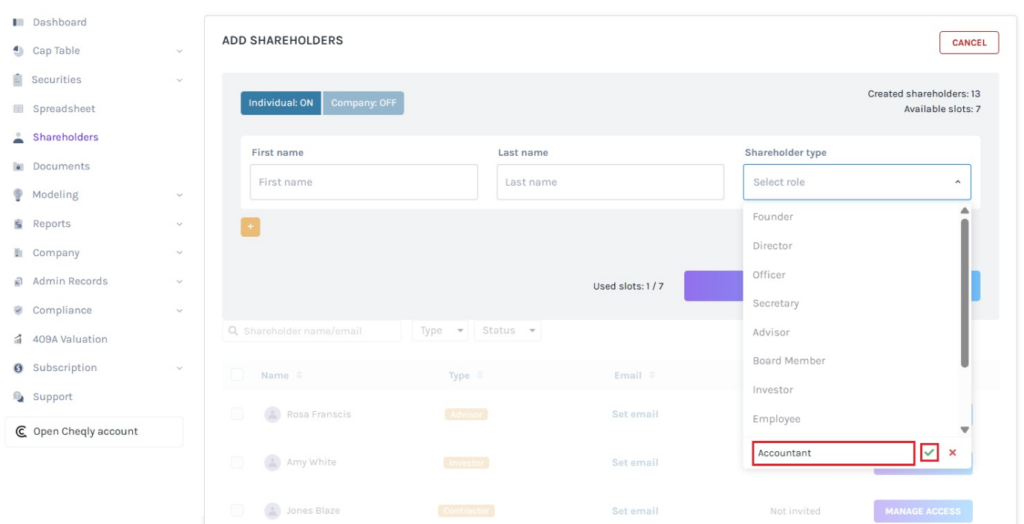
Step 3: Once you click, a panel will appear where you can add the new shareholder type. To add a new shareholder type, click on “+ Add Custom Type”.
Step 4: Here, type the name in the space provided and click on “tick” to create the new shareholder type as shown below. If you want to cancel the process, click on “x”.
Then, add the first name and the last name of the shareholder. Select the new shareholder type from the list.
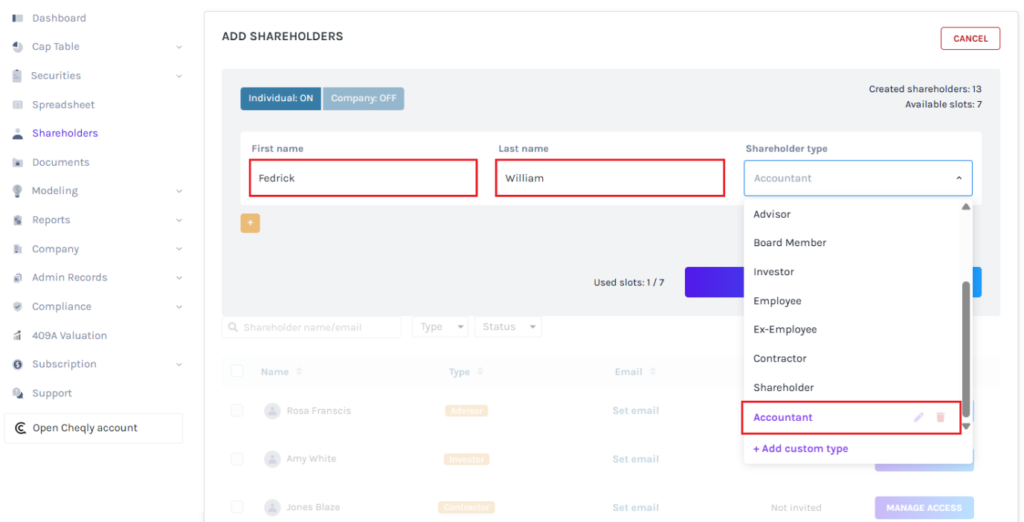
Once done, click on “Save”.
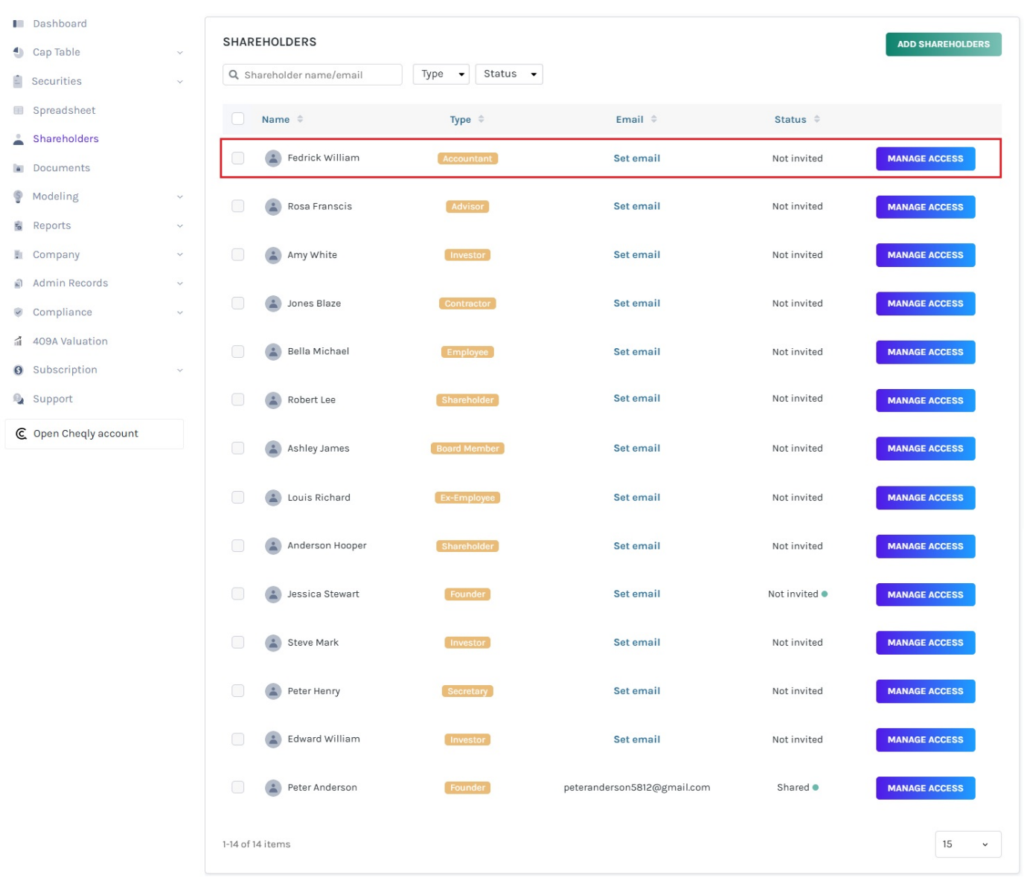
Step 5: With this, the new shareholder profile and type are added.
Suppose you want to view the type and other details of the shareholder. To do so, click on the shareholder’s name as shown below.
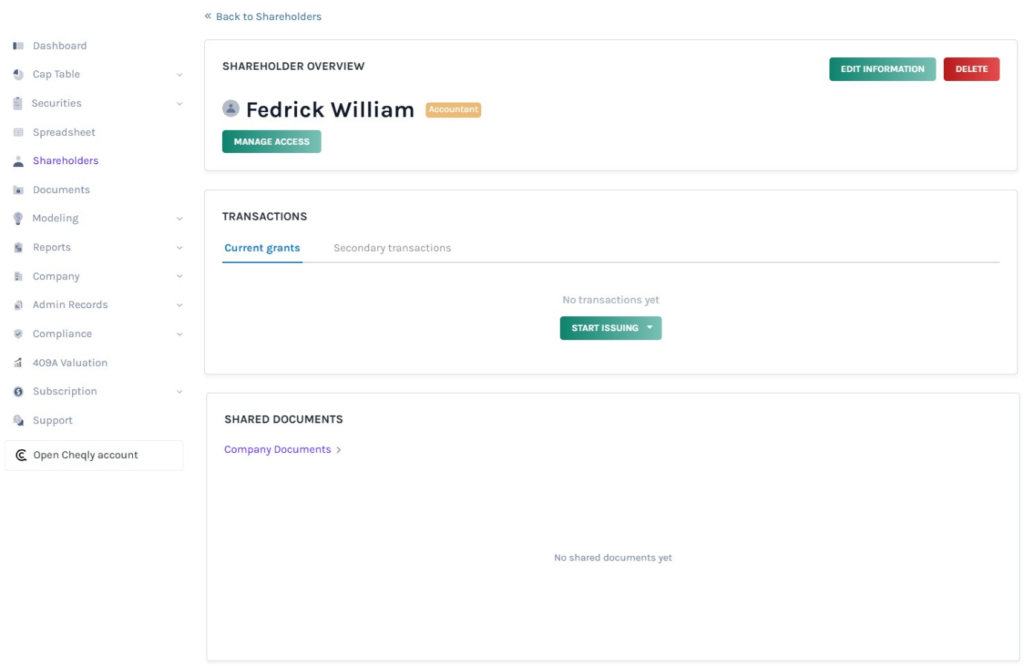
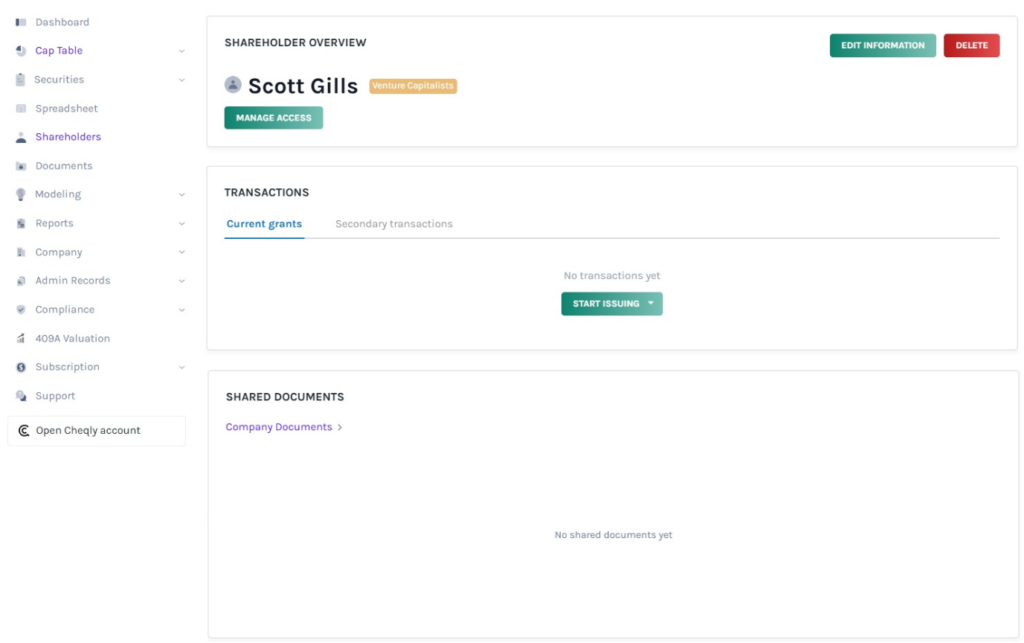
Step 6: Once you click the shareholder’s name, you will be directed to the shareholder overview page. Here, you can view the shareholder type, shares, securities, and documents shared.
Note: To know more about how to update shareholder details or share access to the cap table, check out the respective support articles here!
Method -2
There is another way to create a new shareholder type. You can create a new shareholder type when issuing shares, options, warrants, and convertible instruments by clicking “Add New Shareholder“.
In this case, we are creating a new shareholder type while issuing shares.
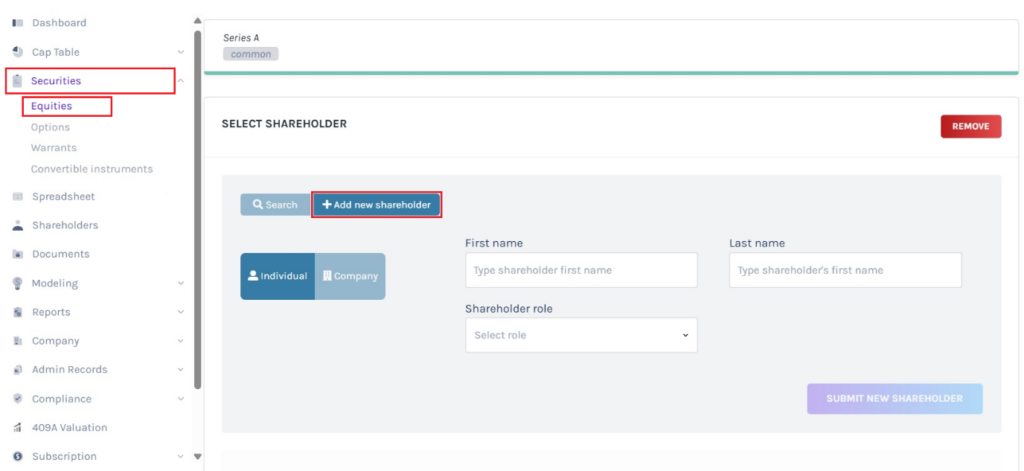
Step 7: To add a new shareholder type, click on “+ Add Custom Type”.
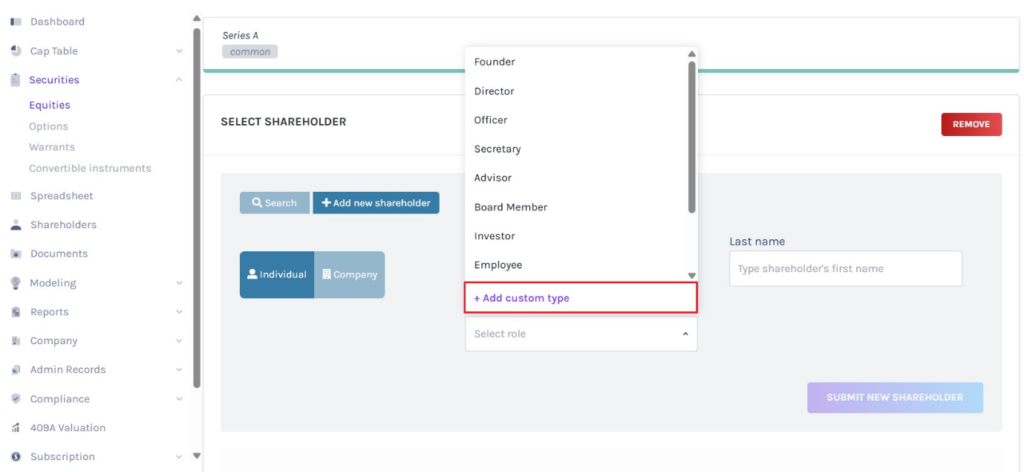
Step 8: Here, type the name in the space provided and click on “tick” to create the new shareholder type as shown below. If you want to cancel the process, click on “x”.
Note: Cannot create a shareholder type that already exists. Similarly, cannot delete a shareholder type that has already been assigned to a shareholder. The shareholder must be transferred to another type before it can be deleted.
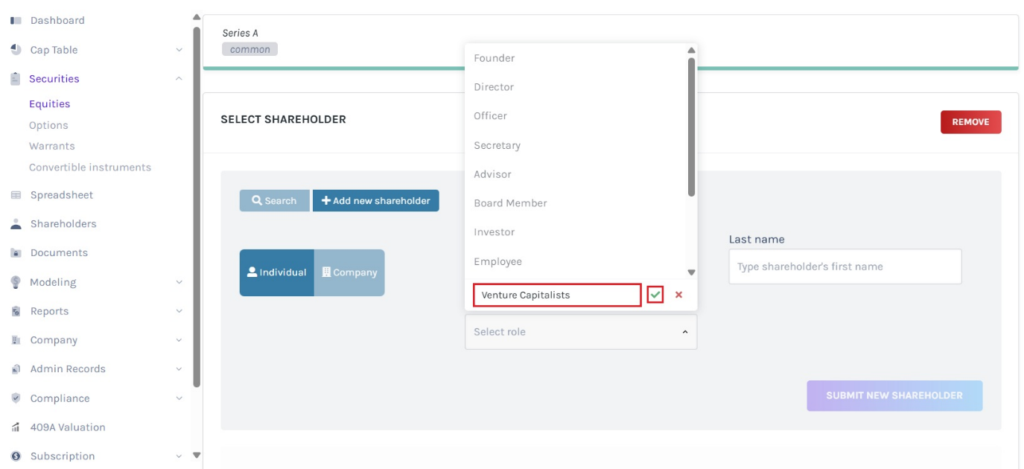
Then, add the first name and the last name of the shareholder. Select the new shareholder type from the list.
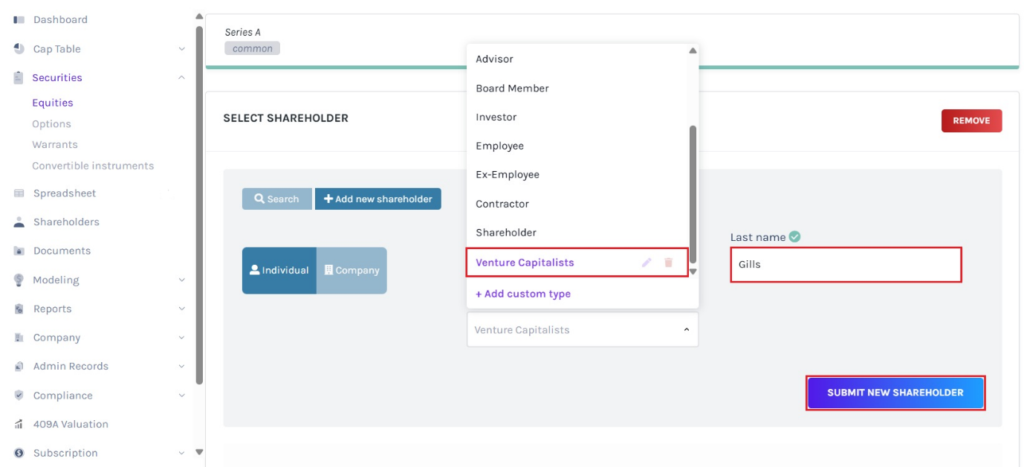
Once done, click on “Submit New Shareholder”.
Step 9: With this, the new shareholder profile and type are added.
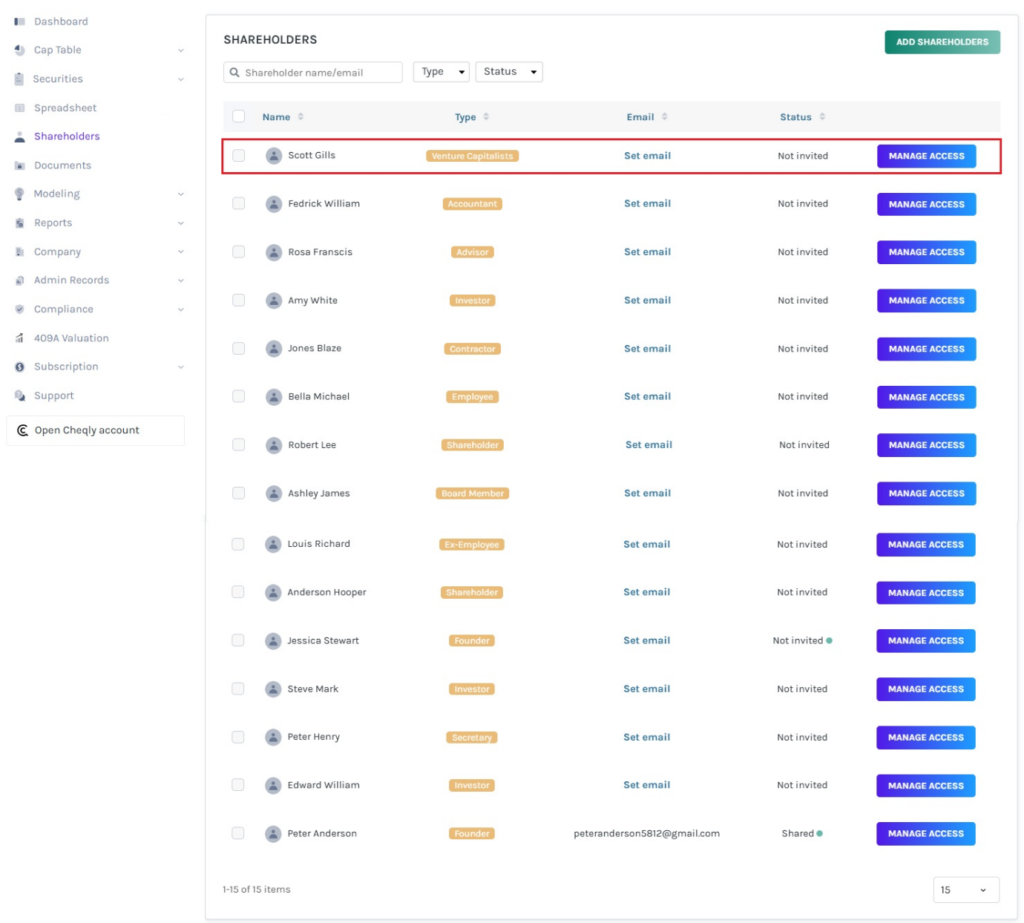
Step 10: Once you click the shareholder’s name, you will be directed to the shareholder overview page. Here, you can view the shareholder type, shares, securities, and documents shared.
Note: To know more about how to update shareholder details or share access to the cap table, check out the respective support articles here!
To learn more about Eqvista, check out our support articles and knowledge base. For queries, get in touch with us!
