How to Switch Between Delegated Accounts?
The delegate access allows users to view the cap table and company information, depending on the access that has been delegated.
Switch between delegated accounts
Eqvista simplifies the process of switching between delegate accounts.
Here are the steps to follow:
Step 1: An email will be sent with delegated access, and click on “Manage Delegations” as shown below.
Note: As soon as the delegation is sent, two types of emails are sent to the users, depending on registered or new users. To further understand, check out the support article here!
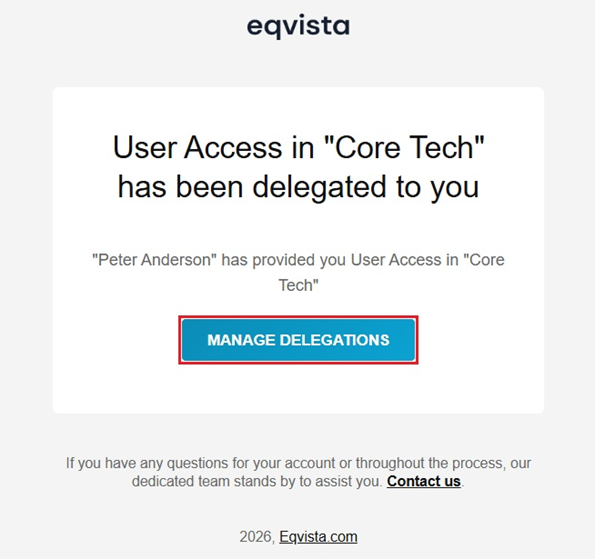
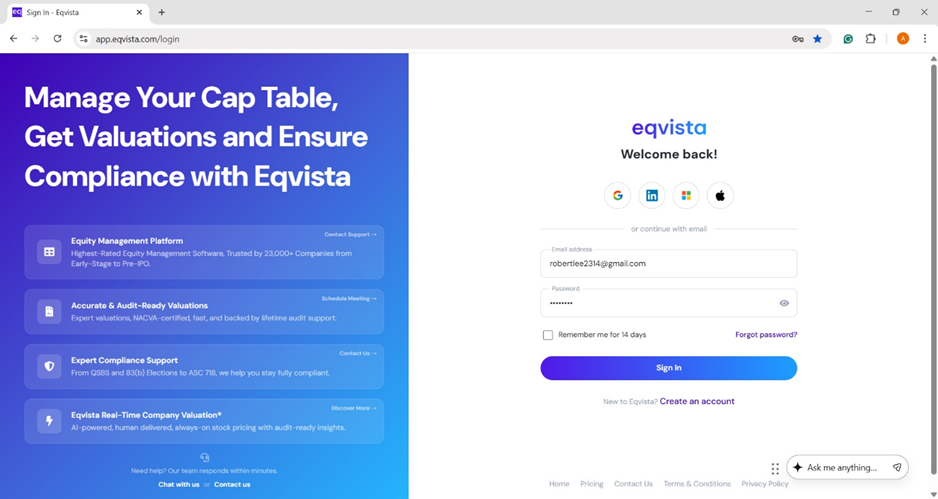
Once you click, you will be redirected to the page to log into your account on Eqvista to view the delegations received.
Step 2: Then, you will be directed to view the accounts with delegated access.
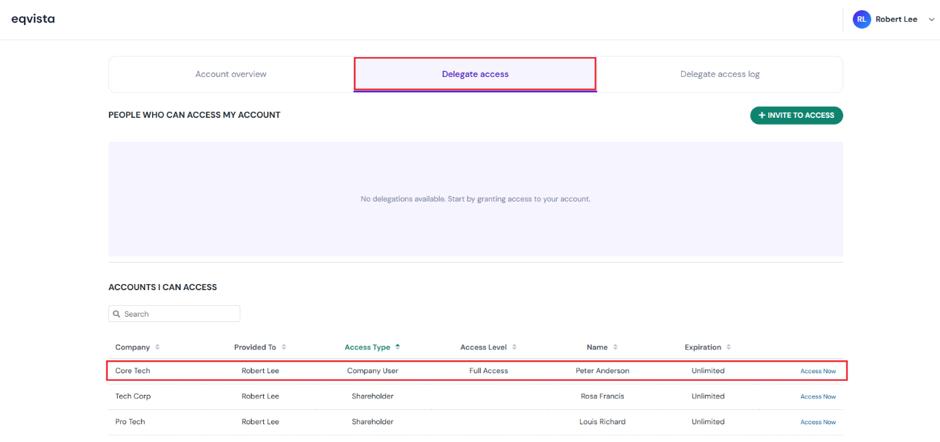
Once you click “Access Now”, you can access the cap table based on the access type and level delegated to you.
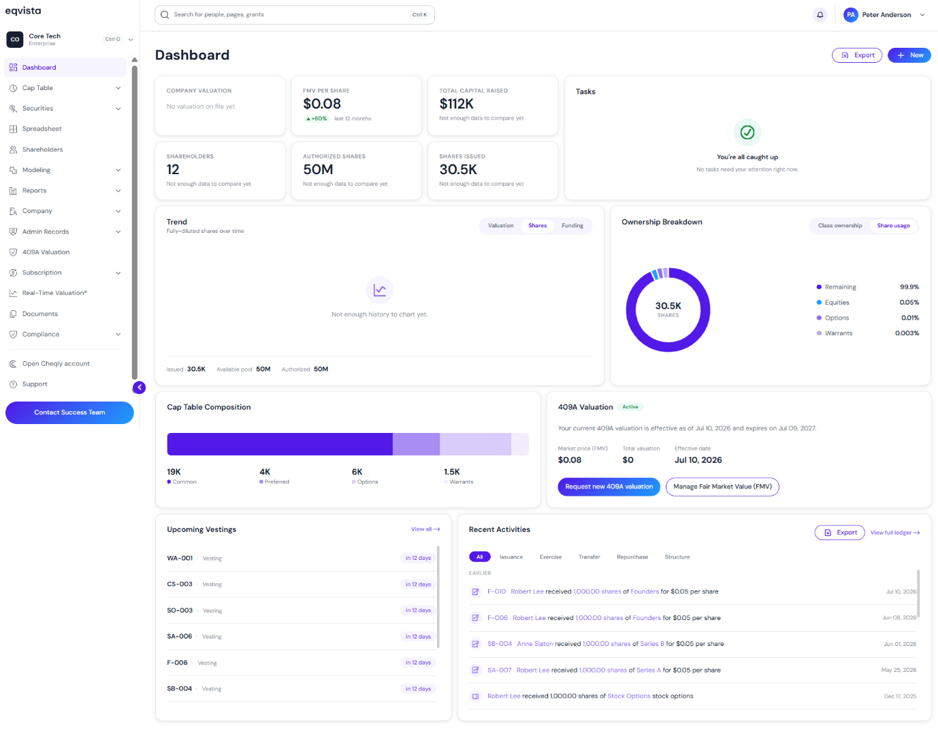
#1 – Company user access
Under this access type, you can access the cap table based on the access level. In this case, you have been provided “Full Access” to the cap table.
Note: To further understand how to provide company user access, check out the support article here!
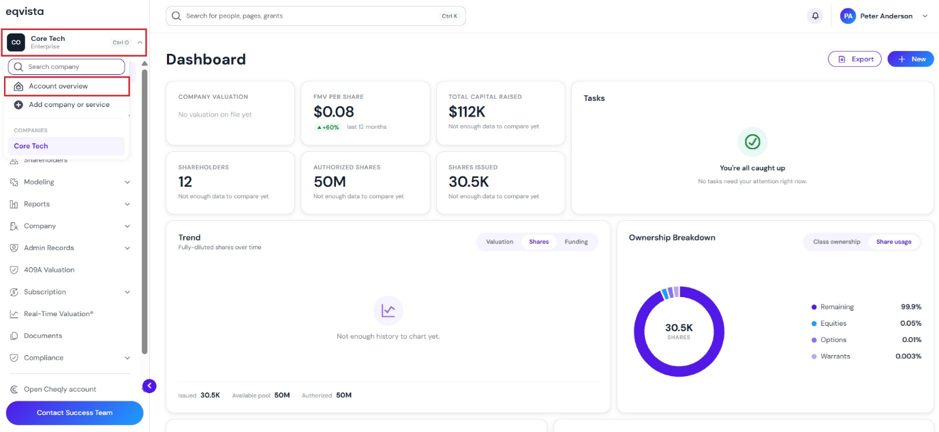
To exit the access, click on “Company Name” on the left-hand side to get a drop-down menu and select “Account Overview”.
On the account overview page, click on “Delegate Access”, and you will be directed again to view the accounts with delegated access. Suppose you would like to switch your delegated account, then choose the account and click on “Access Now”.
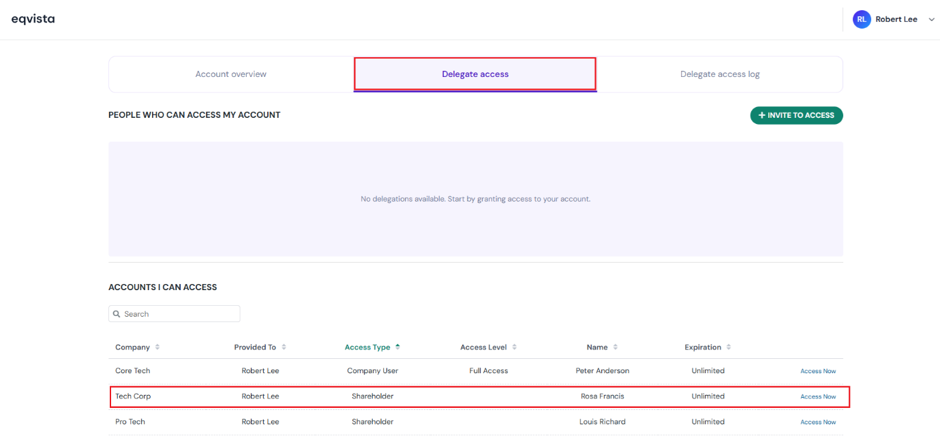
#2 – Shareholder access
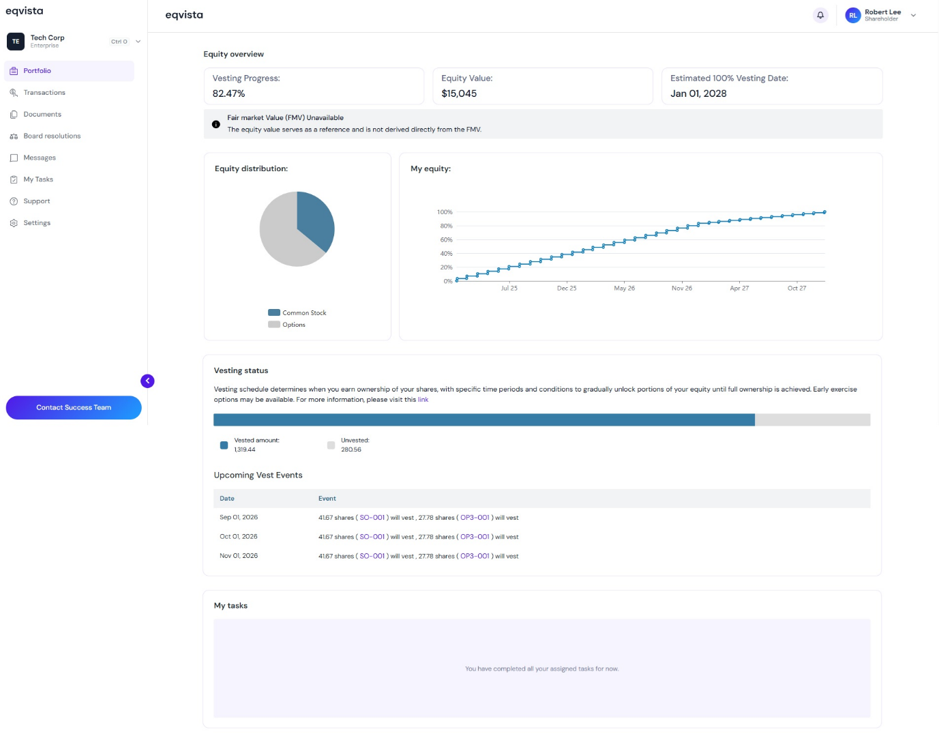
Once you click “Access Now”, you can access the shareholder’s cap table delegated to you. In this case, you have been provided access to “Rosa Francis” cap table.
Note: To further understand how to provide shareholder access, check out the support article here!
To exit the access, click on “Company Name” on the left-hand side to get a drop-down menu and select “Account Overview”.
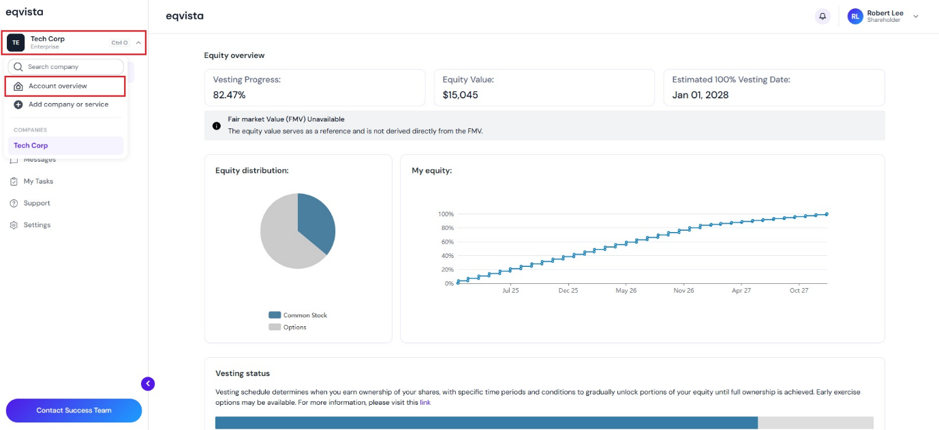
On the account overview page, click on “Delegate Access”, and you will be directed again to view the accounts with delegated access and click on “Access Now” to view the other account you have access to.
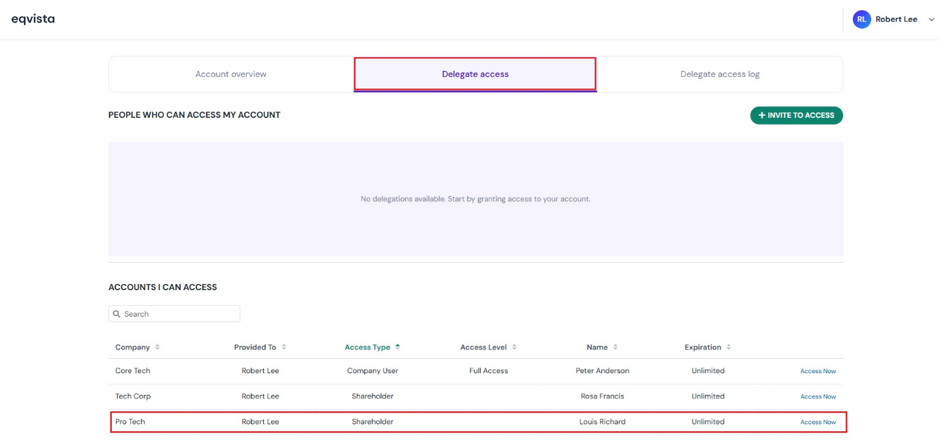
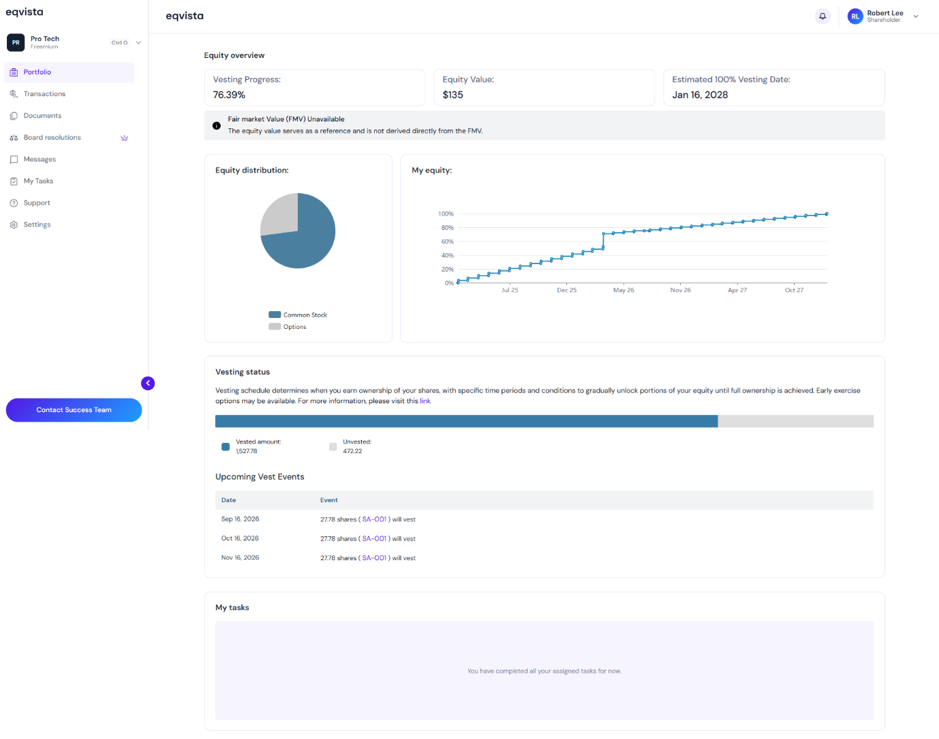
Once you click “Access Now”, you can access the shareholder’s cap table delegated to you. In this case, you have been provided access to “Louis Richard” cap table.
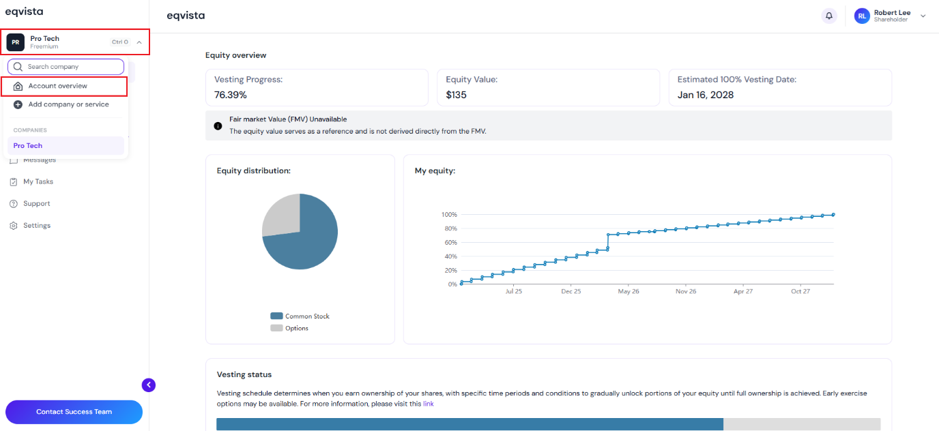
To exit the access, click on “Company Name” on the left-hand side to get a drop-down menu and select “Account Overview”.
If you want to understand Eqvista, check out our support articles or contact us today!