How to Search for a Shareholder in Issued Equities?
The profits are distributed as dividends to a shareholder who owns a share in your company.
Note: You must first add a shareholder. If there are 20 shareholders in your company profile and you want to add more, kindly upgrade your account.
The uniqueness of Eqvista is that you can search for a shareholder profile using filters. Check out our support guide to learn how to search on Eqvista.
Search for a shareholder profile in Equities issued
Since it keeps a record of every shareholder record, the shareholder profile can also be searched in the equities section. There are two ways in which you can search for shareholders in issued equities.
Here are the steps to follow:
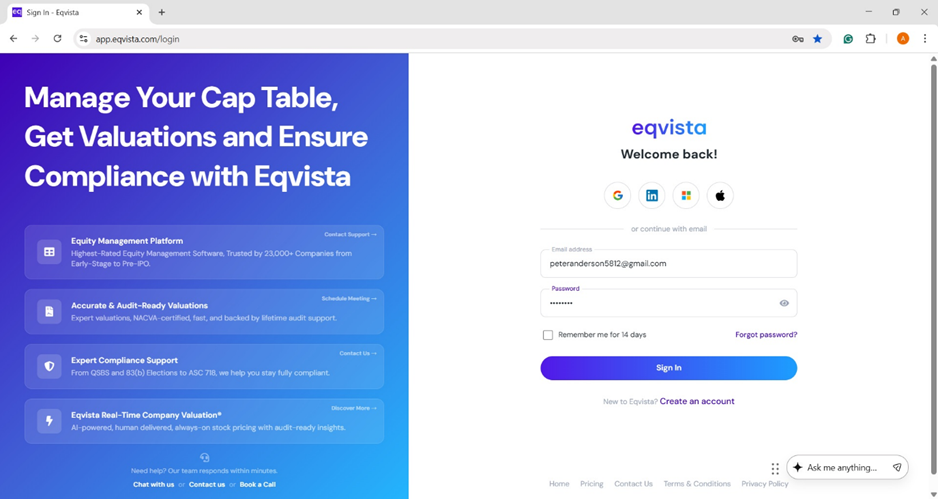
Step 1: Log into your Eqvista account and select the company account to search for a shareholder profile in the equities section.
Method 1
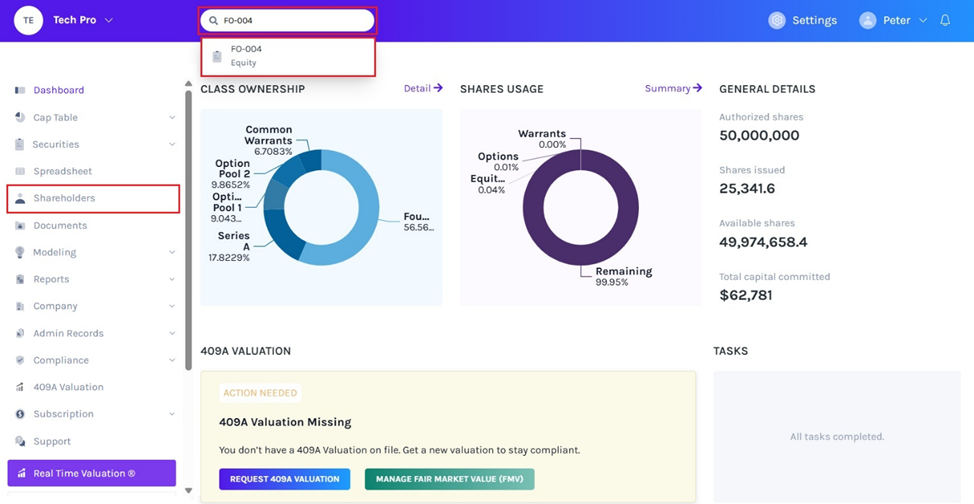
On the dashboard, click on the search box on the right of the company name drop-down menu. Here, you can search for shareholders or pages to navigate quickly. Let’s assume that you want to search for a shareholder using the grant name. To do so, type the grant name in the search bar as shown below.
Note: The search feature is only available for company users, not for shareholder accounts.
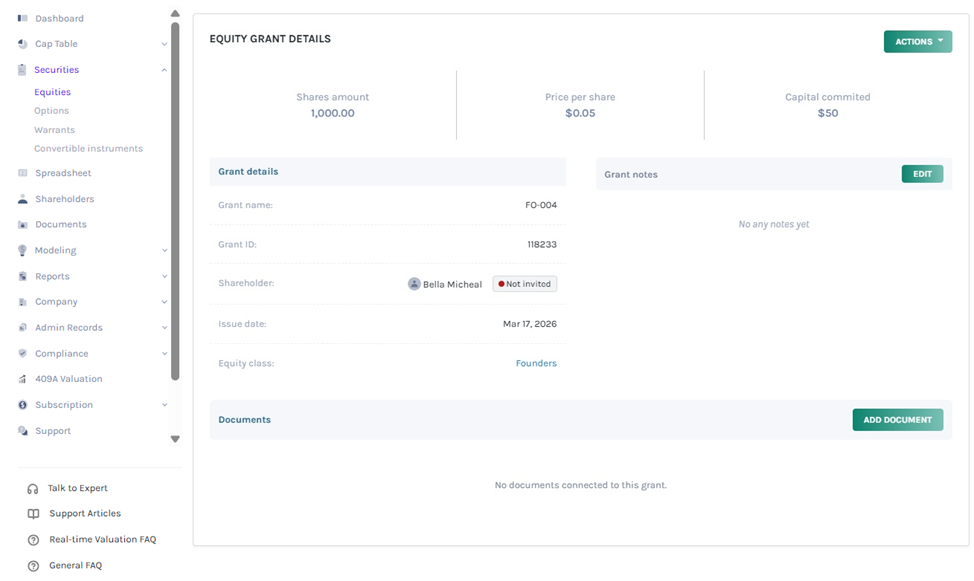
Once you click, you will be redirected to the option grant detail page.
Note: You can add a document to the grant by clicking on “Add Document”. Check out the support article to know more about adding documents to grants.
Method 2
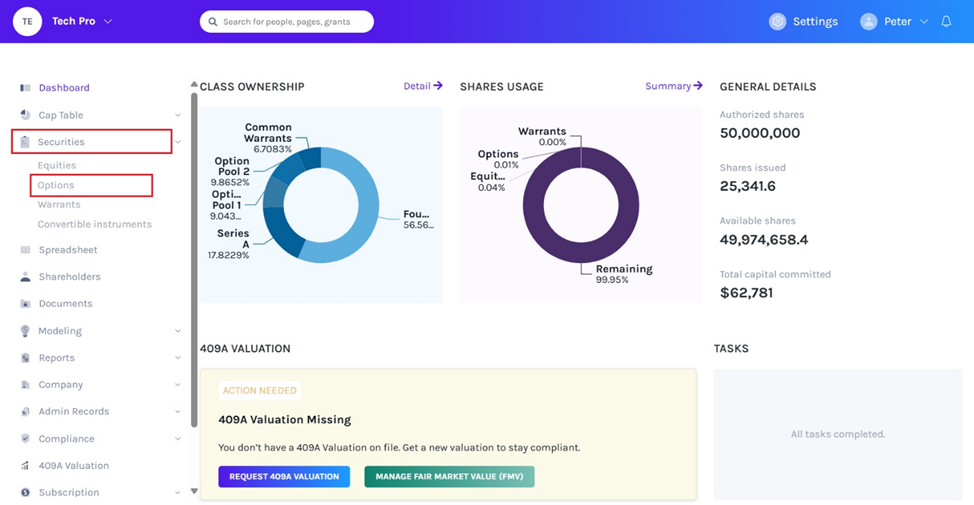
On the dashboard, click on “Securities” on the left-hand side to get a drop-down menu and select “Equities”.
Step 2: If you have too many grants under one class and you want to see shares belonging to one holder, use the “Search” feature.
To do so, you can click the equity class created to get the overview of the class and list of shareholders issued under the class along with details such as grant name, grant ID, shares, price, ownership and status.
Note: On this page, click on “Create New Class” to create an equity class and if you have created one, you can issue shares and implement a vesting schedule.
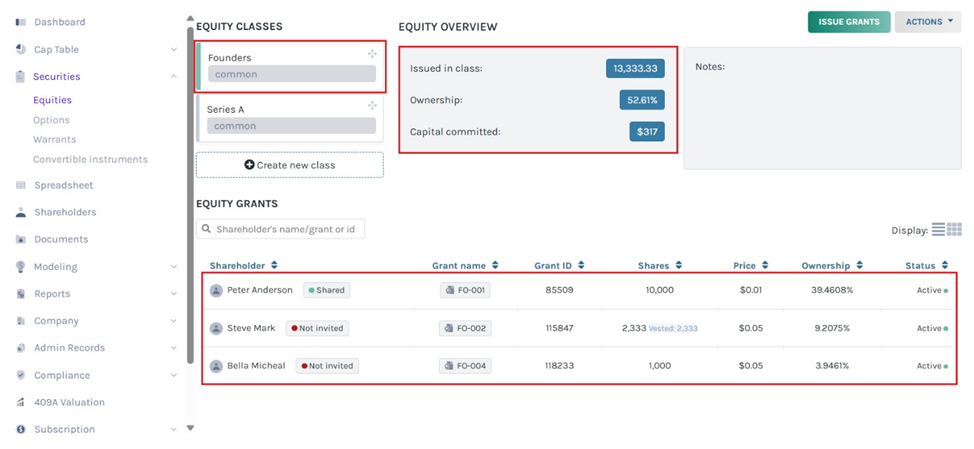
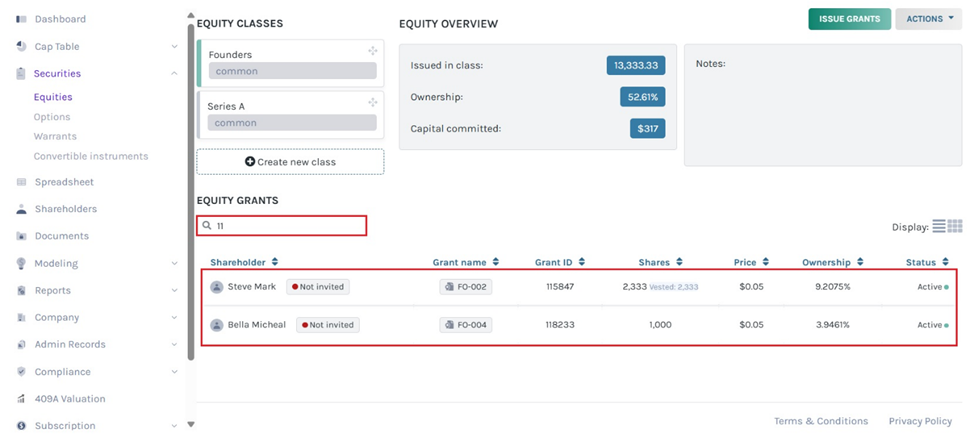
Step 3: Let’s assume that you want to search for a shareholder using their equity grant ID and name. To do this, type the grant ID or name in the search bar. In this case, we’ll enter the grant ID of the shareholder we’re looking for.
Note: If you cannot find the shareholder profile, you can add it while issuing shares by clicking “Add Shareholder”.
To get started, contact us right now to learn more information about Eqvista’s other features and also check out our support articles and knowledge base.
