How to Enable the Profits Interests Equity for an LLC?
Profits Interests are a form of equity compensation used primarily by LLCs and partnerships that grant recipients the right to share in future profits and appreciation of the company, without providing any claim to the current value.
If issued at fair market value, they typically have no value at grant (no immediate tax), making them similar to stock options but with more favourable tax treatment.
Enable Profits Interests Equity
On Eqvista, you can enable the profits interests equity in two ways: create a new LLC or change the type in your company profile settings.
Scenario 1: Create a New Company
Step 1: Log into Eqvista or create an account if you have not yet signed up. Let’s assume you want to create a new company on Eqvista.
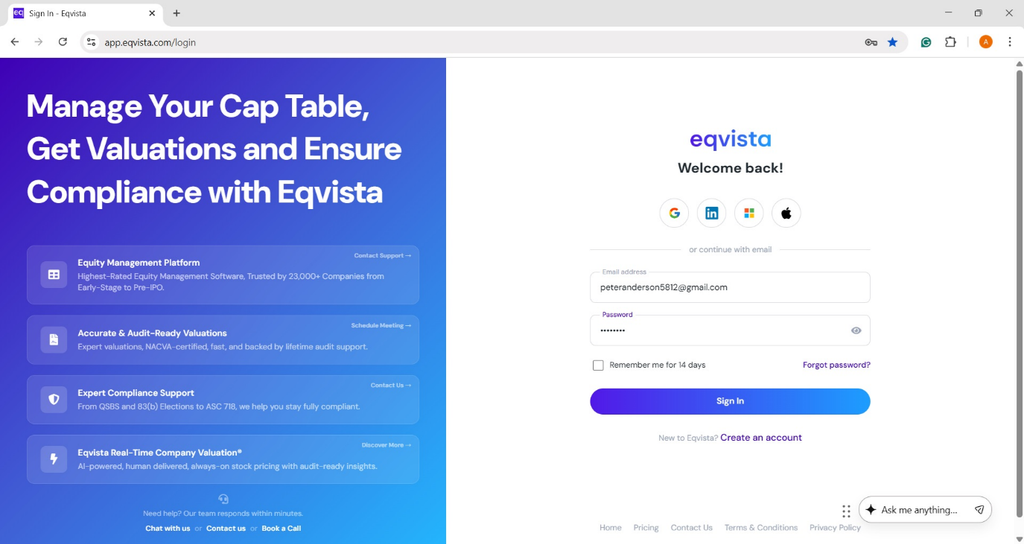
Once you have logged into your account, you will be directed to the dashboard and select a company account you have already created. There are two ways in which you can create a company.
Method 1
On the dashboard, click on “Company Name” on the left side to get a drop-down menu and select “Add Company or Service”.
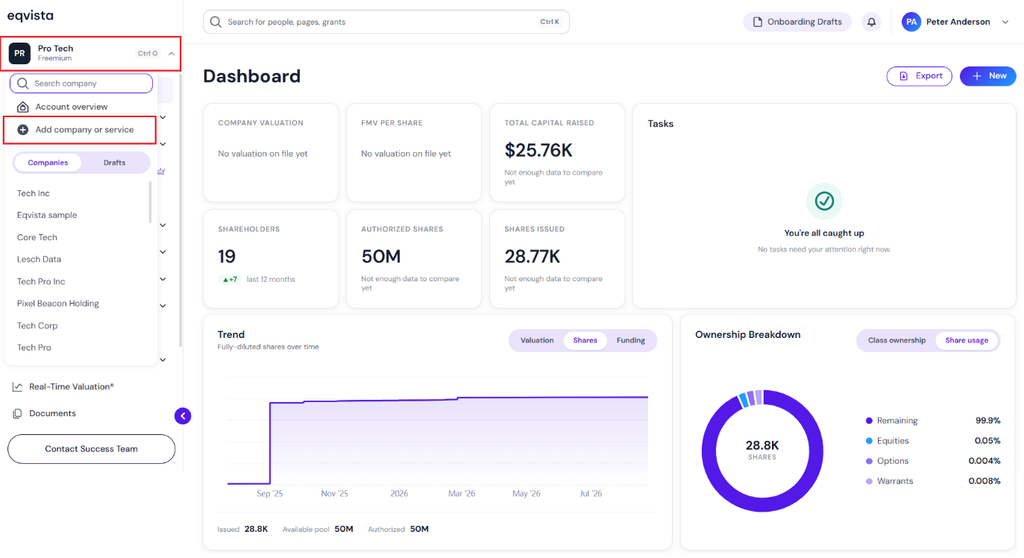
Method 2
On the dashboard, click on “New” on the right-hand side to get a drop-down menu and select “New Company”.
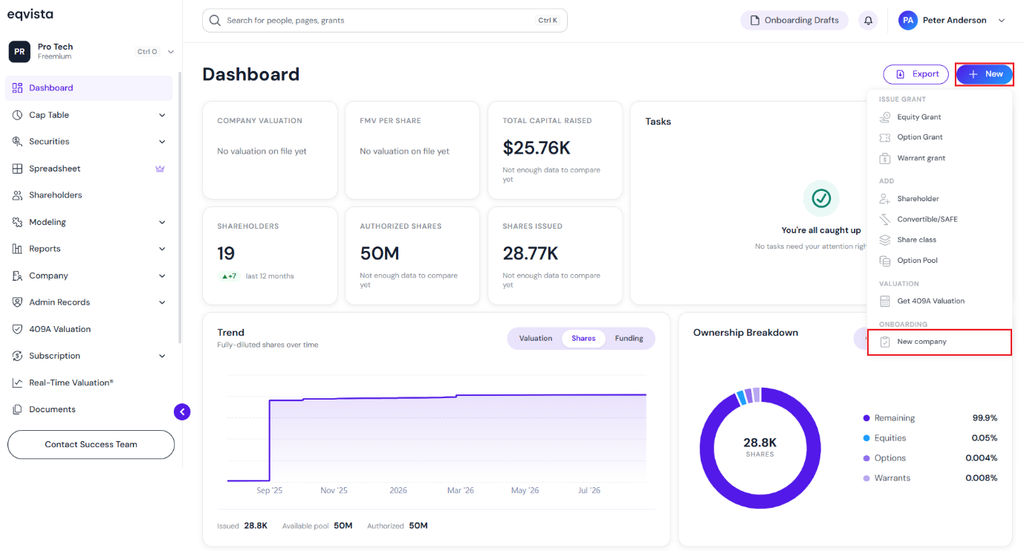
Now let us assume you want to create a new one. Click on “New Company”, and you will reach the first step toward the creation of a new company.
Fill in Company Details
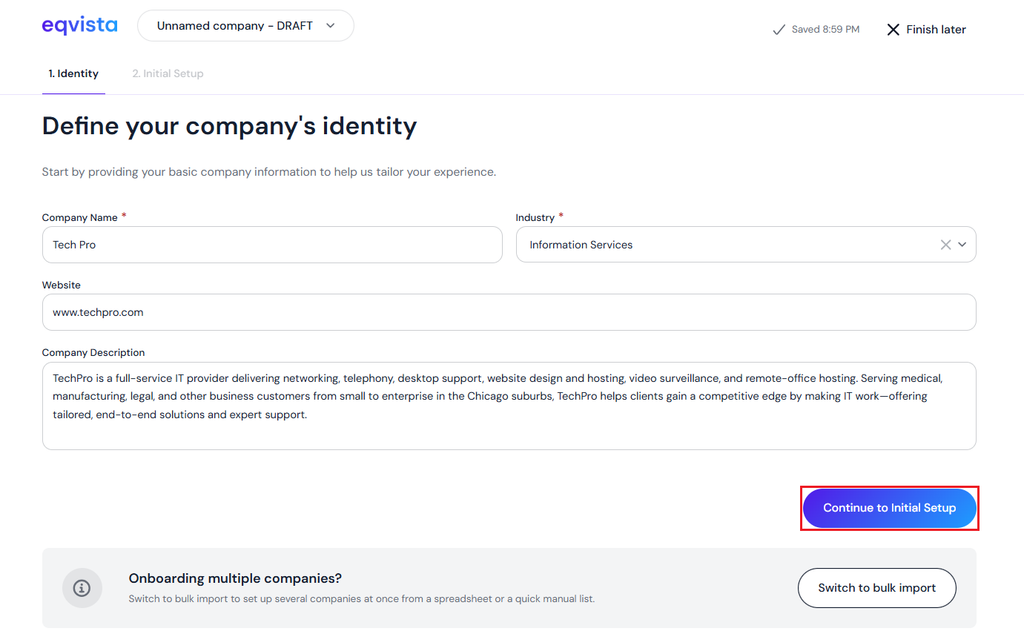
Step 2: Once you click, you need to add all the details of your company including the company name, the industry, website, and company description. Once you have added all these details, click on “Continue to Initial Setup”.
Note: You can also add multiple companies by clicking “Switch to Bulk Import”. Check out the support article to learn more about bulk import.
Select LLC Under Company Type
Step 3: Then, you will be redirected to a page to fill in the details of the company. You will see the option to select “LLC” under “Company Type” as shown below.
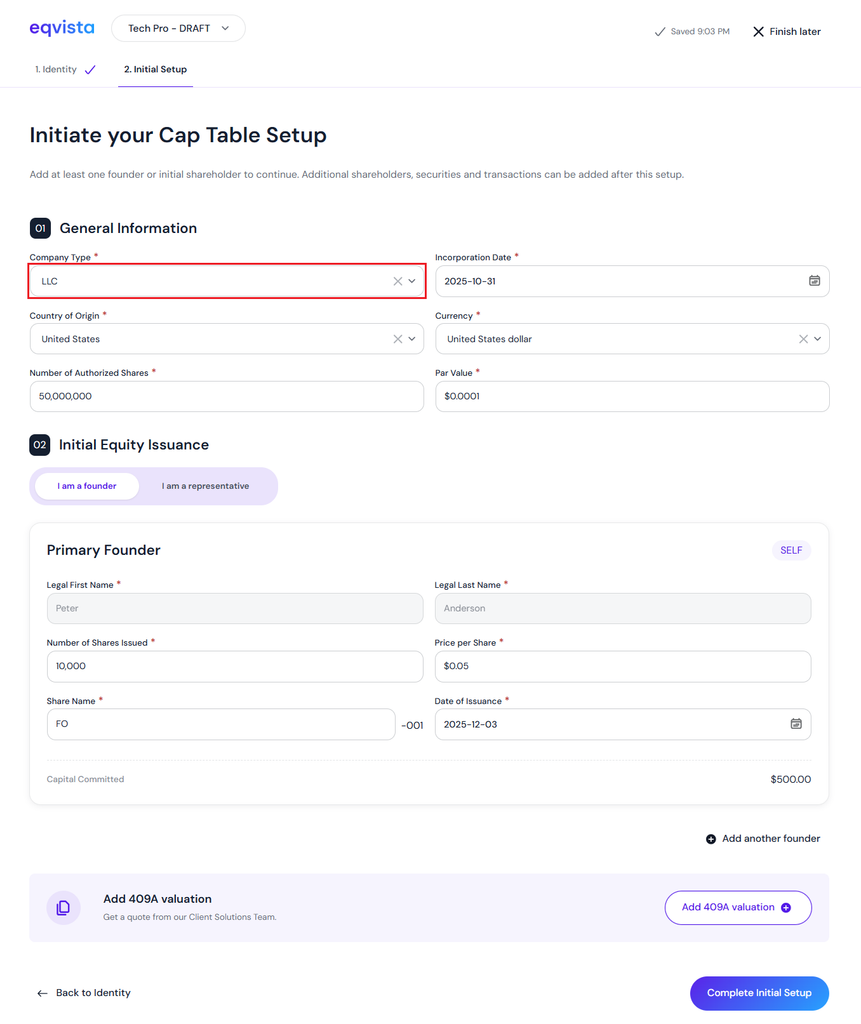
New LLC Company Created
Step 4: When you click “Complete Initial Setup”, you will be directed to the dashboard of the company.
Note: You can upgrade your account to premium subscription to have access to unlimited features. To know more about it, check out the FAQ!
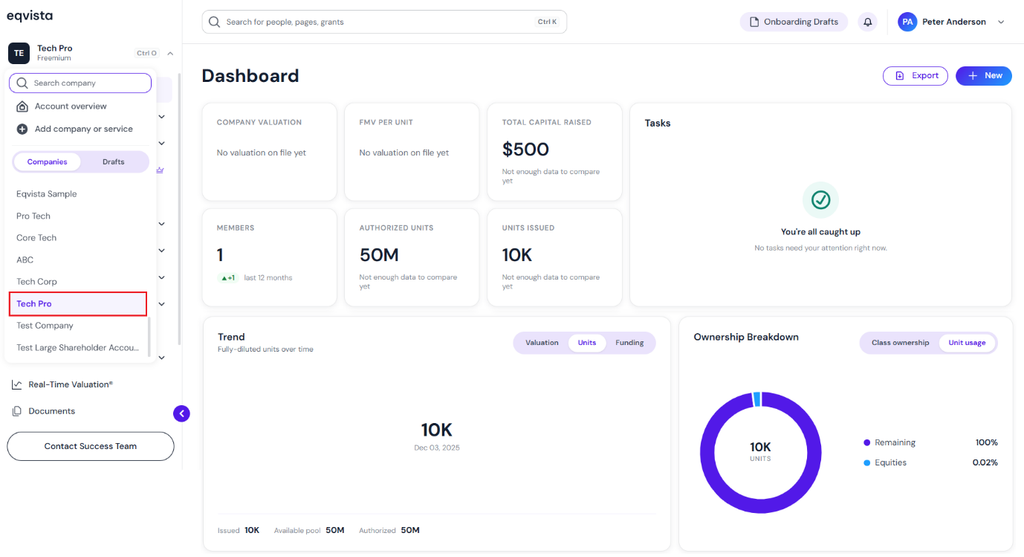
Scenario 2: Change the Company Type
On the dashboard, click on “Company” on the left side to open the drop-down menu and select “Profile”.
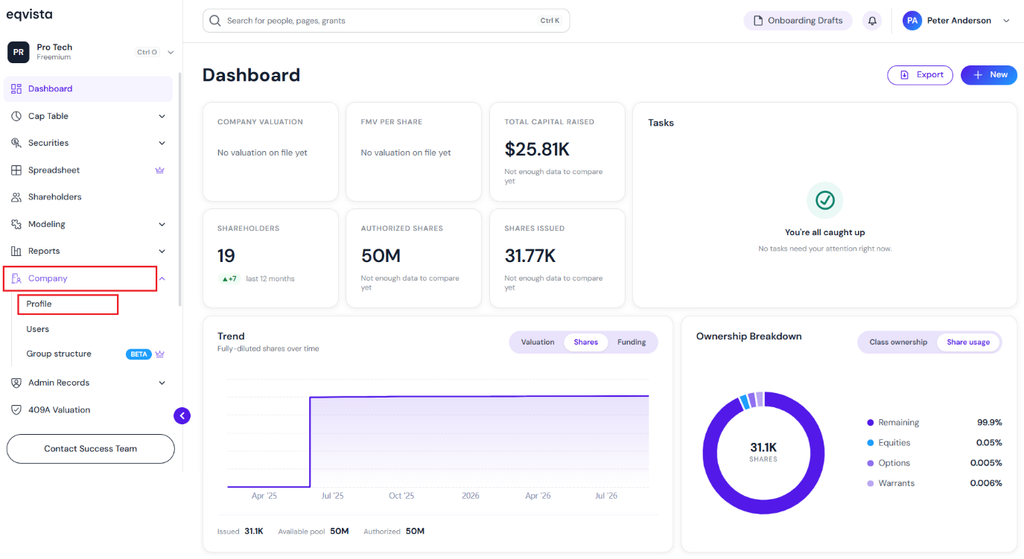
Click Edit in Company Details Section
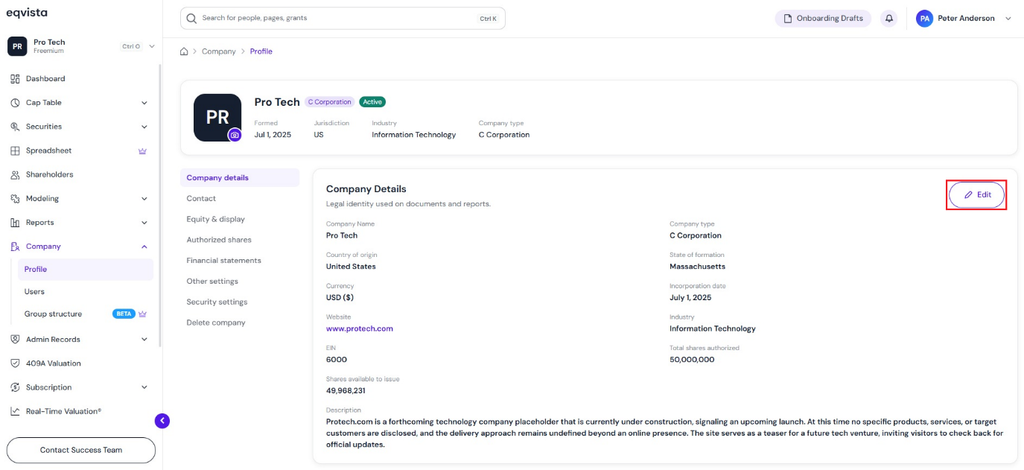
Step 2: Once you click, you will be directed to the page that shows the details of your company. Under the Company Details section, click on “Edit” at the top right of the page.
Note: On this page, you can view Company Details, Contact, Equity & display, Authorized Shares, Financial Statements, and Other Settings. To further understand the various sections in detail, check out the support article here!
Change Company Type to LLC
Step 3: A panel will appear and you can change the details of the company including the type to “LLC” and select tax classification.
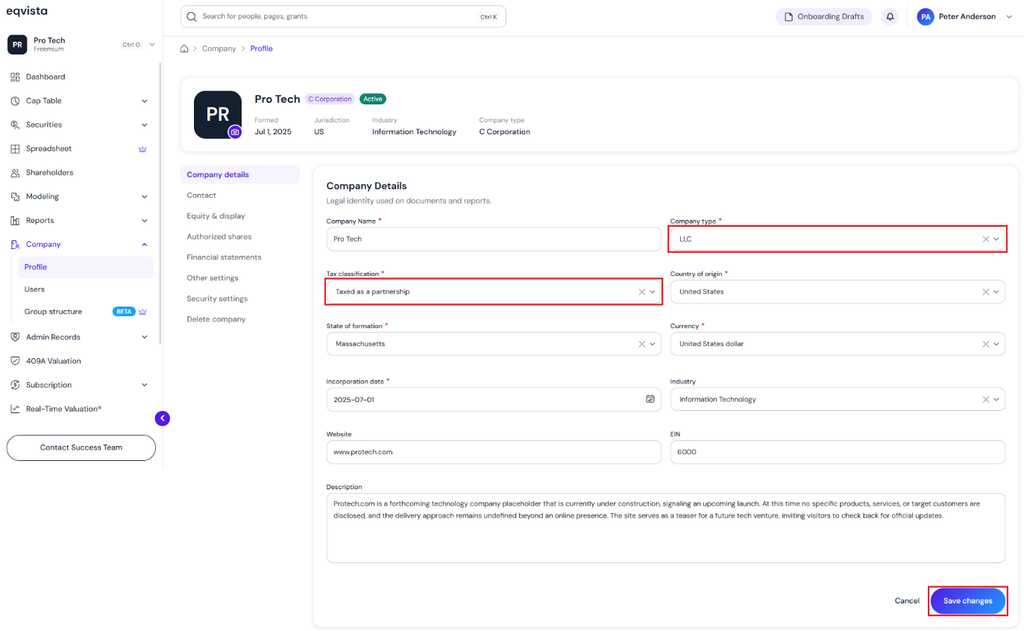
Once done, click on “Save Changes”
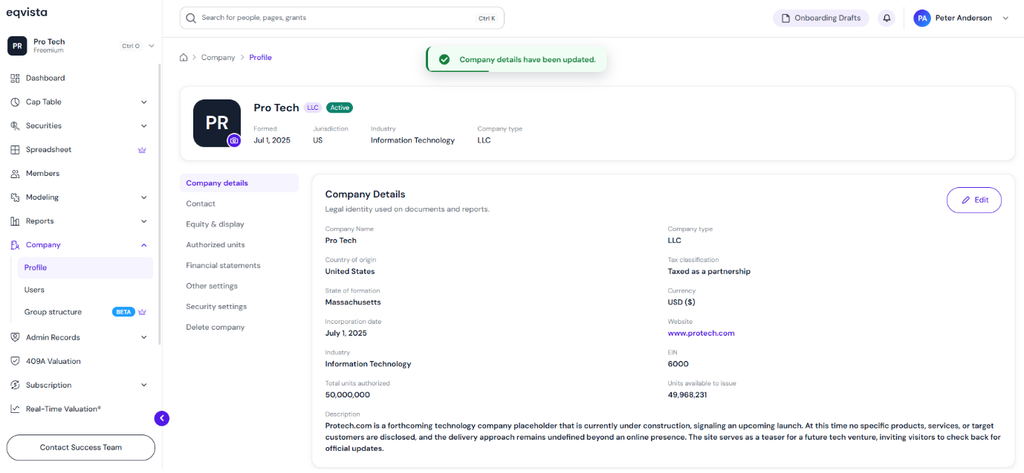
Company Type Updated
Step 4: You can view the details of the company including the type “LLC” as shown below.
View Profits Interests Equity Type
Step 5: In this case, we have created a new LLC company, and the profits interests equity classes are created by default.
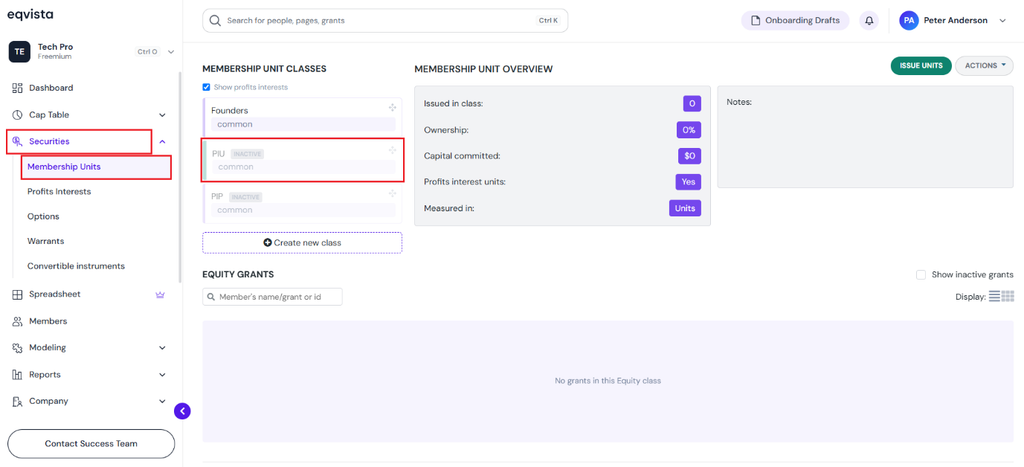
On the dashboard, click on “Securities” to get a drop-down menu, and select “Membership Units” to view the Profits Interest Unit (PIU) and Profits Interest Percentage (PIP) equity classes.
Profits Interest Unit (PIU)
Once the profits interest units are issued, you can view them under the Profits Interest Unit (PIU) equity class.
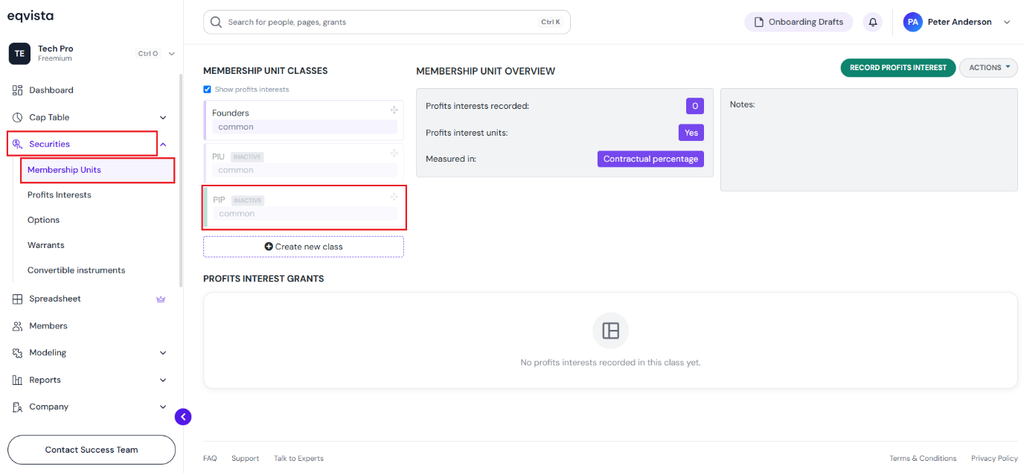
Profits Interest Percentage (PIP)
Once the contractual percentage grant is issued, you can view it under the Profits Interest Percentage (PIP) equity class.
Profits Interests
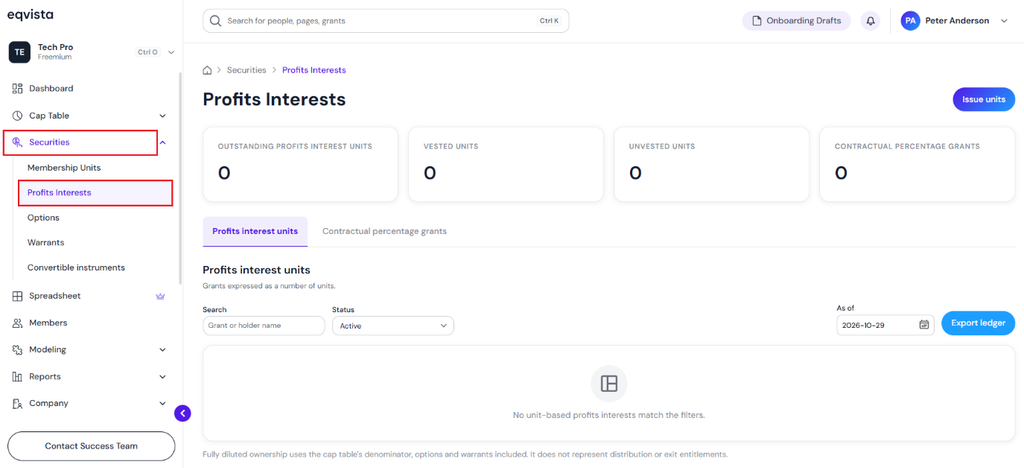
On the dashboard, click on “Securities” to open the drop-down menu, and select “Profit Interests”. A dedicated “Profit Interests” section records profit interest units, contractual percentage units, and the export ledger.
Note: A detailed feature-by-feature analysis of the profits interest ledger will help you understand it better. Check out the support article to understand the profits interest ledger in detail!
For more information on Eqvista, check out our support articles or get in touch with us today!
