How to Sign Up With Eqvista?
Eqvista is a CapTable-integrated system that helps you minimize costs using automation and applying accounting standards. You may access the cloud-based equity management system from any device, share your CapTable with shareholders, and assign each shareholder a different role. Check out our support guide to learn more about Eqvista.
Sign up with Eqvista
Have you signed up with Eqvista? Not sure how to do it? Here are the steps to sign up:
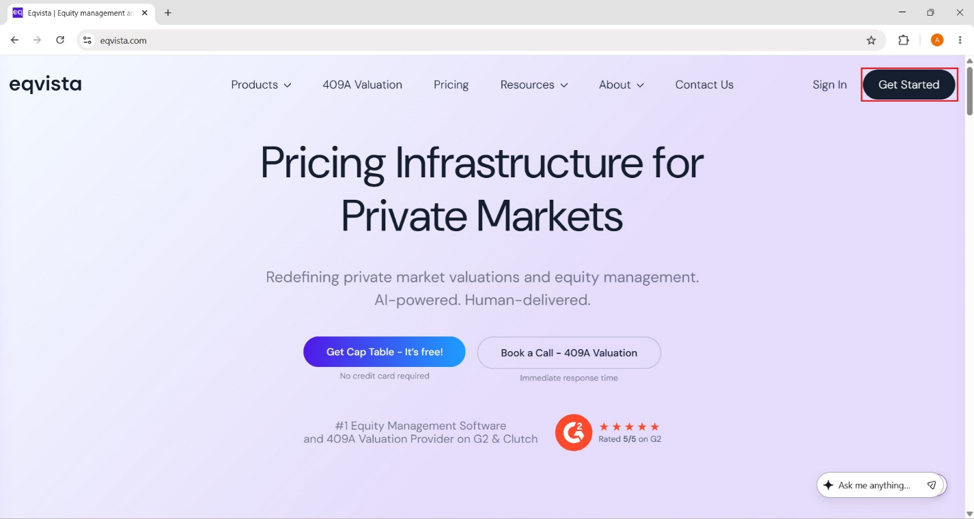
Step 1: To register, click this link or visit the Eqvista website, and then you would have to click on the “Get Started” button located on the top right-hand side of the page.
Step 2: When you click on “Get Started”, the page will prompt you to enter your details including your first name, last name, email address, new password, and confirm your new password. While creating a password, kindly ensure the following:
- At least 6 characters
- 10+ characters for extra security
- Upper & lowercase letters
- At least one number
- A special character (!@#$)
Note: Apart from creating an account, there are multiple sign-in options using Google, LinkedIn, Microsoft, and Apple accounts. Check out the respective support articles to learn more about this.
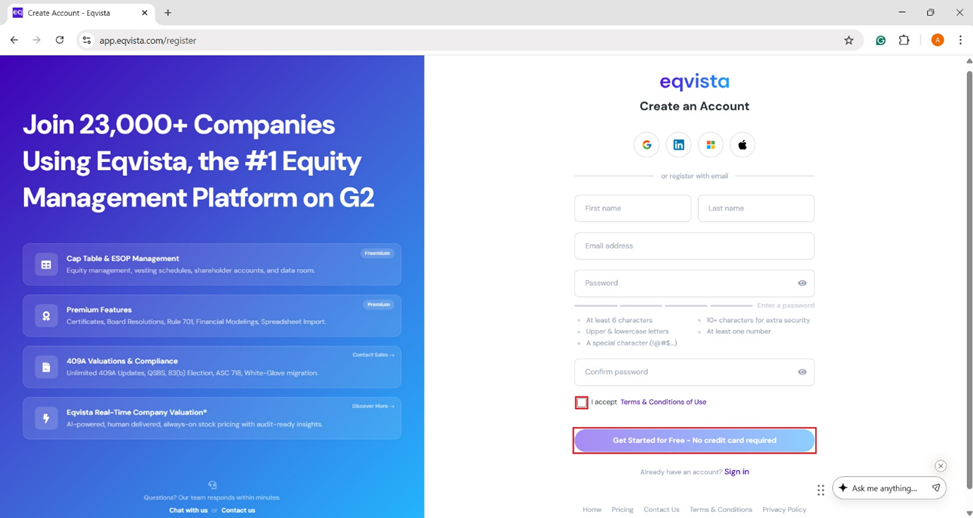
Do not forget to select the option to “Accept Terms & Conditions of Use”. If you want to know what the terms and conditions are about, you can click on the option to learn more about the Terms of Use of the application.
Once you are done with this, click on the “Get Started for Free – No credit card required ” button to sign up with Eqvista.
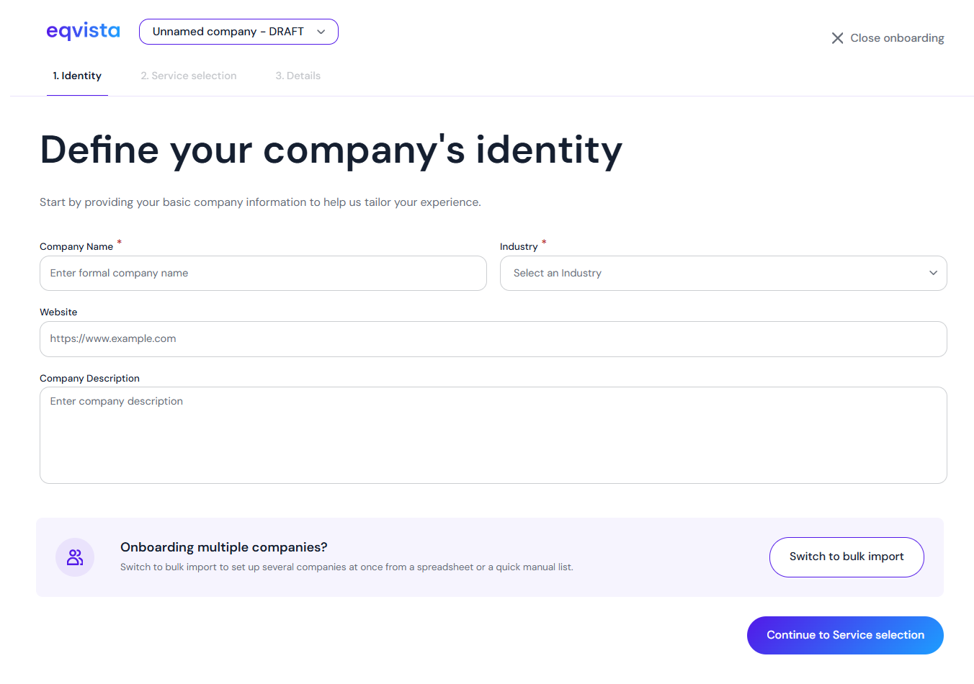
Step 3: Once you do this, you will be redirected to the onboarding page, where you can fill in details about the company, shares, and founders.
Note: You can add a single company by filling in your company details. To onboard multiple companies, click on “Switch to Bulk Import”. Check out the respective support articles to learn about adding companies on Eqvista.
For more information on Eqvista’s other features, check out our support articles and knowledge base. To get started, get in touch with us right away!
