How to Include Real-time Valuation Service for an Existing Company?
Eqvista offers the option to effortlessly incorporate services, such as cap table management, 409A valuation, and real-time valuation, for an existing company.
Note: The companies have the following access types – full access, limited view, or full view. You must have full access to add services to the company.
Add Real-time Valuation Service for Existing Company
If you’re looking to expand or improve the services of an existing company, this guide will walk you through the simple steps to add real-time valuation service for an existing company on the Eqvista platform.
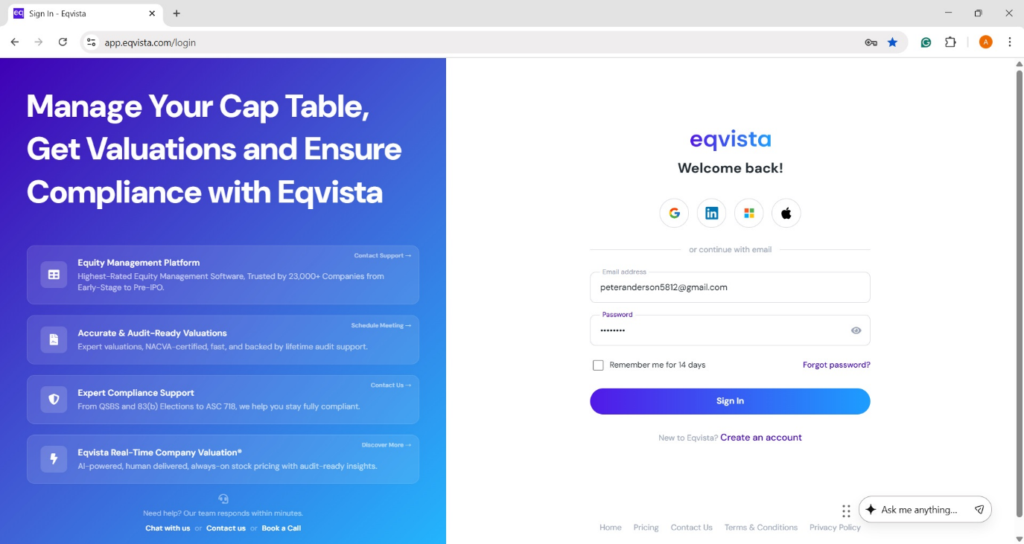
Step 1: Log into your account on Eqvista, or create an account if you have not yet signed up.
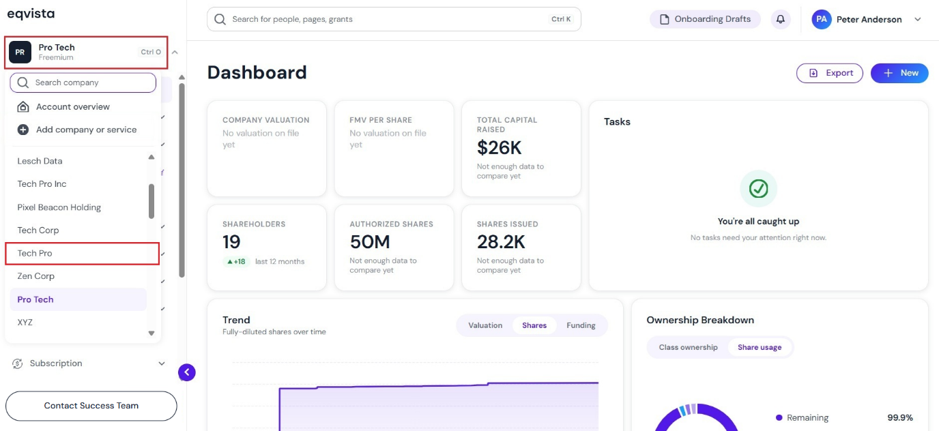
On the dashboard, click on company name on the left-hand side to get a drop-down menu and select the company you would like to add service.
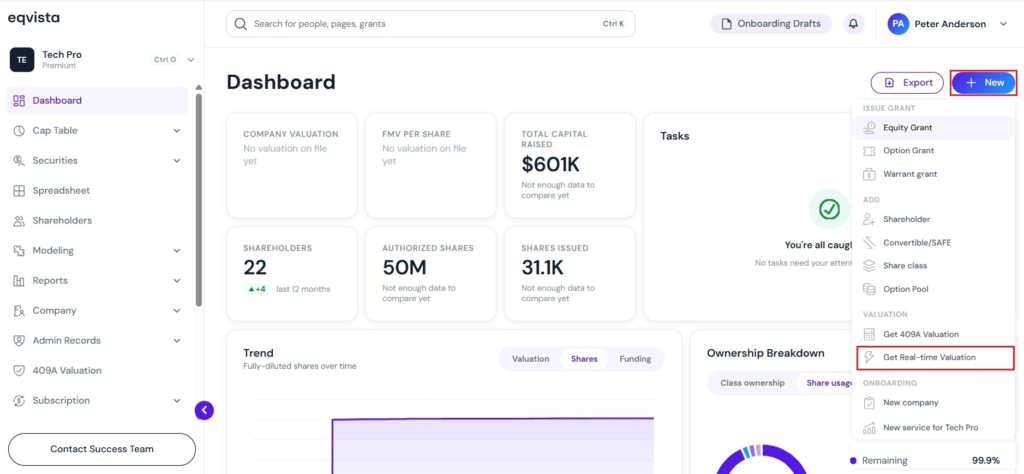
Step 2: You will be directed to the dashboard of the company you would like to add services to.
In case the company has no real-time valuation, and you would like to add it to the company. On the dashboard, click on “New” on the left-hand side to get a drop-down menu and select “Get Real-Time Valuation”, as shown below.
Note: Similarly, you can add services such as 409A valuation to an existing company. Check out the support article to learn more!
Step 3: Fill in the details for each field, including valuation date, fully diluted shares, 1 year sales forecast, and select whether you have a recent funding round from the drop-down menu.
If “Yes” for had a recent funding round, fill in details such as price per share, funding date, funding amount, total funding, last money raised, last funding date, and select the last funding stage from the drop-down menu.
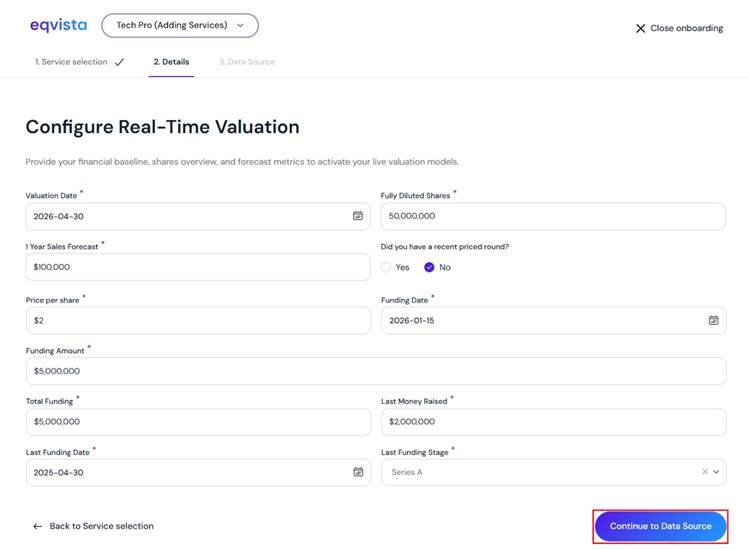
Once done, click on “Continue to Data Source”.
Step 4: Then, you will be directed to choose the method to connect your financial data – connect to QuickBooks or manual document upload.
Note: You can skip this step and manually enter your financial metrics later. You will be able to manage your Real-Time Valuation data sources in Company Profile Overview > Financial Statements at any time.
In this case, we have selected the option “Connect to QuickBooks”.
Quickbooks Integration
Connect each company’s financials from QuickBooks to build its real-time valuation. QuickBooks is optional, and any company you leave unconnected will use the figures from your import instead.
Note: Connect a company to import its financials and build a real-time valuation automatically. Check out the support article to learn more about connecting QuickBooks in real-time valuation.
Once you click “Connect QuickBooks”, a panel will appear to fill in the period start and period end to pull financial data from QuickBooks for a custom date range.
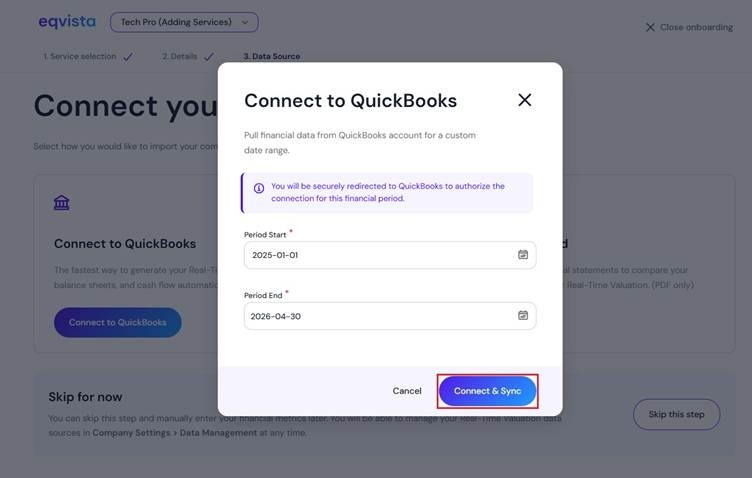
Once done, click on “Connect & Sync”.
Then, you will be redirected to enter the email or User ID of QuickBooks as shown below.
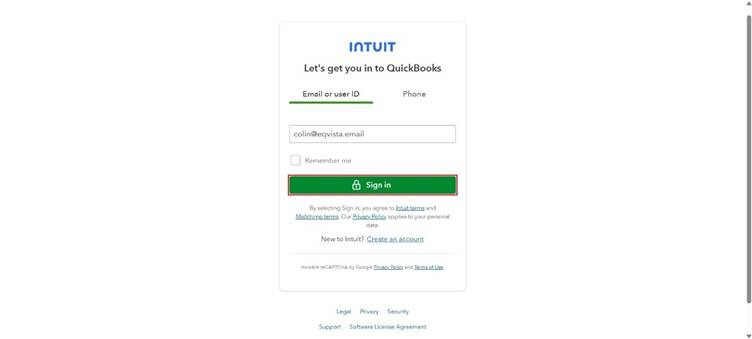
Once you click “Sign in”, you will be redirected to enter your password and click on “Continue”.
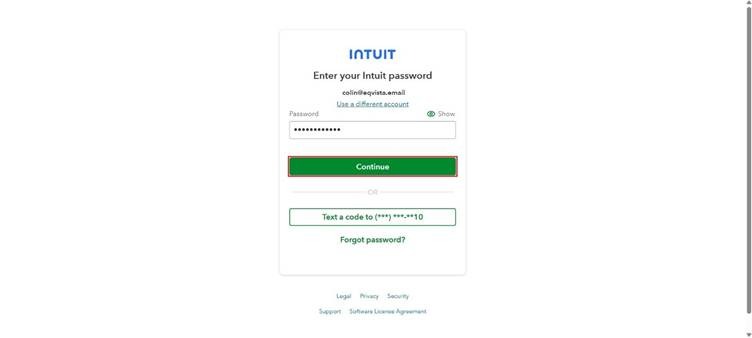
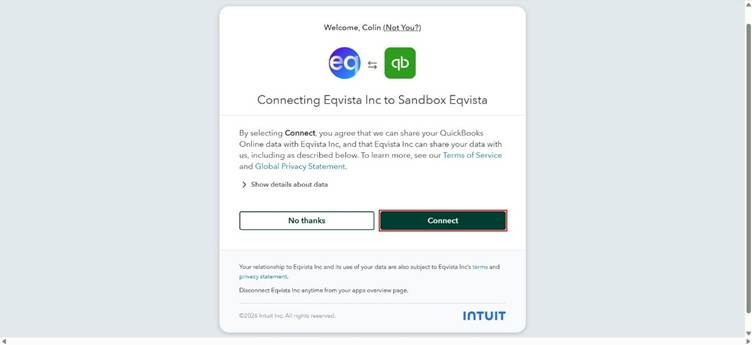
Once you do this, you will be directed to the following page. By selecting “Connect”, you agree that we can share your QuickBooks Online data with Eqvista.
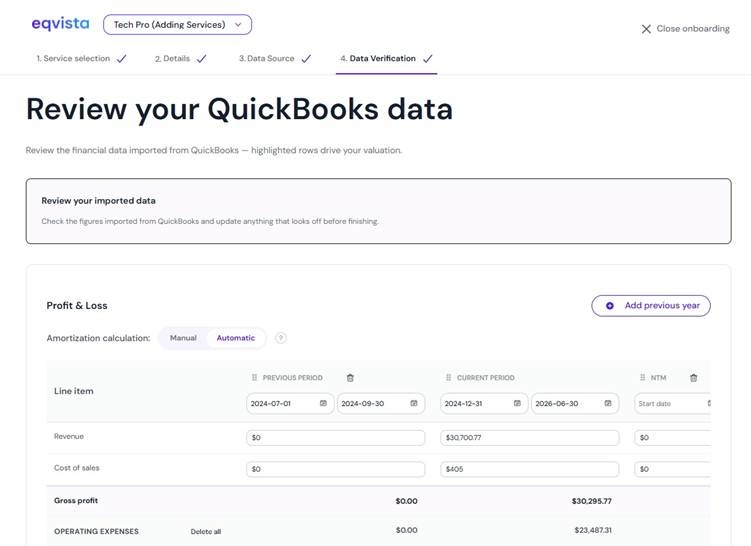
Then, you will be directed to verify the financial data pulled from QuickBooks for the entered period.
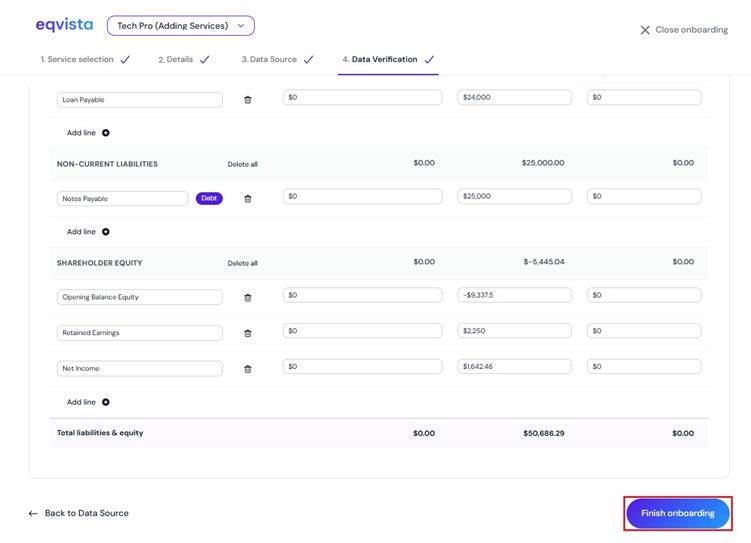
Now, after you have added everything that you wish to add click on “Finish Onboarding”.
Step 5: Since QuickBooks has been connected to access your financial data and automatically generate quarterly real-time valuations.
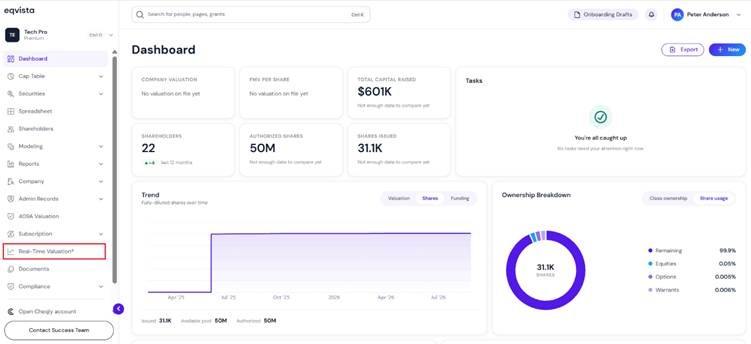
The real-time valuation generated by QuickBooks can be viewed by clicking on “Real Time Valuation” on the left side of the dashboard.
Step 6:
Then, you will be directed to the page displaying the fair market value of real-time valuation and the source as “QuickBooks”.
Note: On this page, you can view the real-time valuation graph and to embed the real-time valuation, click on “Embed”. To share your real-time valuation report, click on “Share”. Check out the respective support articles to learn more about it.
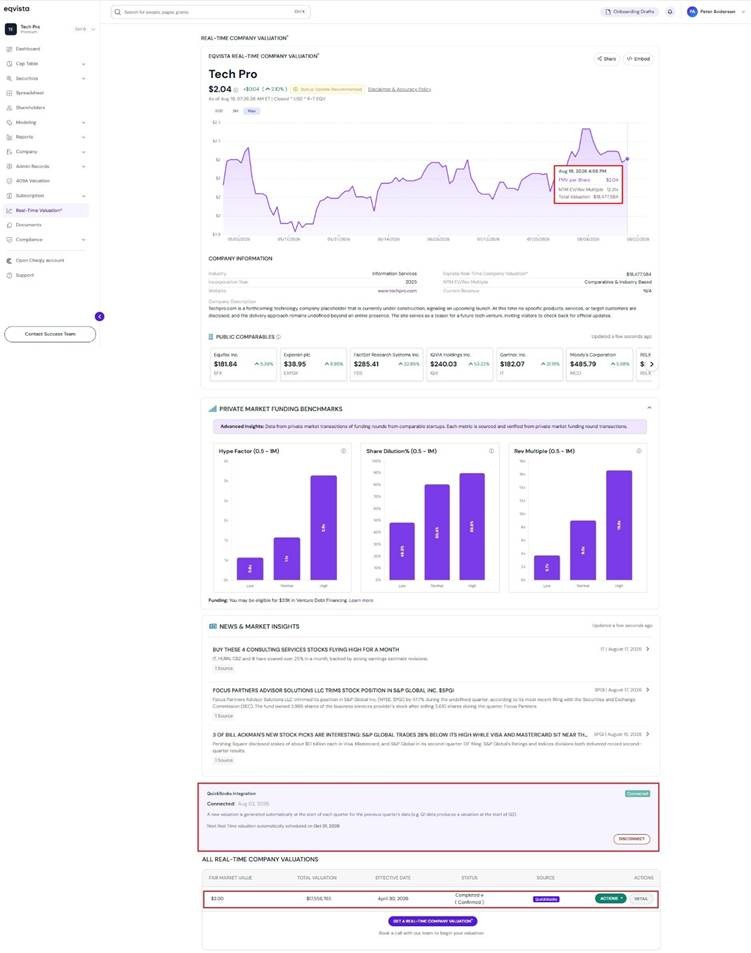
The QuickBooks integration displays the status “Connected” along with details of the next real time valuation schedule, and an option to “Disconnect”.
The details of the real-time valuation can be viewed by clicking on “Detail”.
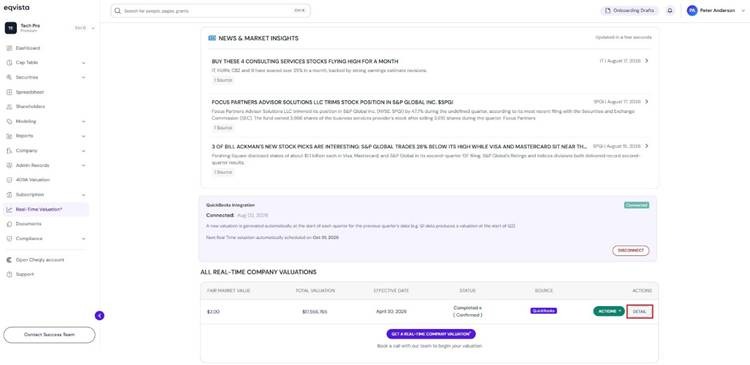
Step 7: On this page, you can view the details of the real-time valuation, as shown below.
Note: You can request a new valuation by clicking on “New Valuation”. Check out the support article to learn more about request real-time valuation service!
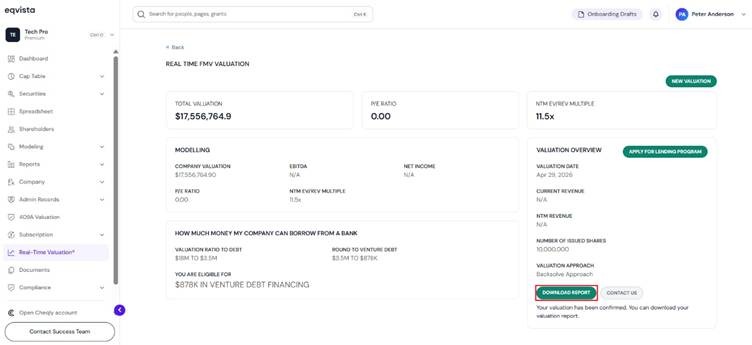
You can download the valuation report by clicking on “Download Report”.
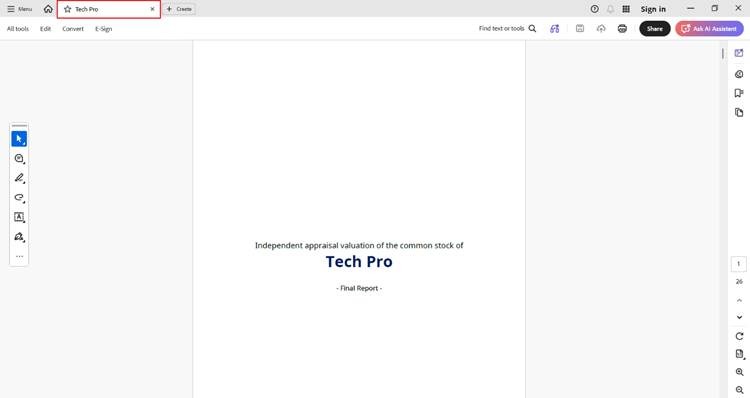
Step 8: Then, the report will be downloaded as a PDF in your Downloads.
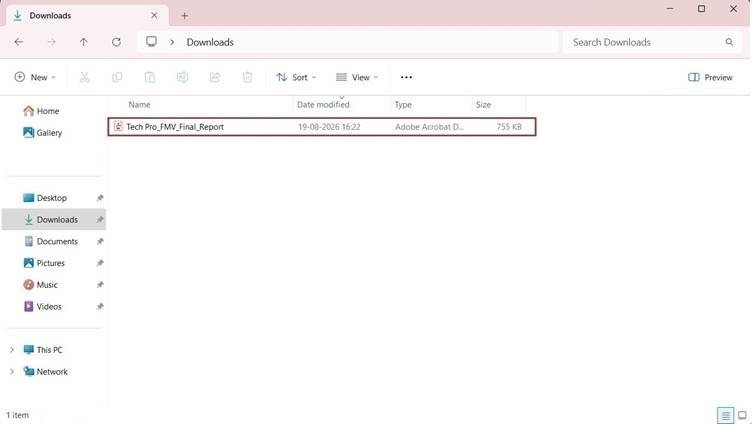
Double-click the PDF to open the downloaded report.
Similarly, you can add services such as 409A valuation to an existing company.
To learn more about Eqvista, check out our support articles and knowledge base. For queries, get in touch with us!