How to Embed Real-time Valuation on Your Website?
Eqvista offers real-time valuation right from the application’s dashboard. These valuations are real, audit-ready, backed by experts, and delivered at the speed of business. Additionally, you can embed it on your website using code or a public link.
Note: The real-time valuation feature is only available for 409A account holders. Kindly upgrade your account to unlock the feature.
Embed Real-time Valuation on Your Website
The feature provides an option to publish your live real-time valuation widget on your website using an embed code or a public link.
Here are the steps to follow:
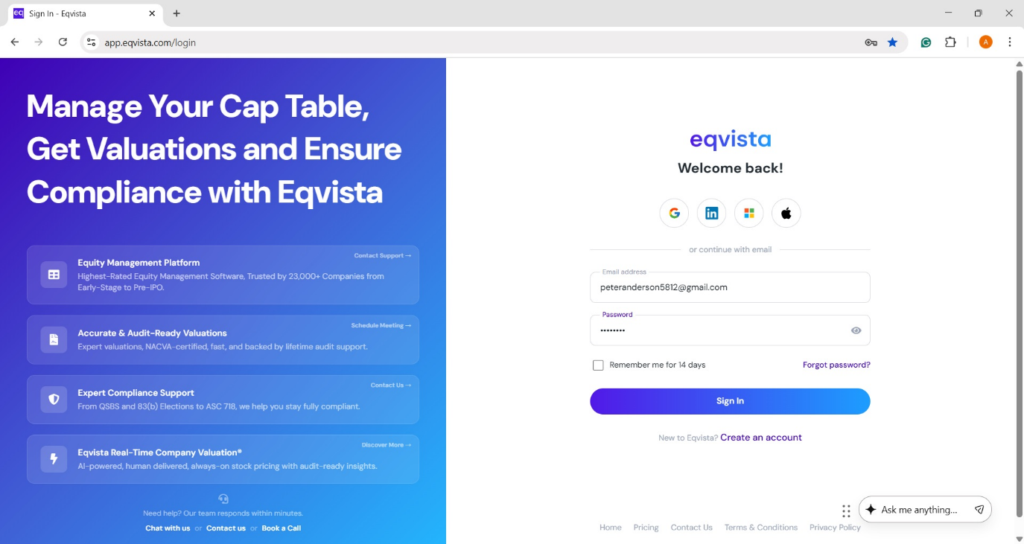
Step 1: Log into Eqvista and select your company account.
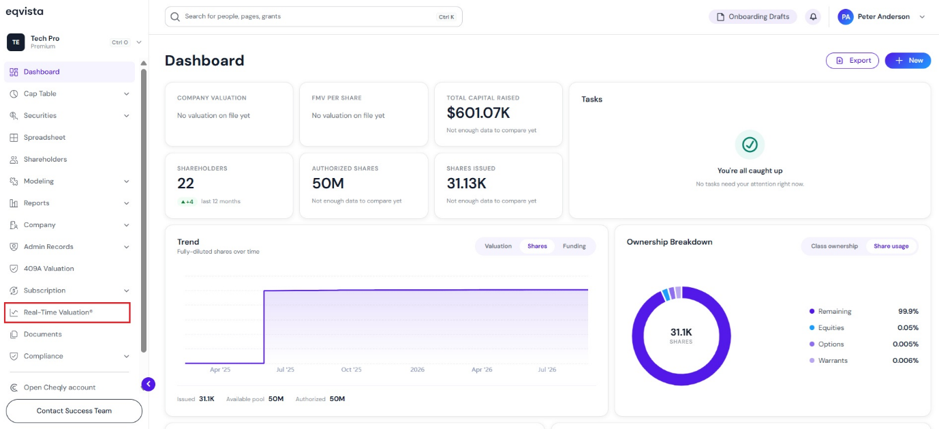
On the dashboard, click on “Real Time Valuation” on the left side, as shown below.
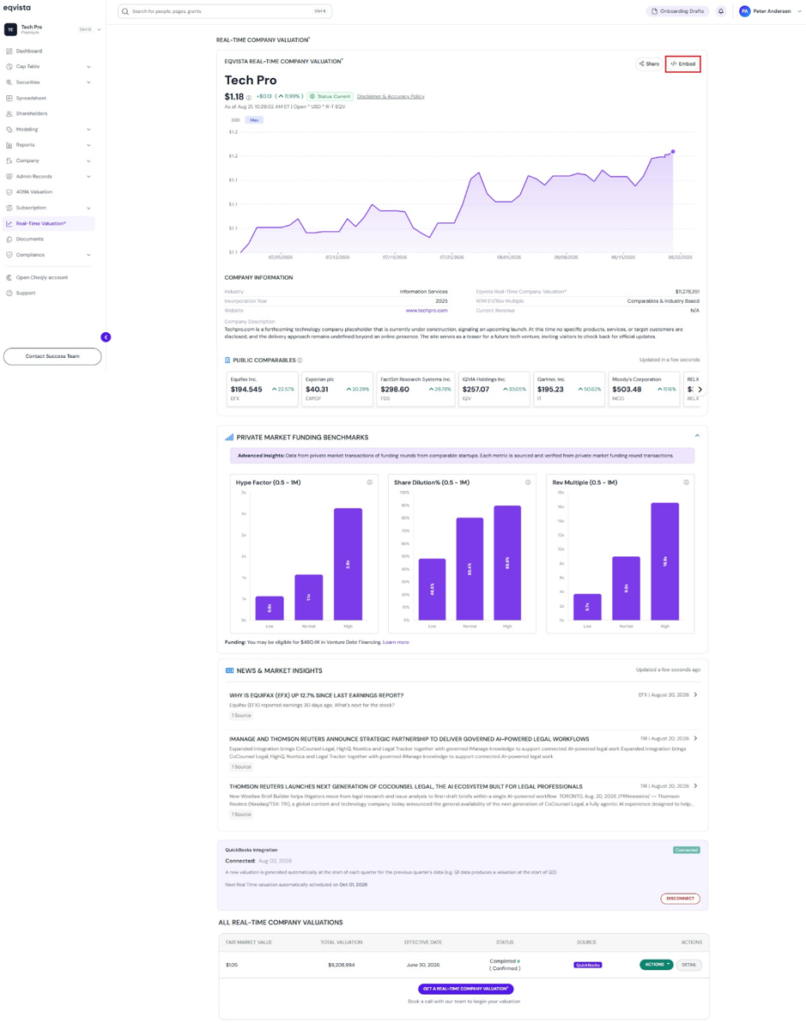
Step 2: On this page, you can view the real-time valuation graph displaying the fair market value, which gets updated constantly.
Note: Connect QuickBooks to import financials and build a real-time valuation automatically. To share your real-time valuation report, click on “Share”. Check out the respective support articles to learn more about it.
To embed your real-time valuation, click on “</>Embed”.
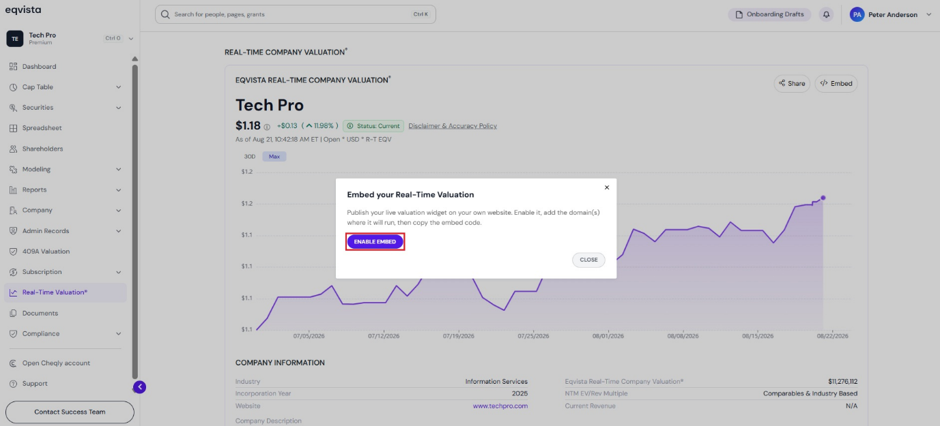
Step 3: Once you click, a pop-up panel appears with an option to embed real-time valuation by clicking on “Enable Embed”.
Step 4: Then, a pop-up panel appears with various options to customize your embedded real-time valuation.
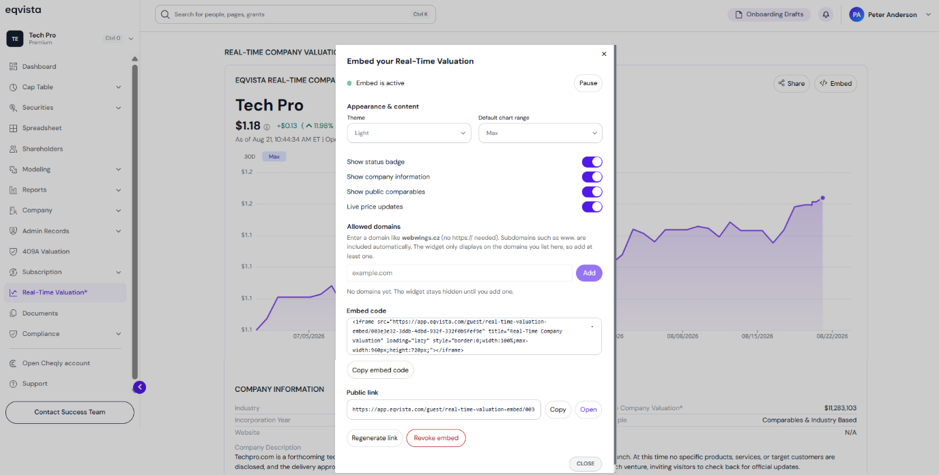
A detailed feature-by-feature analysis of the various options will help you understand them better.
#1 Appearance & Content
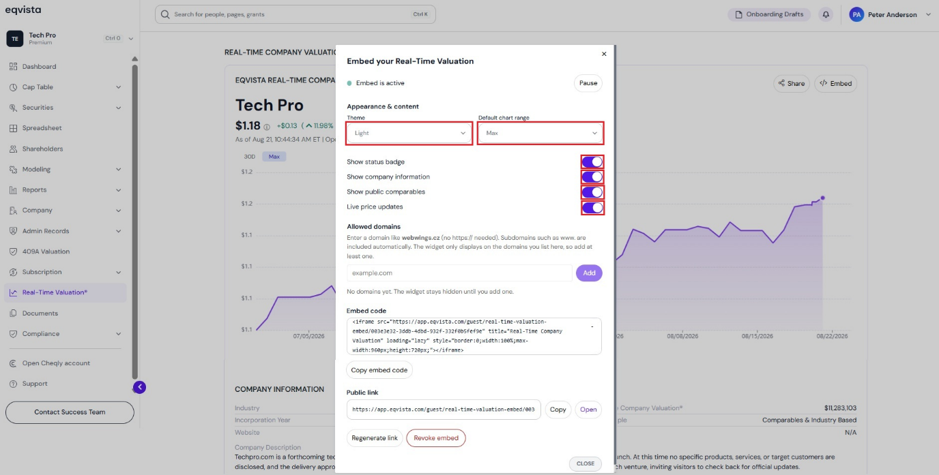
Next, it displays options to customize the appearance and content of the embedded real-time valuation.
- Select one of the themes: dark, light, or auto (match site) from the drop-down menu.
- Set the default chart time range by choosing one of the options: 6 months, 3 months, 30 days, or max from the drop-down menu.
- Choose which sections to display, such as the status badge, company information, public comparables, and live price updates. By default, all the sections are selected.
#2 Allowed Domains
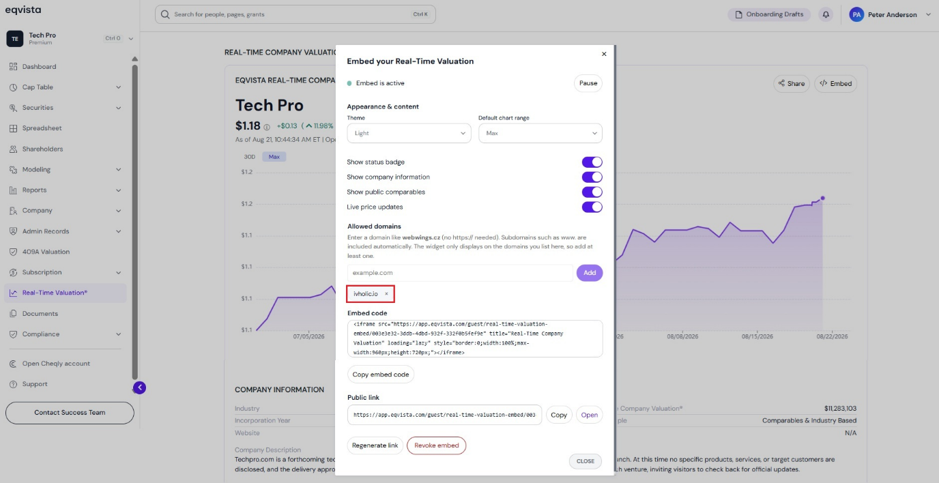
Enter a domain like webwings.cz (no https:// needed). Subdomains such as www. are included automatically. The widget only displays on the domains you list here, so add at least one. Fill in the domain in the space provided and click on “Add”.
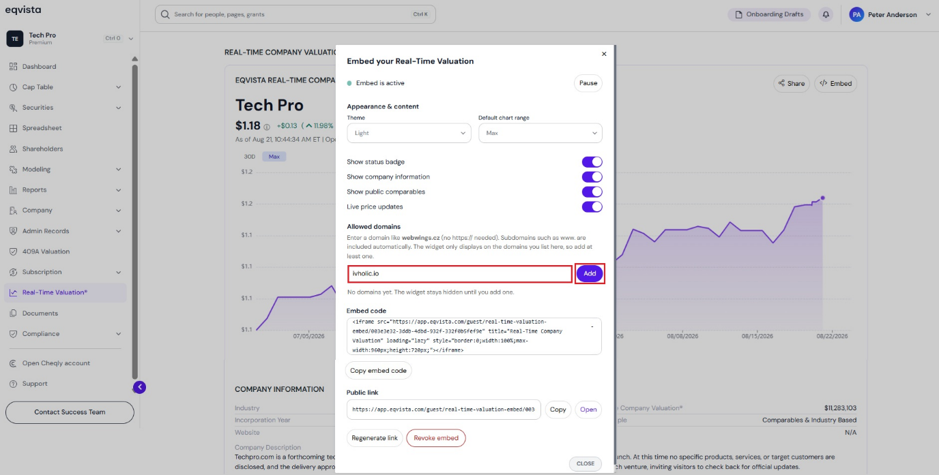
Once you click “Add”, the domain will be added as shown below.
#3 Embed Code
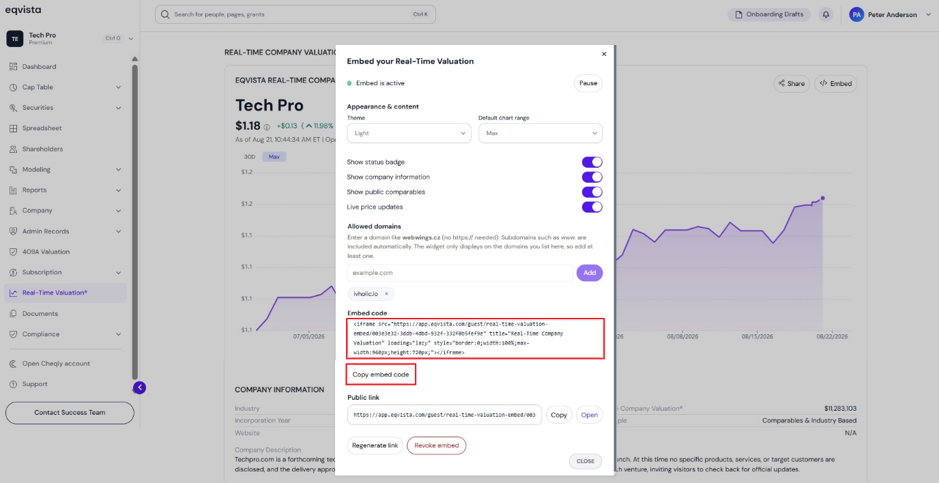
Next, it displays the embed code to add the live real-time valuation widget on your website along with an option to “Copy Embed Code”.
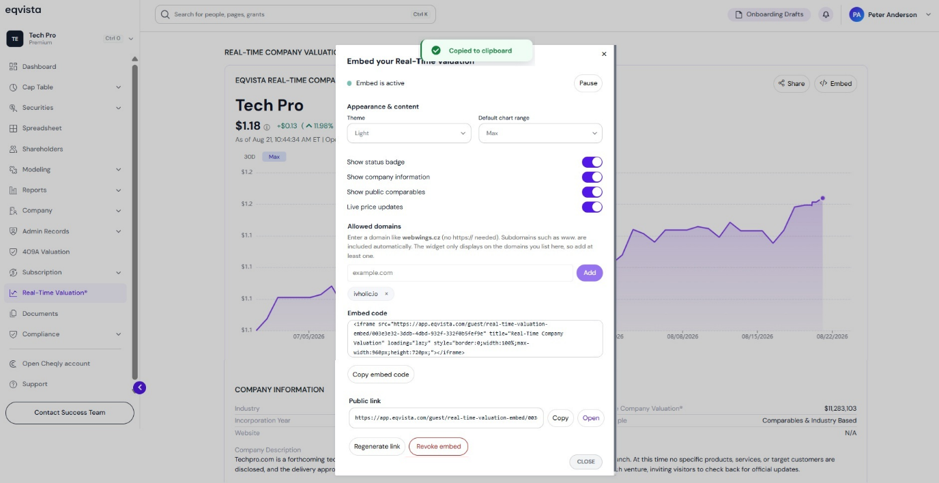
Once you click, it displays copied to clipboard as shown below.
#4 Public Link
Apart from the embed code, you can add the live real-time valuation widget on your website using a public link. It displays options to customize the public link.
A. Copy Public Link
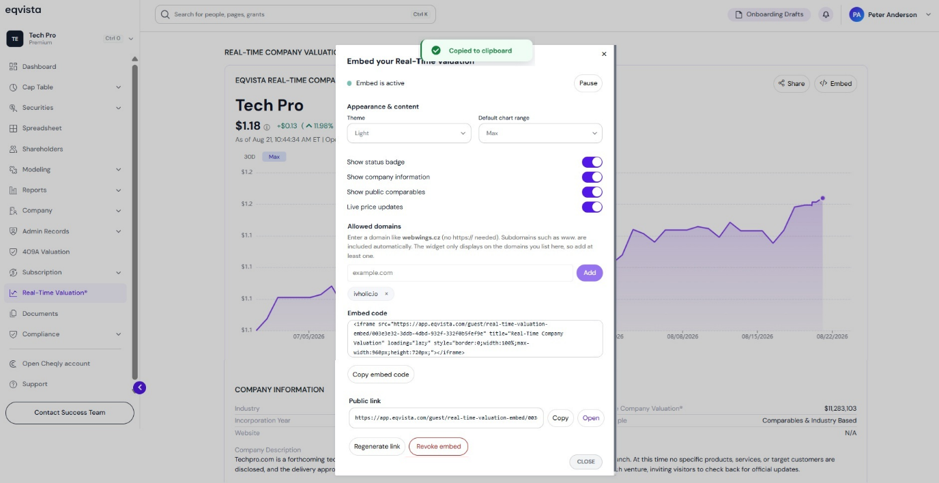
Copy the public link to add the live real-time valuation widget on your website by clicking on “Copy”.
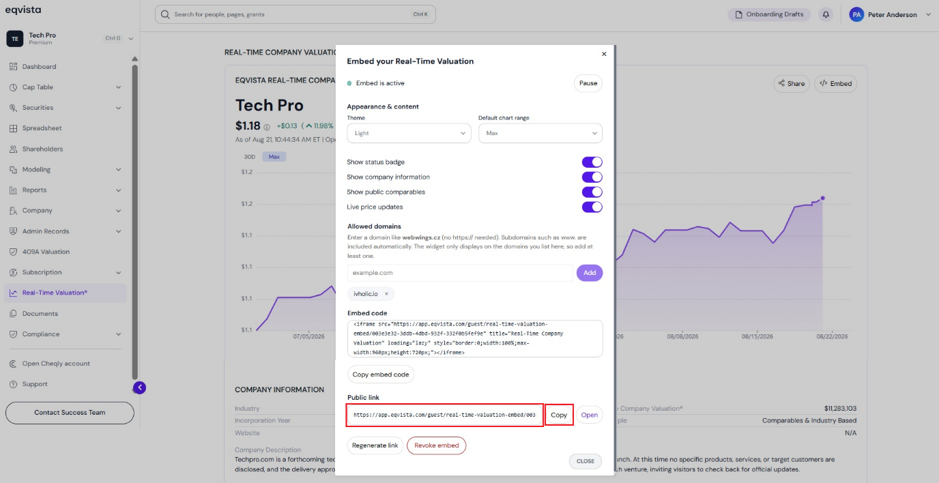
When you click, it displays copied to clipboard as shown below.
B. Open Public Link
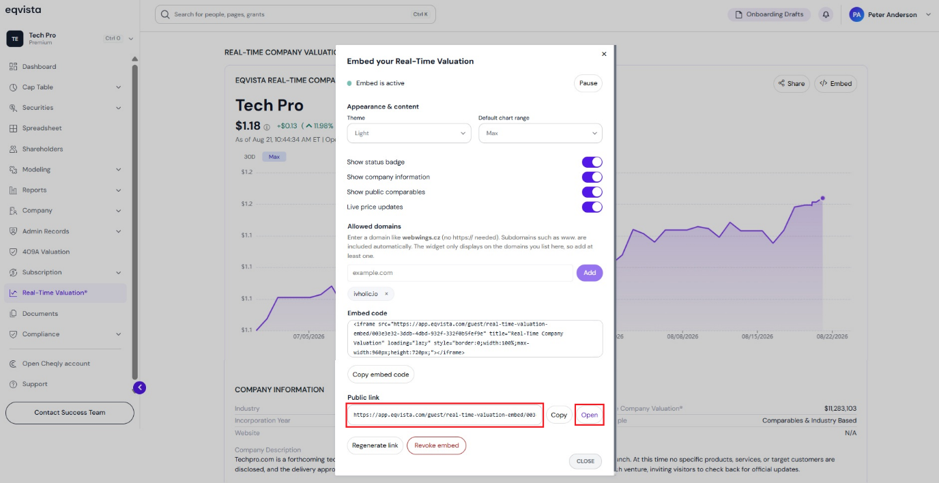
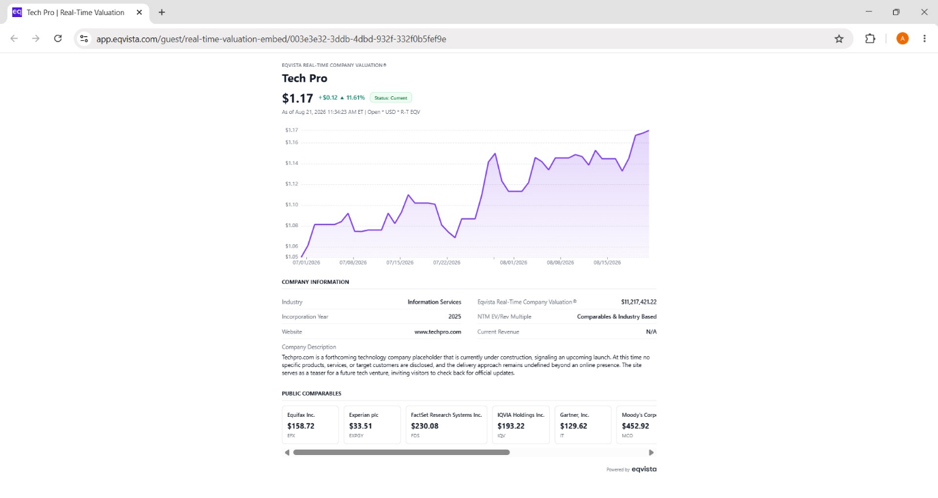
To view how the live real-time valuation widget will appear on your website, click on “Open”.
Once you click on “Open”, it will display how the live real-time valuation widget will appear on your website as shown below.
C. Regenerate Link
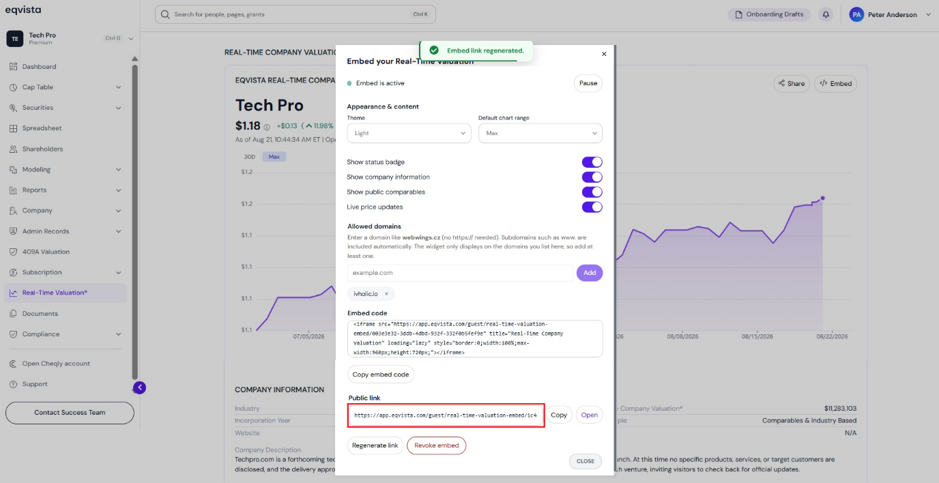
The public link to add the live real-time valuation widget on your website can be generated again by clicking on “Regenerate Link”.
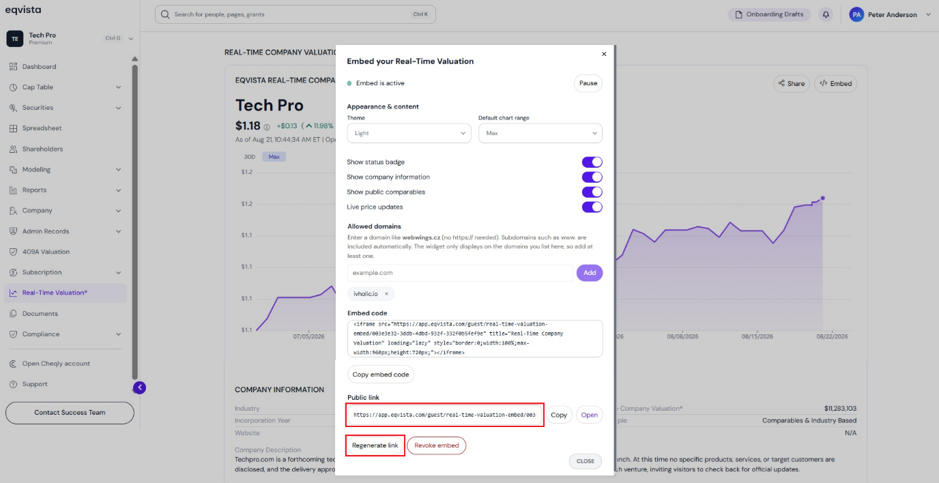
Once you click, a pop-up confirmation message appears and click on “Yes” to proceed. If you want to cancel, click on “No”.
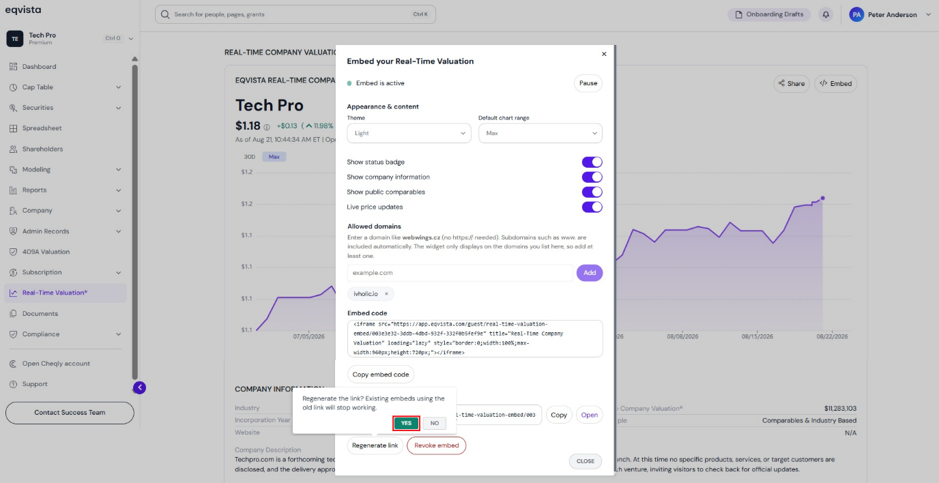
When you click, it regenerates a new public link to add the live real-time valuation widget on your website. The regenerated link can be copied and opened as previously discussed.
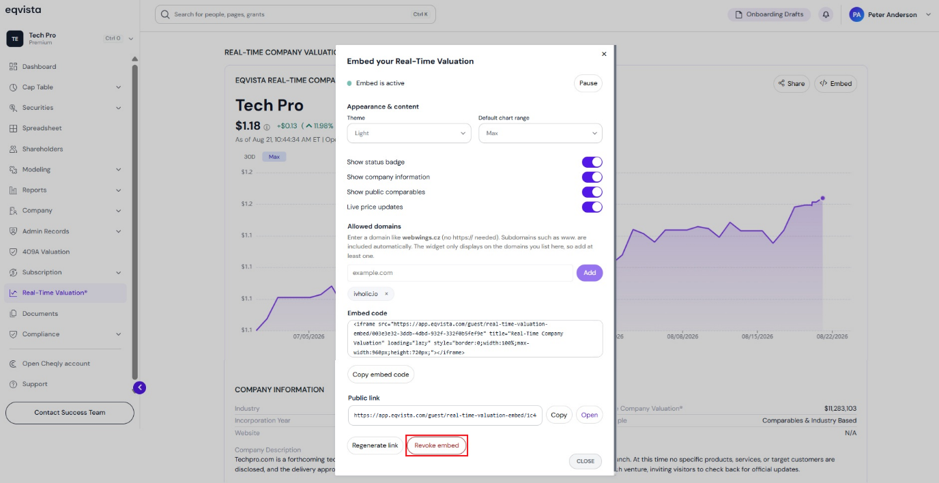
#5 Revoke Embed
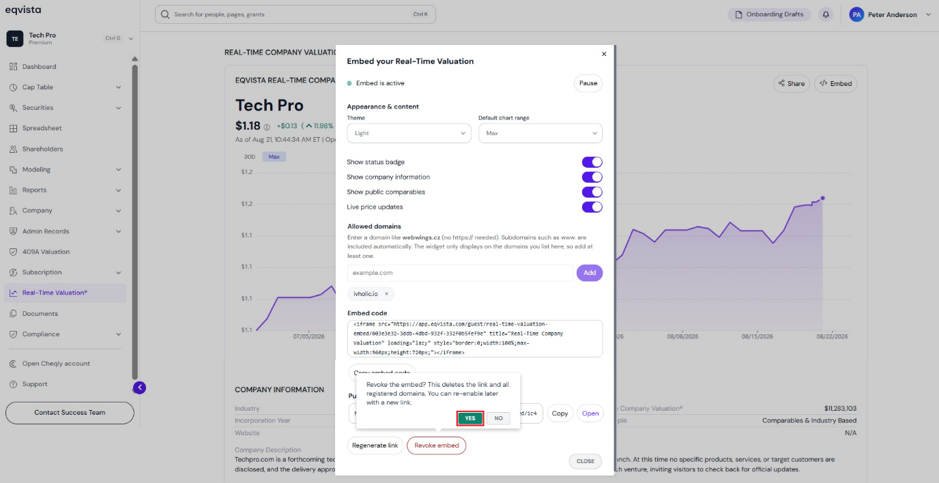
To revoke the embed of real-time valuation, click on “Revoke Embed”.
Once you click, a pop-up confirmation message appears and click on “Yes” to proceed. If you want to cancel, click on “No”.
Note: Revoking the embed deletes all registered domains. You can re-enable it with a new link.
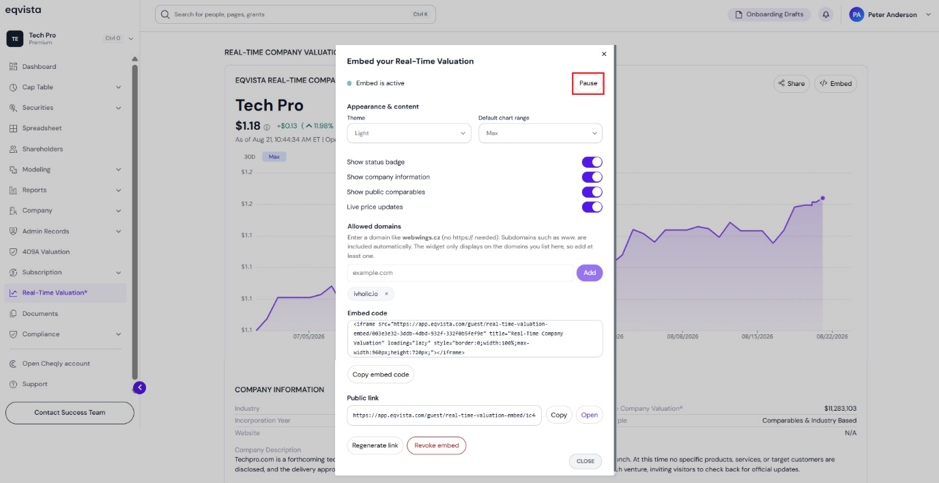
Step 5: The live real-time valuation widget published using an embed code or public link can be paused by clicking on “Pause”.
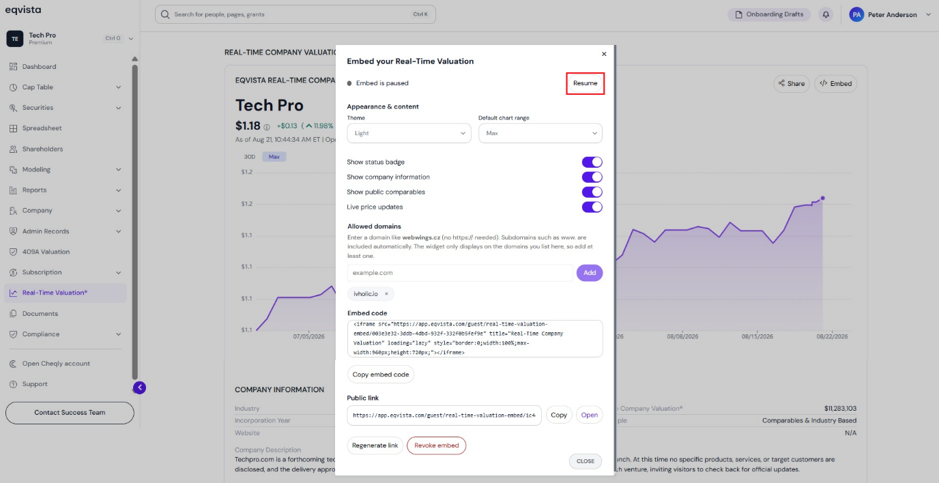
Once you click, it displays embed is paused along with an option to resume it.
If you want to understand Eqvista, check out our support articles or contact us today!