How to View Your Real-time Valuation Graph?
The fair market value is calculated by a professional expert like Eqvista using real-time valuation. Eqvista’s real-time valuation provides real, audit-ready valuations backed by experts, delivered in just a few hours.
Note: The real-time valuation feature is only available for 409A account holders. Kindly upgrade your account to unlock the feature.
View Your Real-time Valuation
Here are the steps to follow:
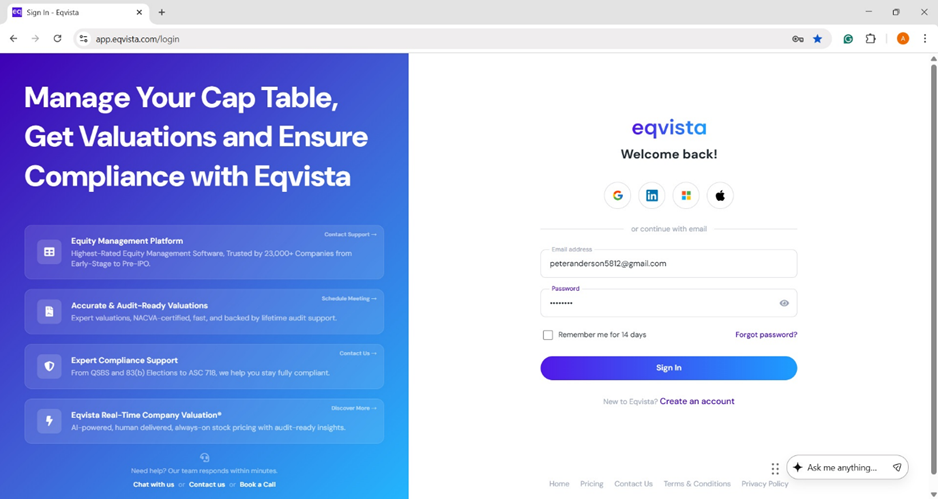
Step 1: Log into Eqvista and select your company account.
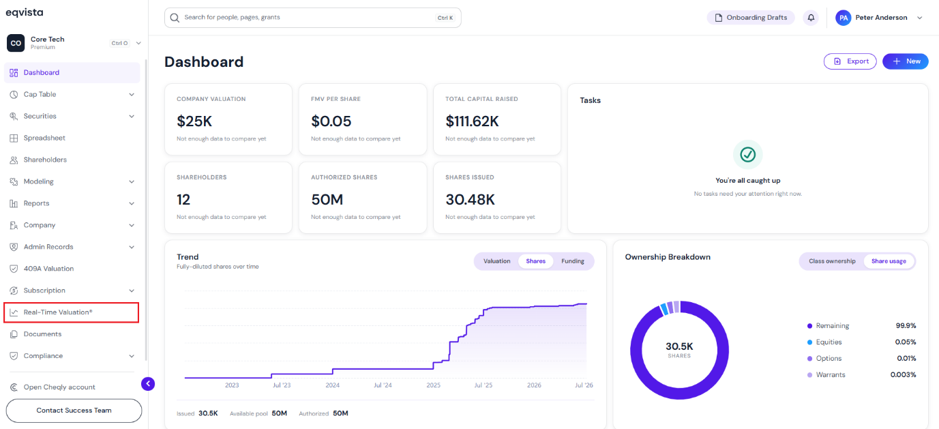
On the dashboard, click on “Real Time Valuation” on the left side, as shown below.
Step 2: Once you do this, you will be directed to the following page displaying the real-time valuation.
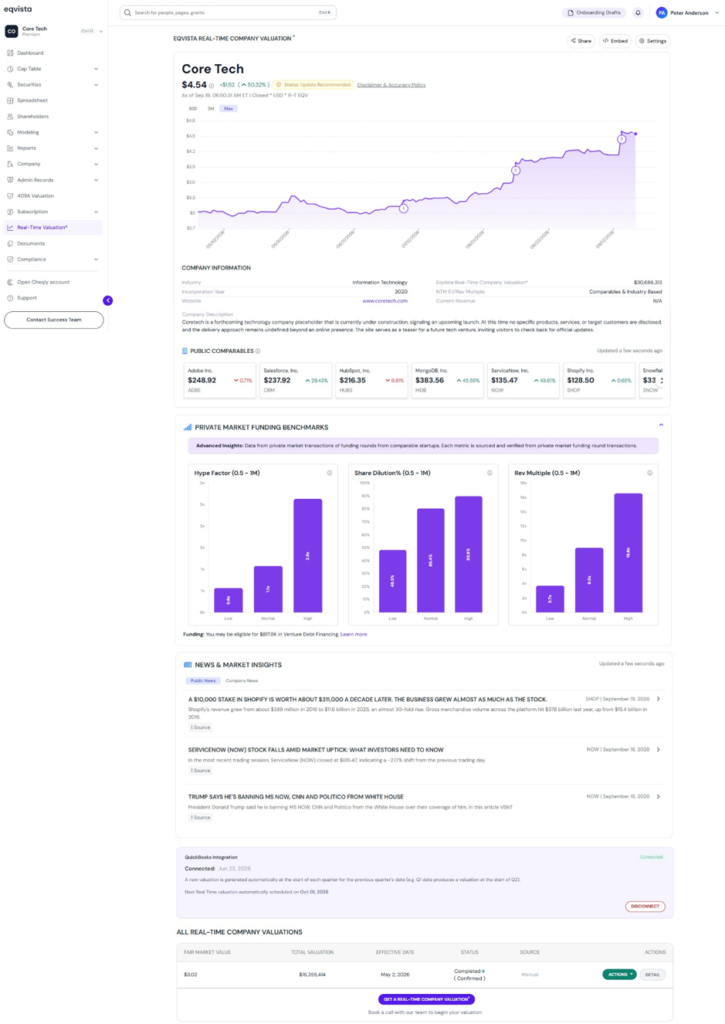
A detailed feature-by-feature analysis of the real-time valuation will help you understand it better.
Panel 1
At the top of the graph, it displays the company name along with real-time valuation, which gets updated constantly. You can view the graph in different time periods (30 D, 3M, 1Y, and Max) by selecting the options. Place the mouse at any point in the graph to view the details of valuation.
Note: To share your real-time valuation report, click on “Share”. Embed your real-time valuation on your website by clicking “Embed”. The option to view company news on the chart can be enabled in the “Settings”. Check out the respective support articles to learn more about it.
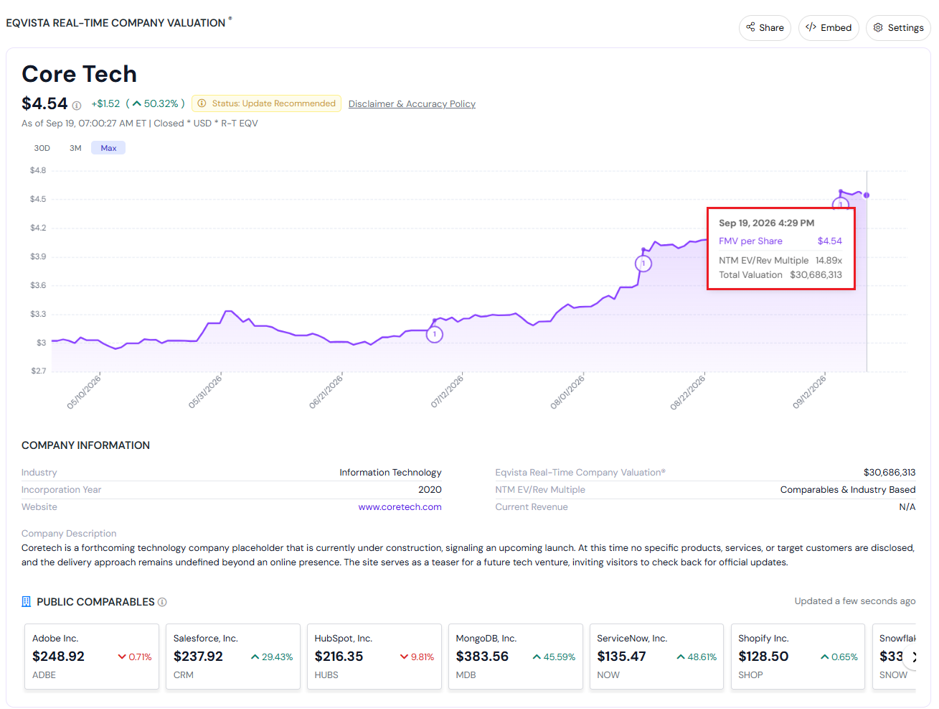
Below the graph, you will see “Company Information”. It provides details of the company, including the industry, incorporation date, website, market cap, NTM EV/Rev Multiple, and company description.
At the bottom of the section, you can also find the list of “Public Peers” which gets updated constantly.
Panel 2
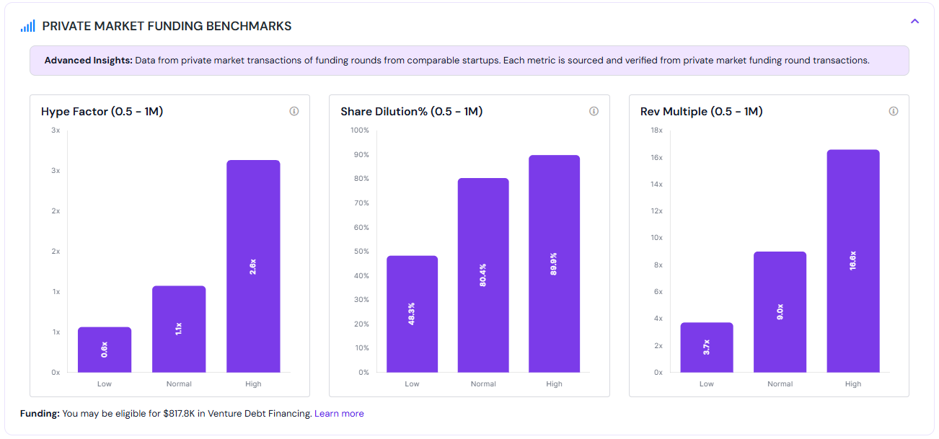
The next section is a graphical representation of “Private Market Funding Benchmarks”. It provides data from private market transactions of funding rounds from comparable startups. Each metric is sourced and verified from private market funding round transactions.
Panel 3
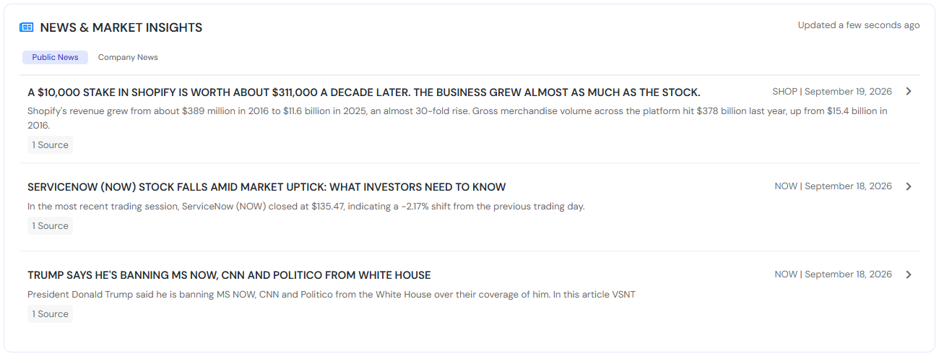
The last section displays “News & Market Insights” which gets updated constantly. When you click on the news, it redirects to the source page.
Note: To add news events under company news, select “Company News” and click on “Add Event”. The option to view company news on the chart must be enabled in the settings to view the added news event. Check out the respective support articles to learn more about it!
Panel 4
The last section displays QuickBooks integration where you can connect QuickBooks to allow Eqvista to access your financial data and automatically generate quarterly real time valuations. The QuickBooks integration displays the status “Connected” along with details of the next real time valuation schedule, and an option to “Disconnect”.
Note: Connect QuickBooks to import financials and build a real-time valuation automatically. Check out the support article to learn how to connect QuickBooks.

Step 3: The details of the real-time valuation can be viewed by clicking on “Details”.
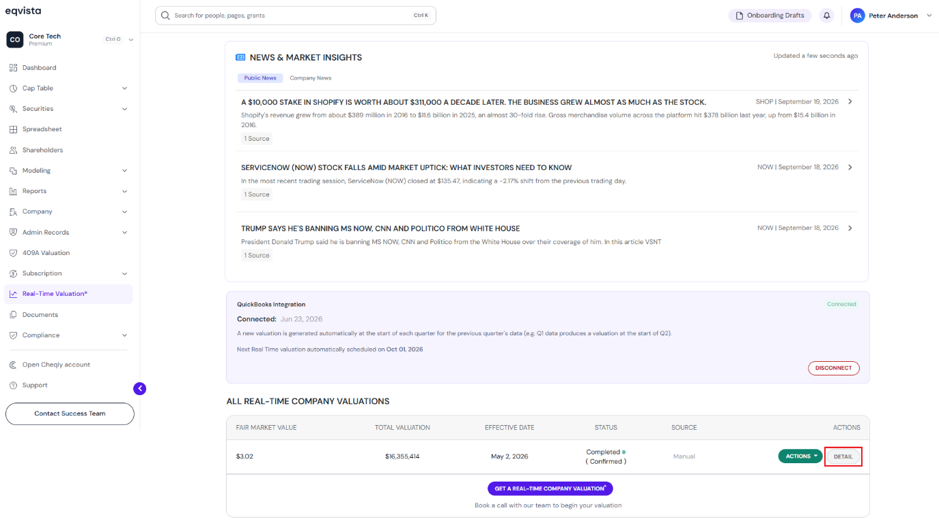
Step 4: On this page, you can view the details of the real-time valuation, as shown below.
Note: You can request a new valuation by clicking on “New Valuation”. Check out the support article to learn more about requesting real-time valuation service!
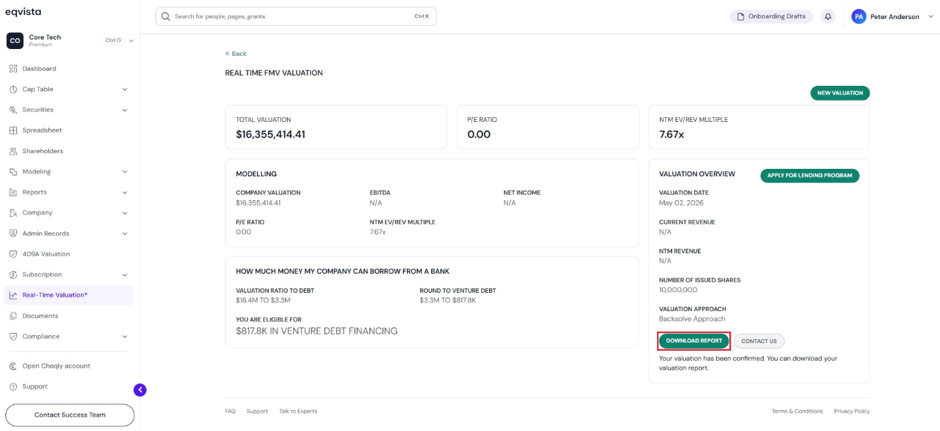
You can download the valuation report by clicking on “Download Report”.
In case you have any questions or need assistance, click on “Contact Us”. To confirm the valuation, click on “Confirm Valuation”.
Step 5: Then, the report will be downloaded as a PDF in your Downloads.
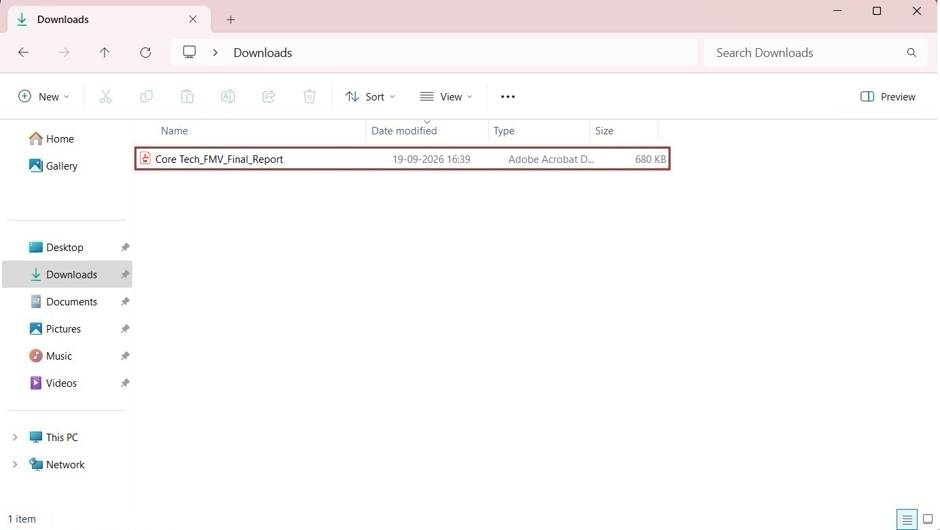
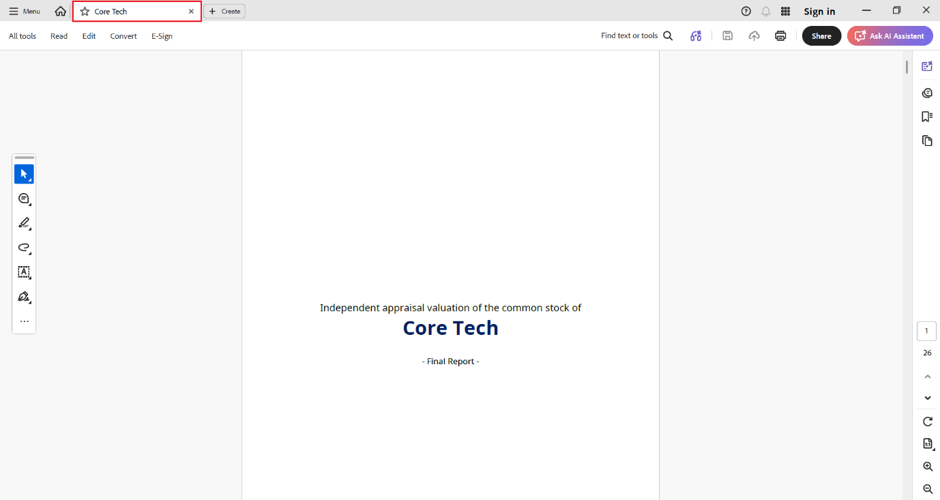
Step 6: Double-click the PDF to open the downloaded report.
For more information on Eqvista, check out our support articles or contact us today!