How To Download Extended Report In Cap Table?
On Eqvista, you can easily download an extended report by navigating to the cap table section of the application.
What is an extended report?
An extended report is a report that includes all the primary issuances of the company. The report not only displays the cap table but also provides details of all the issuances that have taken place in the company.
Here are the steps to follow:
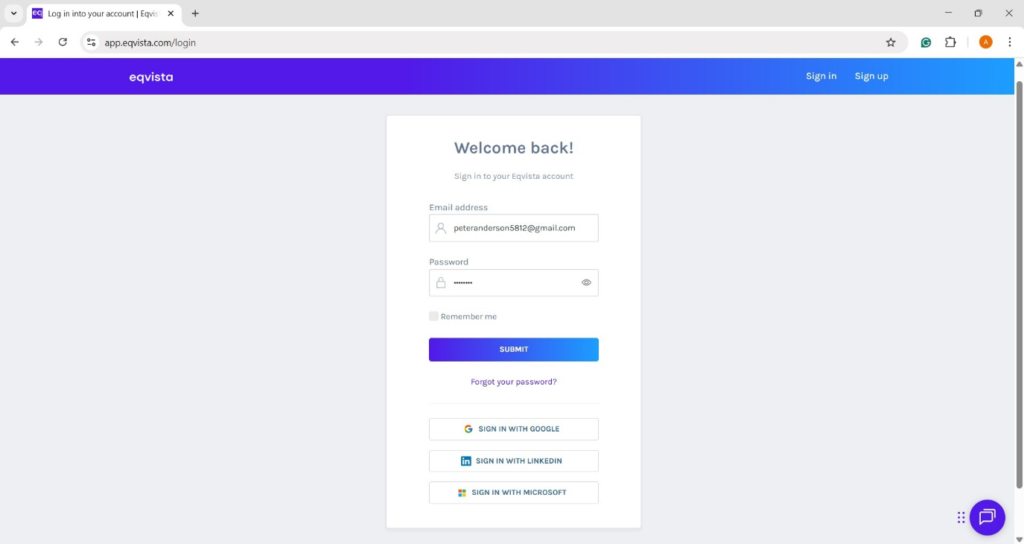
Step 1: Log into Eqvista and select your company account.
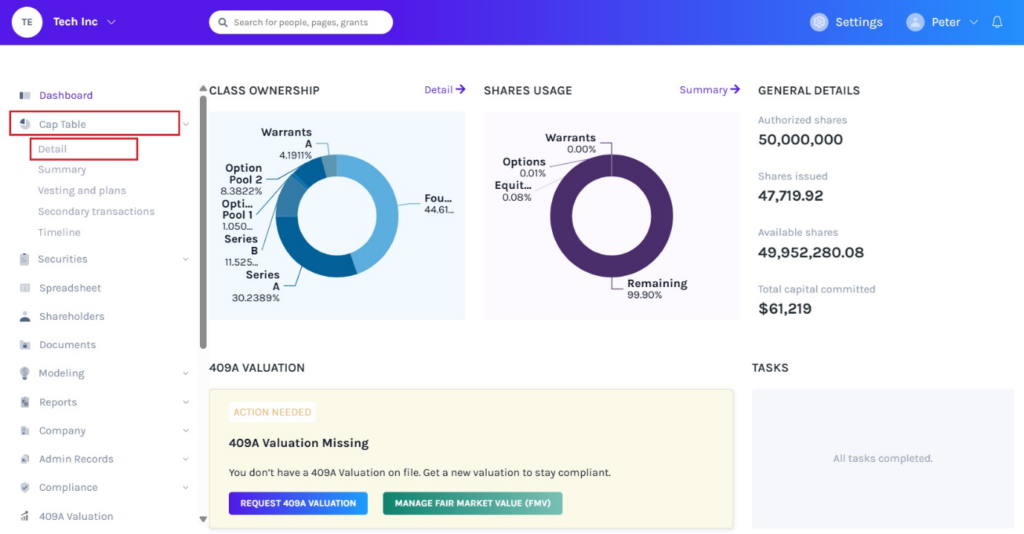
On the dashboard, click on “Cap Table” on the left side to get a drop-down menu and select “Detail”.
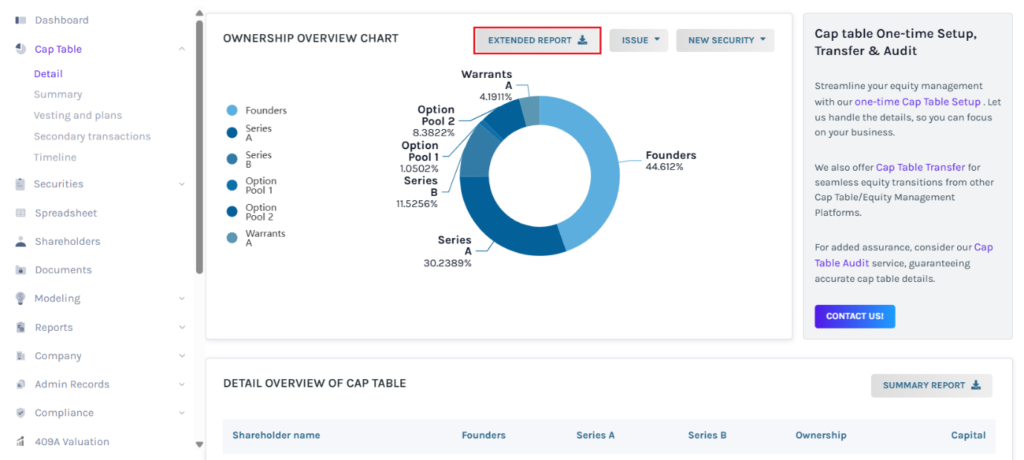
Step 2: Once you do this, you will be directed to the following page. You can download a extended report by clicking “Extended Report” as shown below.
Step 3: Then, the report will be downloaded as an Excel sheet in your Downloads.
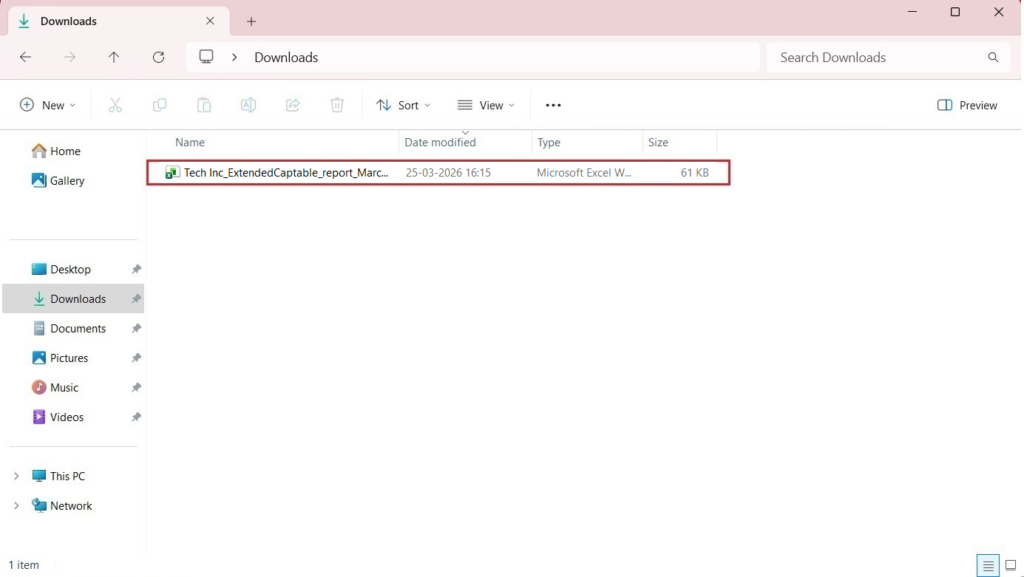
Step 4: Double-click the Excel sheet to open the downloaded report.
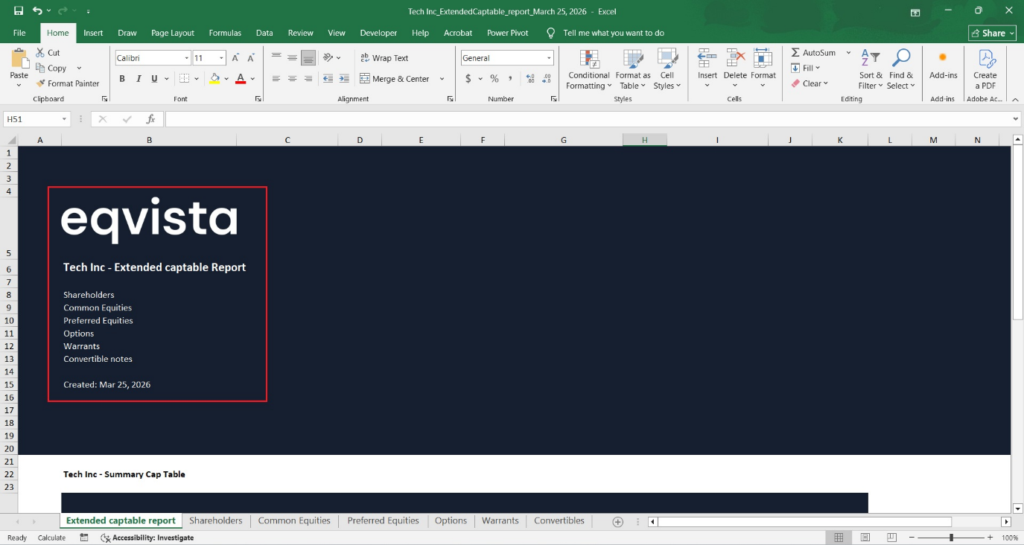
The first sheet is a cover that tells what the report is about, along with the company name.
It also holds updated information on the company’s cap table. Listing all kinds of securities in the company, share authorized, shares issued, fully diluted shares, capital committed, and ownership percentage.
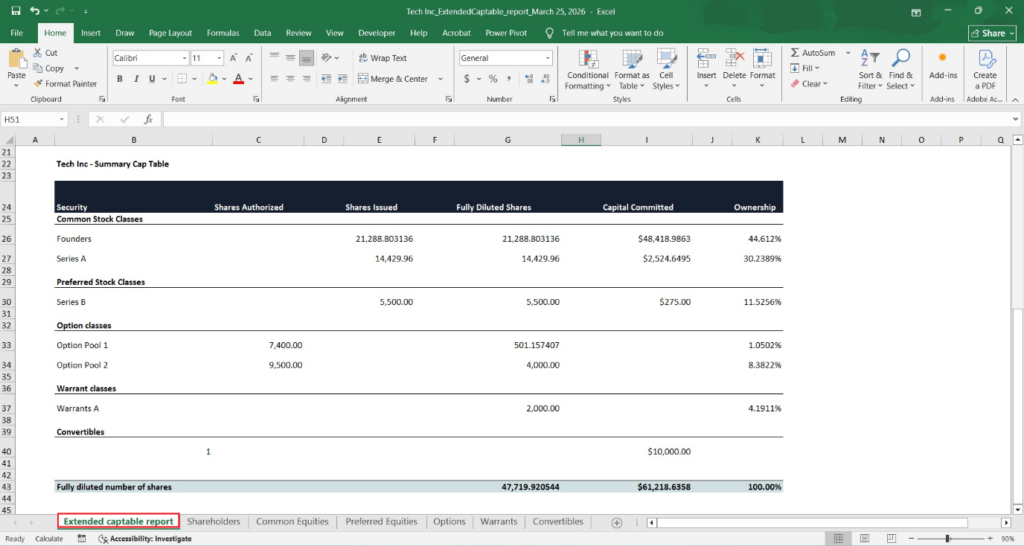
The remaining six sheets include details about
A. Shareholders
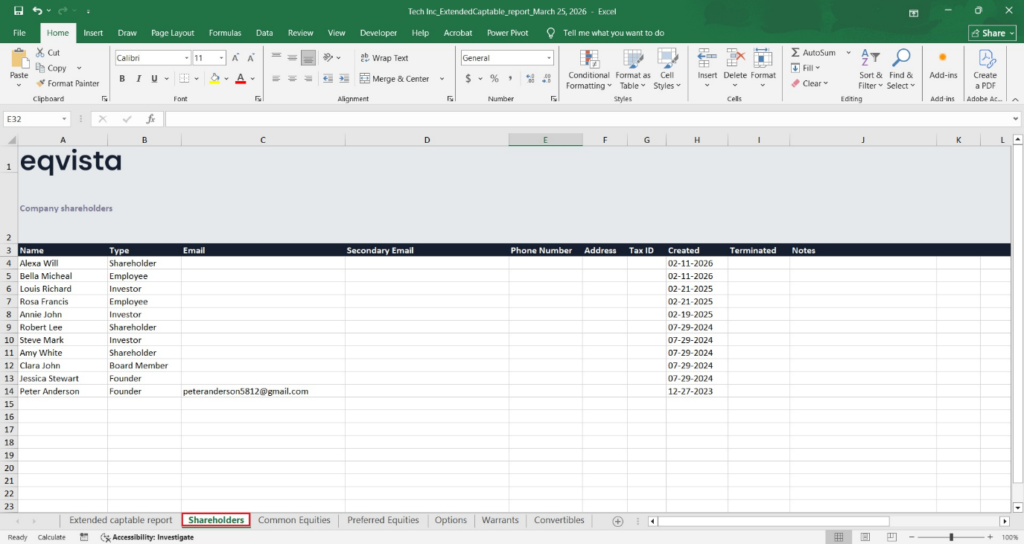
The next sheet shows all the shareholders in the company. To view this, click on the “Shareholders” at the bottom of the sheet. The role each shareholder plays in the company, along with the shareholder details such as Email, Phone Number, Address, when they were created, terminated, and notes.
B. Common equities
The next sheet will show all the kinds of common equities that the company has. To view the next sheet, click on the tab with the name “Common Equities” at the bottom of the sheet.
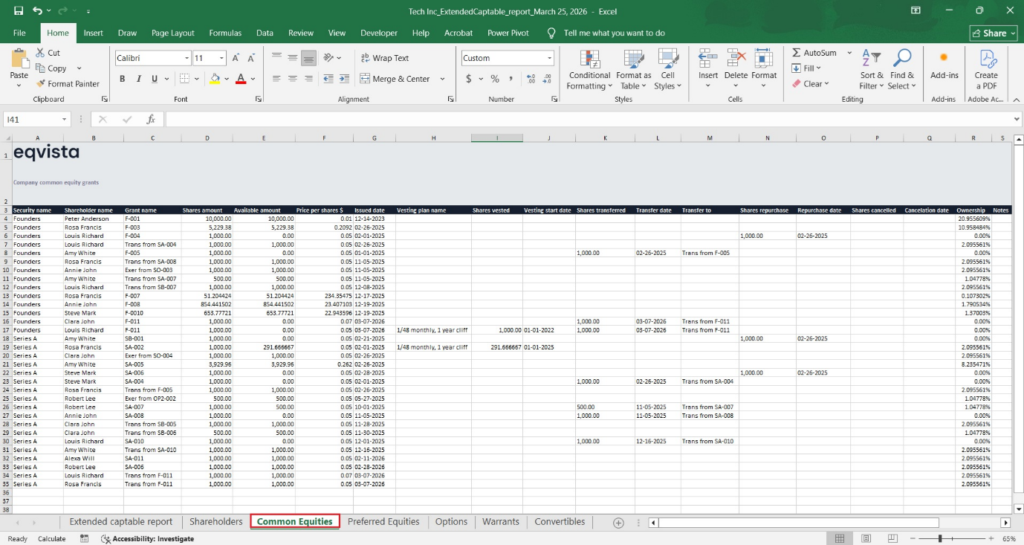
The details in the sheet include:
- Equity class, shareholder’s name, grant name, number of shares, outstanding shares, price per share, issue date, the vesting plan, vested shares, vesting start date.
- Secondary Transaction Details: Number of shares transferred, transfer date, name of transferred shares, number of shares repurchased, repurchase date, number of shares canceled, cancelation date, ownership percentage of each shareholder, and any notes
C. Preferred equities
The next sheet shows all the preferred shares in the company. To view this, click on the “Preferred Equities” tab at the bottom of the sheet.
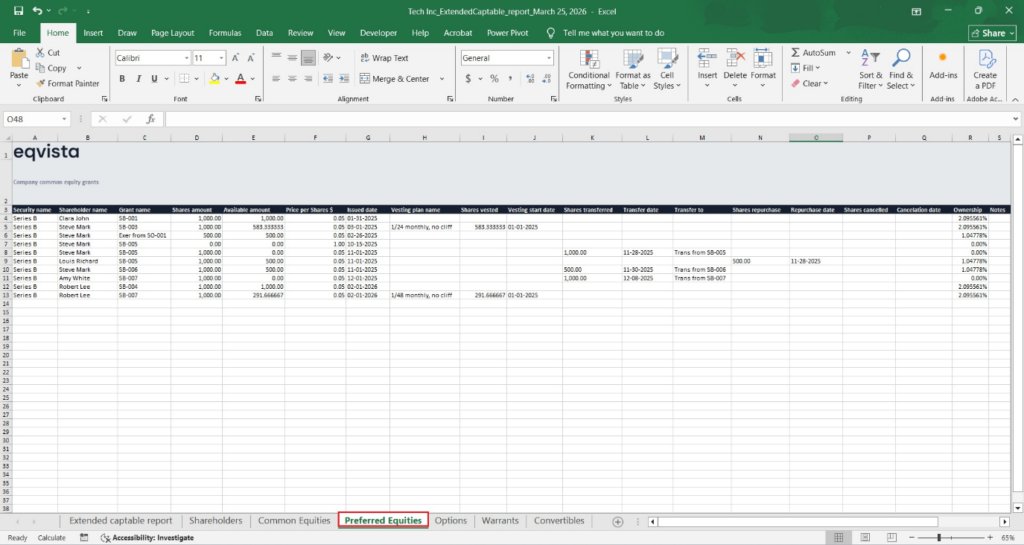
The details in the sheet include:
- Equity class, shareholder’s name, grant name, number of shares, outstanding shares, price per share, issue date, the vesting plan, vested shares, vesting start date.
- Secondary Transaction Details: Number of shares transferred, transfer date, name of transferred shares, number of shares repurchased, repurchase date, number of shares canceled, cancelation date, ownership percentage of each shareholder, and any notes.
D. Options
The sheet also holds all the options that have been given in the company. To view this, click on “Options” at the bottom of the sheet.
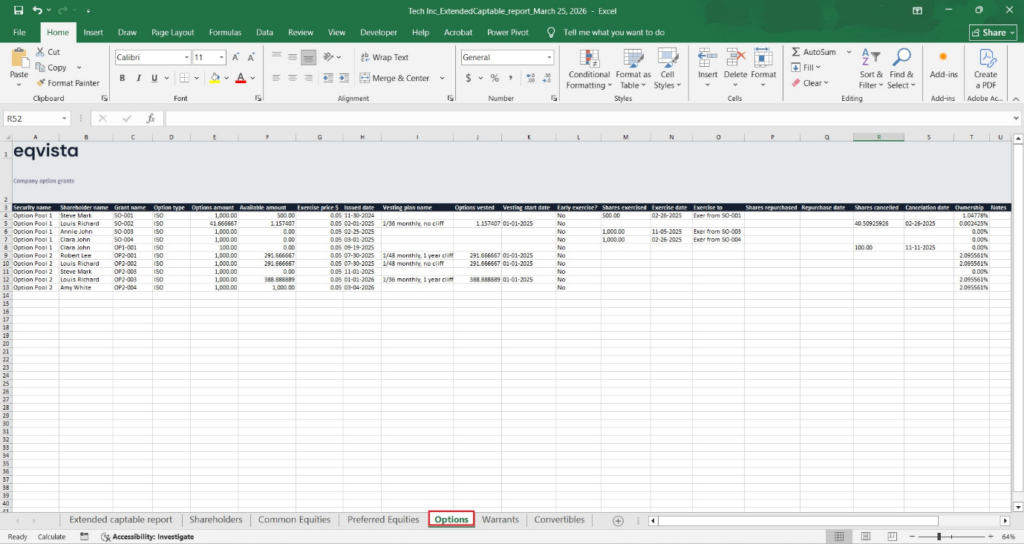
The details in the sheet include:
- Option class, shareholder’s name, grant name, option type, number of options, outstanding options, exercise price, issue date, vesting plan, vested options, and vesting start date.
- Secondary Transaction Details: Early-exercise options, options exercised, exercise date, number of options repurchased, repurchase date, number of options canceled, cancelation date, ownership percentage of each shareholder, and any notes.
E. Warrants
The next sheet will let you know all about the warrants of the company. To view this, click on the “Warrants” tab at the bottom of the sheet.
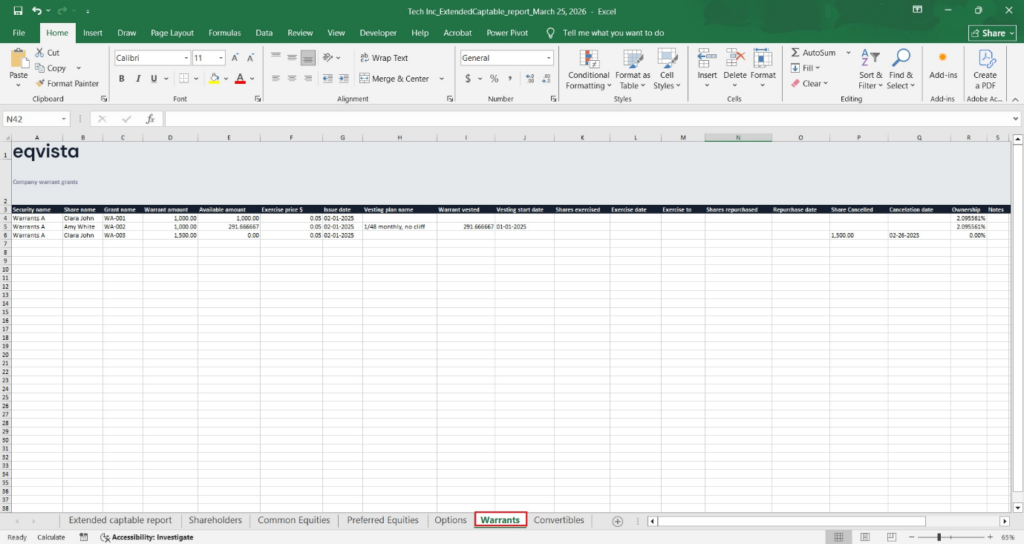
The details in the sheet include:
Warrant class, shareholder’s name, grant name, number of warrants, outstanding warrants, exercise price, issue date, vesting plan, vested warrants, vesting start date.
- Secondary Transaction details: number of warrants exercised, exercise date, names of exercised warrants, number of warrants repurchased, repurchase date, number of warrants canceled, cancellation date, ownership percentage of each shareholder, and any notes.
F. Convertible notes
The last sheet in the report would be the convertible notes. To view this sheet, you will have to click on the “Convertibles” tab at the bottom of the sheet.
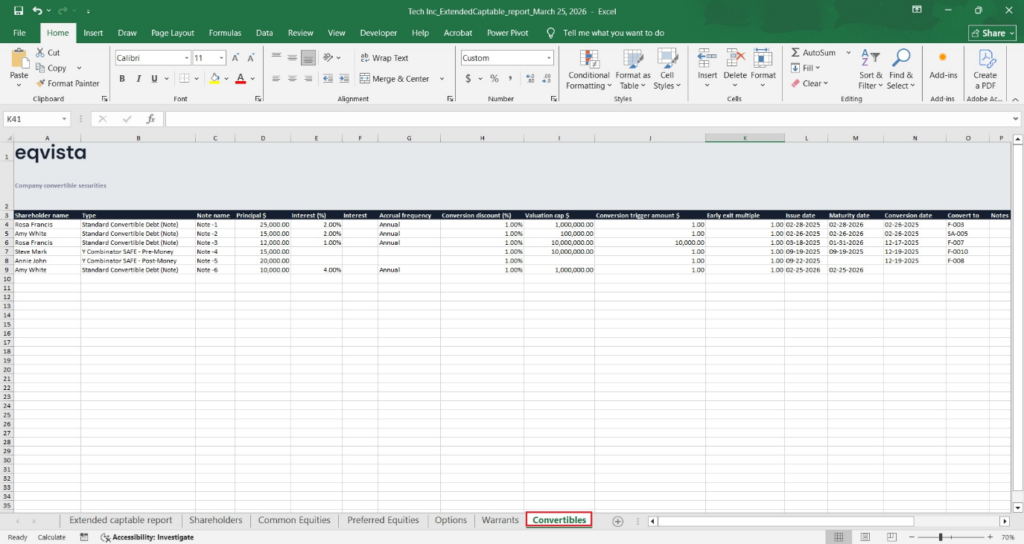
The details in the sheet include the shareholder’s name, the convertible note type, the note name, the principal amount, interest, accrual frequency, conversion discount percentage, valuation cap, conversion trigger amount, early exit multiple, the maturity date, conversion date, the name of converted shares and notes (if any).
For more information on Eqvista, check out our support articles or get in touch with us today!
