How to View Real-Time Valuation on Eqvista Mobile App?
Eqvista’s real-time company valuation provides a quick, cost-effective valuation in just a few hours. It provides real, audit-ready valuations backed by experts, delivered at the speed of business.
Here are the steps to follow:
Download & Install the Eqvista RT Valuation App
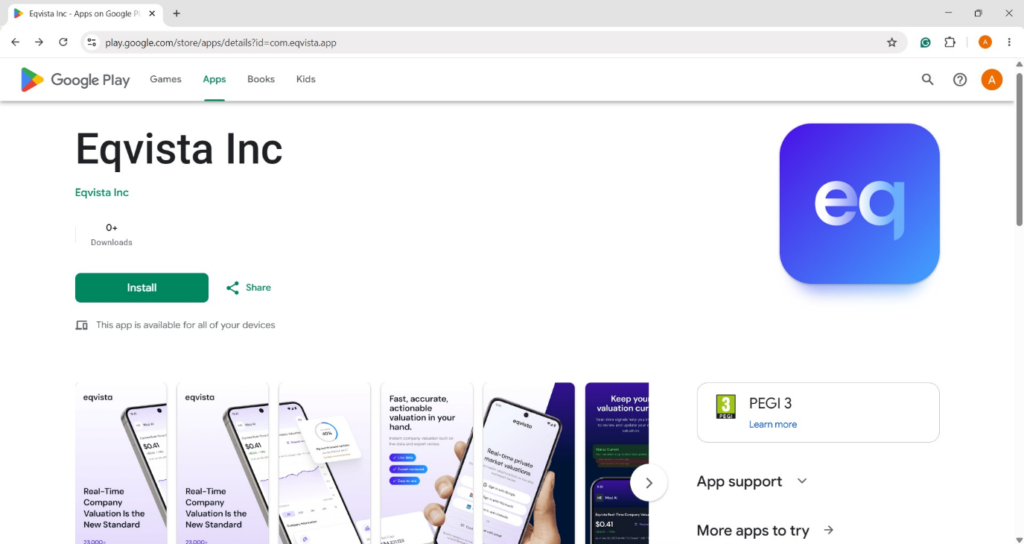
The Eqvista real-time valuation application can be installed from the Apple App Store or Google Play Store. Log in to your Eqvista account using multiple sign-in options or create an account if you have not yet signed up.
Step 1: App Installation
Install Eqvista real-time valuation application from the Apple App Store or Google Play Store.
Step 2: Sign Up
Create an account if you have not yet signed up. Enter your details, including your first name, last name, email address, new password, and confirm your new password. While creating a password, kindly ensure the following:
- At least 6 characters
- 10+ characters for extra security
- Upper & lowercase letters
- At least one number
- A special character (!@#$)
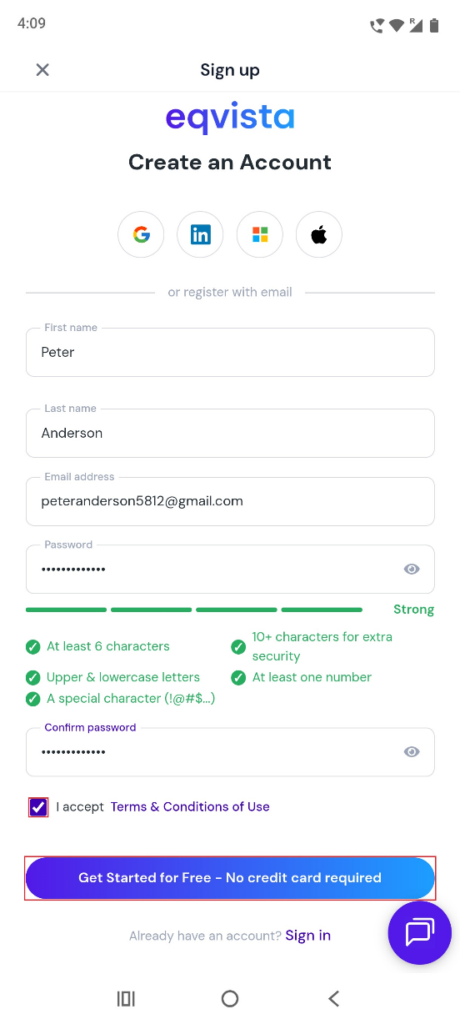
Select the option to “I Accept Terms & Conditions of Use”.
Note: There are multiple sign-in options using Google, LinkedIn, Microsoft, and Apple accounts.
Step 3: Login
Log in to your Eqvista account using multiple sign-in options – Google, Microsoft, LinkedIn, or Continue with email.
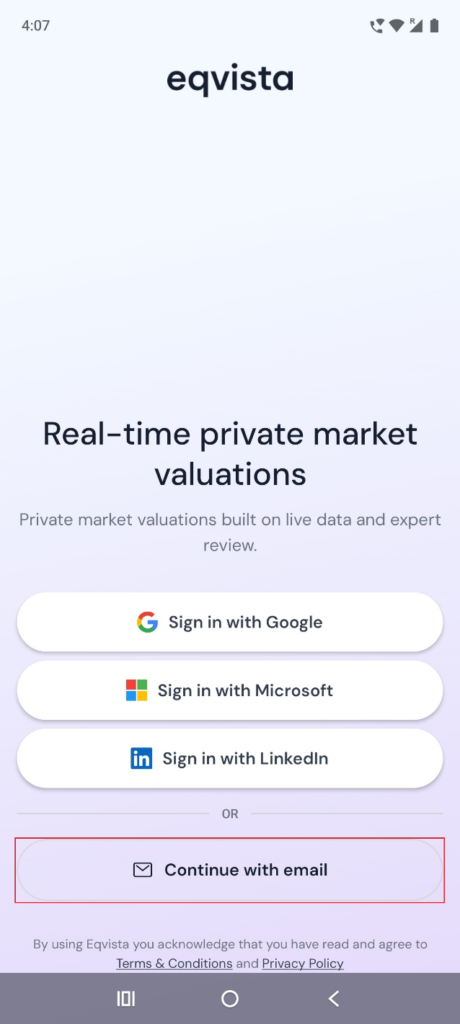
Once you click on “Continue with email” option, you will be redirected to the following page to fill in your email and password.
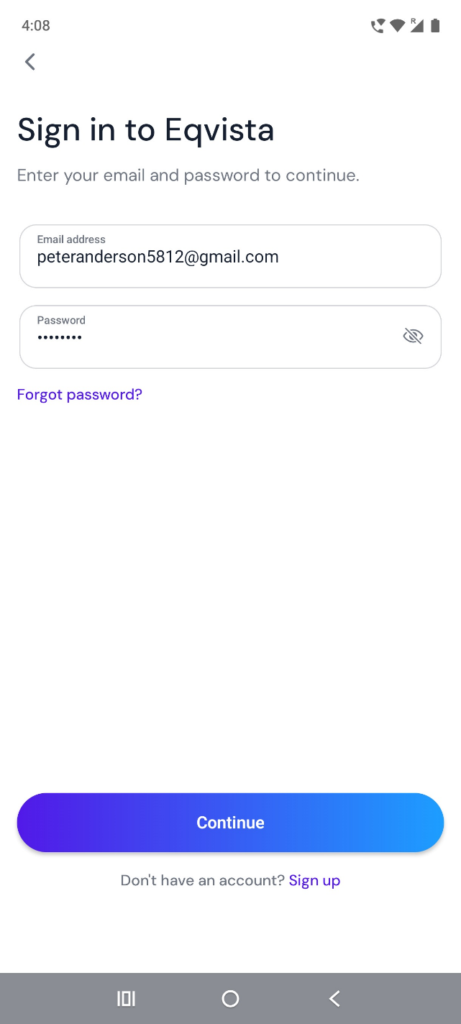
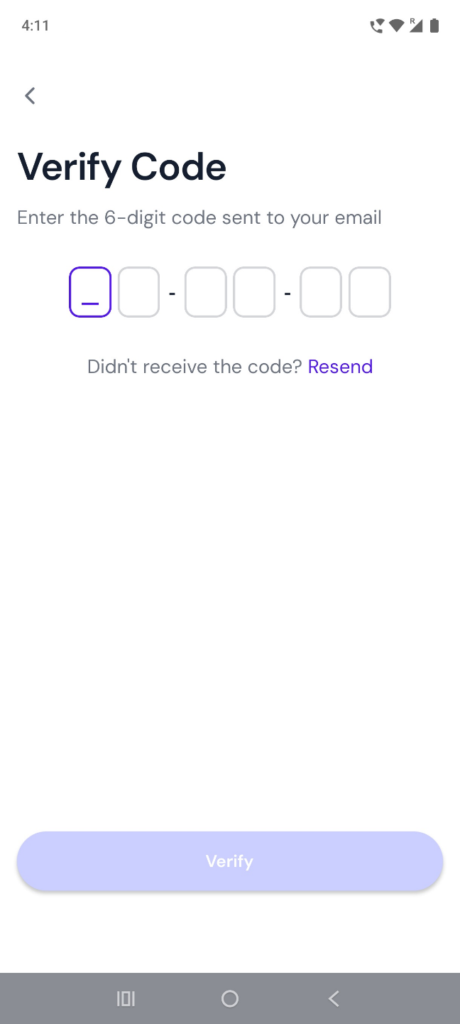
Step 4: Verification Code
This is a 2 factor verification where you will get a confirmation code in your email (the one used to create your Eqvista account).
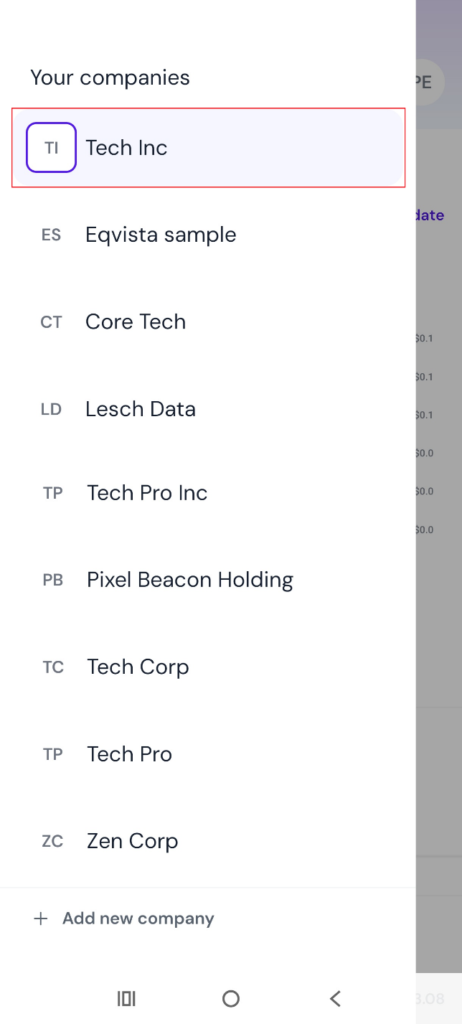
Selecting Company
To view the real-time valuation of a company, click on the company’s name from your list on the left side of the application. If you don’t see any companies listed, you can also add a new company.
Select a company from your list to view its real-time company valuation by clicking on the company name on the left side of the application.
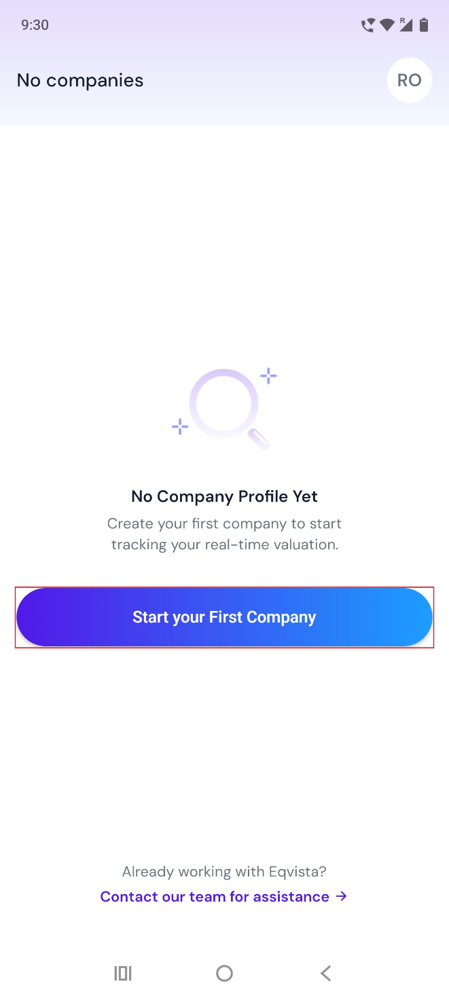
Start Your First Company
Suppose there are no companies listed, then create your first company to start tracking your real-time valuation by clicking on “Start your First Company”.
Real-Time Company Valuation
On this page, you can view the real-time valuation graph, which gets updated constantly. You can view the graph in different time periods (30 D, 3M, 1Y, and Max) by selecting the options.
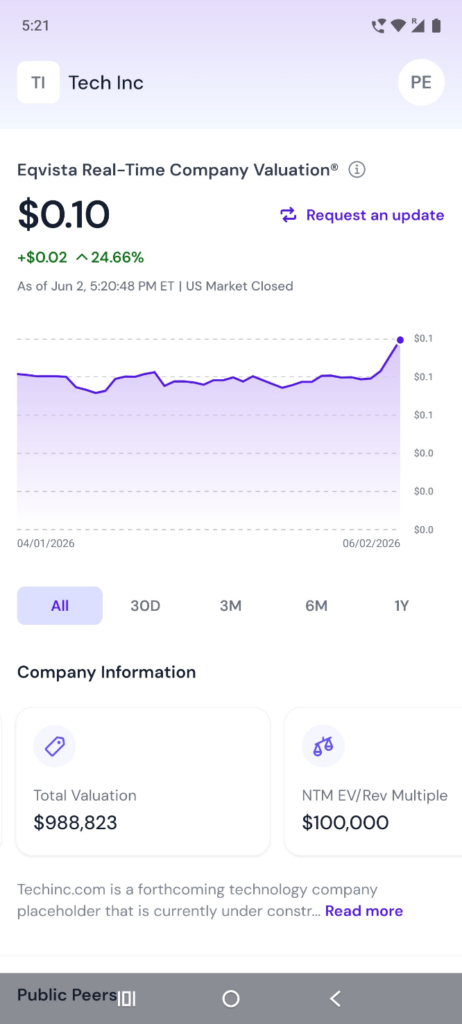
A detailed feature-by-feature analysis of the real-time company valuation will help you understand it better.
- Valuation Details: Place at any point in the graph to view the details of real-time company valuation.
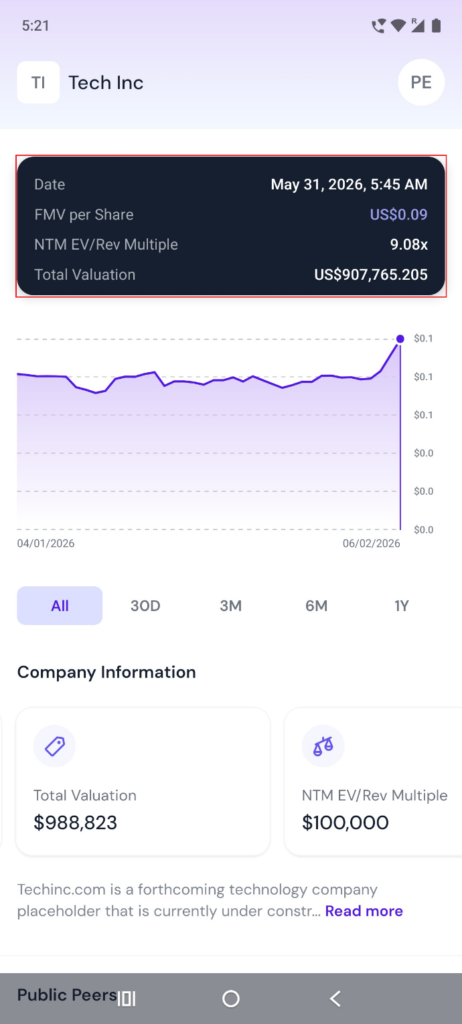
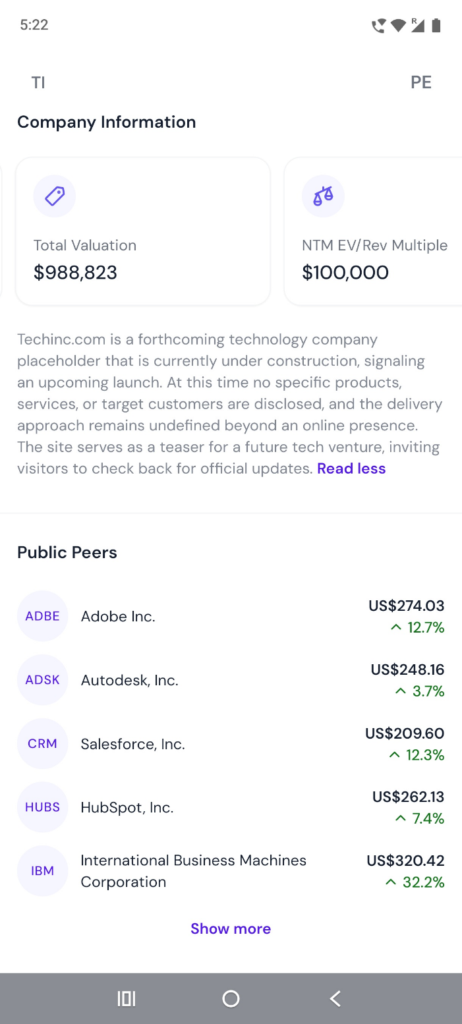
- Company Information: Below the graph, you will see details of the company, including current revenue, total valuation, NTM EV/Rev Multiple, market cap, industry, website, and company description.
- Public Peers: At the bottom of the section, you can also find the list of “Public Peers” which gets updated constantly.
Request An Update
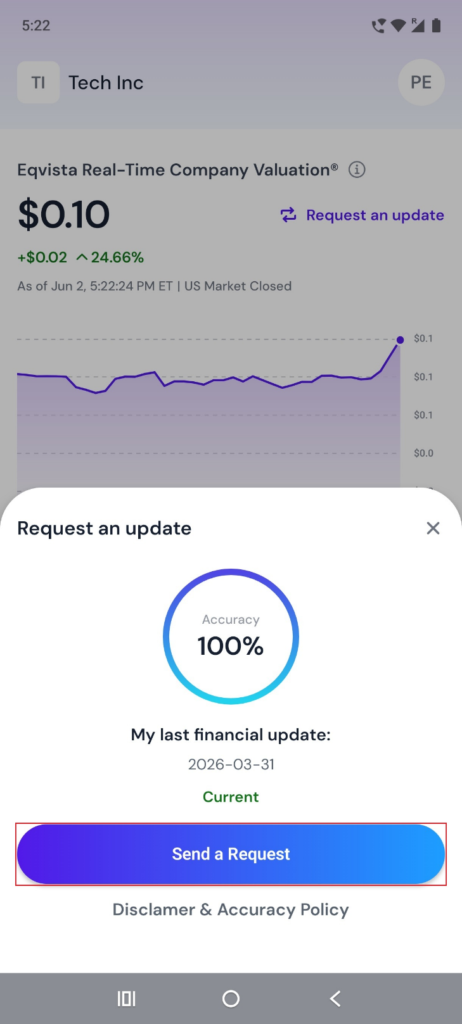
The real-time company valuation gets updated constantly. There is also an option to request an update by clicking on “Send a Request”.
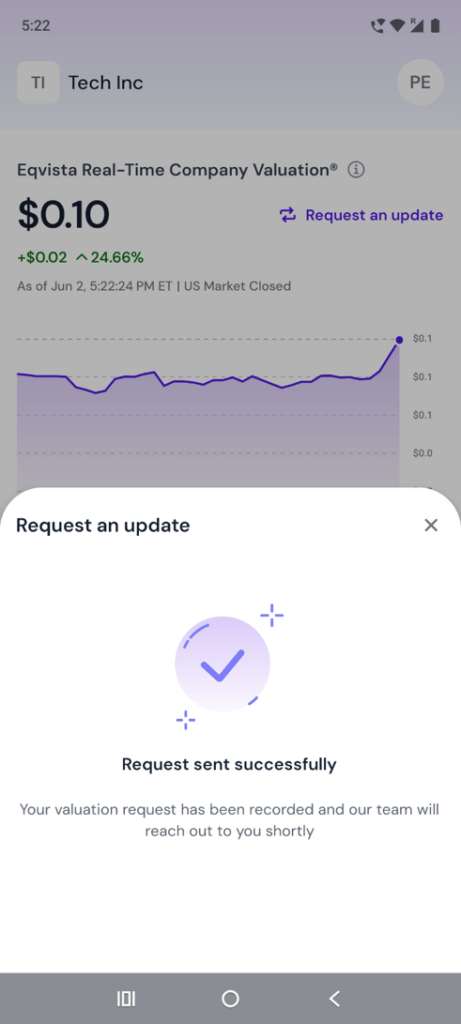
Once you click “Send a Request”, it will display a confirmation that the request has been sent successfully.
We’re Here to Help
If you want to understand Eqvista, we encourage you to explore our comprehensive support articles and knowledge base, which provide valuable insights and guidance. Additionally, if you have specific questions or need further assistance, reach out to us today!
