Account Expires and Steps of Reverse Onboarding
When you cancel your Eqvista premium subscription, your account expires, and reverse onboarding starts.
Account expires and reverse onboarding
When you decide to cancel your premium subscription, your account will expire, initiating a process known as reverse onboarding.
Here are the steps to follow:
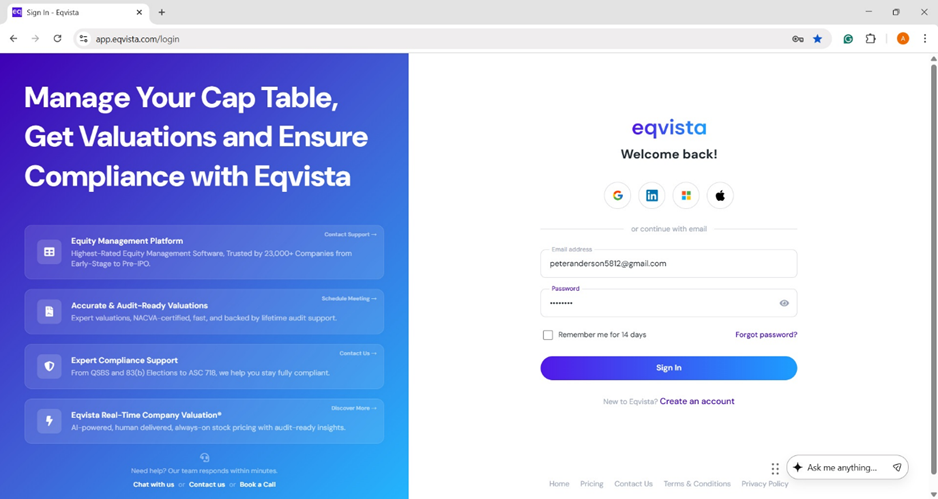
Step 1: Log into your Eqvista account and select the company account to downgrade.
Step 2:
Method 1
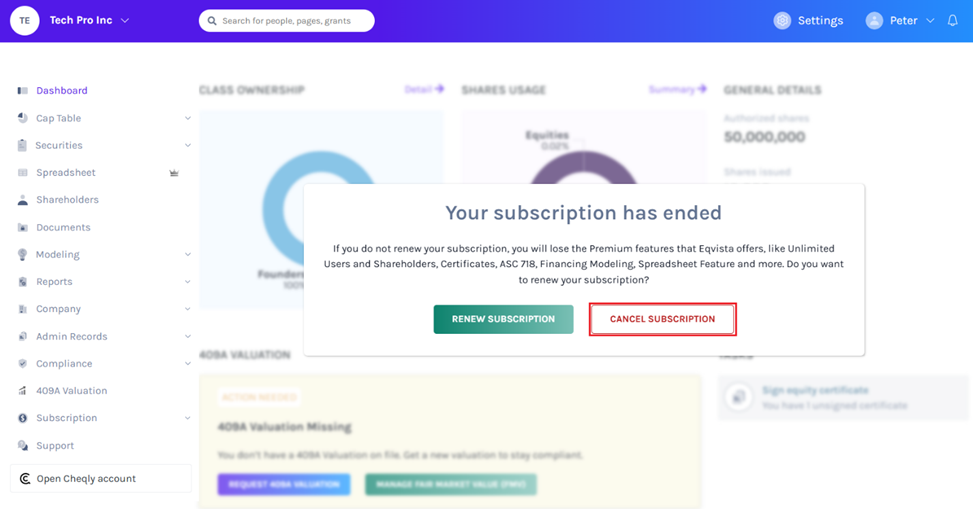
Once your account expires on the specified date, you will see a pop-up window as soon as you log in to your company account. Then click on “Cancel Subscription”.
Note: Your account will expire a few days after you cancel your subscription. If you wish to renew your subscription, click on “Renew Subscription”. Check out our support guide to learn how to renew your subscription.
Apart from the above step, method 2 introduces another way to reach the “complete the downgrade of your subscription” window.
Method 2
On the detail page under subscription, click on the link to complete the downgrade of your subscription to freemium displayed and the process of reverse onboarding starts.
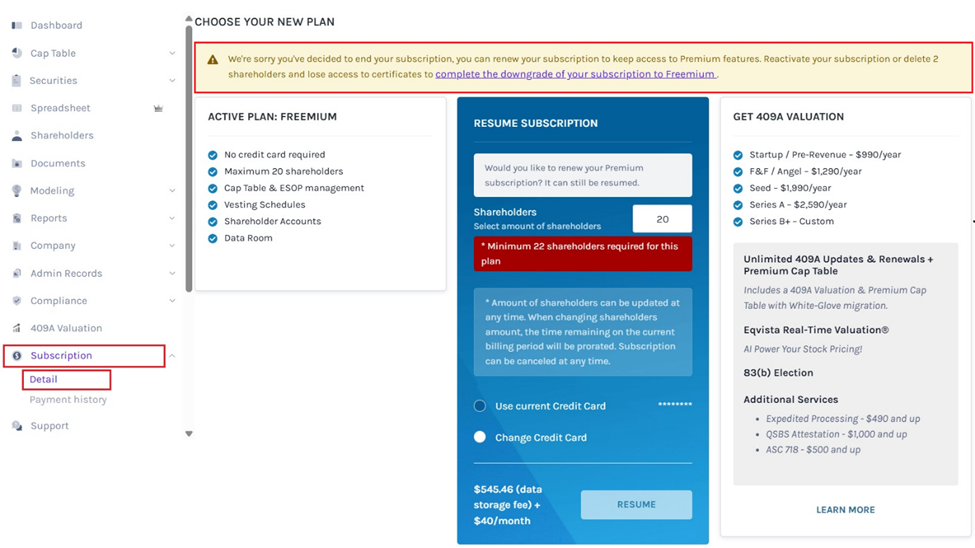
Step 3: Once you do this, you can perform the steps of reverse onboarding.
Note: If you wish to renew your account, then click on the link Renew your subscription. Check out our support guide to learn how to renew your account.
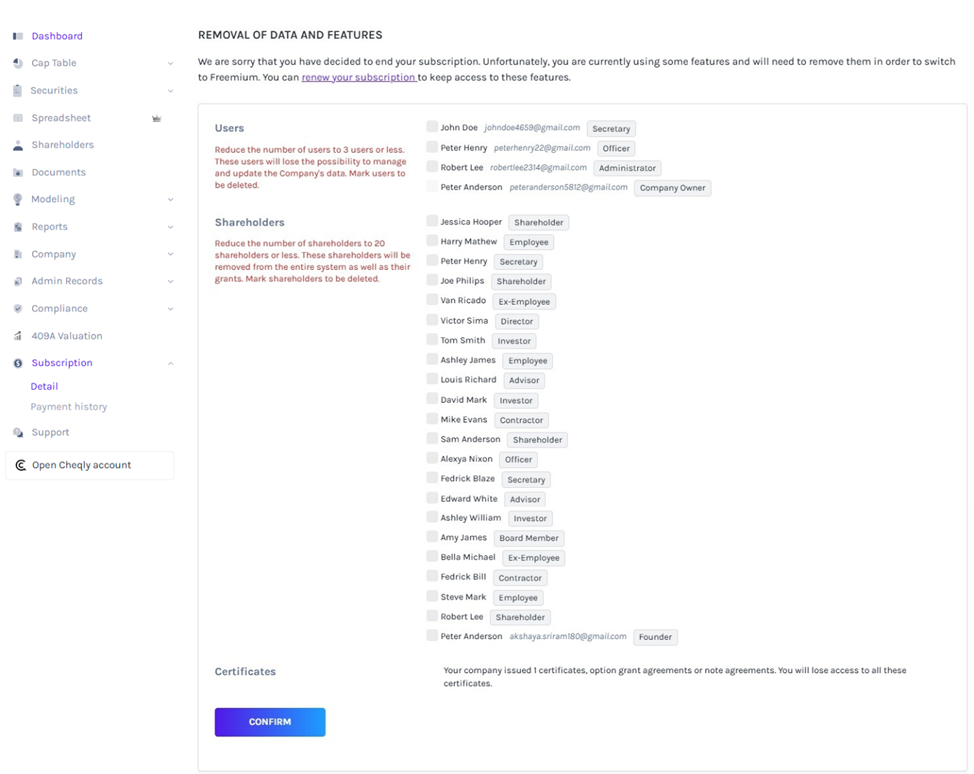
Step 4: The removal of additional users if there are more than 3 users. The removed user cannot manage and update your company data.
There are 4 users in this case, and 1 has been chosen to be removed. When the right number is selected, the text turns from “Red” to “Black”.

Step 5: Remove additional shareholders if there are more than 20. These shareholders will be removed from the system with grants issued to them. If you select to remove shareholders with grants issued, then the grant associated with this shareholder will also be removed.
In this case, there are 25 shareholders and 5 are selected to be removed. When the right number is selected, the text turns from “Red” to “Black”.
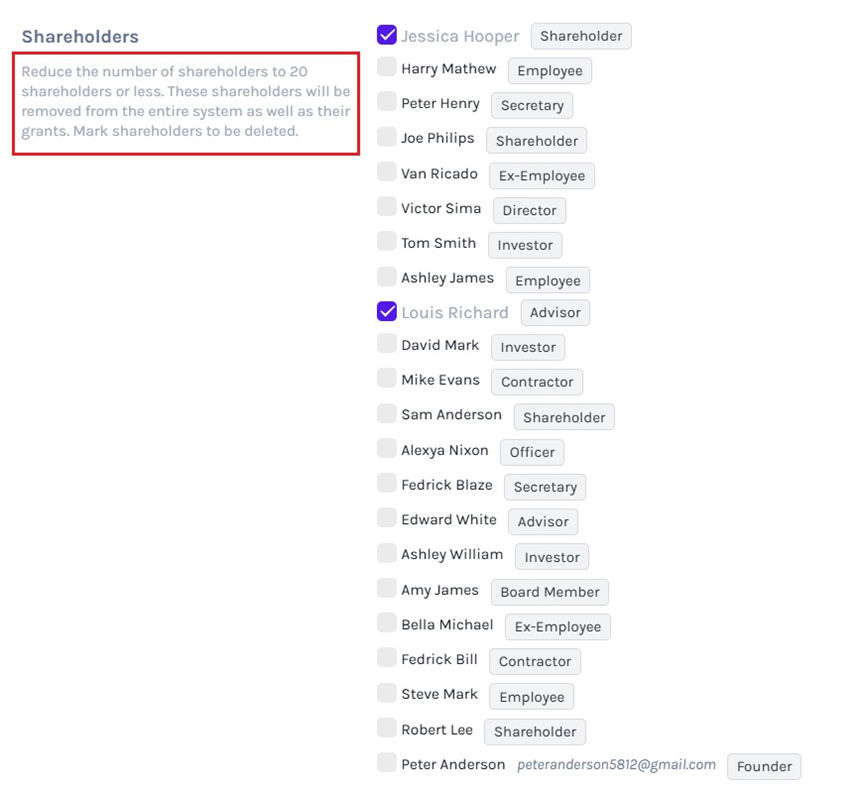
Step 6: If a certificate has been issued, canceling your subscription will result in the loss of your access to the certificate. Here is an example of the message you would receive for this step.

Once you have completed, click on “Confirm”.
After completing the steps of reverse onboarding, your subscription can still be renewed. Check out the support article here!
If you want to further understand Eqvista, check out our support articles or contact us today!