How to Migrate Your Cap Table from Pulley to Eqvista?
Pulley has announced that it will shut down and cease operations on December 8, 2026. If your company currently uses Pulley, we recommend exporting the cap table and supporting equity records needed for your migration before Pulley services become unavailable.
Migrating from Pulley to Eqvista is a straightforward process. Once the required cap table and equity information is provided to our migration team, we will migrate, reconcile, and validate your data in Eqvista. Our specialists handle the migration for you, so you do not need to manually rebuild your cap table.
Migrate Data From Pulley to Eqvista
Eqvista offers Cap Table Transfer for seamless migration from other cap table and equity management platforms.
There are two ways to provide the Pulley data needed for your migration to Eqvista. We recommend completing one of these steps before Pulley ceases operations on December 8, 2026:
- Provide access to your Pulley account: Share the required Pulley account read-only access with an Eqvista migration specialist so our team can retrieve the information needed for the migration.
- Export and share your Pulley data: Download your cap table, stakeholder information, and supporting company documents from Pulley and securely share them with our migration team.
Then we will create a new company account in Eqvista, onboard every detail of your current cap table to Eqvista, and invite you as account owner.
Method 1- Share Access to Pulley with one member of Eqvista
Please check this article in Pulley and share “Admin Access” with a member of our Eqvista team. We will provide an email address to share access to.
To facilitate the smooth transfer of detailed holdings data for all shareholders, we believe “Admin Access” would be highly beneficial.
Method 2 – Download the Cap Table Report in Pulley and Share it with the Eqvista team
Here are the steps to download the cap table report in Pulley and share it with us:
Step 1: Login to Pulley and select your company account. Access your Pulley account and locate the desired data – cap tables, stakeholders, and company documents to export it.
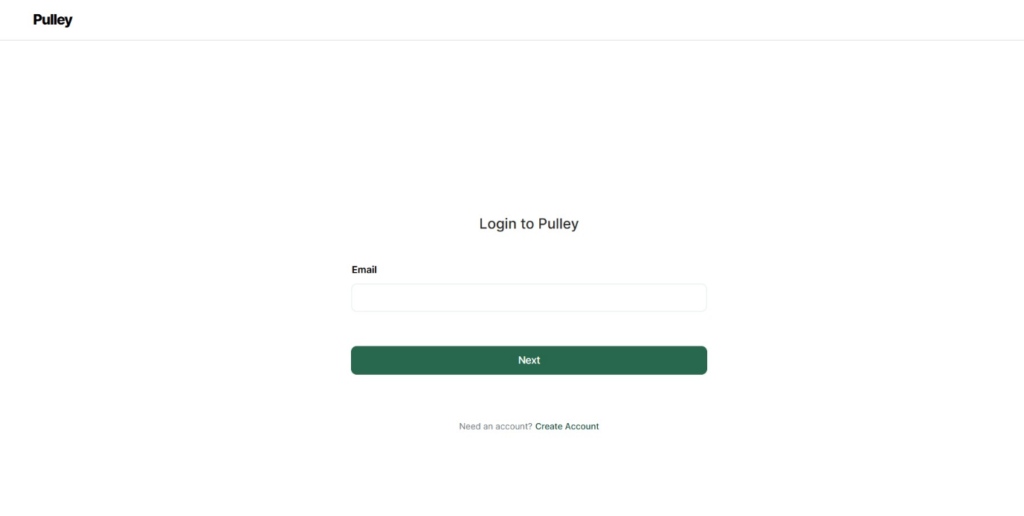
Step 2: On the dashboard, click on “Cap Table” on the left side. On this page, click on “Download” as shown below.
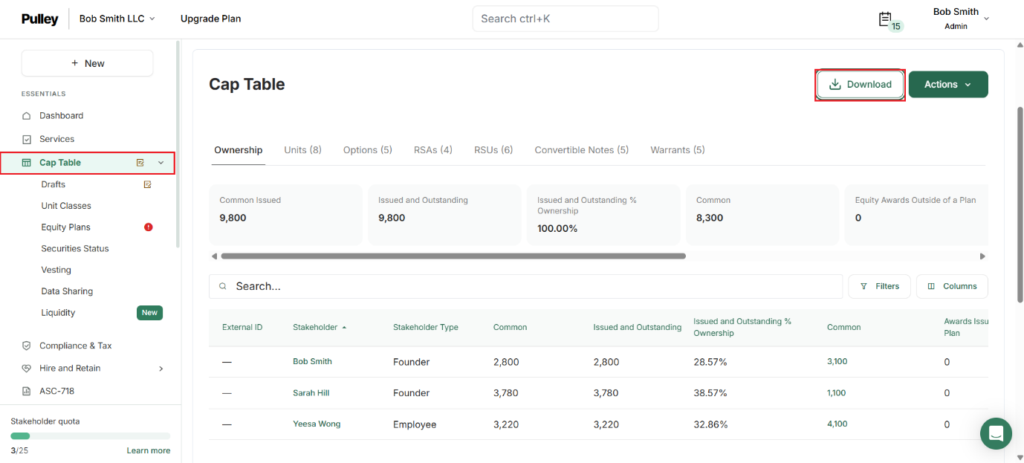
A pop-up panel appears, select “All time” or enter an end date and tick the option “Include Drafts”.
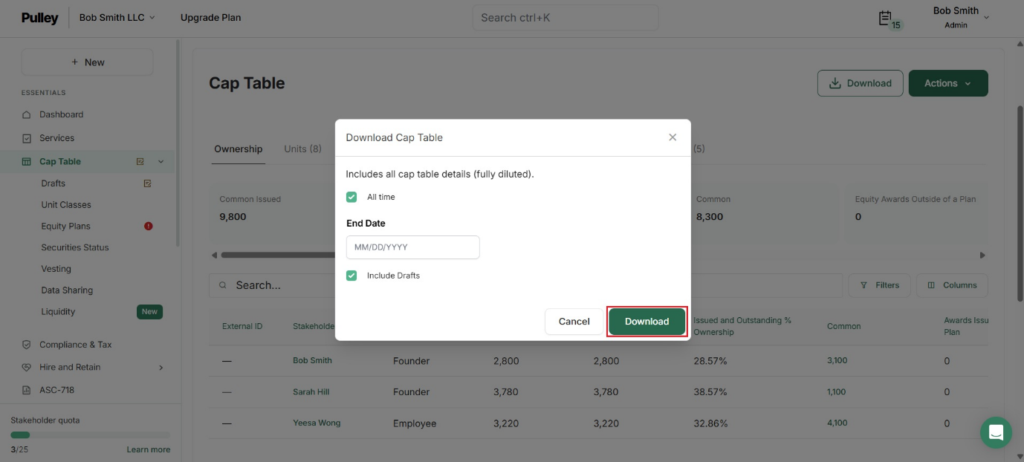
Then, click on “Download” to download the cap table report.
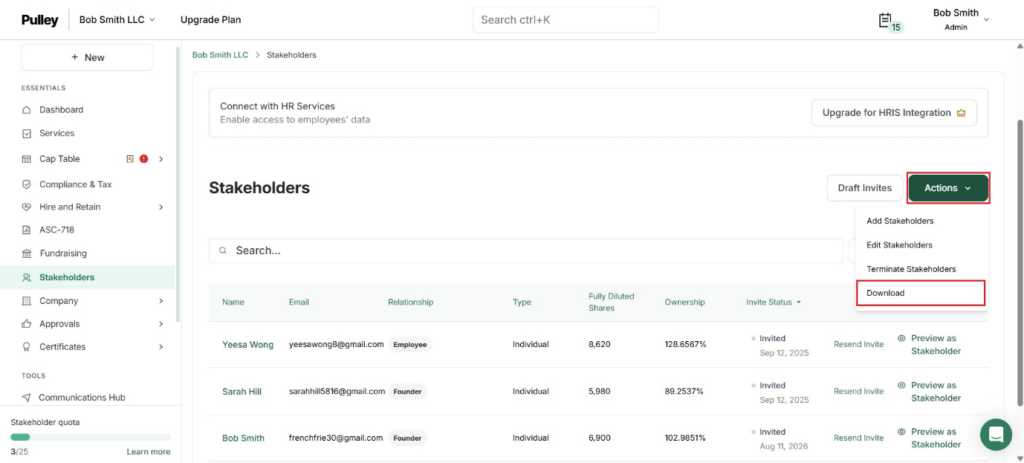
Step 3: On the dashboard, click on “Stakeholders” on the left side. On this page, click on “Actions” to get a drop-down menu and select “Download”.
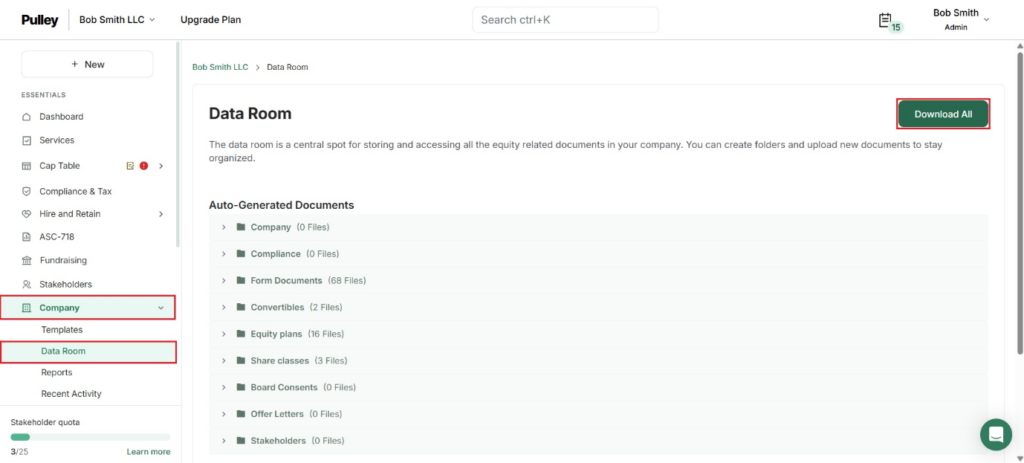
Step 4: On the dashboard, click on “Company” on the left side to get a drop-down menu and select “Data Room”. On this page, click on “Download All” as shown below.
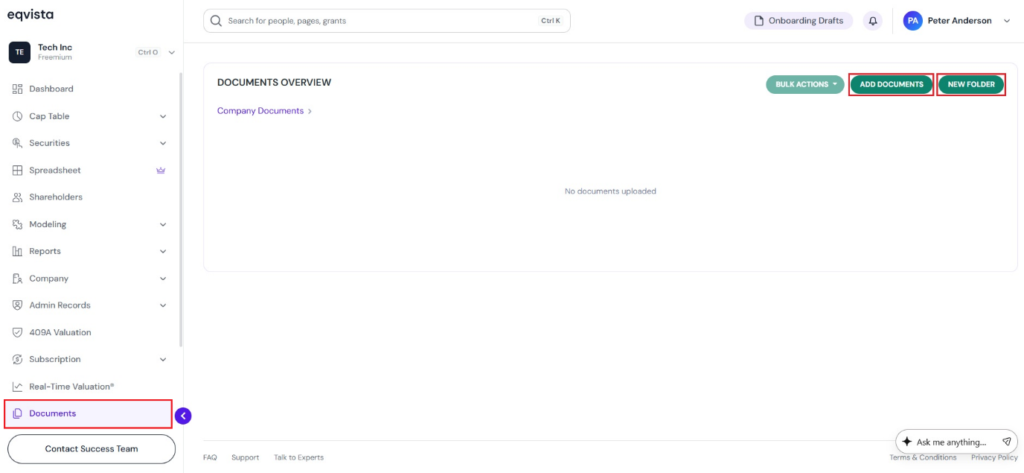
Step 5: Log into your account on Eqvista, or create an account if you have not yet signed up. On the dashboard, click on “Documents”.
On this page, you can create folders by clicking on “New Folder” or add documents by clicking on “Add Documents”.
If you want to understand Eqvista, check out our support articles or contact us today!