How to Cancel Convertible Notes?
A convertible note is a type of security issued to stakeholders that can be converted into stock repaid, or canceled.
Cancel Convertible Note
On Eqvista, all convertible instruments, including SAFEs (Simple Agreement for Future Equity), KISSs (Keep It Simple Security), and standard convertible notes can be converted into stock, repaid, or canceled.
Open Convertible Instruments
Here are the steps to follow:
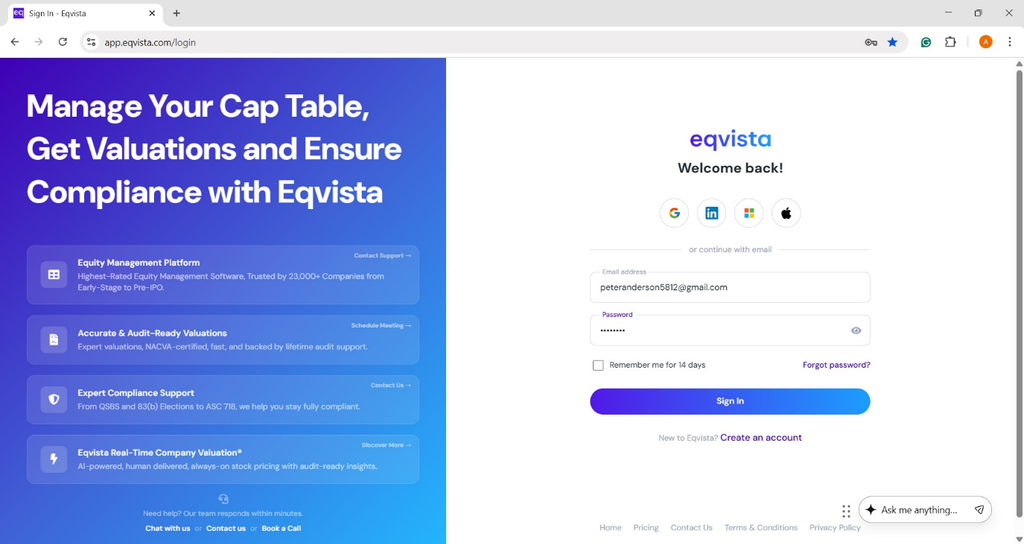
Step 1: Log into Eqvista and select your company account.
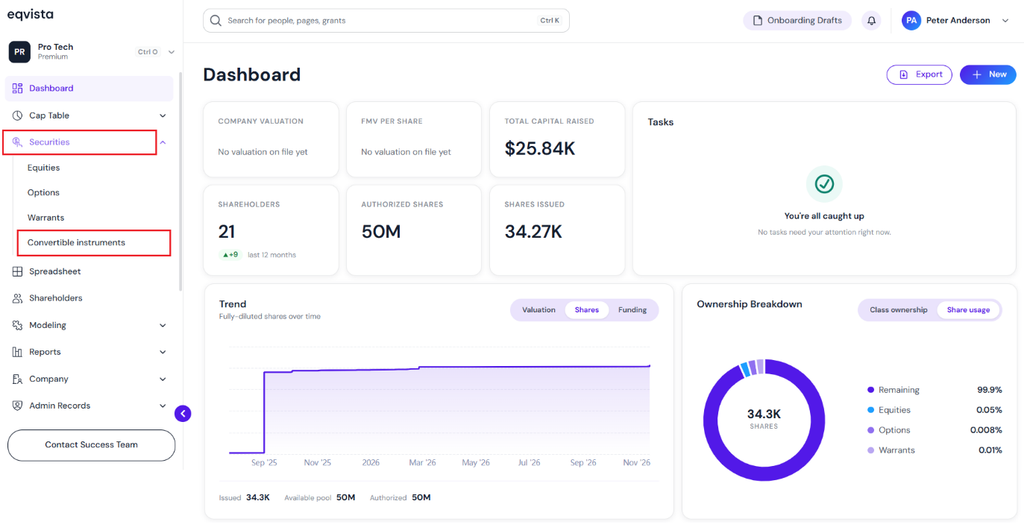
On the dashboard, click “Securities” from the left side to get a drop-down menu and select “Convertible Instruments”.
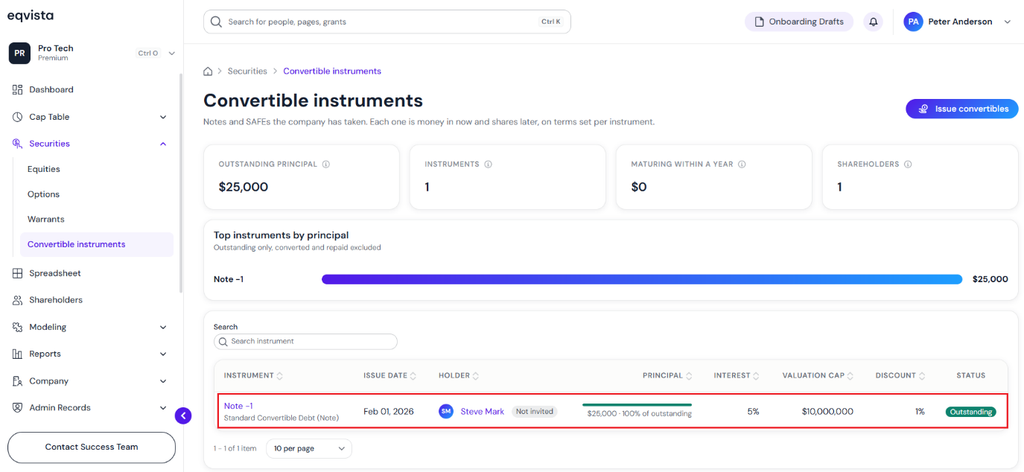
Select Convertible Note to Cancel
Step 2: Then, you will be directed to the following page. In this case, select “Note -1”.
Note: On this page, you can view standard convertible notes, KISSs, Pre-Money SAFEs, and Post-Money SAFEs issued to shareholders. Check out the respective support articles to learn how to issue them!
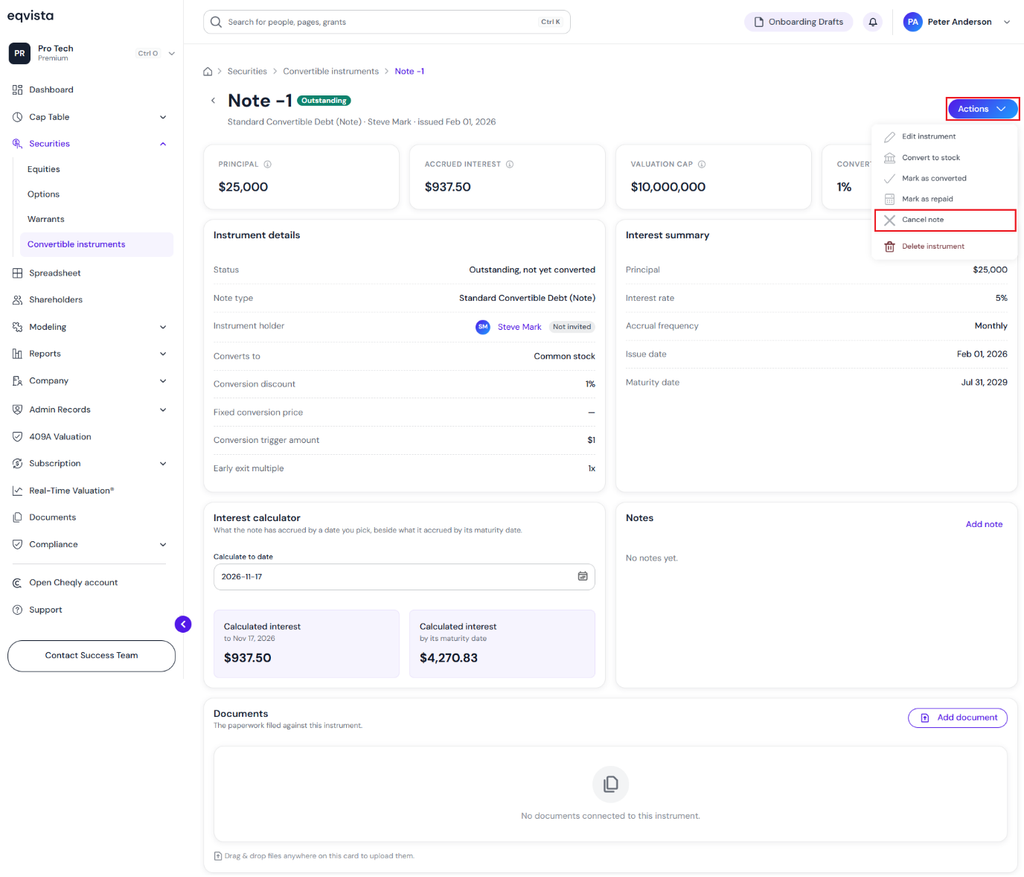
Click Cancel Note
Step 3: Here, you will be able to see the details of “Note 1” and click on “Actions” on the top right-hand side to get a drop-down menu. Then, click on “Cancel Note”.
Fill in Details to Cancel the Note
Step 4: A pop-up panel appears to enter details to complete the cancellation. The cancellation date is automatically filled. If the cancellation date is not today, you can edit it using the calendar. Select the cancellation reason from the drop-down menu.
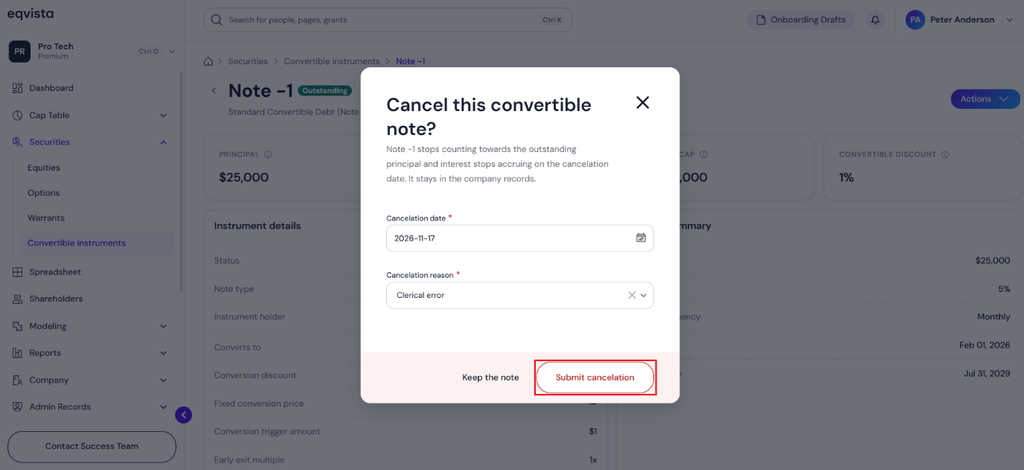
To proceed with the cancellation, click on “Submit Cancellation”.
Reverse Cancellation
Step 5: The canceled note can be restored if it was canceled by mistake. After the cancellation, a message will appear with an option “Reverse Cancellation”.
Note: You can add a document to the note by clicking on “Add Document”. Check out the support article to know more about adding documents.
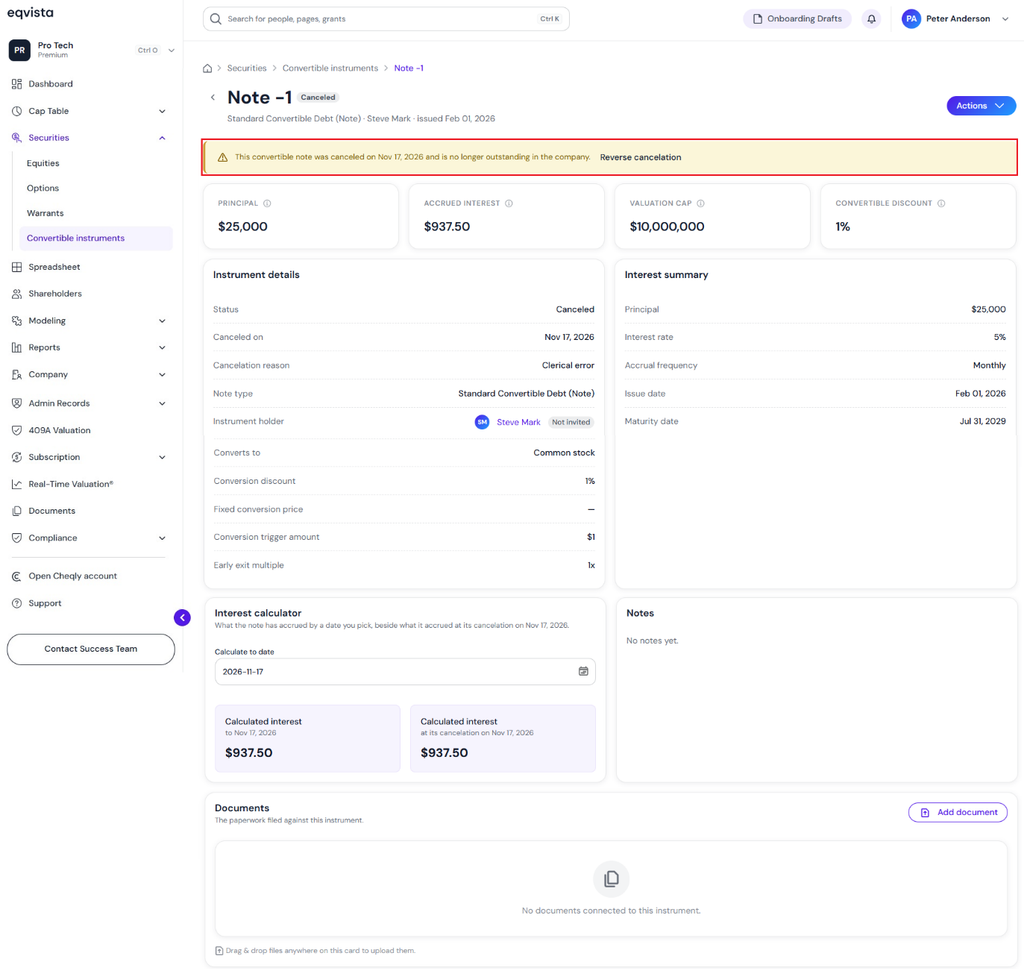
Status Updated as Canceled
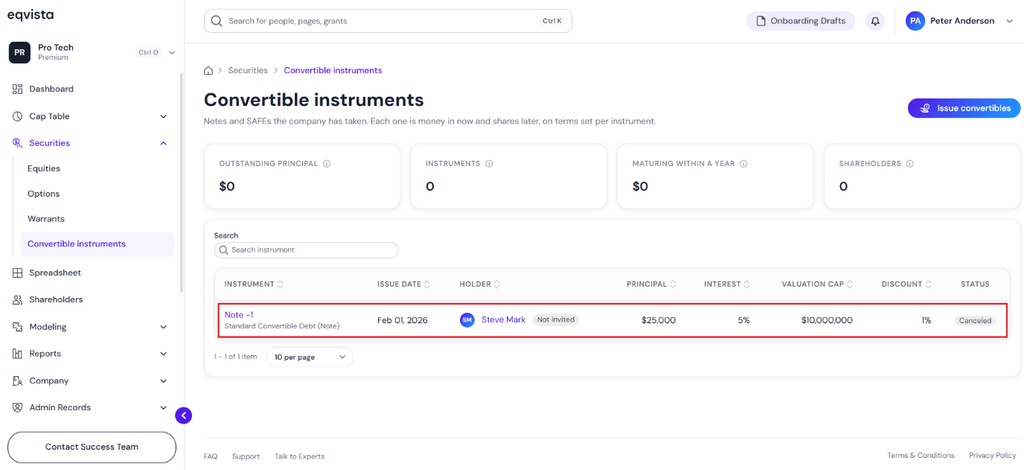
Step 6: The canceled convertible note will have the status “Canceled” on the convertible instruments page as shown below.
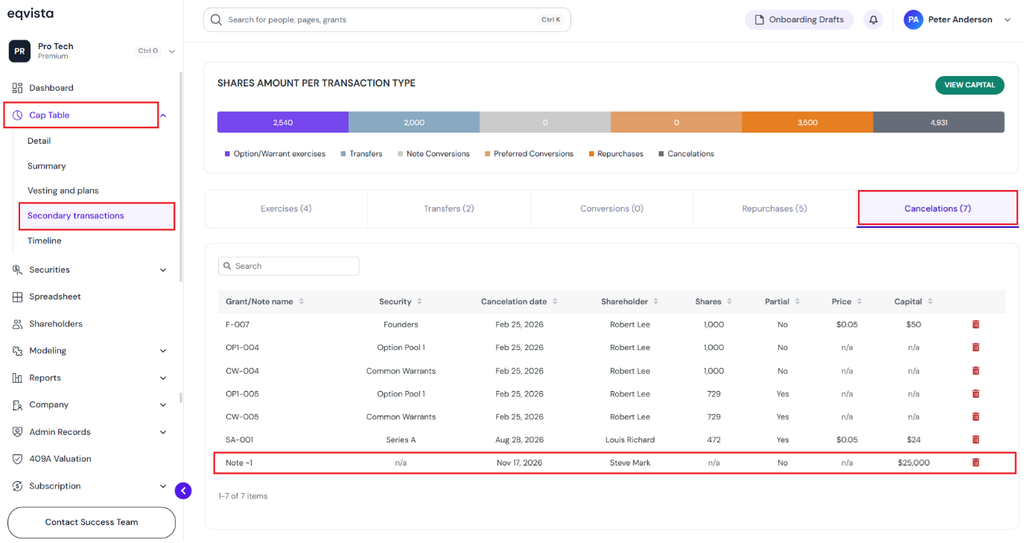
Record of Secondary Transaction
Step 7: The record of the cancellation can be viewed by clicking on “Cap Table” to get a drop-down menu and selecting “Secondary Transactions”.
On this page, click on “Cancelations” to check whether the note is canceled.
View Timeline
The canceled convertible note can be viewed on the timeline. The record of the cancellation can be viewed by clicking on “Cap Table” to get a drop-down menu and selecting “Timeline”.
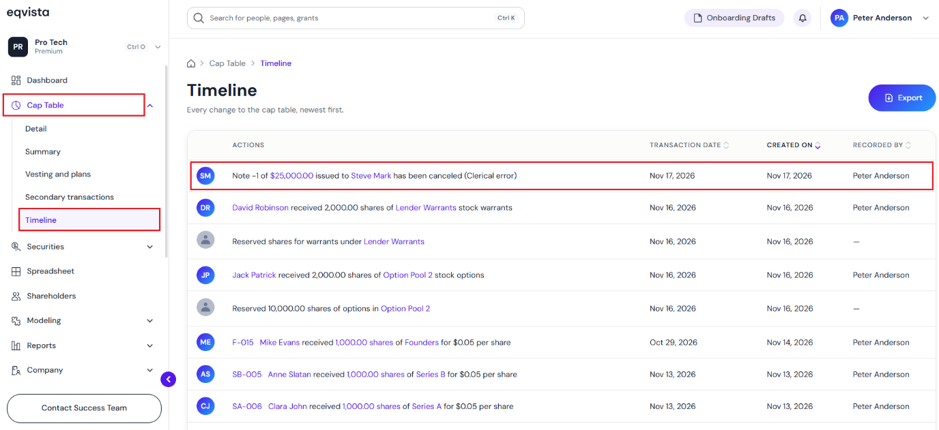
If you would like to download the timeline, click on “Export” as shown below.
The timeline gets downloaded as an Excel sheet to your Downloads.
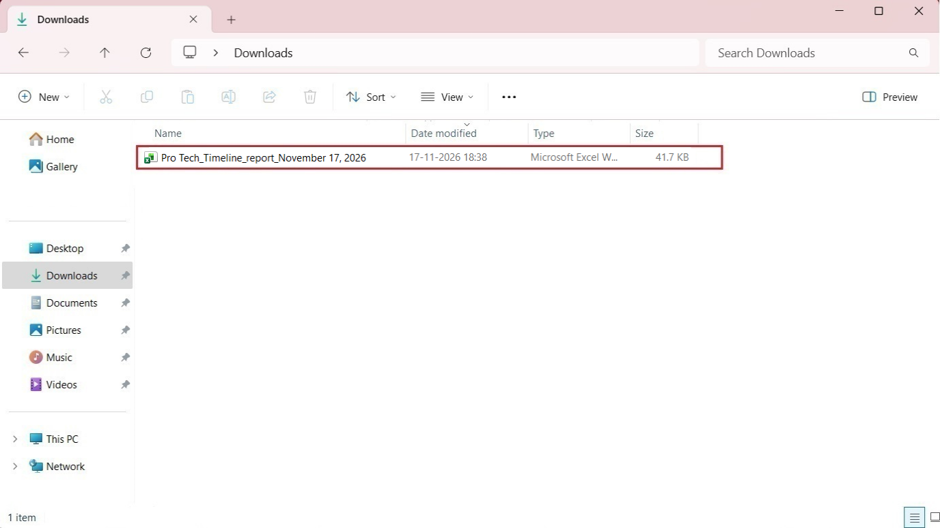
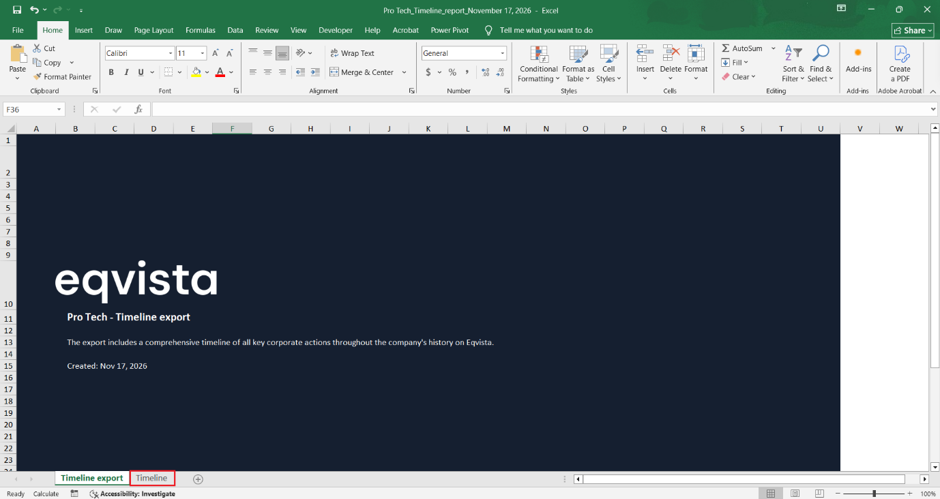
Double-click the Excel sheet to open the downloaded timeline. You will see that the report has two sheets. The first sheet is just like a cover that tells you what the report is about and what you will find in it, with the company name.
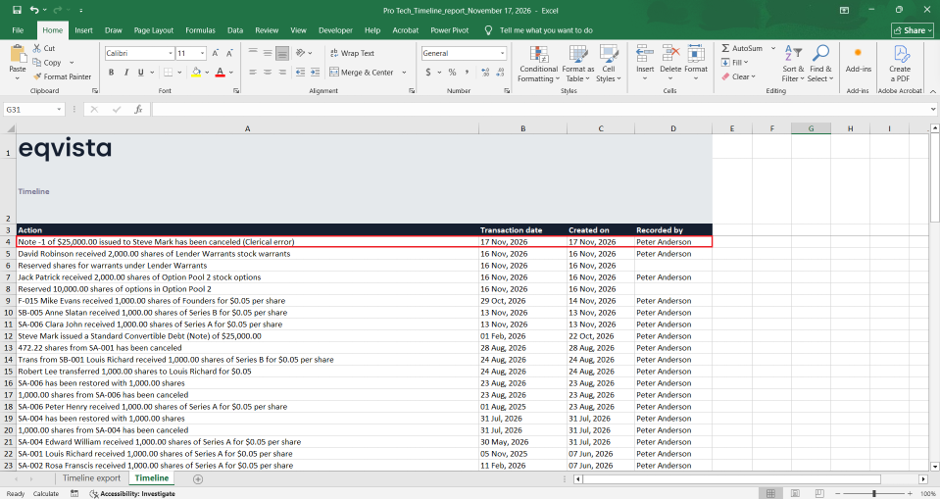
Click on “Timeline” to view the second sheet, which displays the record of the cancellation performed.
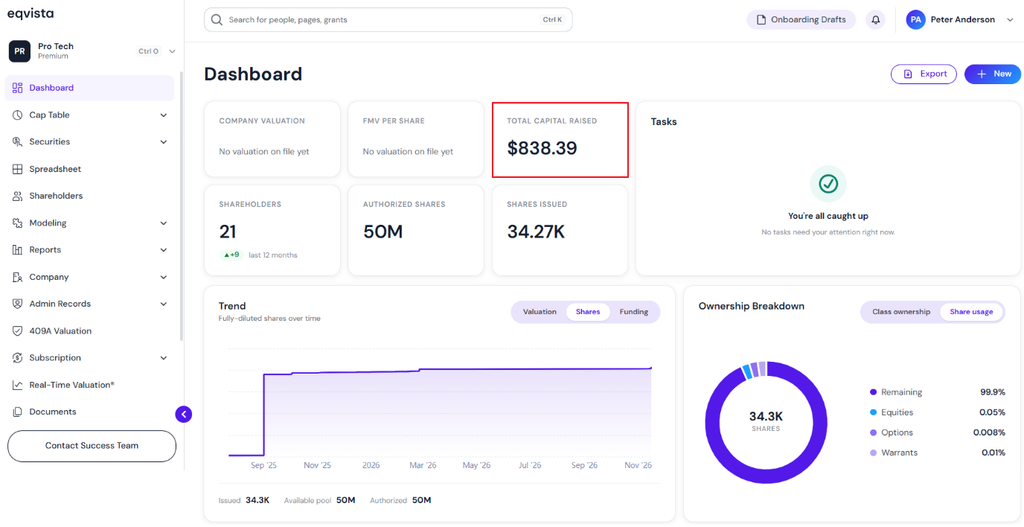
Principal Amount Deducted in Dashboard
Step 8: Once the convertible note has been canceled, the principal amount will be deducted from the total capital committed in the dashboard.
Note: Similarly, you can also cancel KISS, Pre-Money SAFE, and Post-Money SAFE convertible notes that have been issued.
If you want to understand Eqvista, check out our support articles or contact us today!
