How to Add Custom News Events to Your Real-time Valuation?
Eqvista’s real-time valuation provides real, audit-ready valuations backed by experts, delivered in just a few hours. It provides an option to add news events under the company section of the real-time valuation.
Note: The real-time valuation feature is only available for 409A account holders. Kindly upgrade your account to unlock the feature.
How to Add News Events in Real-time Valuation?
The feature provides an option to add news events under the company news section of real-time valuation.
Here are the steps to follow:
Open Real-Time Valuation Account
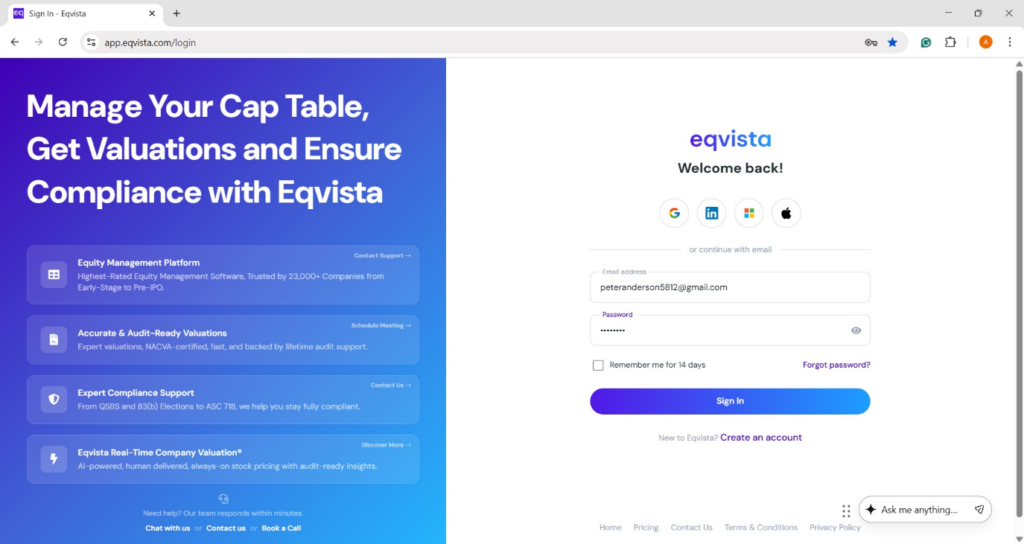
Step 1: Log into Eqvista and select your company account.
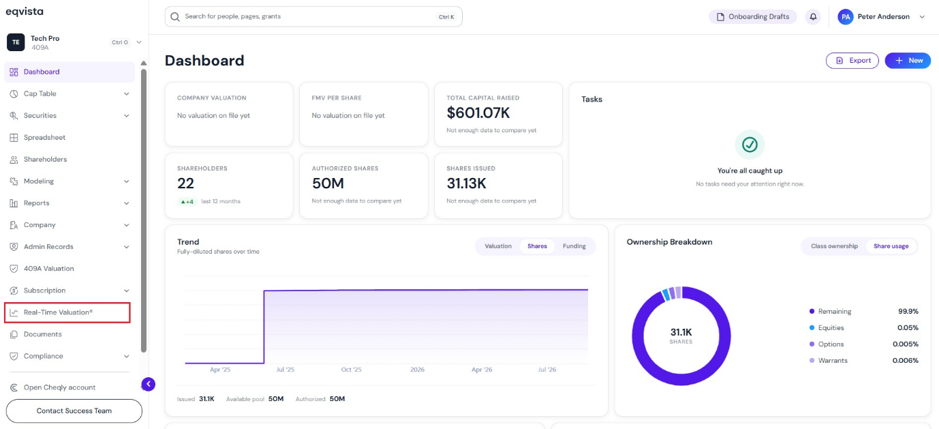
On the dashboard, click on “Real Time Valuation” on the left side, as shown below.
Click Add Event in Company News Section
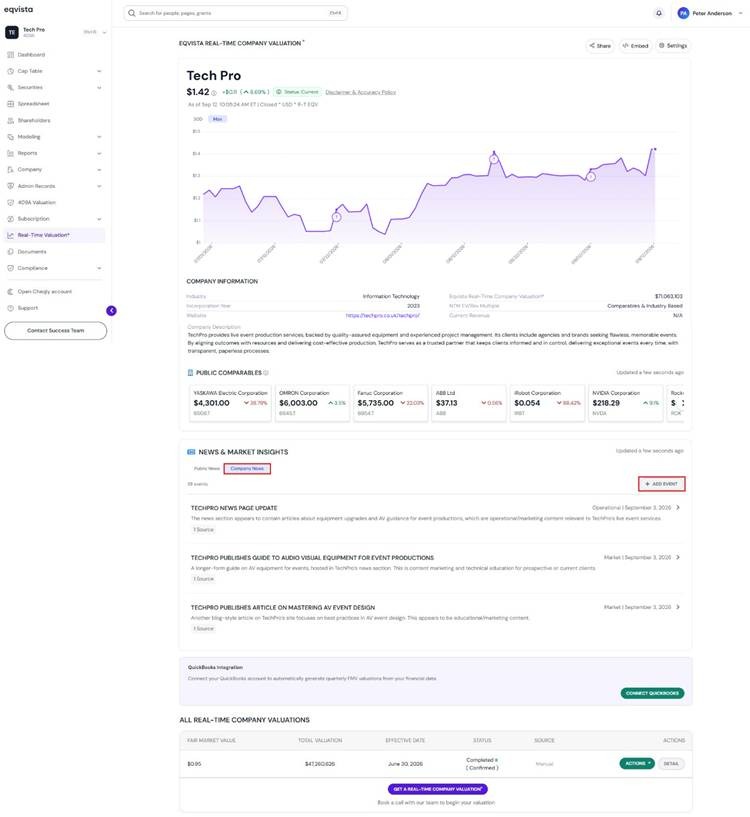
Step 2: On this page, you can view the real-time valuation graph displaying the fair market value, which gets updated constantly.
Note: Connect QuickBooks to import financials and build a real-time valuation automatically. To share your real-time valuation report, click on “Share”. Embed your real-time valuation on your website by clicking “Embed”. Check out the respective support articles to learn more about it.
To add news events under company news, select “Company News” and click on “Add Event”.
Fill in Details of News Event
Step 3: Once you click, a pop-up panel appears with various fields to fill in related to the company event.
- Title: Enter the title of the event in the space provided.
- Date: Choose the date using the calendar.
- Event Type: Select the event type from the drop-down menu, which is optional.
- URL: Fill in the URL, which is optional.
- Description: Add a description of the event in the space provided, which is optional.
- Show in Price Chart: This event will appear as a marker on the valuation chart. By default, the option is enabled.
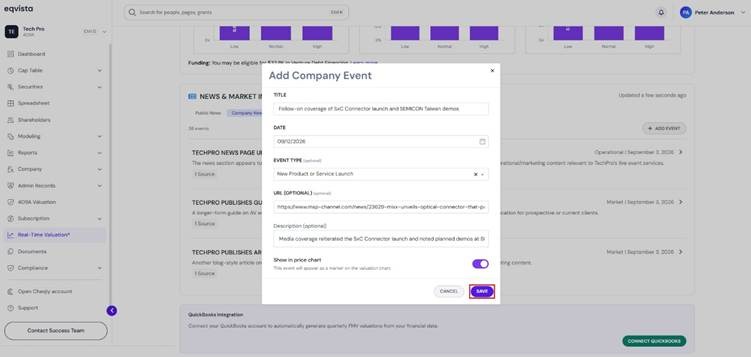
After entering all the details of the company event, click on “Save”.
News Event Added to Real-time Valuation
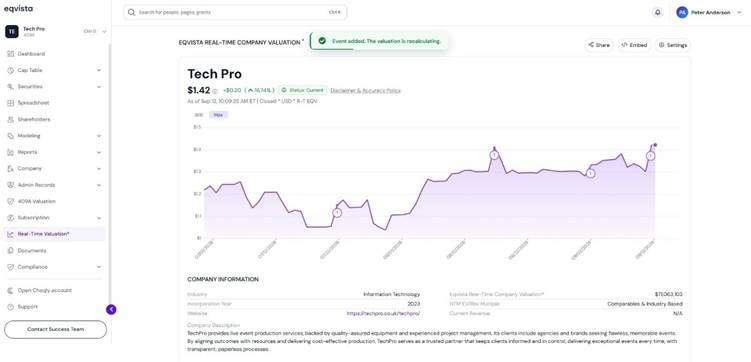
Step 4: Once you click on “Save”, the news event will be added to the chart and company news section in real-time valuation.
Note: The option to view company news on the chart must be enabled in the settings to view the added news event. Check out the respective support articles to learn more about it!
To learn more about Eqvista, check out our support articles and knowledge base. For queries, get in touch with us!