Accrued Interest
On Eqvista, accrued interest for a convertible note can be tracked from the date of issuance until it either converts into equity or is repaid.
What is Accrued Interest?
Accrued interest for a convertible note is handled through an automated system that tracks it from the date of issuance until it either converts into equity or is repaid. Once the note is issued, the “Accrued Interest” field updates automatically and can be viewed directly under the “Interest Summary” section on the convertible note page.
Here are the steps to follow:
Step 1: Log into your Eqvista account and choose the company account.
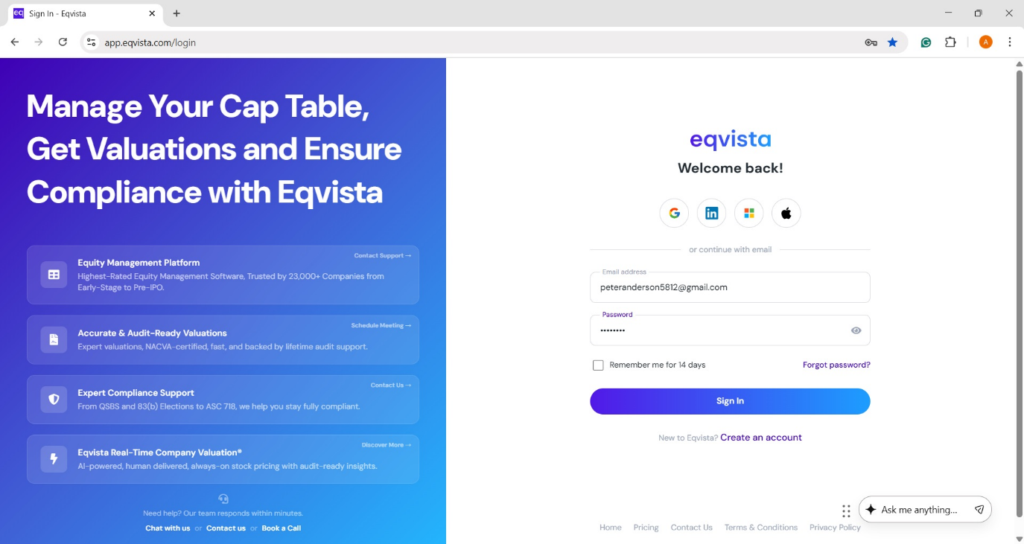
On the dashboard, click on “Securities” on the left side to get a drop-down menu and select “Convertible Instruments”.
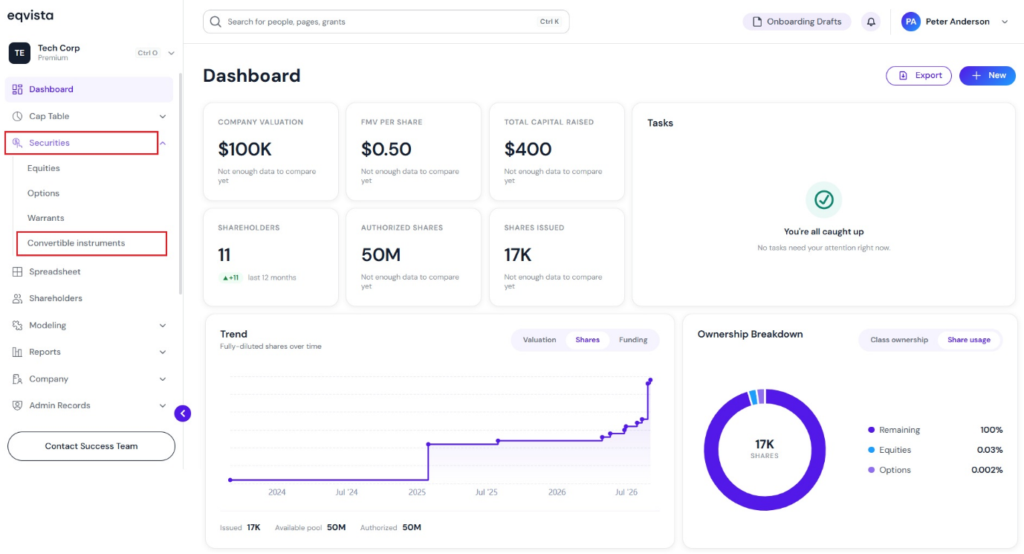
Step 2: Once you do this, you will be directed to the following page where you can see all the convertible instruments issued by the company. To create a new one, click on “Issue Instrument”.
Step 3: Then, you will be directed to select the shareholder to issue the convertible note. Here, you have the option to search for a shareholder or to add a shareholder from here directly.
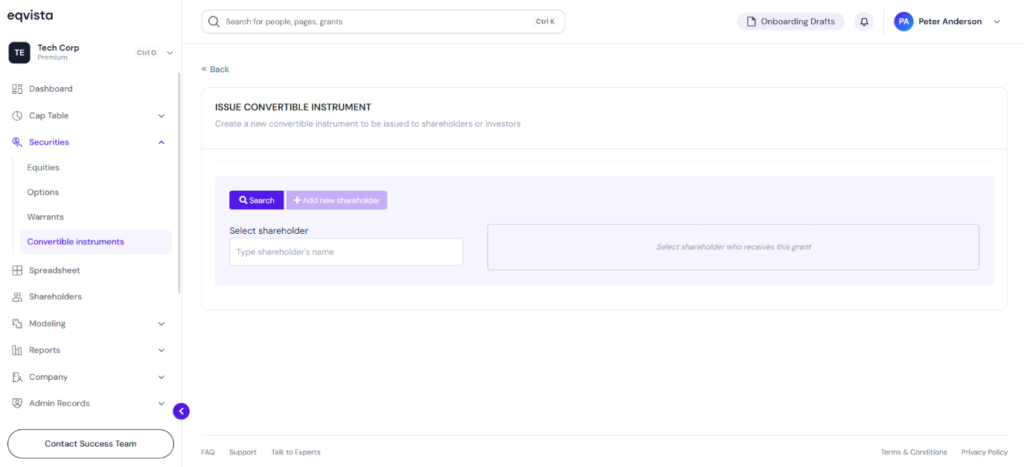
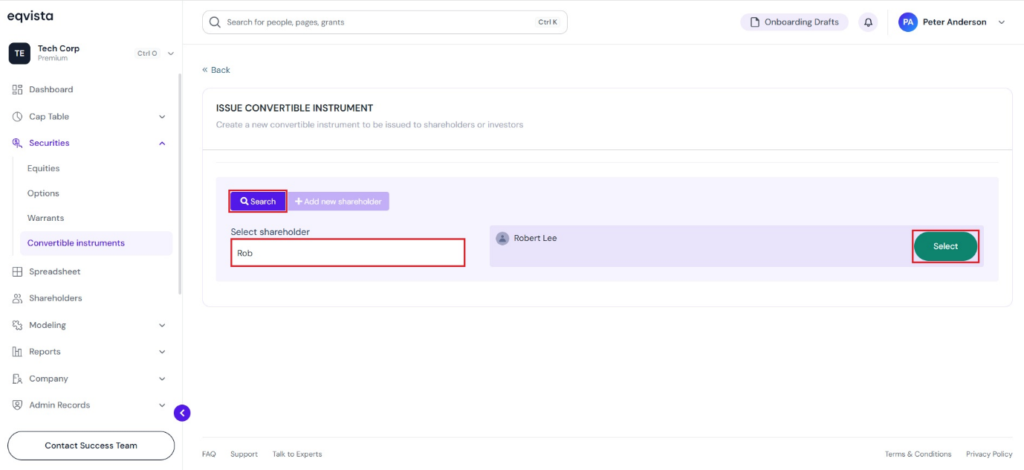
In this case, the shareholder’s profile is already there, so let’s type in the name of the shareholder, and the name appears on the right side. Then, click on “Select” beside the shareholder’s name.
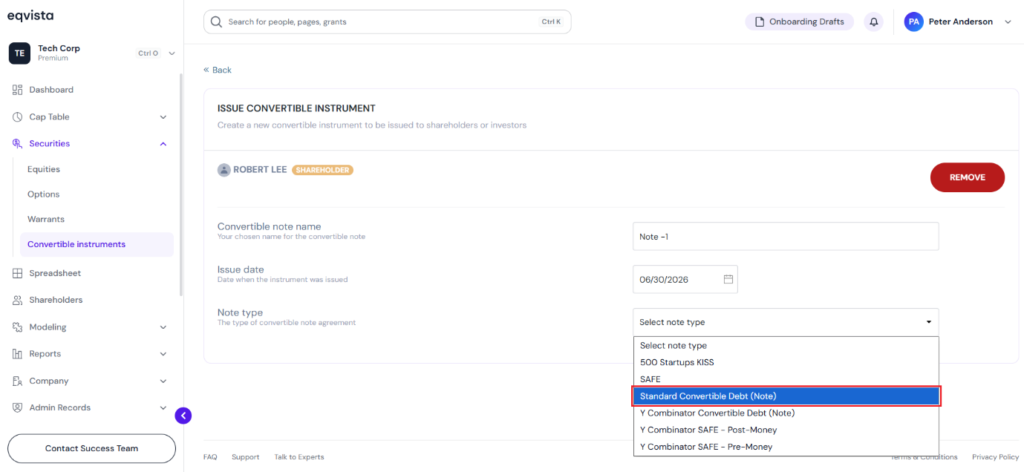
Step 4: Once you select the shareholder by searching or adding a new shareholder, fill in the fields: Convertible Note Name, Issue Date, and Note Type.
Note: Accrued interest applies only to standard convertible notes. To learn how to issue a convertible note, check out this support article!
In this case, select the Standard Convertible Debt (Note).
Step 5: When you select the note type, some other fields open up. In short, once you add in the details of the Note Type, fill in:
- Principal, Interest Rate, Maturity Date, and Accrual Frequency.
- Below this panel is the “Conversion to Shares” where you need to select common stock or preferred stock that the security gets converted. Select the type of stock the convertible note will convert into. In this case, select Common Stock.
- As soon as you select the type of stock it converts to, some other fields appear. Here, there are four additional fields to fill in, which are: Conversion Trigger Amount, Valuation Cap or select the option “No Valuation Cap”, Early Exit Multiple, and Conversion Discount.
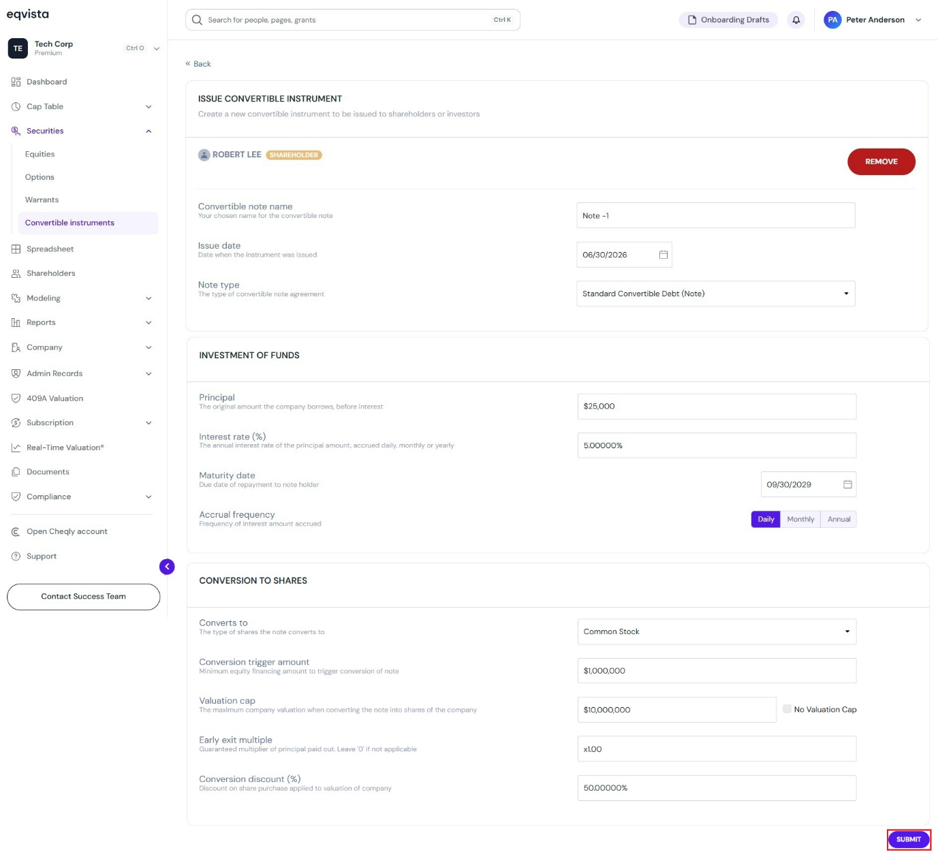
Fill in all the details and click on “Submit”.
Step 6: Then, you will be redirected to the details of the convertible note you just issued.
Note: You can add a document to the grant by clicking on “Add Document”. Check out the support article to learn more about adding documents to grants.
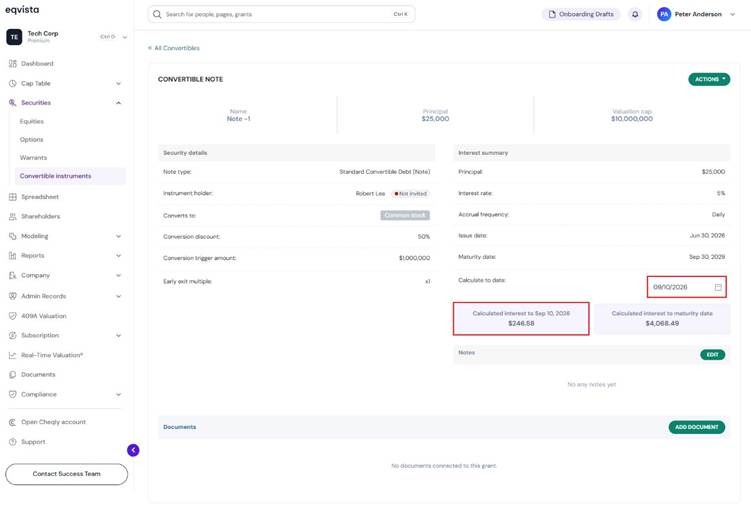
The convertible note displays the details of the accrued interest under the “Interest Summary” section, showing
Calculated Interest to Date
You can also select a date using the calendar to view the accrued interest calculated to the selected date.
| Principal | $25,000 |
| Interest rate | 5% |
| Accrual frequency | Daily |
| Issue date | Jun 30, 2026 |
| Calculated to Date | Sep 10, 2026 |
| Days Accrued | 72 days |
| Accrued Interest | Principal × Annual Interest Rate × (Days Accrued ÷ Days in Year) |
| Calculated interest to Date (Sep 10, 2026) | $246.58 |
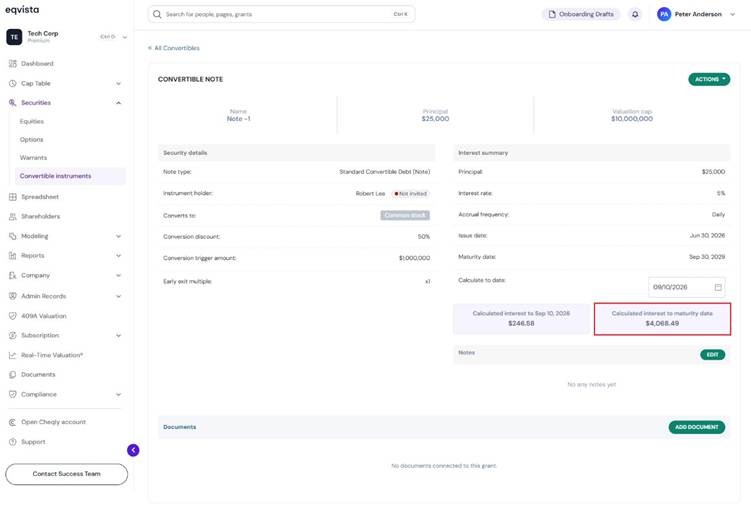
Calculated Interest to the Maturity Date
You can also select a date using the calendar to view the accrued interest calculated to the selected date.
| Principal | $25,000 |
| Interest rate | 5% |
| Accrual frequency | Daily |
| Issue date | Jun 30, 2026 |
| Maturity date | Sep 30, 2029 |
| Days Accrued | 1188 days |
| Accrued Interest | Principal × Annual Interest Rate × (Days Accrued ÷ Days in Year) |
| Calculated interest to Maturity Date | $4,068.49 |
For more information on Eqvista, check out our support articles or get in touch with us today!