Active and Inactive Grants
The term “active” and “inactive” refers to the current status of a grant, such as shares, stock options, RSUs, or warrants.
What is an active and inactive grant?
An active grant is a grant still valid and in effect. The grant is ongoing and can be exercised, repurchased, canceled, or transferred. An inactive grant is a grant that is no longer valid or usable. The grant has been repurchased, transferred, or exercised.
Difference between active and inactive grants
An “active” grant indicates that it is currently available for use, while an “inactive” grant signifies that it is no longer usable.
Some of the key differences between active and inactive grants:
| Active | Inactive |
|---|---|
| Active grants are currently valid and usable by the holder. | Inactive grants are no longer valid or usable by the holder. |
| The grant is ongoing and can be exercised, repurchased, canceled, or transferred. | The grant has been repurchased, transferred, or exercised. |
| Included in standard reports and cap table summaries. | Included in reports by enabling the option “Include inactive grants”. |
Note: Canceled grants are labeled as “Canceled“, not “Inactive”.
How to view active and inactive grants
You can easily access and view both active and inactive grants on Eqvista by following a few simple steps.
Here are the steps to follow:
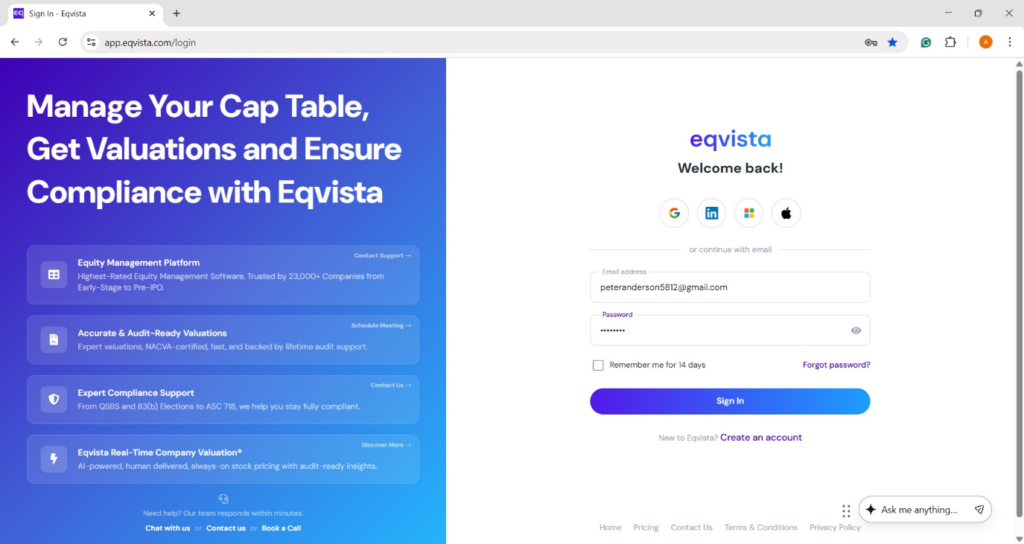
Step 1: Log into Eqvista and select your company account.
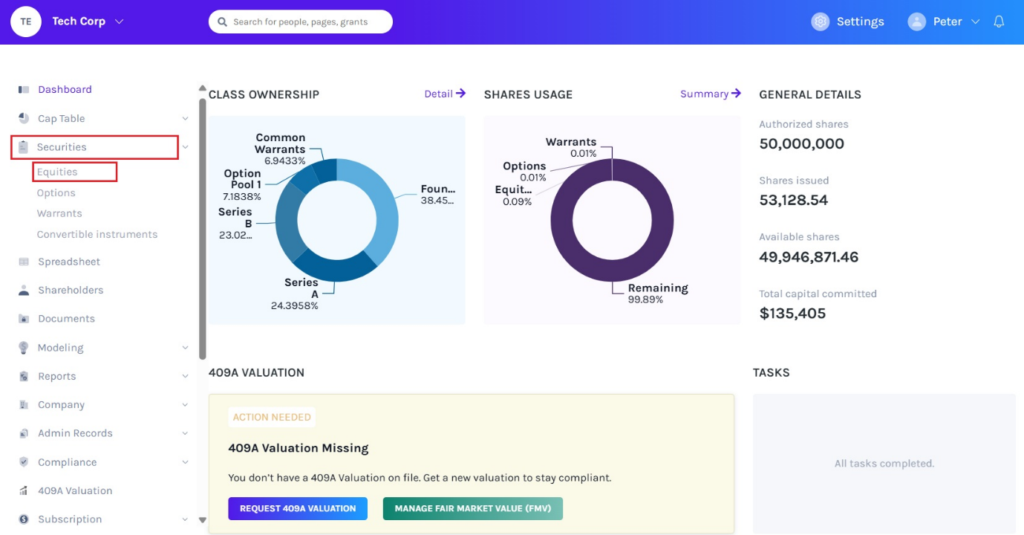
On the dashboard, click on “Securities” on the left side to get a drop-down menu and select “Equities”.
Note: Similarly, you can view active and inactive grants for options and warrants.
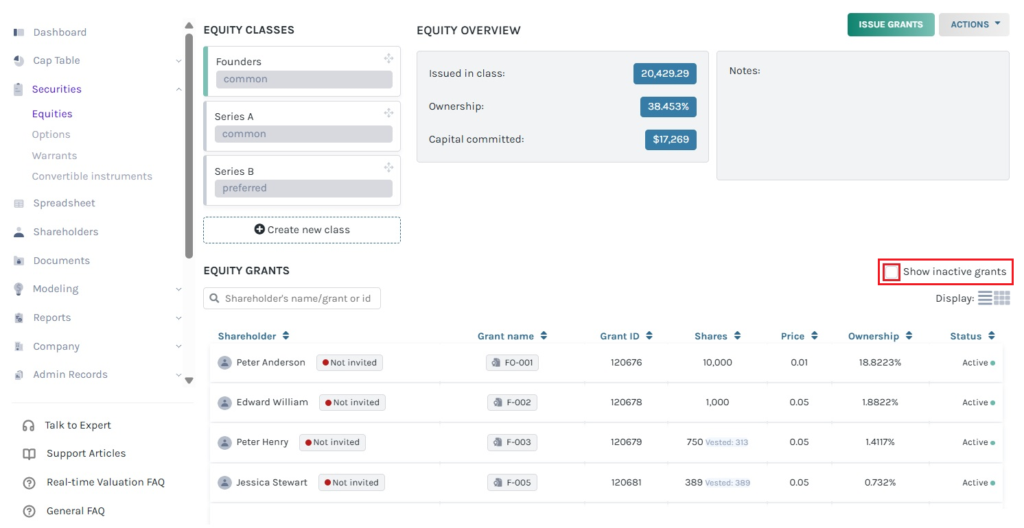
Step 2: Then, you will be directed to the page showing all the issued equities of the company. To view inactive grants, tick the option “Show inactive grants”.
Note: On this page, click on “Create New Class” to create an equity class and if you have created one, you can issue shares and implement a vesting schedule.
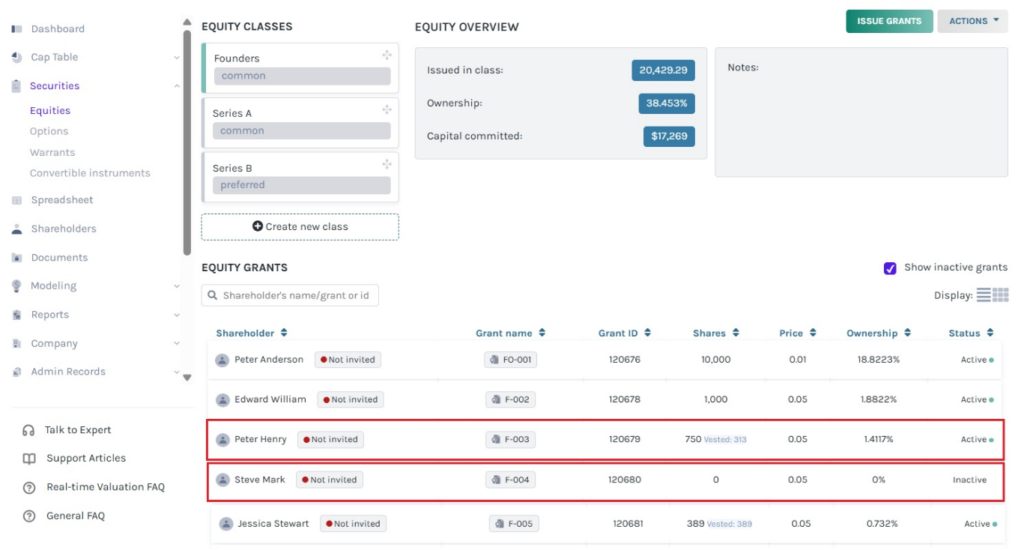
Step 3: Once you click, you can view both active and inactive grants. Here, the active grant displays the status “Active” and the inactive grant displays the status “Inactive”.
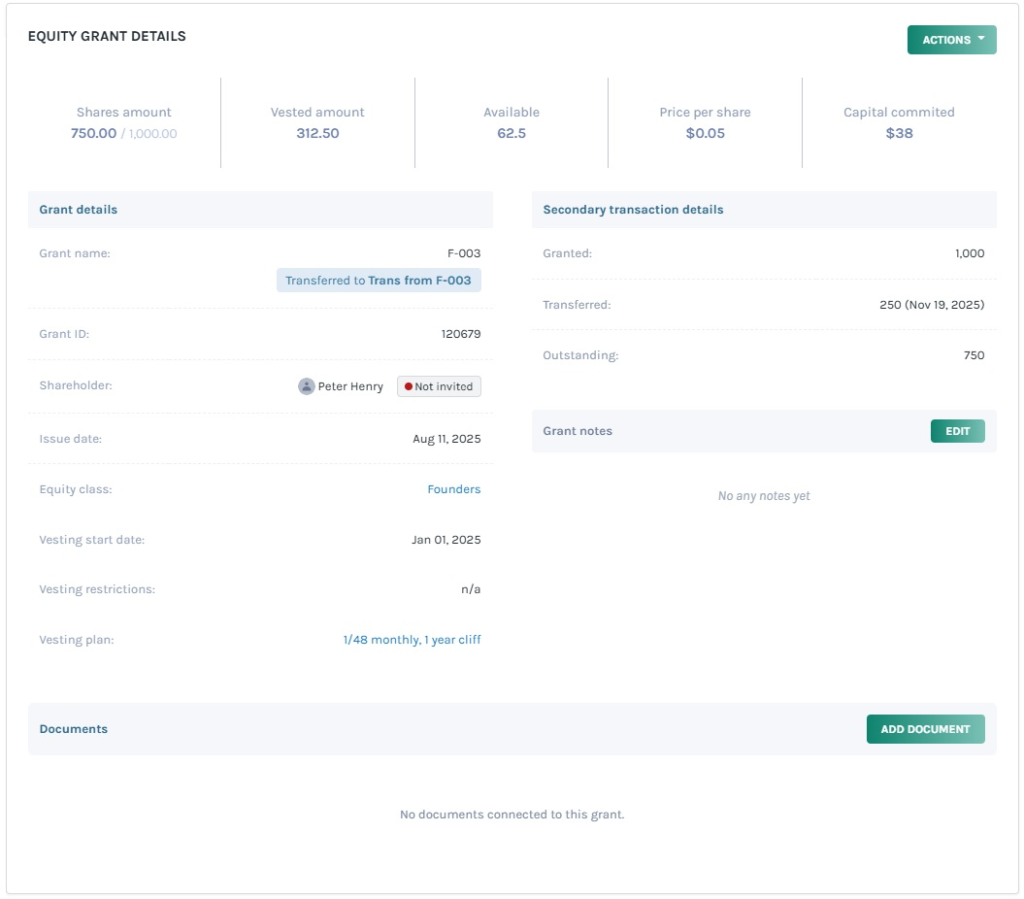
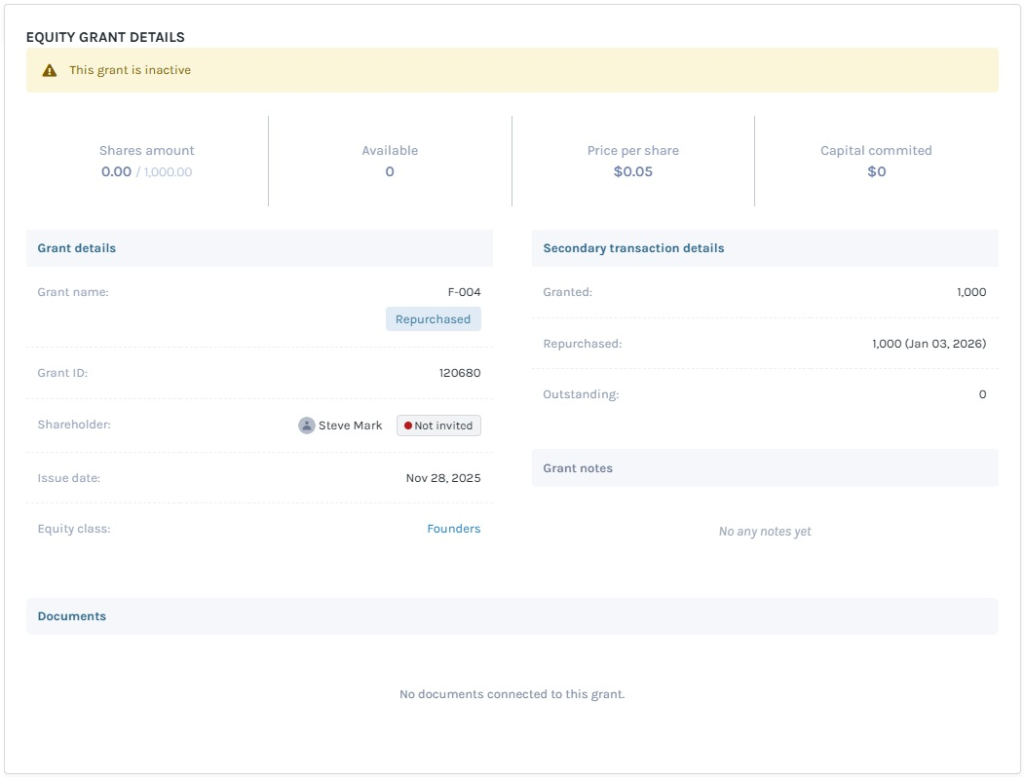
Let us look at an example of an active and inactive grant by clicking on the grant name.
#1 Active Grant
#2 Inactive Grant
For more information on Eqvista, check out our support articles or get in touch with us today!
