Download File Attached in Fair Market Value or FMV
The fair market value is determined through a 409A valuation conducted by a qualified expert like Eqvista. It keeps track of all your records and previous valuation results. To request, add, edit, and share the FMV, check out our support article here!
Note: The FMV of a company’s 409A valuation is valid for 12 months following the valuation date unless a significant event occurs
How to download the file attached in FMV?
While adding fair market value, you have the option to upload a file. You can easily download the attached file in just a few clicks.
Here are the steps to follow:
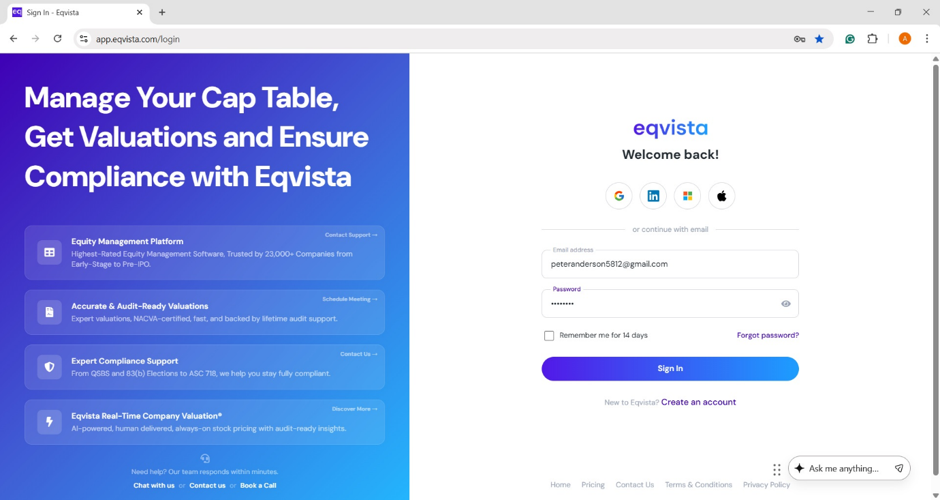
Step 1: Log into Eqvista and select your company.
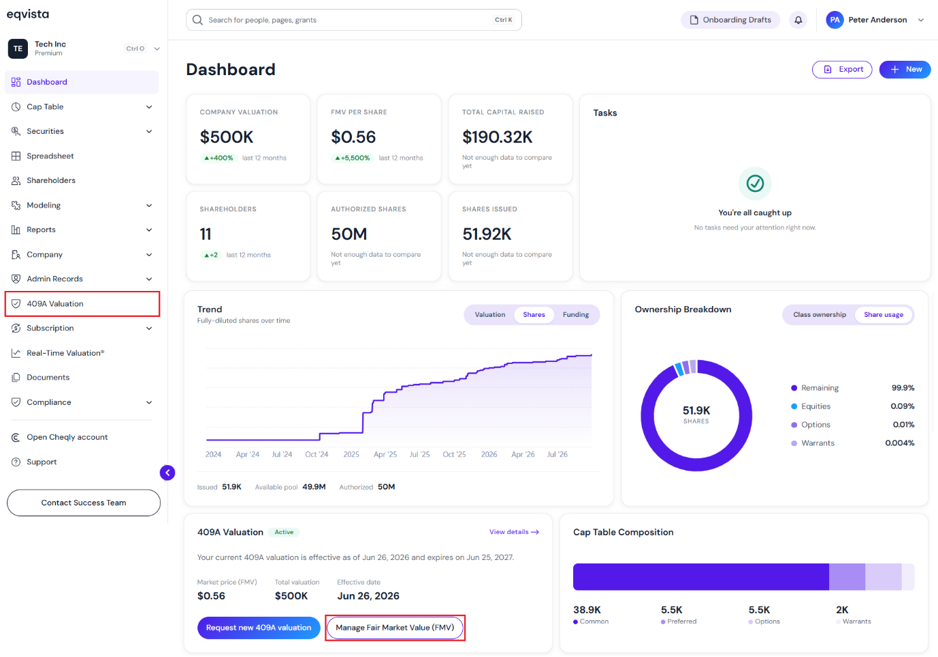
On the dashboard, click on “409A Valuation” on the left or click on “Manage Fair Market Value (FMV)”.
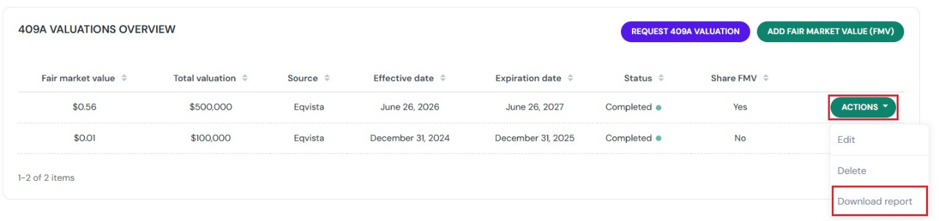
Step 2: On this page, you can view the details of the fair market value.
Note: You can request for a 409A valuation by clicking on “Request 409A Valuation”. By clicking on “Add Fair Market Value“, you can add fair market value. To share and edit the fair market value entered, check out the respective support articles.
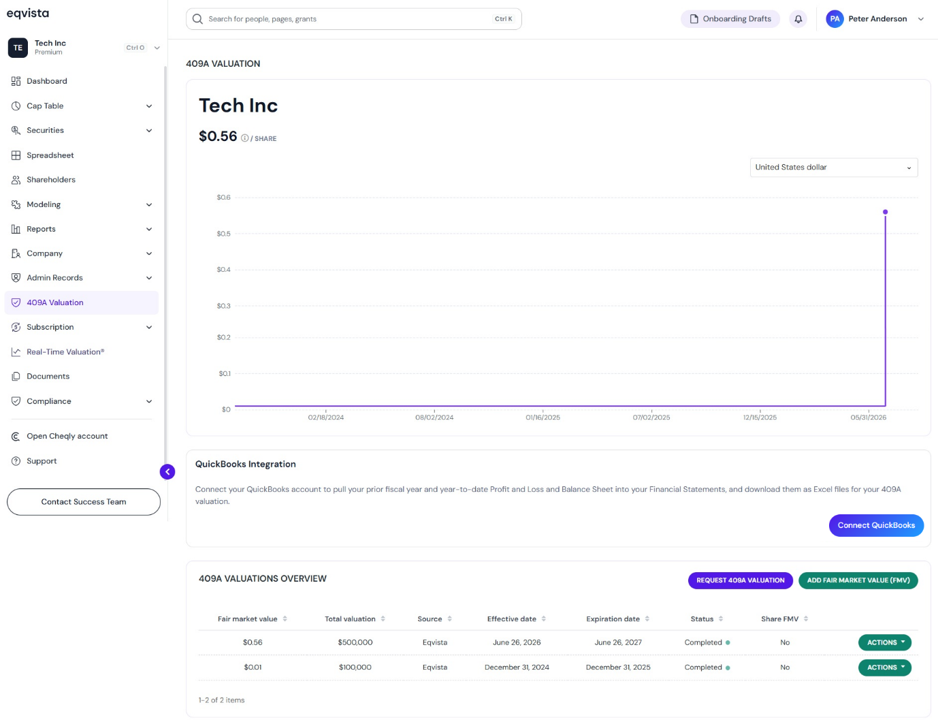
Note: Connect QuickBooks to 409A Valuation by clicking on “Connect QuickBooks” to allow Eqvista to access your financial data. Check out the support article to learn how to connect QuickBooks!
Step 3: While adding fair market value, you have the option to upload a file. To download the file, click on “Actions” on the right side to get a drop-down menu and select “Download Report”.
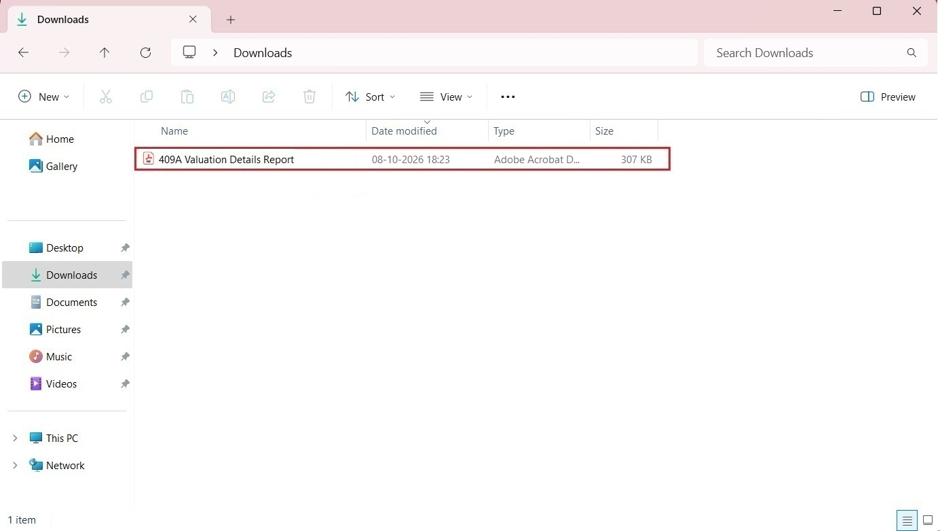
Step 4: The report will be downloaded and saved in PDF format. In this case, the report has been saved in the Downloads.
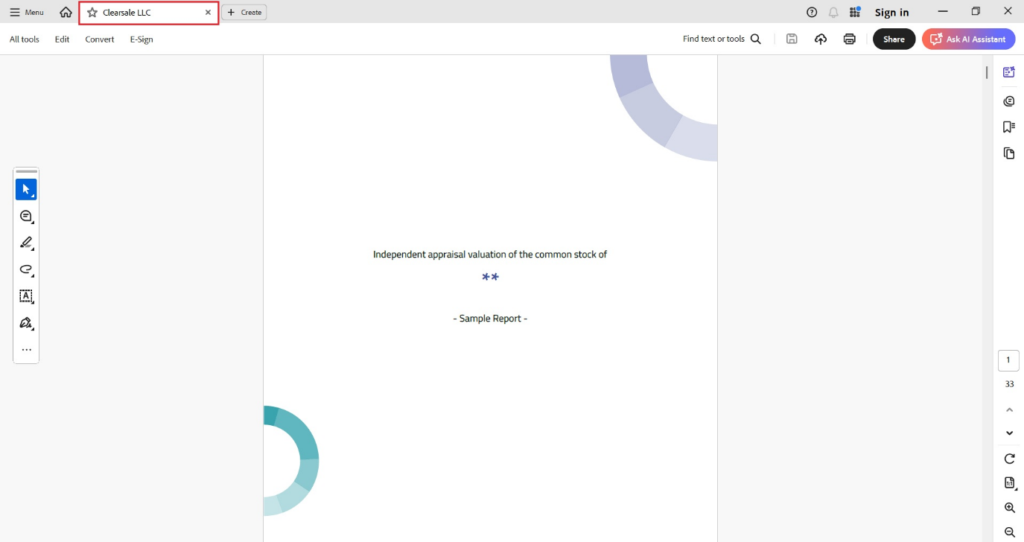
Double-click the PDF to open the downloaded report.
For more information on Eqvista, check out our support articles or contact us today!