How is phantom stock recorded in reports?
After you issue Phantom stocks, they will be recorded in the company reports. Let’s find out how they will appear in the reports so that you can quickly point them out.
Record phantom stock in reports
Step 1: Log into the Eqvista application and select the company account.
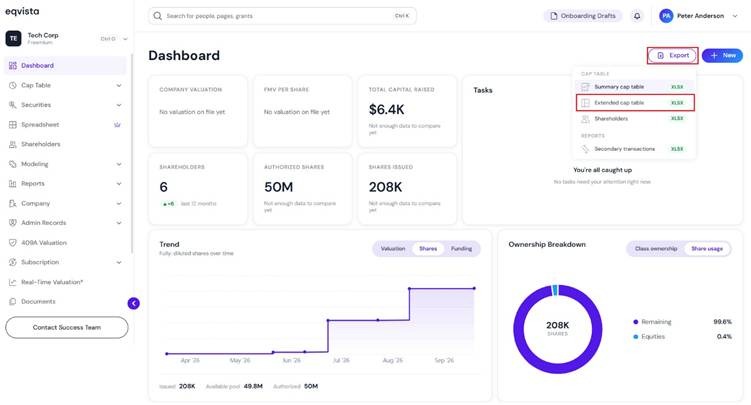
Method 1 – Dashboard
On the dashboard, click on “Export” on the right side to get a drop-down menu and select “Extended Cap table”.
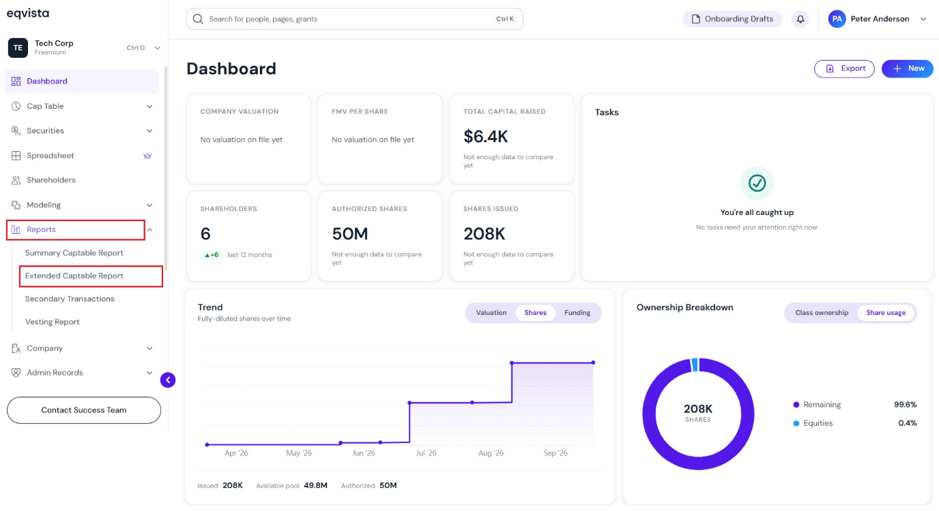
Method 2 – Reports
On the dashboard, click on “Reports” from the left-side menu and select “Extended Captable Report”.
Step 2: Once you do this, you will see the report information along with an option to download the report.
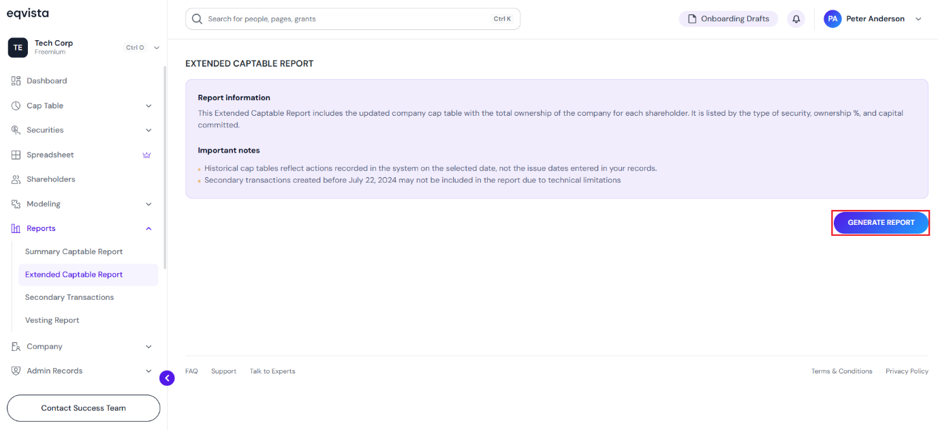
Then, click “Generate Report” on the right-hand side of the page to download the report. Once you click, a pop-up panel appears to select the share class and generate a report containing only the related securities.
Note: Suppose you want to download past cap table reports, select the date using the calendar. If you want to include inactive grants, tick the option “Include inactive grants”. Check out the support article to know more about extended cap table reports.
One Share Class
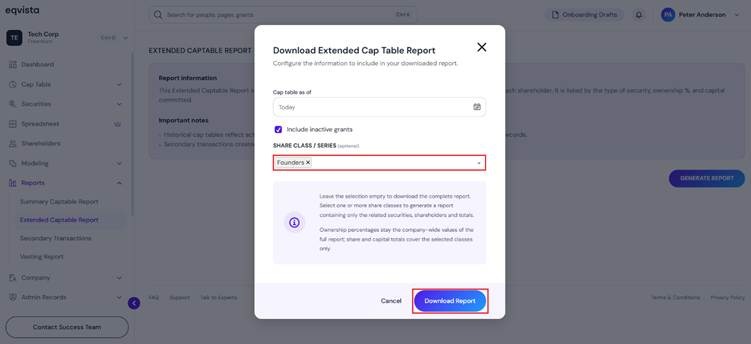
Note: Ownership percentages stay the company-wide values of the full report; share and capital totals cover the selected classes only.
All Share Classes
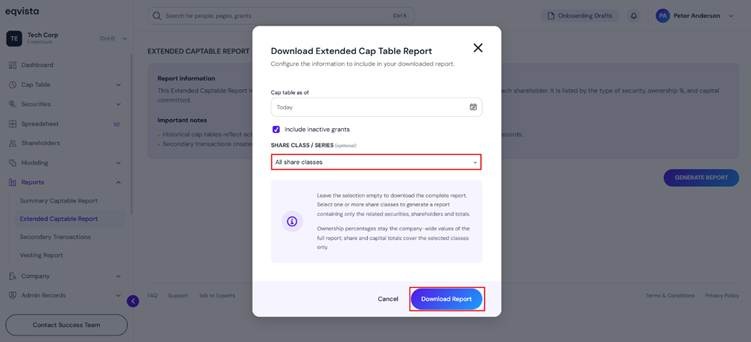
After selecting the options, click on “Download Report”.
Step 3: Once you click, the report gets downloaded as an Excel sheet in your Downloads.
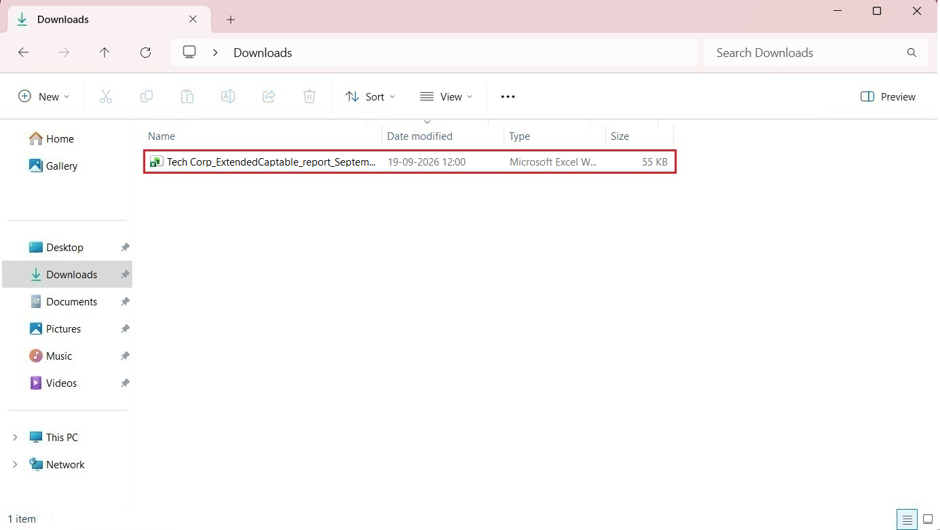
Step 4: Double-click the Excel sheet to open the downloaded report from the download folder in your system.
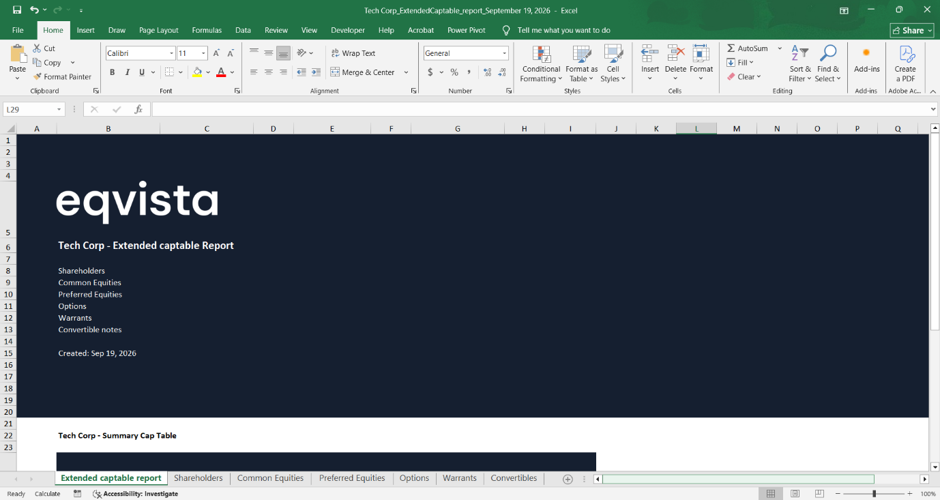
The report will have seven sheets with details. The first sheet is like a cover that tells what the report is about with the company name.
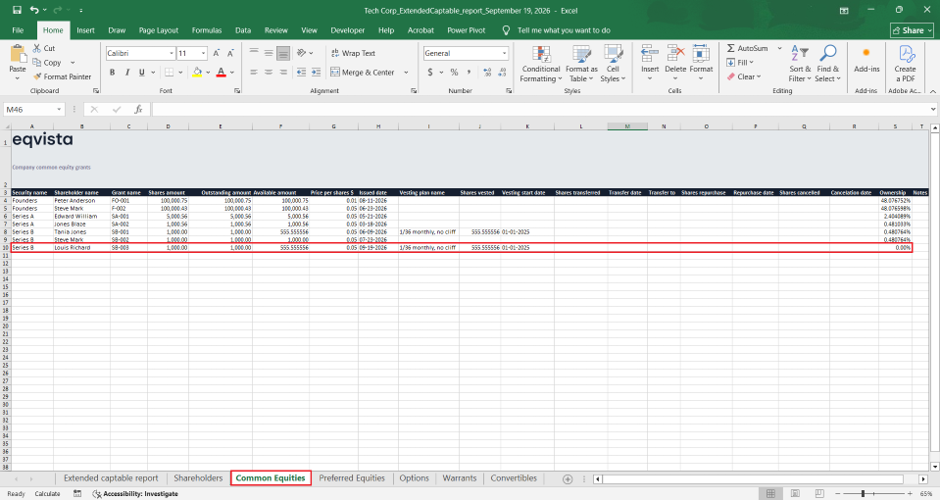
Step 5: On the third tab ‘Common equities’, you can see all the company’s common equity grants, including any phantom stocks issued. However, for the Phantom stock owners (Louis Richard in our example), the ‘Ownership’ will appear as ‘0.00%’.
To know how to issue Phantom stocks you can refer to this support article. For a better understanding of phantom stocks and how they work for a company, check out here.