How to Edit the Group Structure?
On the Eqvista platform, group hierarchy can be managed and visualised using group structure. The created group structure can be viewed and managed in just a few clicks.
Here are the steps to follow:
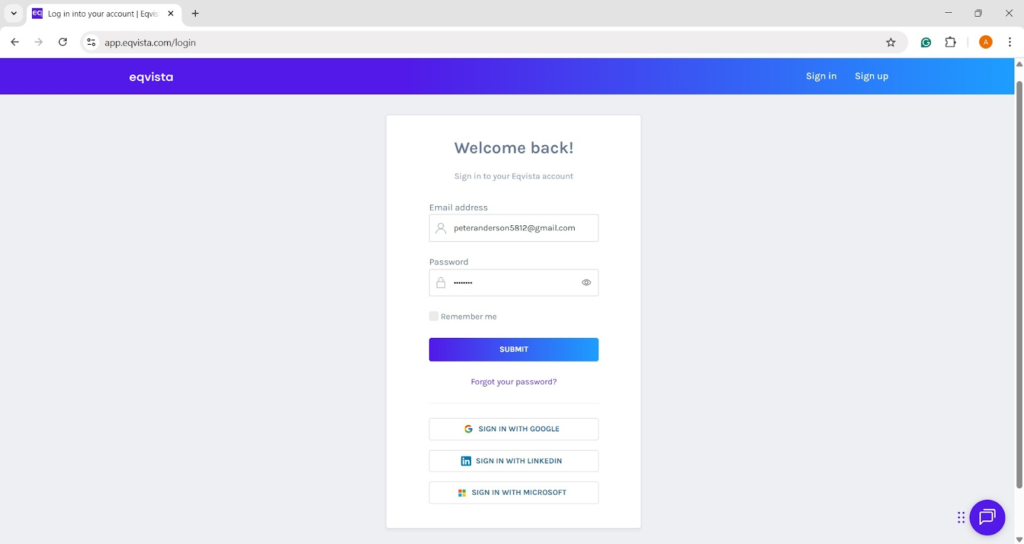
Step 1: Log into Eqvista and choose your company.
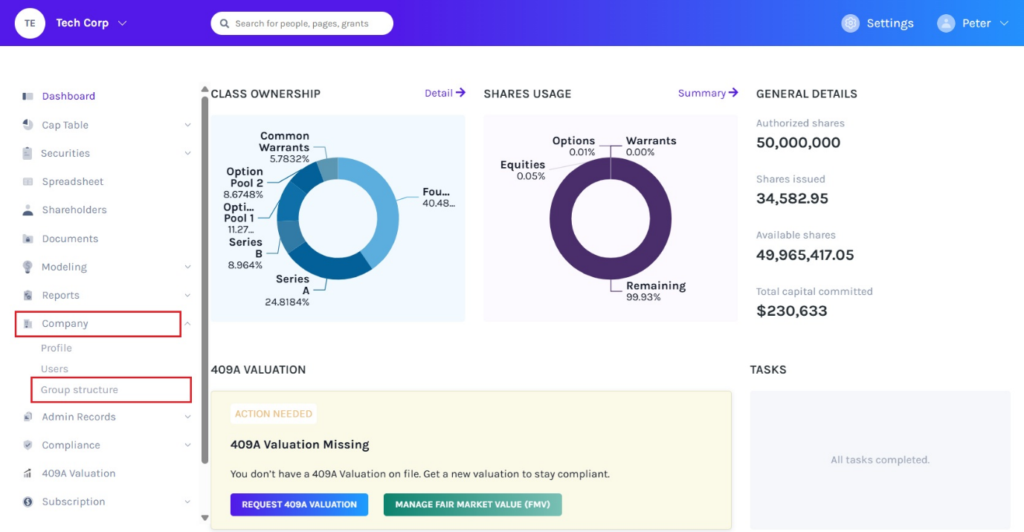
On the dashboard, click “Company” on the left to get a drop-down menu and select “Group Structure”.
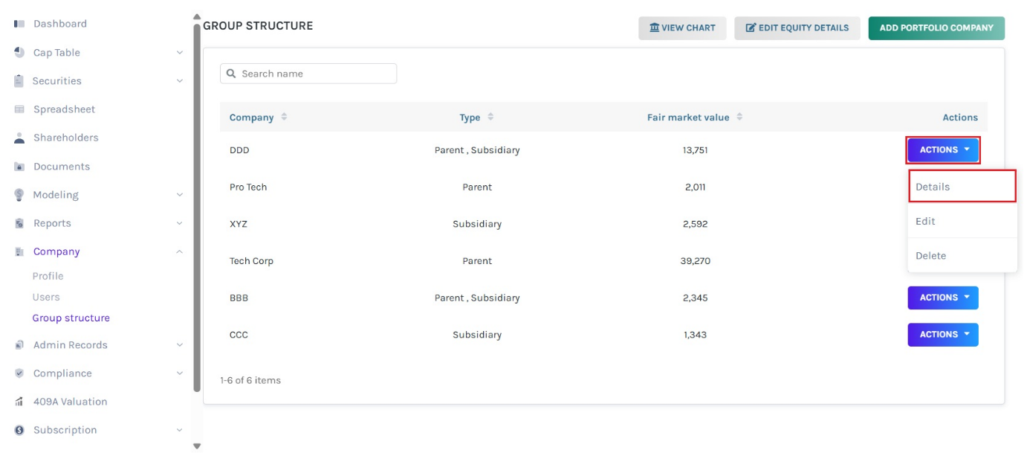
Step 2: When you create a group structure, it will be displayed as shown below. On this page, you can perform the following functions:
#1 DETAILS
To view the company details, click on “Actions” to get a drop-down menu and select “Details”.
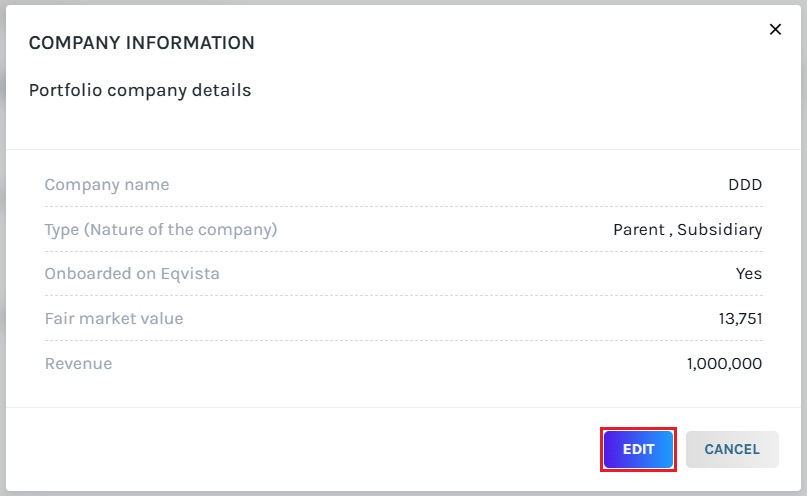
Once you click, a pop-up panel will appear with the details of the company along with an option to “Edit”.
#2 EDIT
The company details can be edited by clicking “Actions” to get a drop-down menu and selecting “Edit”.
Scenario 1: Does Not Have an Account on Eqvista
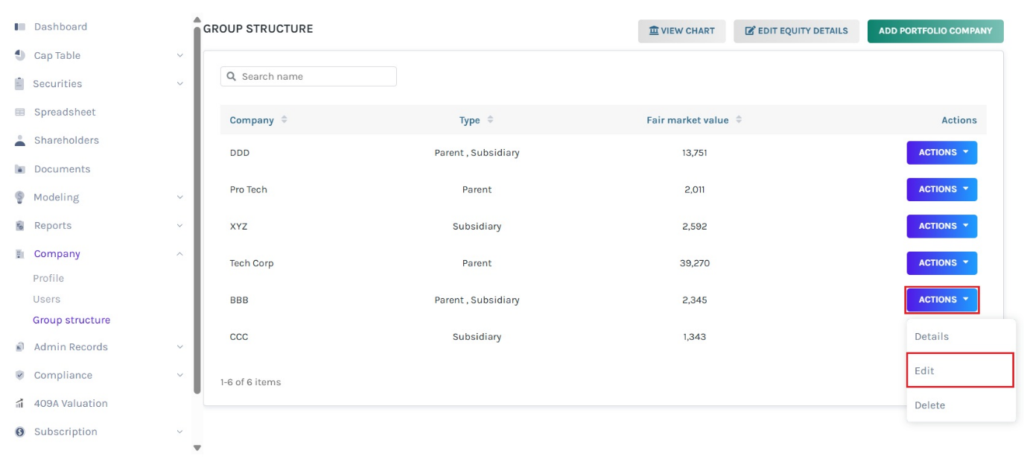
A pop-up panel will appear to edit the details of the company, as shown below. You can edit the company name, type, fair market value, and revenue.
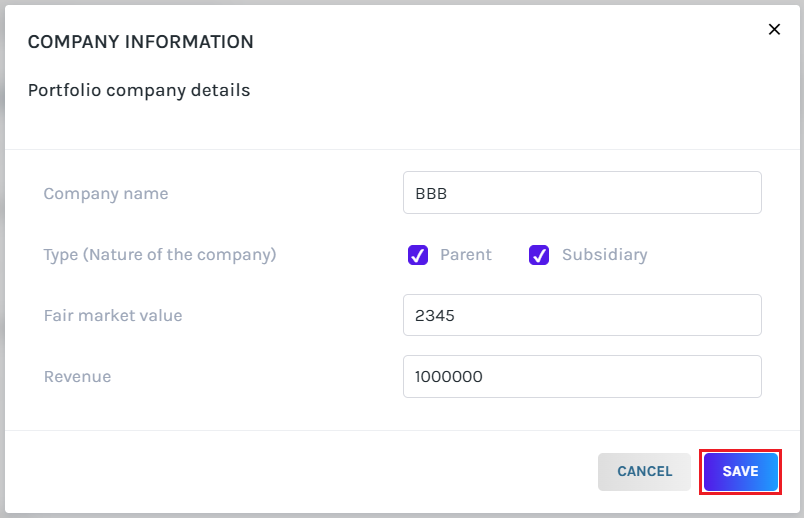
Once done, click on “Save”.
Scenario 2: Has an Account on Eqvista
The company details can be edited by clicking “Actions” to get a drop-down menu and selecting “Edit”.
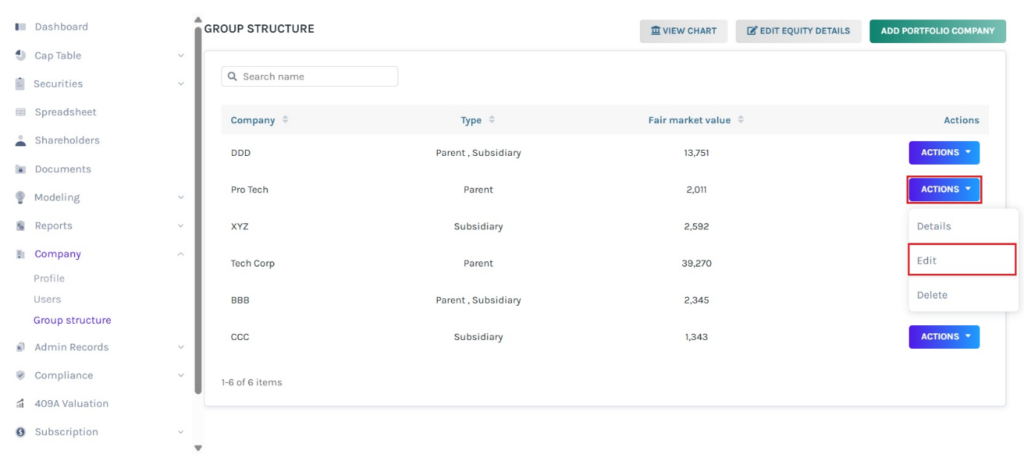
A pop-up panel will appear to edit the details of the company, as shown below. You can only edit the company name, and type.
Note: The fair market value and revenue can only be edited in the respective company profile.
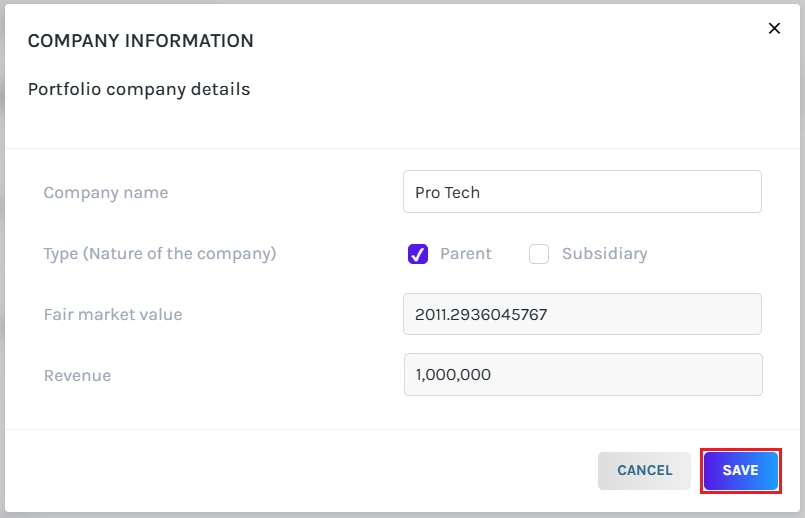
Once done, click on “Save”.
#3 DELETE
Suppose you would like to delete the company, then click on “Actions” to get a drop-down menu and select “Delete”.
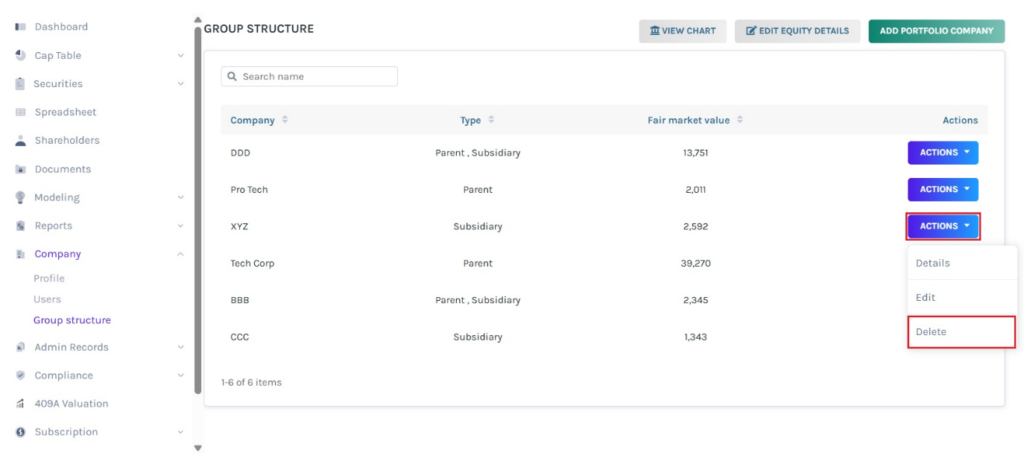
Then, a pop-up panel will appear, and you will be asked if you are sure that you want to delete the company.
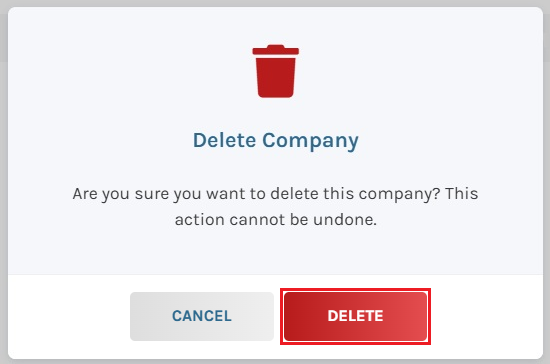
To delete the company, click on “Delete”.
#4 EDIT EQUITY DETAILS
In case you would like to edit the equity details for the created group structure, click on “Edit Equity Details”.
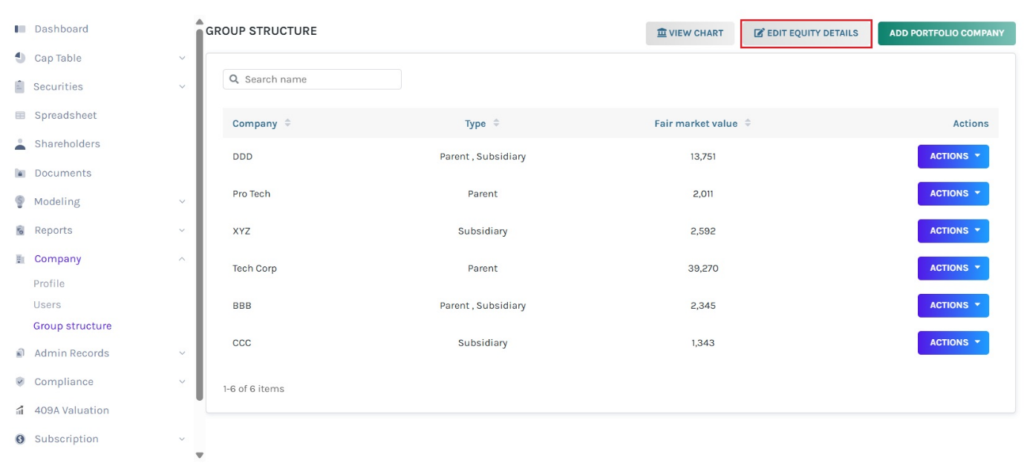
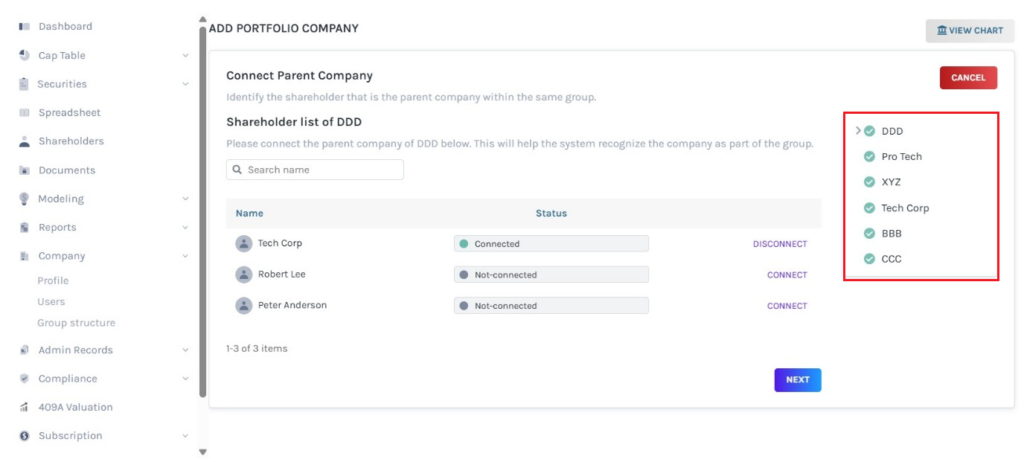
When you click, you will be directed to the page to edit the details entered, as shown below. Select the company by clicking on the company name on the right side of the page.
#5 VIEW CHART
You can view the chart of the group structure by clicking on “View Chart”.
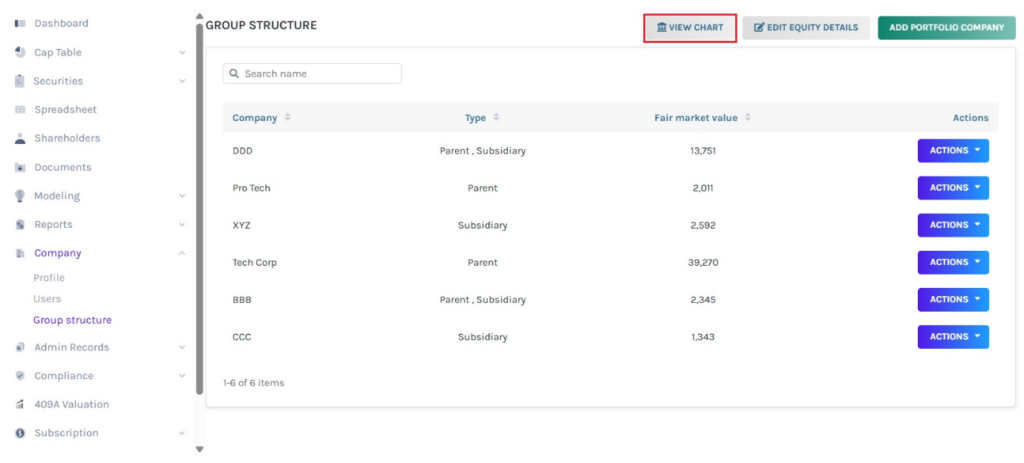
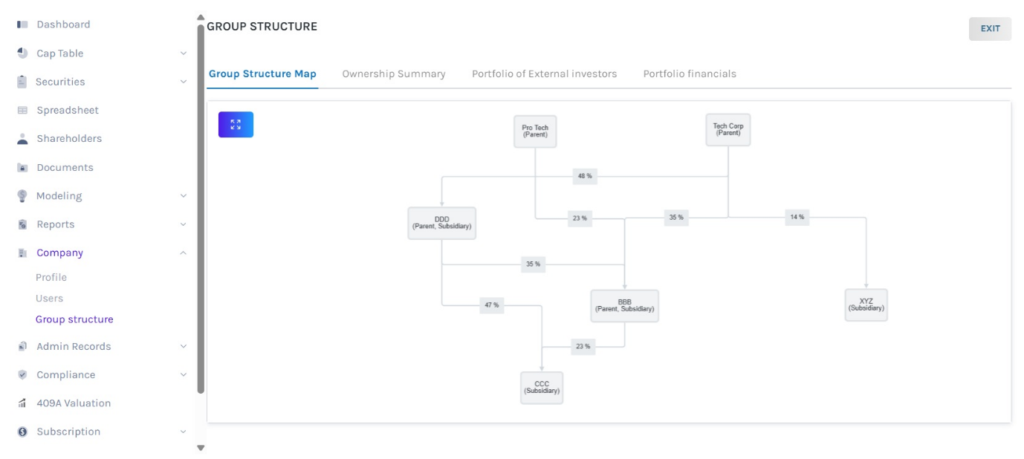
Then, will be directed to the following page, as shown below.
Note: On this page, there are four sections – Group Structure Map, Ownership Summary, Portfolio of External Investors, and Portfolio Financials. To further understand the sections in detail, check out the support article here!
For more information on Eqvista, check out our support articles or contact us today!
