Group Structure: View Chart
Eqvista provides an option to view the graphical representation of group structure. The created group structure will include a group structure chart, an ownership summary, details about external investors, and portfolio financial information.
Here are the steps to follow:
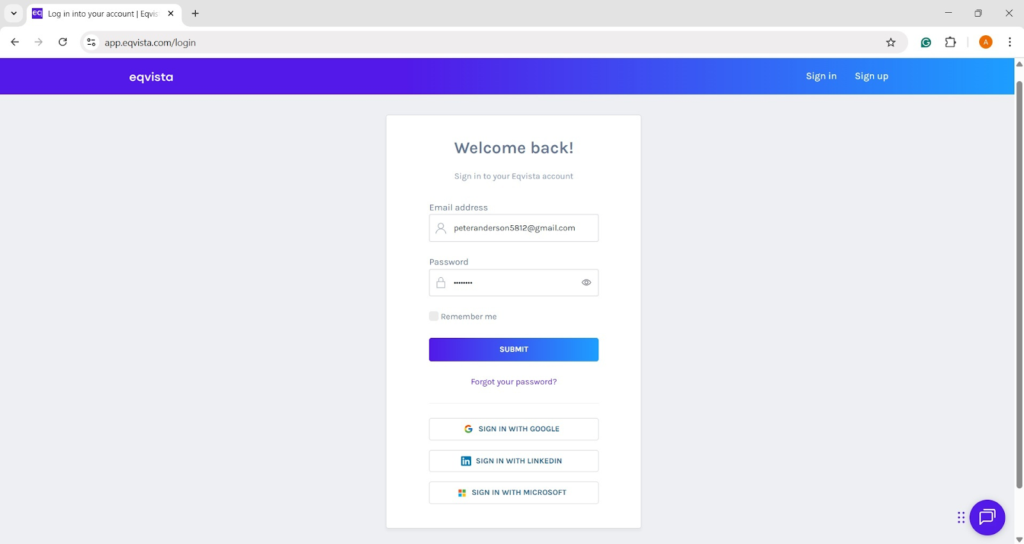
Step 1: Log into Eqvista and choose your company.
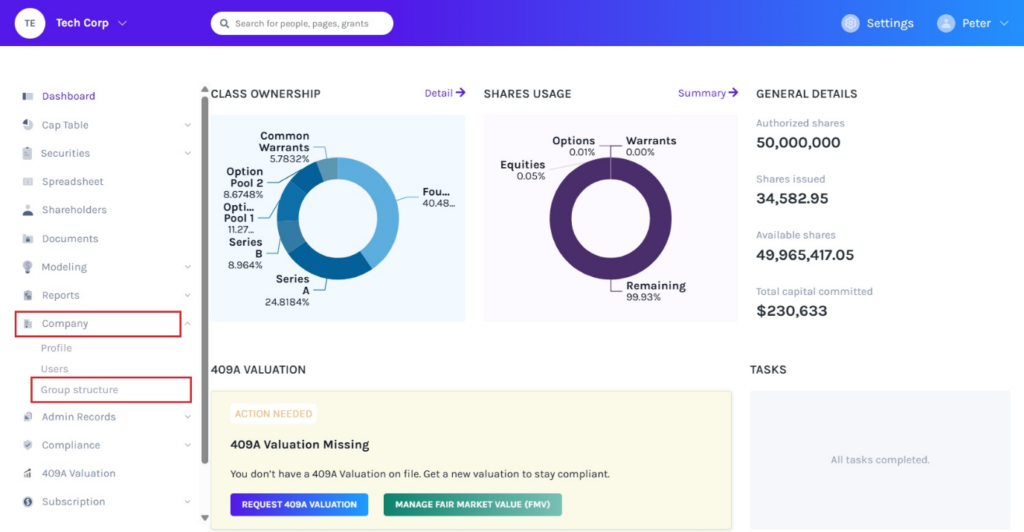
On the dashboard, click “Company” on the left to get a drop-down menu and select “Group Structure”.
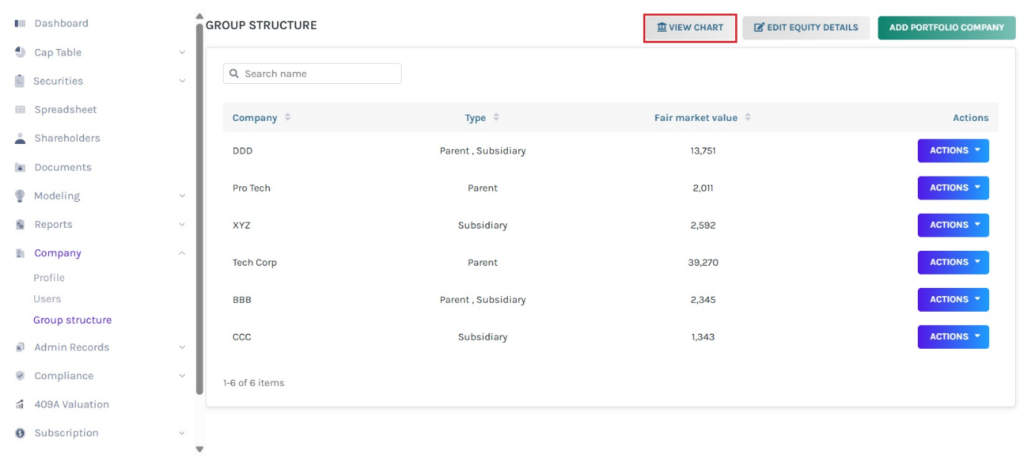
Step 2: On this page, you view the created group structure as shown below. You can view the chart of the group structure by clicking on “View Chart”.
Step 3: Then, will be directed to the following page, as shown below. On this page, there are four sections – Group Structure Map, Ownership Summary, Portfolio of External Investors, and Portfolio Financials.
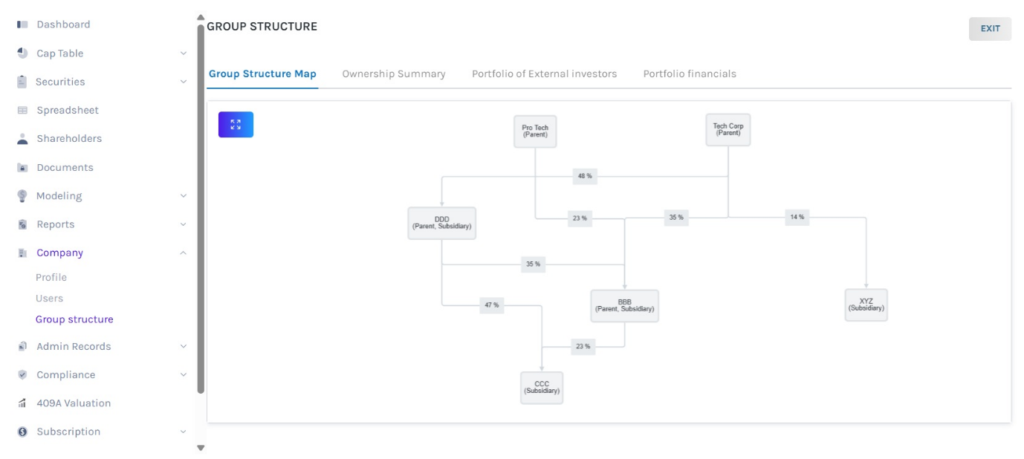
Group structure map
The section displays the graphical representation of the created group structure along with its ownership percentage.
- For companies that already have an account on Eqvista, it automatically links their cap table data to display the correct ownership percentages.
- In case of companies that do not have an account on Eqvista, it displays the entered ownership when creating the group structure.
Full screen
To view the chart in full screen, click the symbol in the top left of the page, as shown below.
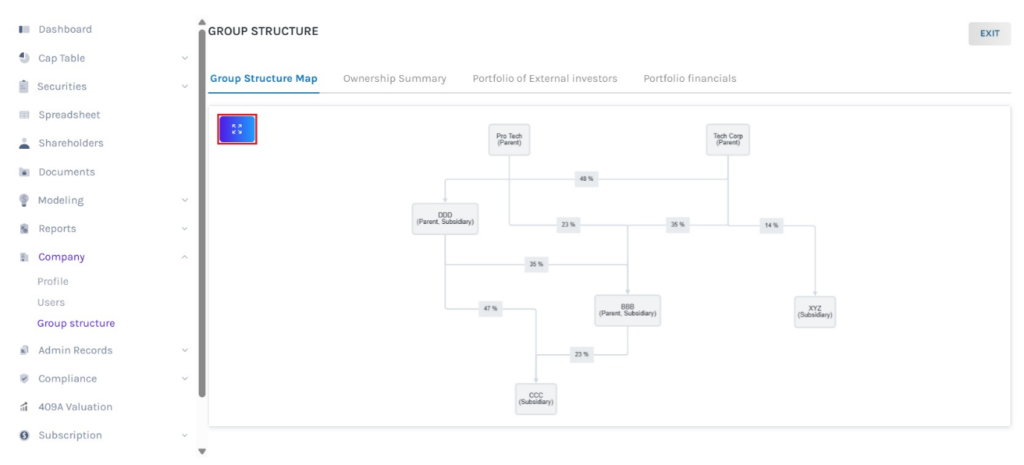
Once you click, the chart will be displayed in full screen.
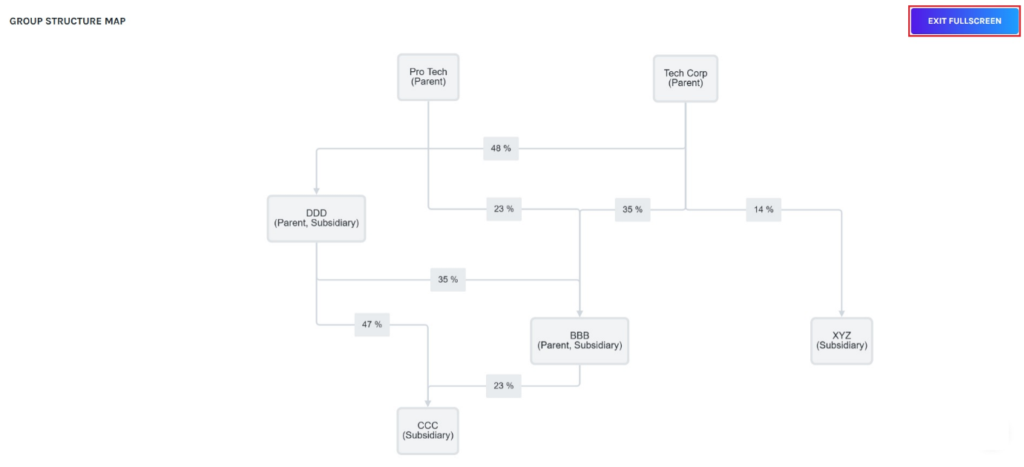
Select “Exit Full Screen” to exit the full screen option.
Parent/subsidiary details
You can click on the chart to view details about the parent or subsidiary, as shown below.
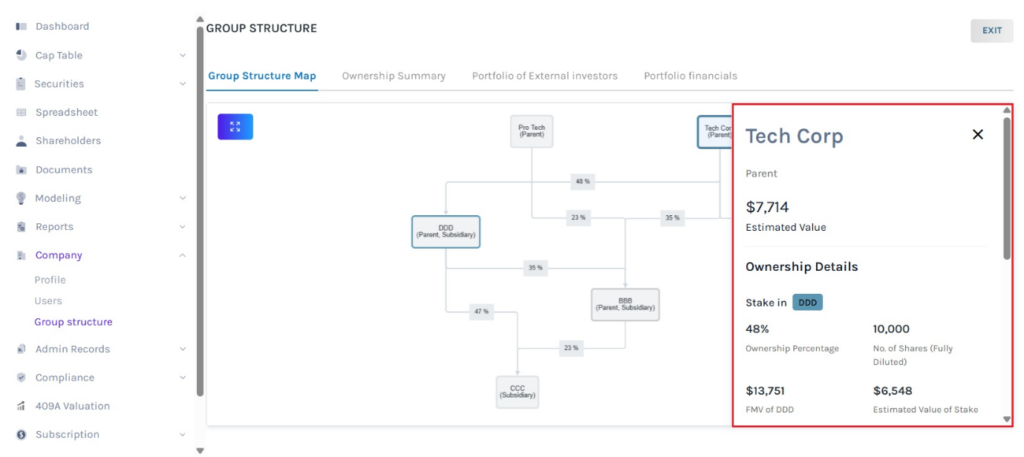
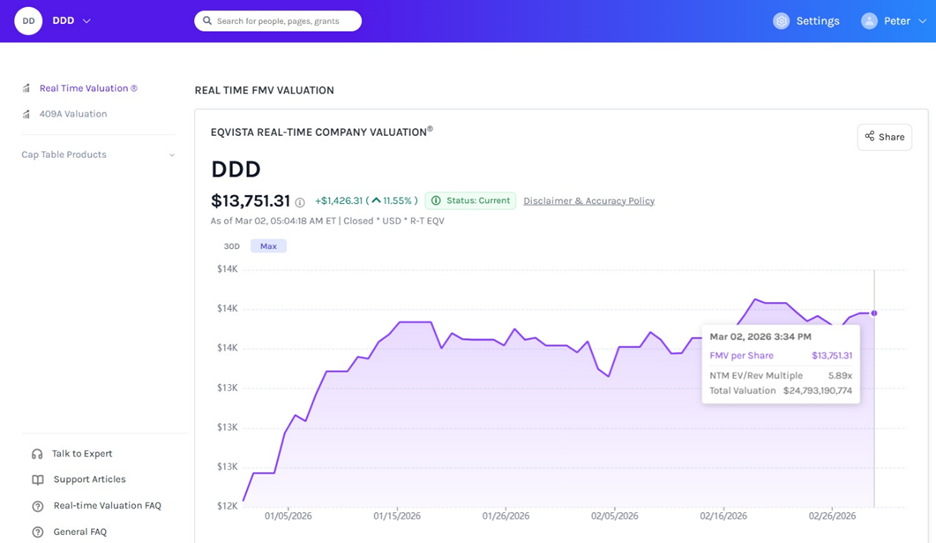
Suppose you have enabled real time valuation, estimated value, FMV, and estimated value of stake gets updated continuously on the group structure map.
Ownership summary
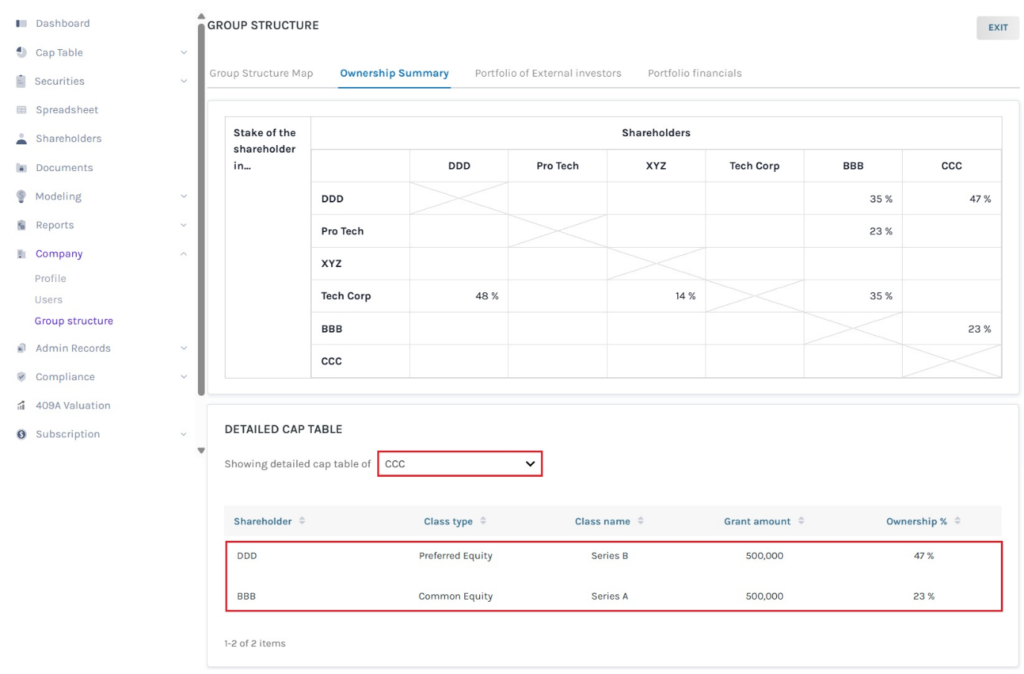
This tab provides a summary table showcasing the ownership percentages, along with a detailed cap table for the company.
- For companies that already have an account on Eqvista, it automatically links their cap table data to display the correct ownership percentages.
- In case of companies that do not have an account on Eqvista, it displays the entered ownership when creating the group structure.
In the Detailed Captable section, select a company from the drop-down menu to view its cap table. Once you select, it displays the detailed cap table of the selected company.
Portfolio of external investors
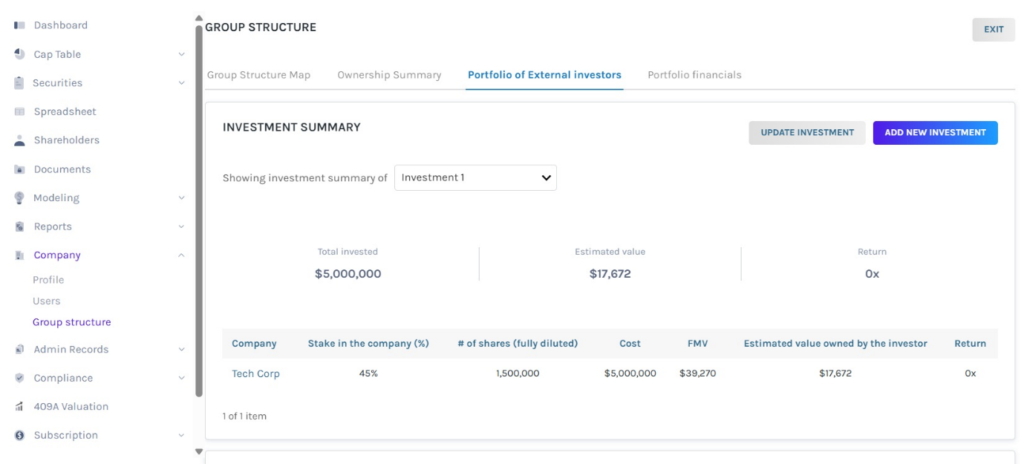
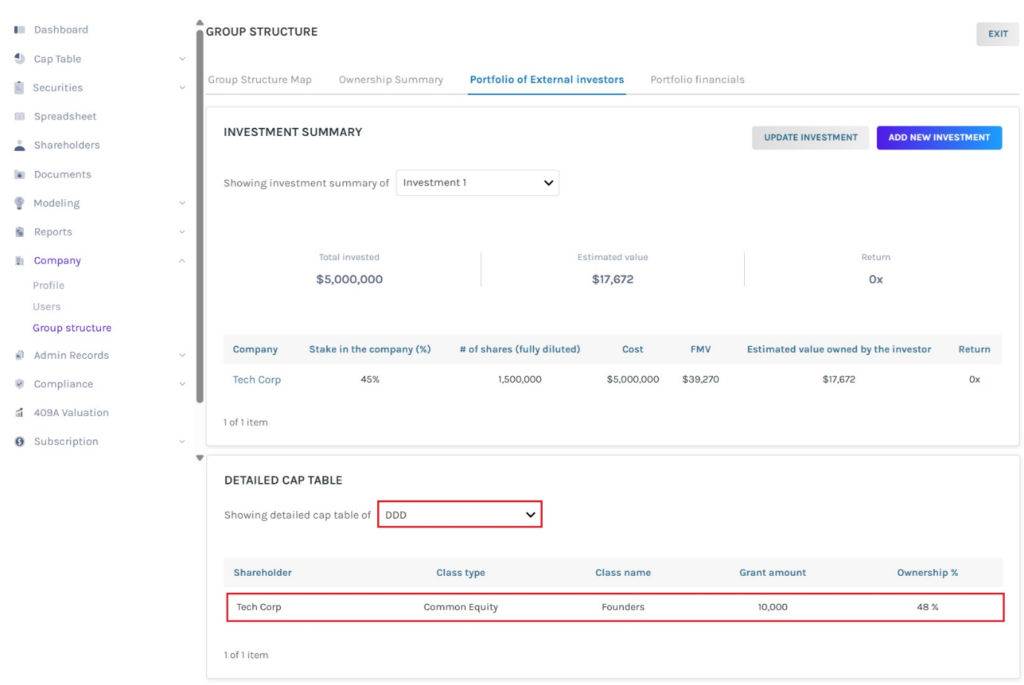
In this section, it displays the investment summary of companies in the group, along with a detailed cap table for the company.
Add new investment
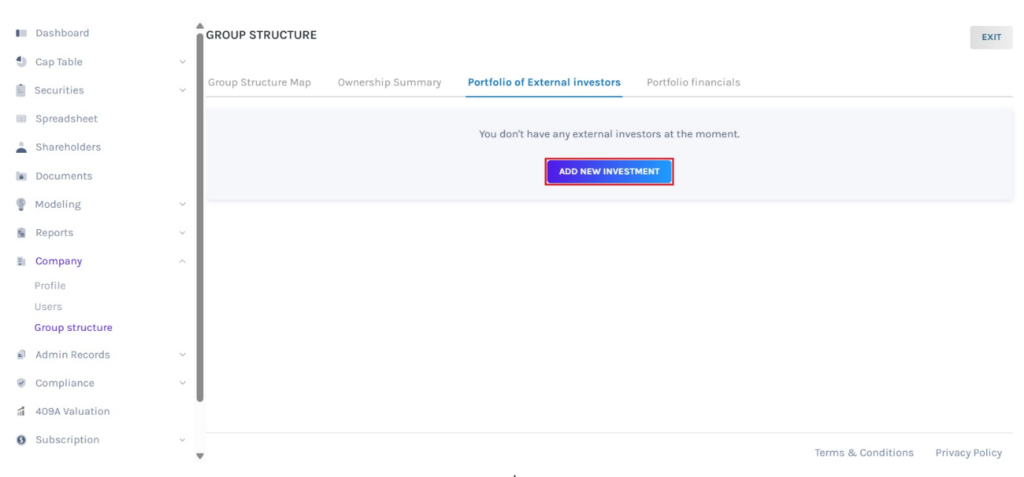
Suppose you would like to add details about a new investment, then click on “Add New Investment”.
Then, you will be directed to fill in the details such as the name of the external investment fund, select the invested company from the drop-down menu, investment date, number of shares, % stake in the invested company, and cost.
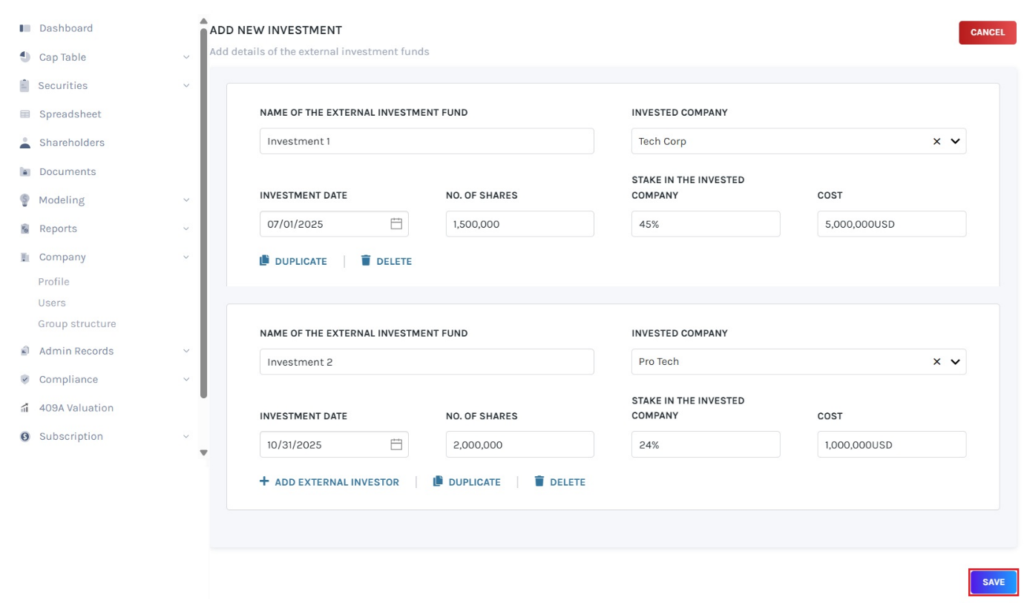
To add another external investor, duplicate or delete, click on the options “Add External Investor”, “Duplicate”, or “Delete”. Once done, click on “Save”.
Once you click, the investment will be added as shown below.
Update investment
If you want to update the existing investment details, click on “Update Investment”.
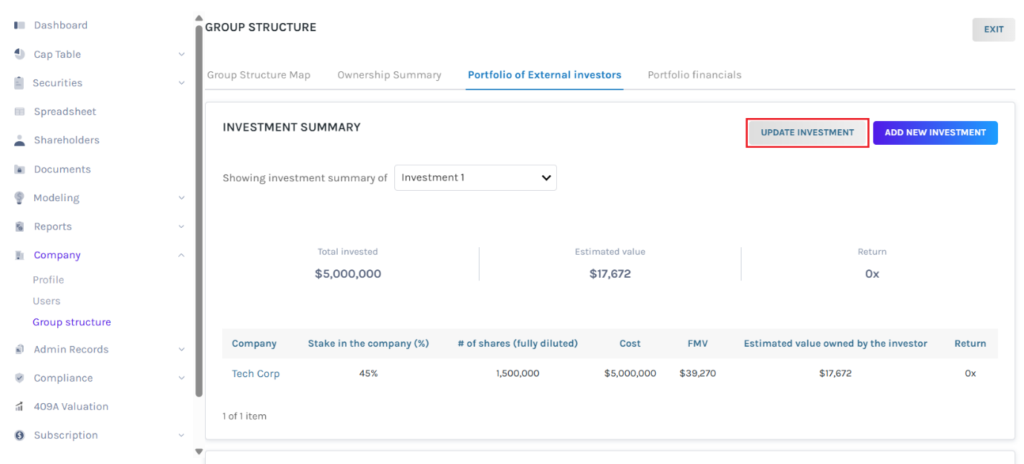
When you click, you will be directed to the page to edit the details of the existing investment.
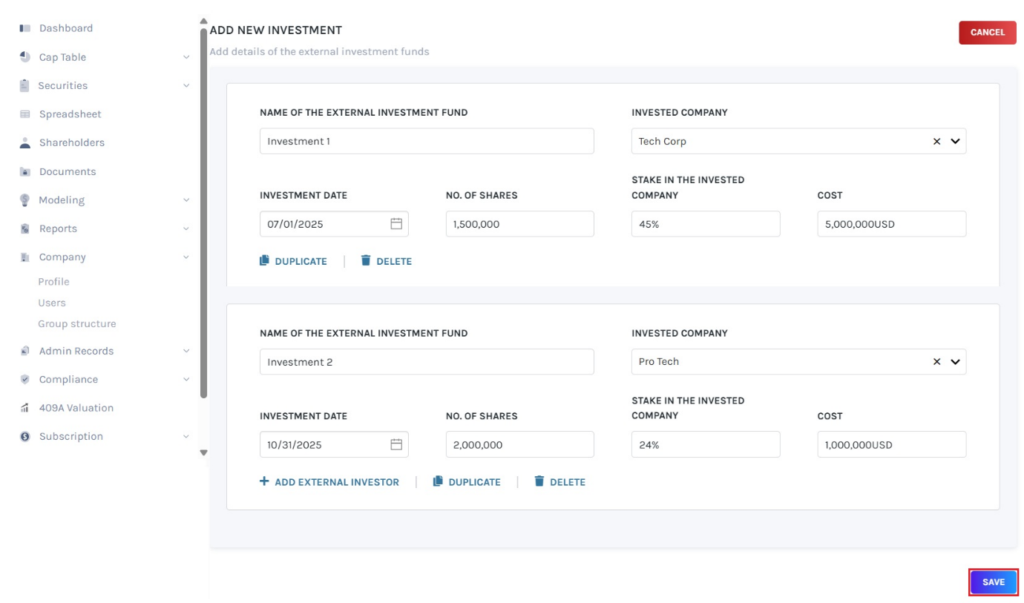
Once done, click on “Save”.
Investment details
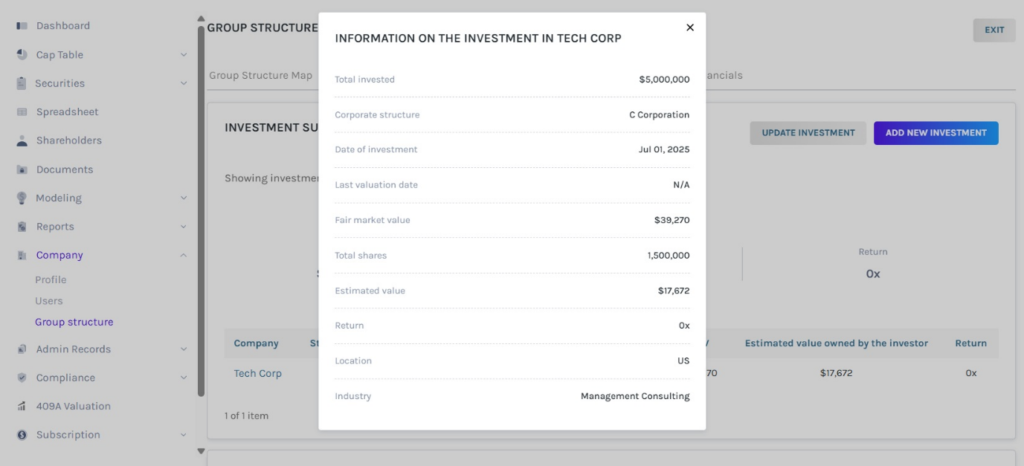
You can click on the company name, which displays information on investments made in the company.
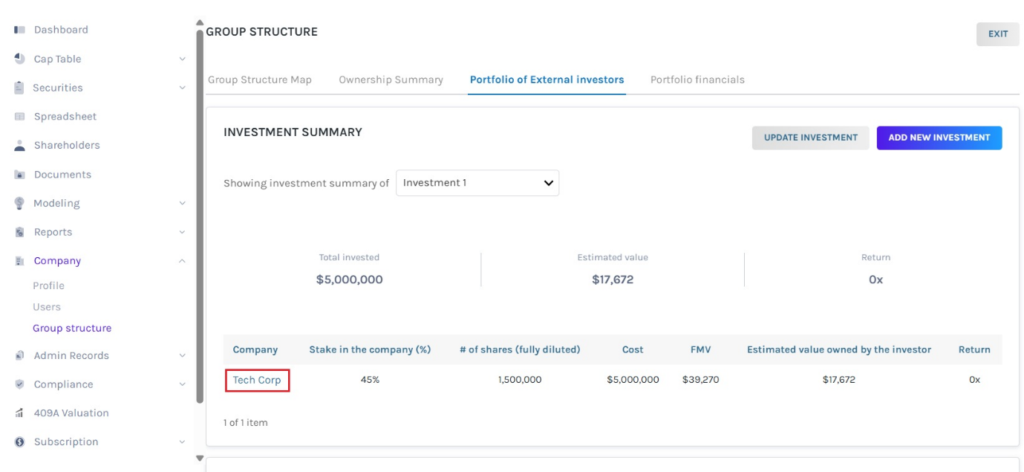
Once you click, a pop-up panel appears displaying investment and company details.
In the Detailed Captable section, select a company from the drop-down menu to view its cap table.
Portfolio financials
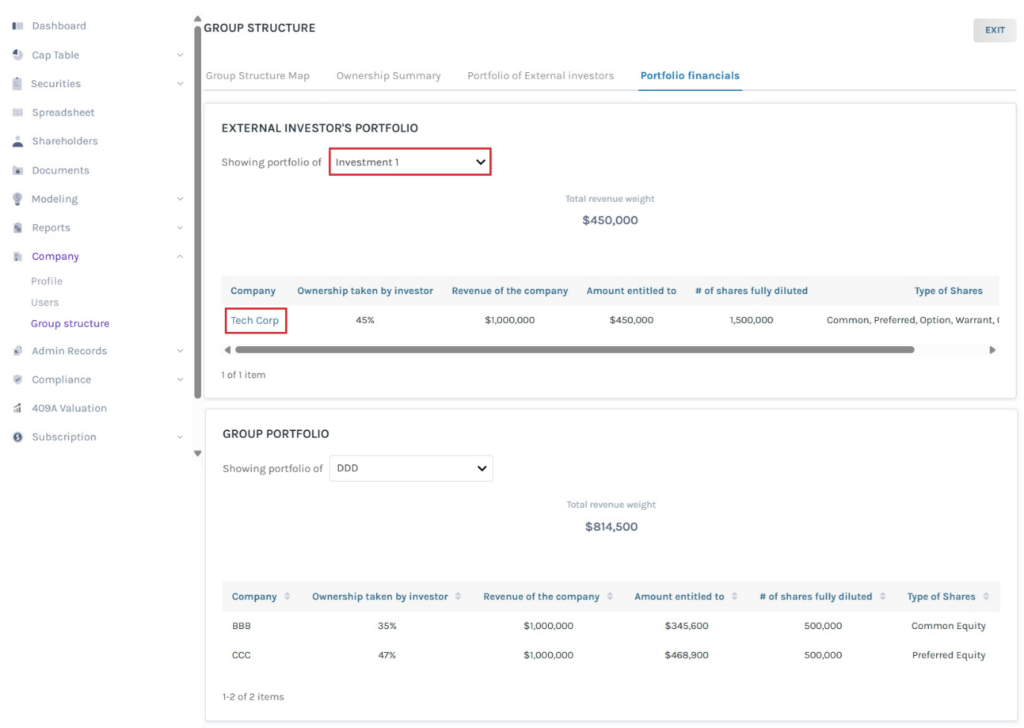
This tab provides financial information on External Investor and Group portfolio.
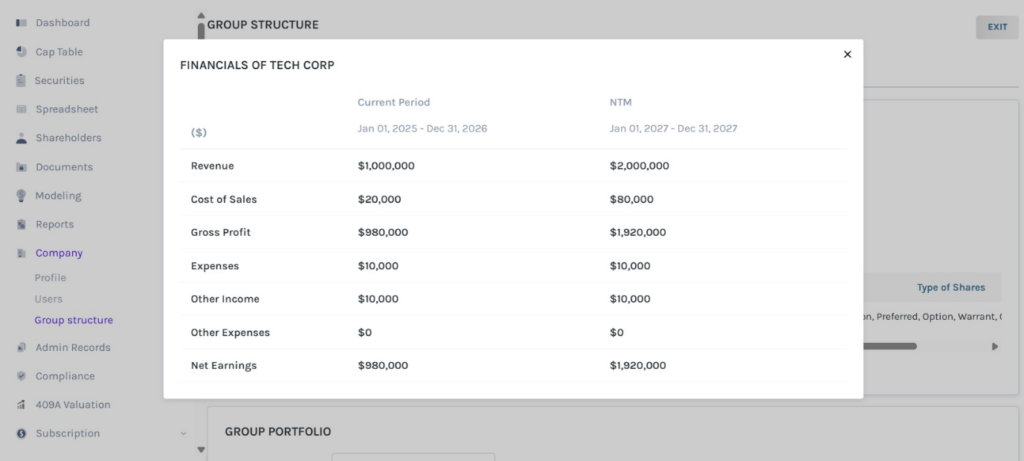
In the External Investor Portfolio section, select the company from the drop-down menu to view the related information. When clicking on the company name, it displays the financials of the company.
Once you click, a pop-up panel appears displaying the financials of the company.
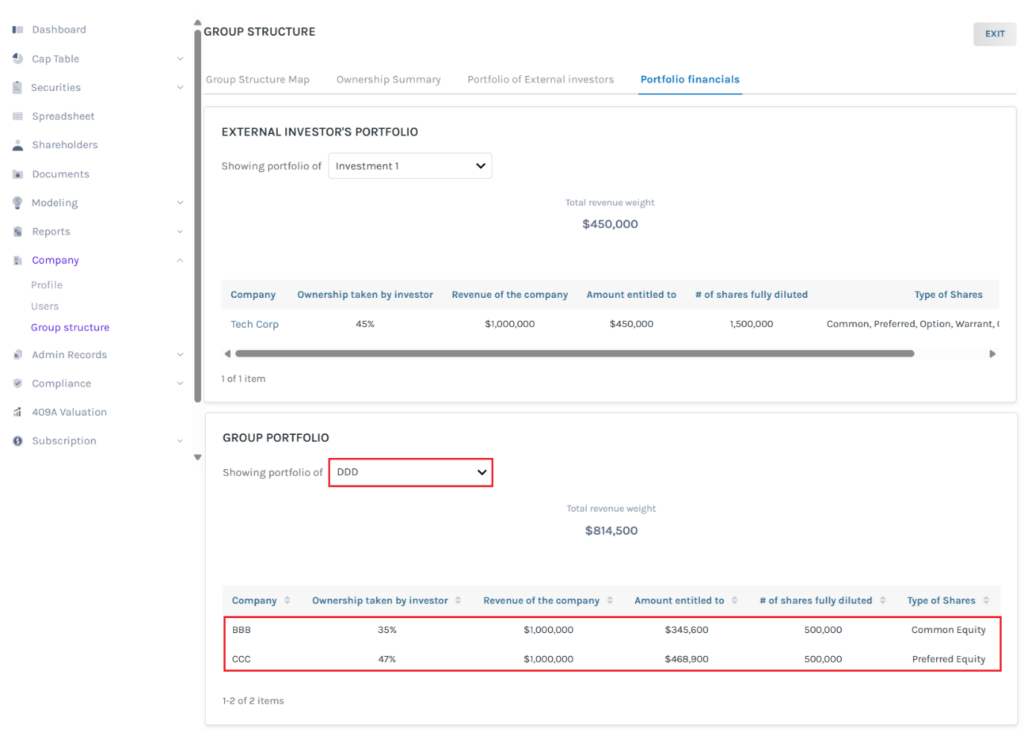
In the Group Portfolio section, select the company from the drop-down menu to view the related information.
To exit the group structure, click on “Exit”.
The feature helps companies visualize and analyze ownership and investment relationships within the Eqvista platform—making it ideal for transparency, investor reporting, and strategic decision-making.
To learn more about Eqvista, check out our support articles and knowledge base. For queries, get in touch with us!
