How to Connect External Companies in Group Structure?
On Eqvista, connect external companies to their parent companies (or vice versa) using group structure. When creating a group structure, each company can belong to only one group structure, and it cannot appear in multiple separate structures.
Connect external companies in group structure
Here are the steps to follow:
Step 1: Log into Eqvista and choose your company.
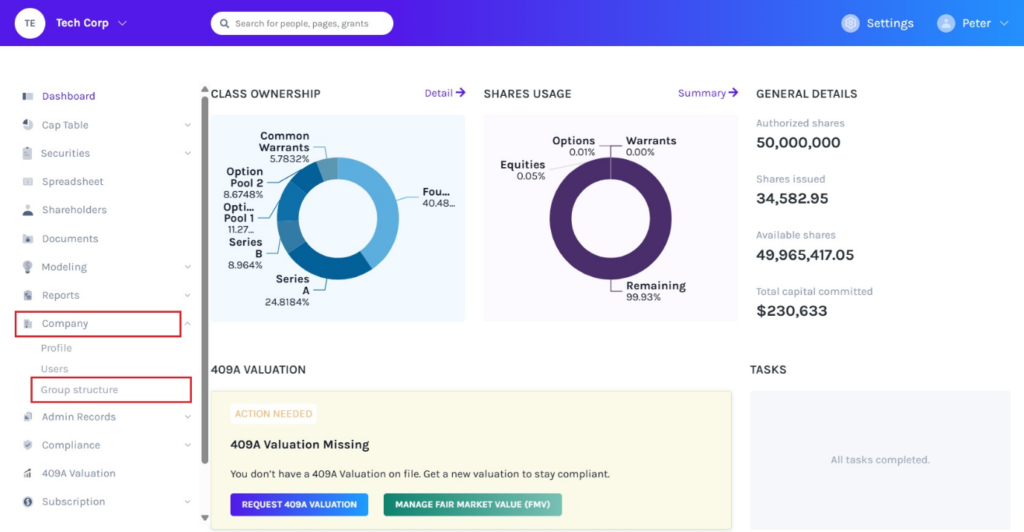
On the dashboard, click “Company” on the left to get a drop-down menu and select “Group Structure”.
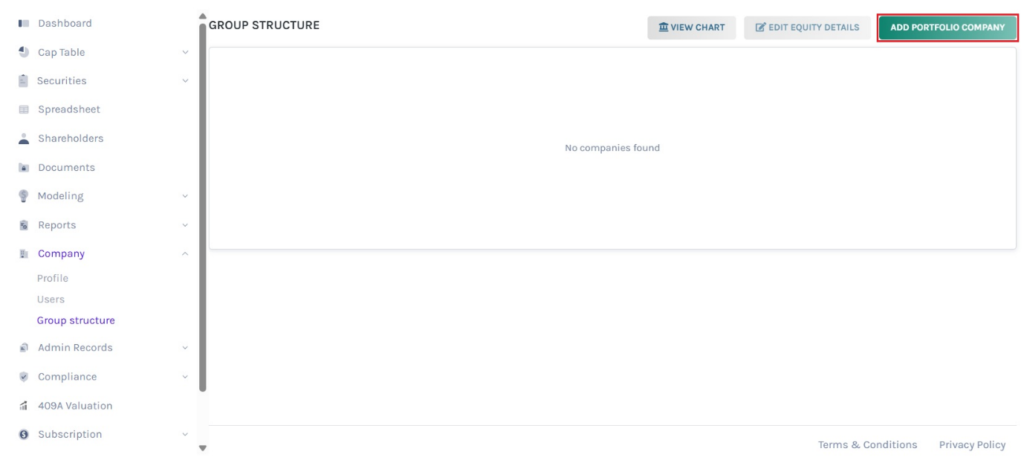
Step 2: Then, you will be directed to the page as shown below. On this page, click on “Add Portfolio Company” to add companies to create a portfolio.
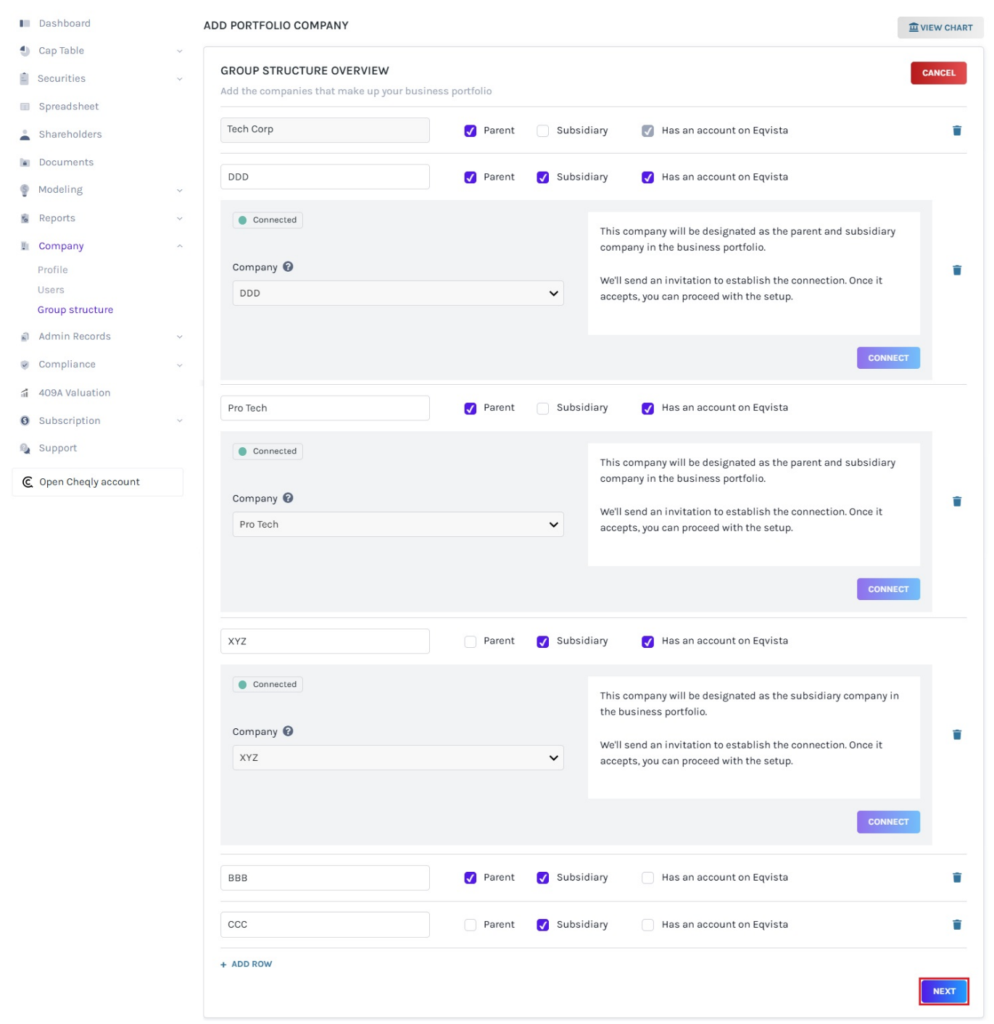
Step 3: Once you click, you will be directed to add companies. By default, the name of the company in which you are creating the business portfolio appears. Select whether they are a parent, subsidiary, or both.
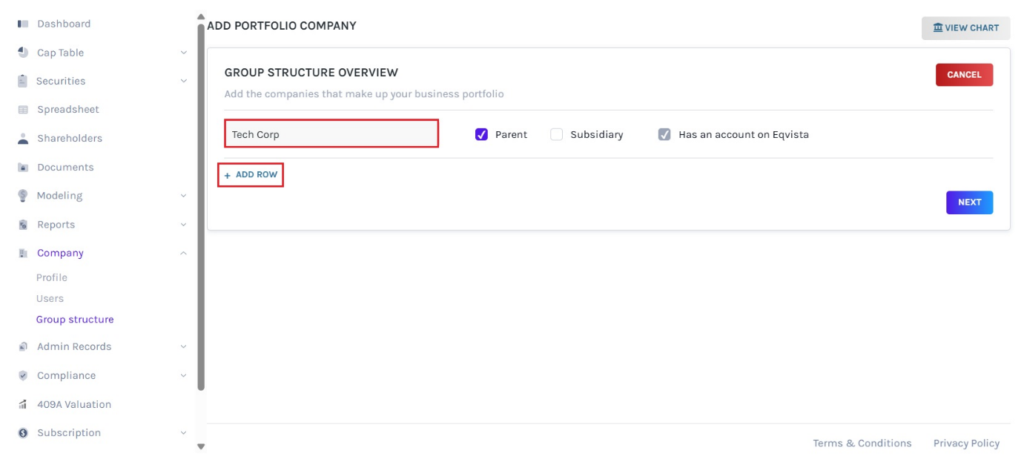
To add companies, click on “Add Row”.
Step 4: Then, enter the name of the company and select the option “Has an Account on Eqvista” or not. After adding the companies and linking them if they have an account on Eqvista, click on “Next”.
Note: Each company can belong to only one structure, it cannot appear in multiple separate structures.
Step 5: Select the company by clicking on the company name on the right side of the page. When the selected company does not have an account on Eqvista, fill in the parent or subsidiary details based on the nature of the company selected. Enter the name of the parent/subsidiary, equity class type, class name, fully diluted shares, and % ownership in the parent/subsidiary.
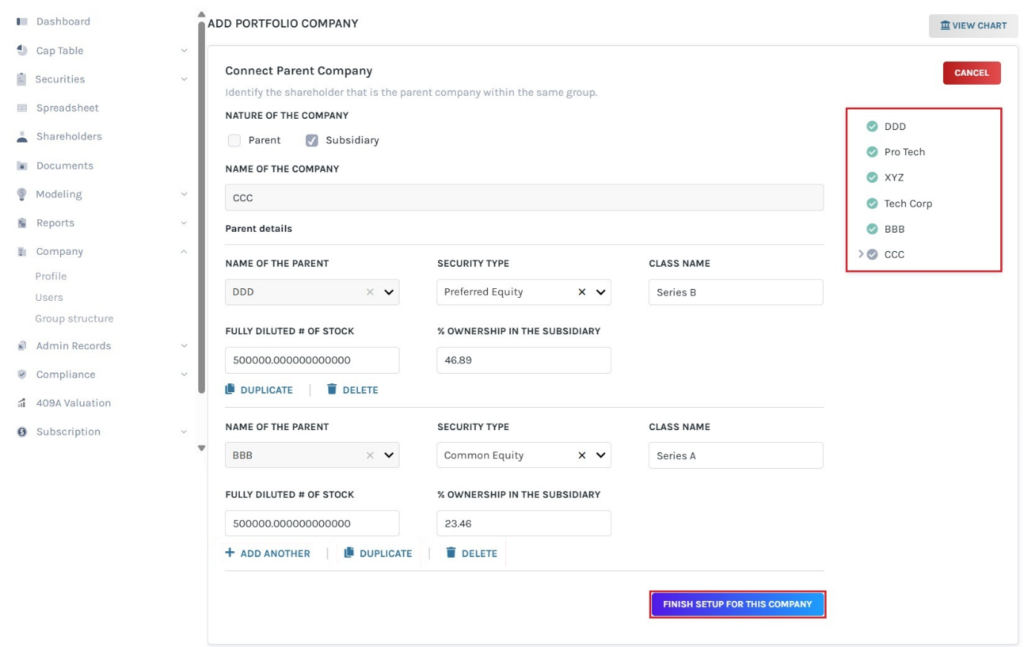
To duplicate, add another, or delete, click on the options “Add Another”, “Duplicate”, or “Delete”. Once done, click on “Finish Setup for this Company”.
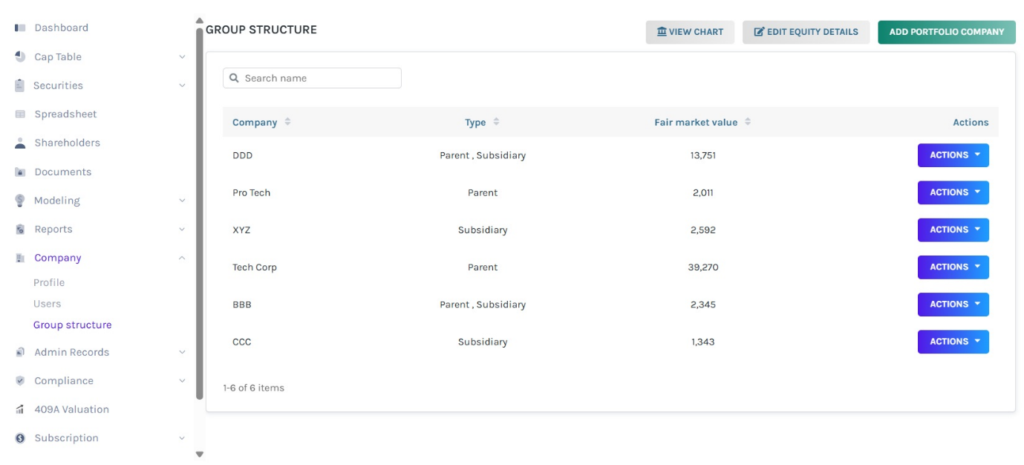
Step 6: The group structure will be successfully created, as shown below.
Note: On this page, you can edit the group structure and view chart. To know more about it, check out the respective support articles!
]To learn more about Eqvista, check out our support articles and knowledge base. For queries, get in touch with us!
